You’ve seen it scrolling through your feed: a product, suspended in space, rotating smoothly in a perfect orbit with cinematic lighting. It’s a simple, mesmerizing effect that stops thumbs and makes products look premium. For a long time, creating this shot required 3D software or a complex physical camera rig. Not anymore.
This tutorial shows you how to create that exact 'Product Orbit' video ad in about 60 seconds, using just a single product photo and a simple AI prompt. No video editing skills required.
Your 3-step workflow from static photo to video ad
The entire process is designed to be fast, letting you jump on a trend while it's still hot. You don't need to learn keyframes, lighting rigs, or complex animation timelines. The workflow is stripped down to three essential steps: upload a photo, describe the motion you want, and generate the video. That's it.
Step 1: Start with a clean product photo
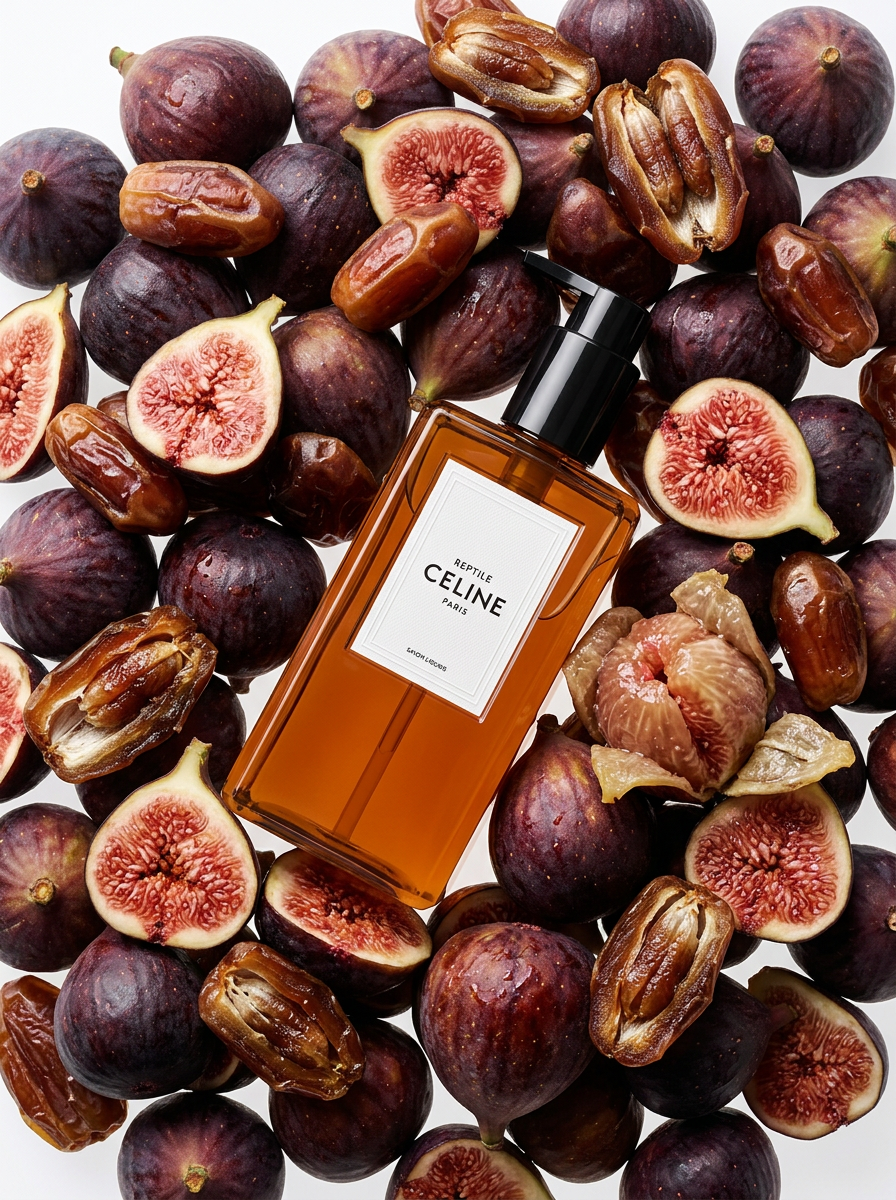
The quality of your final video depends heavily on your starting image. For the orbit effect to work best, you need a photo of your product on a clean, simple background. An image with the product clearly isolated from its surroundings allows the AI to understand the object it needs to animate.
If you already have high-quality e-commerce photos on a white or plain background, you're ready to go. If not, you don't need to book a photographer. You can generate a perfect starting image directly in MyUP using an AI workflow. For example, the Beauty Product Photography template is designed to create exactly these kinds of clean, studio-quality shots from a simple description. Workflow code: #myup-d32t-tsqk.
Regenerate using your own assets.
Getting the initial image right is the most important part of the process. For a deeper dive into creating compelling visuals, our step-by-step guide to AI product photography covers everything you need to know.
Step 2: Write the magic prompt for a 360° orbit
This is where you tell the AI what to do. In the MyUP AI Video generator, you'll find a prompt box where you describe the camera movement and scene style. To create the viral orbit effect, use this prompt as your starting point:
360-degree orbit around the product, slow and smooth, cinematic lighting, studio quality.
Let's break down why this works:
- "360-degree orbit around the product" is the core command. It clearly defines the camera's path.
- "slow and smooth" controls the pacing. This gives the video a premium, elegant feel, rather than a dizzying, fast spin.
- "cinematic lighting" tells the AI to add dynamic shadows and highlights as the object rotates, which creates the illusion of depth and realism.
- "studio quality" reinforces the clean, professional aesthetic, ensuring the background remains uncluttered.
Feel free to experiment with this. You can swap "slow and smooth" for "fast and energetic" for a different vibe, or change "cinematic lighting" to "dramatic moody lighting" for a more intense look.
Step 3: Generate and download your video
Once you've entered your prompt, simply hit the generate button. The AI will process your image and the motion instructions to create a short video clip. In a few moments, you'll have an MP4 file of your product performing a perfect 360-degree orbit. You can download it directly and upload it to TikTok, Instagram Reels, YouTube Shorts, or any other video platform. You've just turned a static asset into a dynamic, attention-grabbing video ad without opening a single piece of video editing software.
Beyond the orbit: 3 more simple motion ideas for your products
The orbit effect is powerful, but it's just one of many possibilities. Once you understand the logic of describing camera motion, you can create all kinds of simple, effective video ads. Here are three more copy-pasteable prompt ideas to try:
- The Gentle Zoom: Use this for detail shots or to create a sense of focus and importance. Prompt: "Slow, gentle zoom in on the product, subtle floating dust particles, soft focus background."
- The Dramatic Reveal: Perfect for new product launches, this builds anticipation. Prompt: "Camera starts low and pans up slowly to reveal the product, casting a long, dramatic shadow."
- The Zero-Gravity Float: This gives a magical or high-tech feel, ideal for beauty or electronics. Prompt: "The product gently floats up and down in the center of the frame, surrounded by a soft, glowing aura."
Why this simple workflow beats complex video software
Professional video tools offer infinite control, but that control comes with a steep learning curve and significant time investment. For a busy marketer or e-commerce owner, the goal isn't to become a video editor; it's to create content that performs. An integrated AI workflow provides speed and focus that dedicated software can't match.
Instead of exporting an image from one tool, importing it into another, setting up a 3D scene, creating a camera path, and then rendering the result, you simply describe the outcome you want. This is the core advantage of MyUP: it combines high-quality image generation and powerful video animation into a single, seamless workflow built for marketing outcomes. You can go from an idea to a finished 15-second video ad in minutes, not hours. This allows you to spend your time on strategy and testing, not getting lost in technical production.
