
You don't need access to a Hollywood-style AI video model to create ads that actually sell your product. While others are wrestling with complex prompts to generate entire ads from scratch, there's a much faster and more reliable way to get a high-performing video asset for your next social media campaign.
This guide provides a simple, two-step workflow for turning one great product image into an eye-catching 15-second video. It's designed for busy marketers, founders, and e-commerce brands who need results today, not research projects for tomorrow.
Step 1: Generate your perfect 'hero' image
An animated video is only as good as the static image you start with. A blurry, poorly lit, or uninspired product photo will result in a lackluster video. The goal of this first step is to create a single, scroll-stopping 'hero' image that clearly showcases your product in an aspirational setting. This becomes the visual anchor for your entire ad.
Instead of staging an expensive photoshoot, you can generate hundreds of options with an AI image generator. Using a structured template is the key to getting a professional result quickly. For example, a template can lock in the lighting, mood, and composition of a luxury cosmetic ad, letting you focus only on placing your product within that scene.
In MyUP, you can use a workflow like 'Luxury Beauty Product' to achieve this. Workflow code: #myup-mgqi-hmi6. This template guides you through creating a polished, editorial-quality shot that's ready for animation. For a deeper dive into creating the perfect source image, our complete guide to AI product photography covers everything you need to know.
Luxury Beauty Product
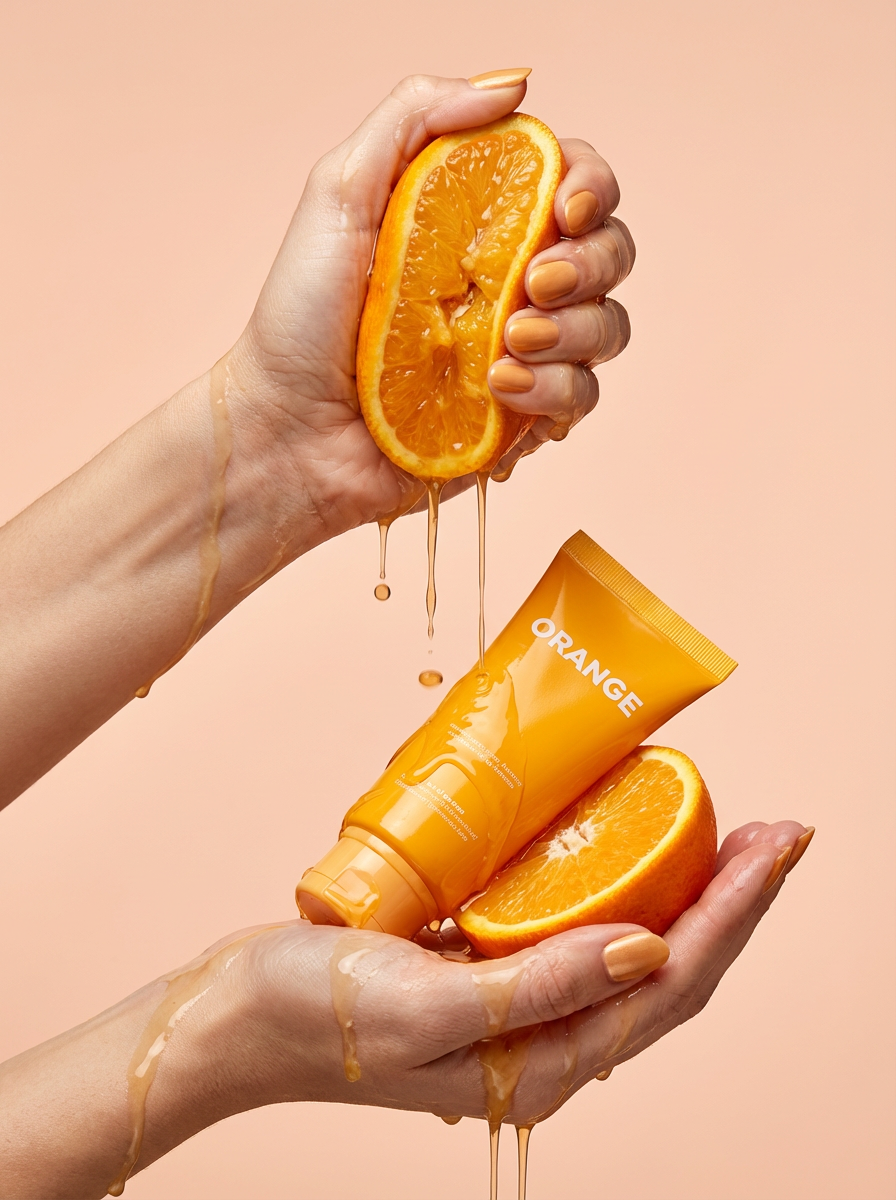
Get clean, hands-only luxury beauty editorials for your cosmetics or jewelry. It captures hyperrealistic skin textures and elegant hand posing, letting you customize the nail polish color to match your brand's exact palette.
Regenerate using your own assets.
Workflow code: #myup-u5mu-9aek
Luxury Beauty Product
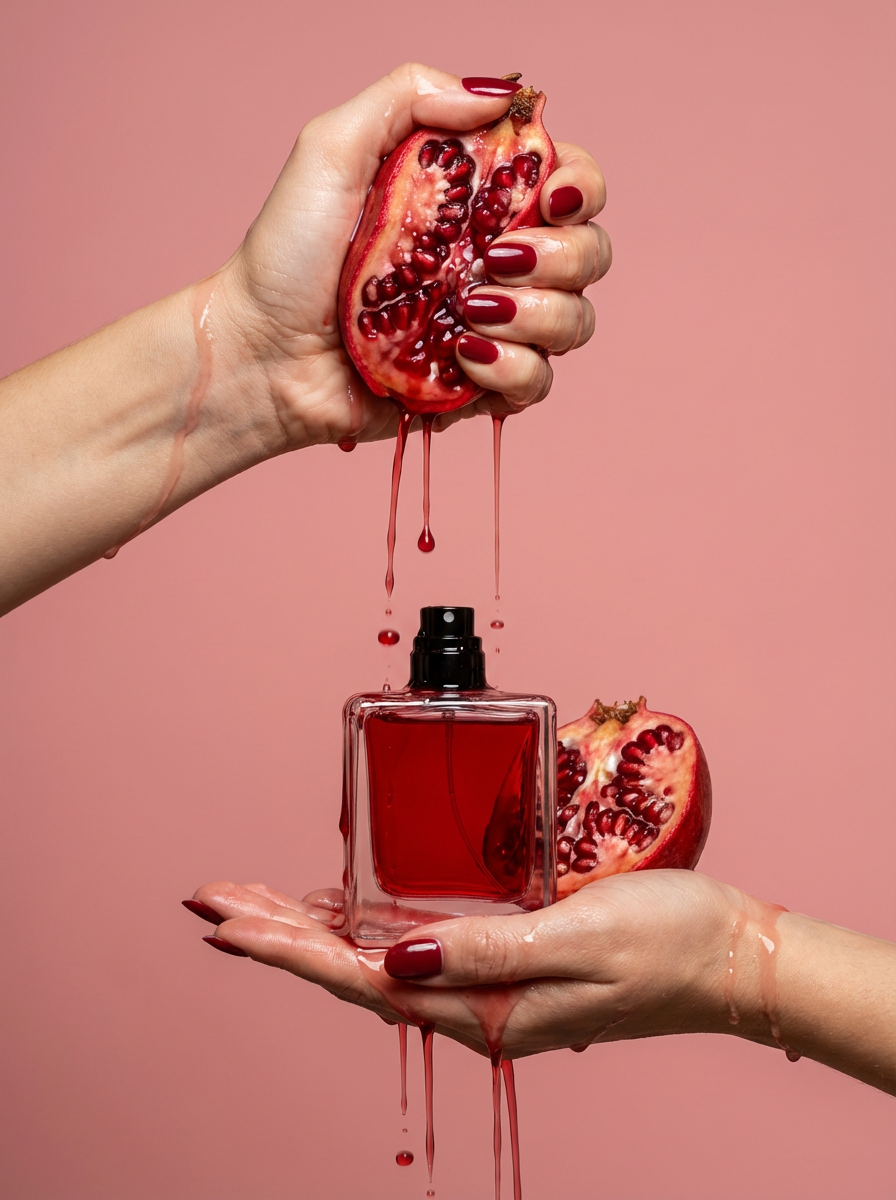
Get clean, editorial-grade beauty shots focusing entirely on your product held by hands with customizable nail polish. It skips the face to keep all the attention on your packaging and textures, giving you that high-end luxury aesthetic instantly.
Regenerate using your own assets.
Step 2: Animate your image into a video clip
With your hero image saved, the next step is to bring it to life. This is where image-to-video AI shines. Unlike text-to-video models that have to imagine your product from scratch, an image-to-video generator uses your high-quality shot as a direct reference, ensuring brand and product consistency.
Inside the MyUP platform, navigate to the 'AI Video' generator. Upload the product image you created in the first step. You'll then have simple controls to define the motion. You don't need to be a video editor to understand them. You can add subtle motion, like a slow zoom-in to create drama or a gentle pan to reveal the product's texture. The key is to add just enough movement to catch the eye in a fast-scrolling social feed.
Adjust the motion strength and duration to create a clip of around 10-15 seconds. Generate the video and review the result. The AI will render a short MP4 file, transforming your static shot into a dynamic video asset without any complex timelines or keyframes.
From clip to campaign: adding the final touches
The AI-generated clip is your visual foundation, but a finished ad needs a few more elements to be effective. The final step is to layer on text, sound, and your brand identity.
You can do this in a simple video editing app (like CapCut or even Instagram Reels' built-in editor) or as part of a larger workflow. Here’s a simple checklist:
- Text Overlay: Add a concise headline or your main offer. Make it bold and easy to read on a mobile screen. Examples: "Unlock Your Glow," "Free Shipping This Week," or your key product benefit.
- Call to Action (CTA): Add a final text card or graphic that tells the viewer what to do next, like "Shop Now" or "Learn More."
- Music: Add a royalty-free audio track that matches your brand's vibe. Most social platforms have a library of licensed music you can use for free.
- Voiceover (Optional): For a more polished ad, a simple voiceover can make a huge impact. You can use an AI voice generator—MyUP integrates with ElevenLabs—to create a clean, professional voiceover for your main ad copy in seconds.
Why this workflow works (and when to use it)
This image-to-video workflow is not designed to create cinematic short films. Its power is its pragmatism. For social media advertising, especially for e-commerce and direct-to-consumer brands, speed and volume are critical for testing and learning. You need to be able to generate multiple ad variations quickly to see what resonates with your audience.
This workflow is the right fit for:
- E-commerce brands needing to create video ads for dozens of products in their catalog.
- Social media managers tasked with creating a high volume of content for platforms like Instagram, TikTok, and Facebook.
- Startups and small businesses that don't have the budget for a full-scale video production team.
When is this approach not the right fit? If your goal is to create a complex, multi-scene narrative video or a story-driven brand film, a text-to-video model might be a better starting point. But for the crucial business task of turning a product photo into a sales-driving ad, this two-step process is the most efficient and reliable workflow available today. It prioritizes the asset that matters most—your product—and builds the motion around it, which is exactly what you need for effective performance creative.
