You can build an AI agent to automatically generate a week of social media posts by creating a multi-step workflow that chains together three core tasks: ideation, copywriting, and image generation. Instead of running three separate tools, you build one system that takes a single topic and outputs a complete, ready-to-schedule content calendar.
The concept of autonomous 'AI agents' for marketing has moved from niche developer forums to the mainstream strategy for social media managers. The goal is no longer just to save a few minutes writing a single caption. The real prize is automating the entire repetitive process of filling the content calendar. This guide will show you exactly how to build that system in MyUP.
Stop generating posts. Start building a content agent.
Most AI social media tools are single-purpose generators. You give them a topic, they give you a post. This is helpful, but it's not automation. You still have to repeat the process for every single post, every single day. It’s a slightly faster version of the manual work you were already doing.
A content agent is different. It's a system you design to perform a sequence of tasks automatically. You give it a high-level goal, like 'create five posts about sustainable footwear,' and it executes a pre-defined workflow to deliver the finished assets. It’s the difference between hiring a freelance writer for one caption and having an in-house assistant who understands the entire content creation process from start to finish. Building this agent is the key to reclaiming hours, not just minutes, from your weekly schedule.
The 3-step workflow for your automated social media agent
Inside MyUP, you can construct this agent using the Workflow Builder. The logic is simple but powerful: you connect the output of one AI generator to the input of the next, creating an assembly line for your content. Our social media agent will have three essential stations on this line:
- Step 1: The Ideation Engine. The agent takes your single core topic and brainstorms a variety of distinct angles or sub-topics, one for each day of the week.
- Step 2: The Copywriting Desk. For each angle generated in the first step, the agent automatically writes a tailored social media post with a clear hook and call-to-action.
- Step 3: The Visual Studio. For each piece of copy it writes, the agent generates a compelling, on-brand image to match, completing the content package.
By chaining these three steps, a single click can trigger a cascade of creation that populates your content calendar with minimal effort.
Step 1: Generate a week of content angles from one topic
First, open the MyUP Workflow Builder and add your first block. This block will be your ideation engine. The goal is to turn one broad theme into a list of specific, post-worthy ideas. The 'Blog Post Ideas' generator works perfectly for this, even though we're creating social posts.
For the input, provide your core content pillar for the week. Let's say you're a direct-to-consumer brand selling minimalist jewelry. Your input could be as simple as: 'The art of layering necklaces.' Configure the generator to produce 5 to 7 outputs. The result won't be a single post, but a structured list of angles like 'Mixing metals: gold and silver,' 'The choker and pendant combo,' and 'How to choose the right chain length.' This list becomes the raw material for the rest of your agent's work.
Step 2: Chain a copywriter to draft the posts automatically
Now for the critical connection. Add a second block to your workflow, this time selecting the 'Social Media Post Business' generator. This is where the magic of chaining happens. Instead of manually typing in a topic, you will configure the input of this block to use the output from your 'Blog Post Ideas' block.
This simple connection instructs your agent to perform a loop. For every single idea it generated in Step 1, it will now run the 'Social Media Post Business' generator to write a complete post. You can enrich the prompt with your brand's tone of voice and a desired call-to-action, such as 'Write in a sophisticated and aspirational tone' and 'End with a question to encourage comments.' The agent will apply these instructions to all five or seven posts, ensuring consistency across the entire campaign.
Step 3: Create on-brand visuals for every post
A social media calendar isn't complete without visuals. The final step is to add an AI image generation workflow as the third block in your chain. Just as before, you'll connect the output of the copywriting step (the text of each social post) to the input of this image block.
This tells the agent to read the post it just wrote and create a relevant image. You can guide its creative direction by choosing a specific workflow that matches your brand's aesthetic. For a modern, edgy fashion brand, a workflow like 'K-pop Streetwear Series' is a great starting point. Workflow code: #myup-vxlj-1uhf. By defining the style at the workflow level, you ensure all the generated images feel like they belong to the same campaign, solving a major consistency challenge with AI-generated content.
K-pop Streetwear Series
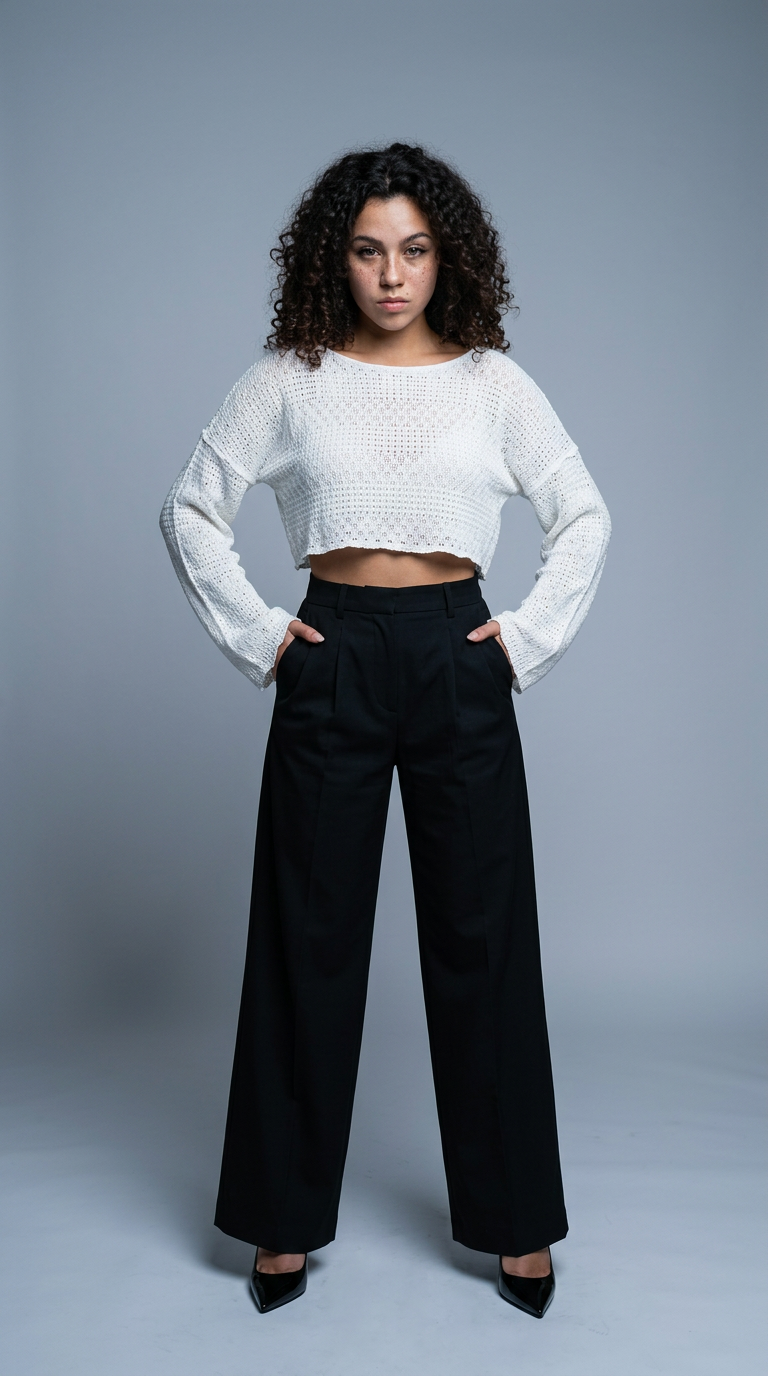
Drop in your character to get a complete streetwear fashion lookbook. It outputs five distinct editorial shots, including sharp close-ups, dramatic low-angle power poses, and realistic walking motion. Super clean way to show off custom apparel designs.
Regenerate using your own assets.
How to keep your AI agent on-brand
An agent is only as good as its instructions. To prevent generic or off-brand output, you need to provide it with clear context. This is done within the prompt for each step of your workflow. Instead of just asking for 'a social media post,' you should specify your brand's voice, target audience, and key messaging pillars.
For example, in the copywriting step, you might add: 'Write for an audience of millennial women interested in sustainable fashion. The tone should be informative, slightly witty, and never use corporate jargon.' For the image step, you can add negative prompts like 'no stock photo look' or specify a color palette. For a deeper dive on this, our guide on how to create a complete brand kit with AI explains how to define these core assets, which you can then feed into your automation agent.
When to use your agent (and when to post manually)
This social media agent is a powerful system for scaling your content production, but it's not meant to replace human oversight entirely. It is the perfect tool for planning and drafting your core calendar content—the evergreen posts, campaign announcements, and educational series that form the backbone of your strategy.
However, it is not the right tool for real-time, reactive marketing. Responding to a breaking news story, engaging in a viral trend, or handling sensitive customer communications requires human nuance, empathy, and strategic judgment. Use your AI agent to free up the time you spend on repetitive drafting so you can focus more of your energy on the high-impact, strategic engagement that only a human can provide.
