Anthropic’s release of Claude 3.5 Sonnet on April 18, 2026, has creators talking about its impressive reasoning skills. But its most valuable use for design and marketing teams isn't just for better chat. Its real power lies in a new workflow: using it as a dedicated AI Art Director to build a system for generating perfectly on-brand visuals, every single time. This guide shows you how to stop writing prompts by hand and start directing your AI with a repeatable design system.
Claude 3.5 Sonnet is here. Now stop writing prompts by hand.
The core challenge for any brand using AI image generation is consistency. One day you get a perfect product shot; the next, a lifestyle image that feels like it’s from a different company. This happens because one-off prompts are like isolated creative requests with no memory or master plan. You're relying on luck, not a system. This approach is a creative dead end for any serious brand.
The professional workflow treats AI not as a slot machine, but as a creative partner that needs clear, systematic direction. Instead of writing a new, slightly different prompt for every asset, you build a master set of instructions that encodes your entire brand identity. The release of Claude 3.5 Sonnet makes this workflow more powerful and accessible than ever before, thanks to its nuanced understanding of aesthetics and its ability to follow complex, layered instructions.
What is a 'metaprompt'? Your new AI art director.
The key to this entire system is a concept called the 'metaprompt.' Don't let the technical name intimidate you. A metaprompt is simply a master prompt you create to teach an AI your specific visual style. Think of it as a comprehensive creative brief that you give to your new AI Art Director—Claude 3.5 Sonnet. Once briefed, this AI Art Director can then generate an infinite number of specific, on-brand image prompts on your command.
Instead of you remembering the exact camera lens, lighting setup, and color grading for every image, the metaprompt holds that knowledge. Your job shifts from being a prompt writer to being a creative director. You define the system once, then use simple commands to request assets that automatically conform to it. This is the difference between guessing and directing.
Step 1: Teach Claude your brand's visual DNA
Before you can build your metaprompt, you need to gather the raw materials of your brand’s visual identity. You are codifying your style guide into a format the AI can understand. If you don't have a formal brand guide, this is a great exercise to create one. For a comprehensive guide on this, see our article on how to create a complete brand kit with AI.
Your Visual Lexicon Checklist:
- Color Palette: List your primary and secondary brand colors with their HEX codes (e.g., Deep Navy: #001f3f, Bright Coral: #FF6F61).
- Typography: Name the specific fonts you use for headlines and body text. While the AI won't render perfect text in images, mentioning the font influences the overall typographic feel.
- Core Adjectives: What five words define your brand's feel? (e.g., 'Minimalist,' 'Vibrant,' 'Trustworthy,' 'Playful,' 'Serene').
- Photography Style: Describe your ideal photography. Be specific. (e.g., 'Soft, natural morning light, shallow depth of field, candid poses, slightly desaturated and warm color grade, shot on a 50mm prime lens').
- Composition Rules: Are your images centered and symmetrical, or do they follow the rule of thirds? Do you prefer clean, negative space or dense, busy compositions?
- Negative Keywords: What should your images *never* include? (e.g., 'no cheesy stock photo models,' 'no harsh artificial lighting,' 'no cluttered backgrounds,' 'no oversaturated colors').
Step 2: Build your master prompt template
Now, you'll combine your visual lexicon into a master prompt. This is the 'briefing' for your AI Art Director. You will paste this into a new conversation with Claude 3.5 Sonnet inside the MyUP AI Agent workspace. The goal is to give it a role, a detailed style guide, and a clear output format.
Here is a robust template you can copy, paste, and adapt with your own brand details.
[START OF METAPROMPT]
ROLE: You are an expert Art Director for the brand '[Your Brand Name]'. Your sole purpose is to generate highly detailed, effective text-to-image prompts that strictly adhere to our established visual identity. You will internalize the following brand guidelines and never deviate from them.
BRAND VISUAL IDENTITY:
1. Core Vibe: Our brand is [Your Core Adjectives, e.g., 'Minimalist, serene, and professional']. Every image must reflect this feeling.
2. Color Palette: The dominant colors are [Your Primary Colors with HEX codes]. Accent colors are [Your Secondary Colors with HEX codes]. The overall mood should be [e.g., 'warm and inviting' or 'cool and crisp'].
3. Photography Style: All images must emulate [Your Photography Style, e.g., 'professional studio photography with soft, diffused lighting from the left, a shallow depth of field, and a clean, uncluttered background']. We prefer a [e.g., 'slightly desaturated, cinematic color grade']. Camera shots should feel like they were taken with a [e.g., '85mm f/1.8 lens'].
4. Composition: Images must use [Your Composition Rules, e.g., 'a centered subject with significant negative space around it'].
5. Subject Matter: Our imagery focuses on [e.g., 'diverse teams collaborating in modern office spaces,' 'close-ups of our product's texture,' 'abstract representations of data'].
6. DO NOT INCLUDE (Negative Prompts): Absolutely no [Your Negative Keywords, e.g., 'stock photo clichés, exaggerated expressions, artificial lighting, blurry elements, watermarks'].
TASK:
From now on, I will give you a simple concept. You will respond with ONLY a single, detailed, comma-separated text-to-image prompt that translates my concept into our brand's visual style. Do not add any conversational text or explanations. Just the prompt.
Acknowledge that you have understood these instructions by replying with 'Art Director ready.'
[END OF METAPROMPT]
Step 3: Generate on-brand visuals with a single command
Once Claude replies with 'Art Director ready,' the system is active. The magic is how simple your requests can now be. You no longer need to write complex, 50-word prompts. You just state the concept, and your AI Art Director does the heavy lifting.
For example, you could now simply type:
A blog header image about team productivity.
And Claude, having internalized your metaprompt, might generate a detailed prompt like this:
Professional studio photograph of a diverse team of three, collaborating around a minimalist light-oak desk, soft diffused lighting from a large window on the left, shallow depth of field, shot on an 85mm lens, serene and focused expressions, background is a clean, out-of-focus office with muted tones of #001f3f navy, overall cinematic and slightly desaturated warm color grade, high detail, 8k.
This output is structured, specific, and perfectly aligned with the rules you set in Step 2. You can now generate dozens of assets for a campaign—social posts, ad creatives, blog headers—and they will all share a consistent visual language.
From prompt to production: a MyUP workflow example
This entire workflow can be executed seamlessly within the MyUP platform. You can use the AI Agent workspace to develop and 'train' your Claude 3.5 Sonnet Art Director with your metaprompt. Once it's ready, you can generate your detailed image prompts right there.
Then, simply copy the generated prompt and paste it directly into the MyUP AI Image Generator to create your final asset. This keeps your entire creative process, from ideation to production, in one place.
We use this exact system-based approach to build our most powerful templates. For instance, our Luxury Jewelry Editorial Campaign template doesn't just ask for a product. It's built on a sophisticated metaprompt that defines the lighting, mood, and photographic style of a high-end editorial shoot, ensuring every image it produces feels like part of a cohesive, luxury campaign. You can try it yourself to see the results. Workflow code: #myup-40pt-v0sm.
Luxury Jewelry Editorial Campaign
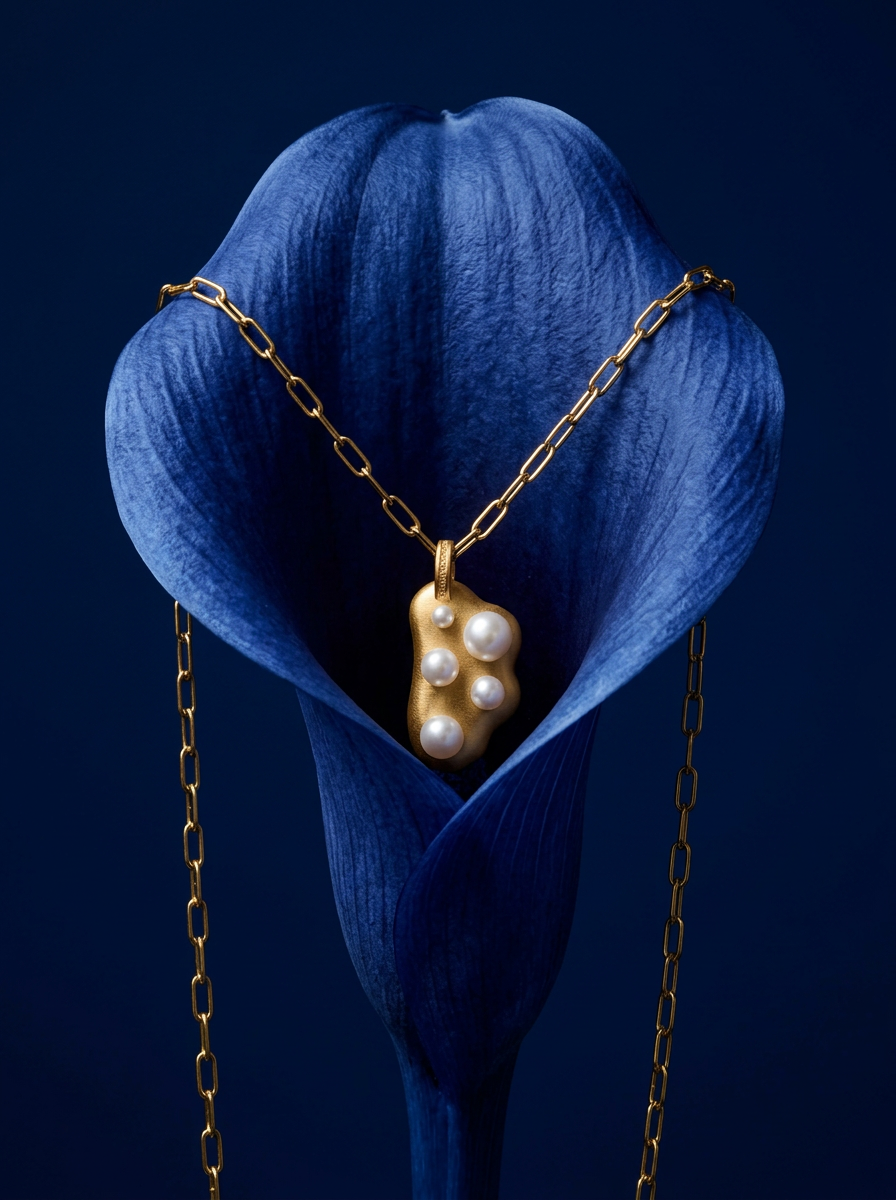
Drop your product into a moody, deep navy studio environment. It wraps your item in a seamless royal blue backdrop with high-contrast lighting and clean organic props, giving everything a premium, high-end editorial look.
Regenerate using your own assets.
When is this workflow overkill?
This metaprompting workflow is a professional tool for a professional job: building and maintaining a brand's visual identity at scale. Is it necessary for everything? No. If you're a hobbyist experimenting with styles or a solo creator making a one-off image for fun, a simple, direct prompt is often faster and more efficient. The goal then is exploration, not consistency.
However, the moment your goal shifts to producing a series of assets that need to feel like they belong together—for a marketing campaign, a social media feed, a website, or an e-commerce store—this system becomes essential. It’s the strategic choice for anyone who values brand integrity and scalable production over the creative lottery of one-off prompting.
