
You’ve seen the viral X thread. A creator painstakingly details how they used a text AI for a script, an image generator for scenes, a video tool to animate them, and a voice AI for the audio. The result was impressive, but the process was a chaotic, four-tool nightmare. It’s the perfect example of a broken workflow: time-consuming, expensive, and impossible to keep on-brand.
The core problem isn't generating a video clip; it's producing a finished, branded asset at scale. Juggling different tools means your visual style, fonts, and colors will be inconsistent every time. It’s not a system; it’s a series of one-off projects.
This guide shows you the professional alternative. We’ll reframe the problem from 'generating a clip' to 'automating a video production system'. Instead of acting like a prompter, you’ll act like a director with an AI crew. Here’s how to use a single, unified workflow in MyUP.ai to generate a full week of on-brand Instagram Reels in under an hour.
The multi-tool AI workflow is broken
That viral workflow is popular because it touches on a real need: creating high-quality short-form video without a production team. But the method is fundamentally flawed for anyone managing a brand. Each tool has its own aesthetic, its own interpretation of your prompts, and zero awareness of your brand identity. The result is a collection of visually disconnected clips that you still have to manually edit, brand, and assemble.
This fragmentation kills efficiency and, more importantly, brand consistency. Your audience experiences your brand as a whole, not as a series of disconnected experiments. When your Reels look different every day, you’re not building a recognizable identity; you’re just adding to the noise.
MyUP’s approach is different. It’s built around a central Brandkit—your logo, colors, fonts, and visual style—that is automatically applied to every asset. Instead of prompting individual tools, you define a workflow once, and MyUP handles the production. This is the shift from one-off creation to a scalable content system.
Step 1: Create your shot list (without leaving the platform)
Great videos start with a plan, not a random prompt. Before you generate a single pixel, you need a storyboard or a shot list. In professional video production, this is non-negotiable. With AI, it’s the key to getting structured, coherent results.
Instead of a complex document, your shot list in MyUP can be a simple bulleted list. For a Reel about '3 Skincare Tips for Summer,' your input would look like this:
- Tip 1: Always wear sunscreen.
- Tip 2: Hydrate with a lightweight moisturizer.
- Tip 3: Cleanse your face twice a day.
This text isn't just a prompt; it's the blueprint for your entire video. Each line item will become a distinct scene, complete with its own visual and text overlay. This structured input is what allows MyUP to function as an AI video editor, not just a clip generator. You’re telling the AI *what* to create and in *what order*, giving you directorial control from the very beginning.
Step 2: Generate all your video clips in one pass
With your shot list ready, the MyUP workflow gets to work. It takes each line from your list and generates a unique, corresponding video clip. But it doesn't do this in a vacuum. The workflow is guided by your Brandkit, which informs the aesthetic of every clip—from the color grading to the overall mood—ensuring they all feel like part of the same family.
This is where you move at speed. You’re not prompting, reviewing, and re-prompting one clip at a time. The system generates the entire sequence of shots in a single pass. The user validates the output, but MyUP handles the production.
For content that needs a dynamic, high-energy feel, a workflow can be tuned to produce specific styles. For example, a sportswear brand can use a template designed for action and movement to create compelling visuals instantly.
Workflow code: #myup-ywpr-rqz6
Professional Sportswear Ad

Suspends your apparel right in the center of a high-energy promo shot, held up by hands around the frame. It gives your shirts or jerseys a gritty, collaborative streetwear editorial look that feels alive and physical.
Regenerate using your own assets.
Step 3: Add on-brand text, logos, and overlays automatically
Raw video clips are just the beginning. A finished Reel needs branding: text overlays, your logo, and maybe a call-to-action. In the multi-tool workflow, this is a manual, post-production step in a separate video editor. In MyUP, it’s an automated part of the workflow.
Because the workflow is connected to your Brandkit, it automatically applies your brand’s typography and color palette. The text from your shot list (e.g., 'Tip 1: Always wear sunscreen.') is overlaid onto the corresponding video clip using your specified brand font and colors. Your logo can be placed in a consistent position on every scene.
This step is what elevates AI-generated content from a cool experiment to a professional marketing asset. It ensures that every single video you produce is instantly recognizable as yours. A simple food ad, for instance, becomes a branded piece of content just by running it through a workflow that applies a specific typographic style and color treatment.
Workflow code: #myup-fts6-4ihp
Vertical Gourmet French Fry Ad

Transform your products into high-fashion editorial ads. This setup uses a dynamic diagonal layout and a slightly tilted overhead angle to give food and packaging incredible depth and texture. It's perfect for giving any brand a chic, premium look.
Regenerate using your own assets.
Workflow code: #myup-wo7y-ebmc
Food Ad
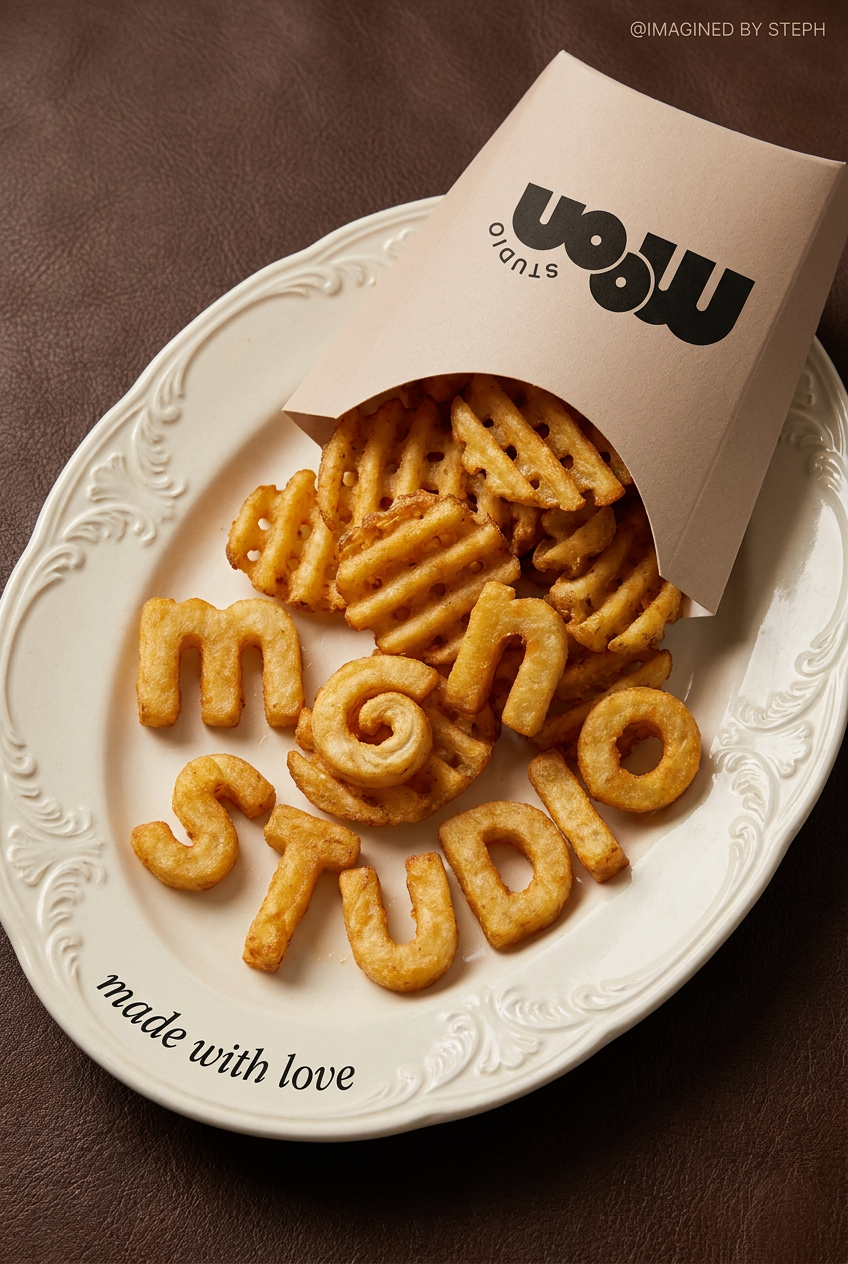
Transform simple food items into high-fashion editorial campaigns. This style uses a dynamic diagonal layout and a slightly tilted overhead angle to give your products incredible depth and texture, making them look like luxury design pieces.
Regenerate using your own assets.
Step 4: Assemble, review, and batch your week of Reels
The final step in the workflow is assembly. MyUP takes the sequence of individually generated and branded clips and stitches them together into a complete, ready-to-publish video file. What you get is not a folder of loose assets but a finished Reel.
Now, how do you get a week's worth of content? You don't start from scratch. You simply provide the workflow with a new shot list. To create seven Reels, you just need seven simple text lists. Because the core workflow—the visual style, branding, and structure—is already defined, you can batch produce an entire week of content in minutes, not days. This is how you escape the content treadmill. For brands that frequently post about their products, a dedicated product ad workflow can become a daily driver for content creation.
Workflow code: #myup-w0vh-abft
Food Product Ad
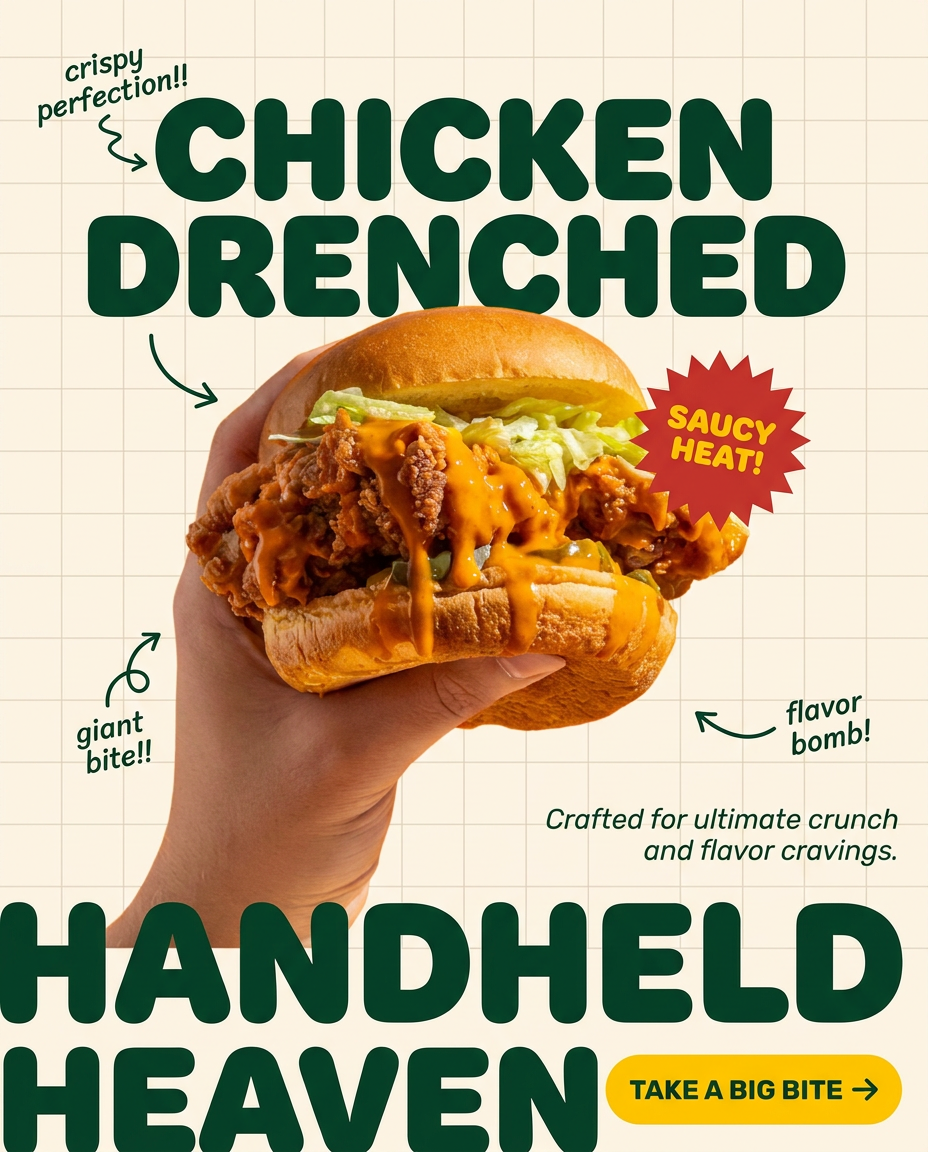
Turn any dish or snack into a bold, playful social ad. It places your food against a soft warm beige background with a subtle grid pattern, topped with chunky rounded headlines. It's clean, friendly, and instantly grabs attention in the feed.
Regenerate using your own assets.
By turning your content creation into a system, you can focus your time on strategy and ideas, not on the mechanics of production. This is the same principle behind creating a week of on-brand social media visuals or even an entire series of Instagram Stories from a single, repeatable process.
From content treadmill to creative system
The viral, multi-tool AI workflow is a sign of what creators want: speed, quality, and scale. But the method is the problem. It trades brand consistency for novelty and forces you into the role of a manual integrator, stitching together pieces that were never designed to fit.
A true AI Reels generator isn't just about making clips. It's an end-to-end production system. By starting with a structured plan, connecting generation to a central Brandkit, and automating the editing and assembly, you can build a reliable engine for your social media presence. You move from chasing the algorithm to building a brand, one consistent, high-quality Reel at a time.
