
On June 27, 2026, Runway released Gen-3 Alpha, their new text-to-video model, with a major focus on the holy grail of AI video: character consistency. The demos are impressive, and the hype is real. For any creator who has tried to tell a story or build a brand campaign with AI video, the promise of a character who doesn't change their face, hair, or clothes from one shot to the next is a massive deal.
But a more powerful model is only half the solution. Relying on the model alone still leaves you guessing and re-rolling, hoping it remembers your character's details. For professional production, hope isn't a strategy. True consistency and creative freedom don't come from a better prompt; they come from a better workflow that gives you, the creator, directorial control. This guide outlines that workflow.
The promise of Gen-3 is here, but the core problem remains
New models like Runway's Gen-3 and competitors like Luma Dream Machine are incredible feats of engineering. They are better at maintaining short-term coherence and understanding character descriptions. However, they don't fundamentally solve the creator's control problem. When you're producing a multi-scene narrative or a marketing video, you need absolute certainty that your character will be recognizable from the first frame to the last.
The underlying issue is that generating video scene by scene from a text prompt is an act of suggestion, not instruction. You are describing what you want and hoping the model interprets it correctly every single time, under different lighting, from different angles, and during different actions. This lack of a persistent 'source of truth' for the character's identity is the real bottleneck.
Why prompting scene-by-scene is a losing strategy
Imagine you're creating a short ad. Your prompt for scene one is: "A woman with red hair in a blue jacket, smiling, walking through a city park." The AI generates a great clip. For scene two, you prompt: "Close up on the same woman, now looking thoughtfully at a product on a shelf." The AI tries its best, but now her hair is a slightly different shade of red, the jacket's collar has changed, and her facial structure has subtly shifted. This is 'character drift'.
This drift ruins narrative cohesion and brand identity. It forces you into a frustrating cycle of generating dozens of variations, trying to find clips that look 'close enough'. This costs time, consumes credits, and ultimately compromises your creative vision. You're no longer directing the story; you're just curating the AI's best guesses.
The solution: Build a character 'source of truth'
You can't get consistency by just asking for it in a prompt, no matter how advanced the model. You get it by building a system of record for your character's appearance. In professional animation and filmmaking, this is called a model sheet or character reference sheet. It's a definitive visual guide that dictates what the character looks like from every angle and with key expressions.
With AI, this concept is more powerful than ever. By creating a definitive character sheet first, you establish a visual 'source of truth'. You then use a workflow that forces every subsequent video generation to look back at this sheet for guidance. This changes the process from suggestion to instruction. MyUP is built to make this workflow simple and repeatable.
Step 1: Generate your definitive character sheet
Before you even think about video, you need to lock in your character's design. A strong character sheet should include several key images:
- A clear, well-lit portrait (front view).
- Views from different angles (profile, three-quarter).
- A full-body shot showing their typical outfit.
- A few key expressions (happy, concerned, surprised).
The goal is to provide the AI with a comprehensive visual database of your character. You can generate these images one by one, ensuring they are all consistent with each other. For the initial hero image, you need high quality and detail. A workflow designed for editorial-style portraits is perfect for this, as it focuses on creating a compelling, clear character study. You can then use that first image as a reference for generating the other angles and expressions. For more detail on this part of the process, see our guide to the AI character turnaround workflow that actually works.
To generate your high-quality base image on MyUP, the High-End Editorial Fashion Magazine Cover workflow is an ideal starting point. It's tuned for creating striking, detailed portraits that serve as a perfect foundation for your character sheet.
Workflow code: #myup-yk1h-uqy8
High-End Editorial Fashion Magazine Cover

Drop in any portrait and turn it into a high-end editorial magazine cover. It frames your subject beautifully with relaxed, high-fashion posing and soft styling for a polished print aesthetic.
Regenerate using your own assets.
Step 2: Turn your Brandkit into a Character Kit
This is where you create your system of record. In MyUP, the Brandkit is designed to store your brand's core visual assets—logos, colors, fonts—to ensure consistency. We're going to repurpose it as a 'Character Kit'.
Once you have your complete character reference sheet (the front, side, and full-body images), upload them directly into a new or existing Brandkit on MyUP. Instead of a logo, you're uploading your character's face. Instead of brand patterns, you're uploading their key angles and expressions. By doing this, you are creating a reusable, centralized asset that locks in your character's identity. This Character Kit is now the permanent source of truth that MyUP's workflows can reference for any future project.
Step 3: Generate video scenes with your Character Kit as a guide
Now you're ready to create video. In MyUP, you can build a video generation workflow that uses your newly created Character Kit. When you set up your prompt for a new scene—for example, "[Character Name] running on a treadmill in a gym"—you configure the workflow to use the images in your Character Kit as a strong visual reference.
This step is crucial. The workflow doesn't just rely on the text prompt; it constantly refers back to the definitive images you provided. MyUP's system forces the AI model to conform to the visual data in the Character Kit, dramatically reducing character drift. The human creator (you) provides the directorial input and approves the final output, while MyUP handles the complex production of keeping the visuals consistent. This is how you build AI visual stories frame by frame with reliable results.
To create a dynamic, action-oriented scene with your consistent character, a workflow like the Professional Sportswear Ad is perfect. It's designed for motion and energy, allowing you to test your character's consistency in a demanding context.
Workflow code: #myup-ywpr-rqz6
Professional Sportswear Ad

Suspends your apparel right in the center of a high-energy promo shot, held up by hands around the frame. It gives your shirts or jerseys a gritty, collaborative streetwear editorial look that feels alive and physical.
Regenerate using your own assets.
Putting it to the test: A consistent character in a product ad
Let's apply this to a simple, three-shot product ad. Without the Character Kit workflow, the results are unpredictable. Shot 1 might look great, but by Shot 3, the character is a stranger. With the MyUP workflow, the results are locked in.
- Shot 1 (Prompt-only): A woman with brown hair in a green sweater smiles at the camera. Result: Looks good.
- Shot 2 (Prompt-only): The same woman laughs while using a food processor. Result: Her hair is now shorter, and her sweater is a different shade of green.
- Shot 3 (Prompt-only): Close-up of the same woman enjoying the food. Result: Her face shape has changed completely. The narrative is broken.
Now, with the MyUP Character Kit workflow:
- Shot 1 (MyUP Workflow): A woman with brown hair in a green sweater smiles at the camera, referencing the Character Kit. Result: Looks exactly like the reference sheet.
- Shot 2 (MyUP Workflow): The same woman laughs while using a food processor, referencing the Character Kit. Result: Same face, same hair, same sweater. Perfect consistency.
- Shot 3 (MyUP Workflow): Close-up of the same woman enjoying the food, referencing the Character Kit. Result: Instantly recognizable. The narrative holds.
This level of control is essential for any branded content. You can try this yourself by creating a simple product shot with your character.
Workflow code: #myup-w0vh-abft
Food Product Ad
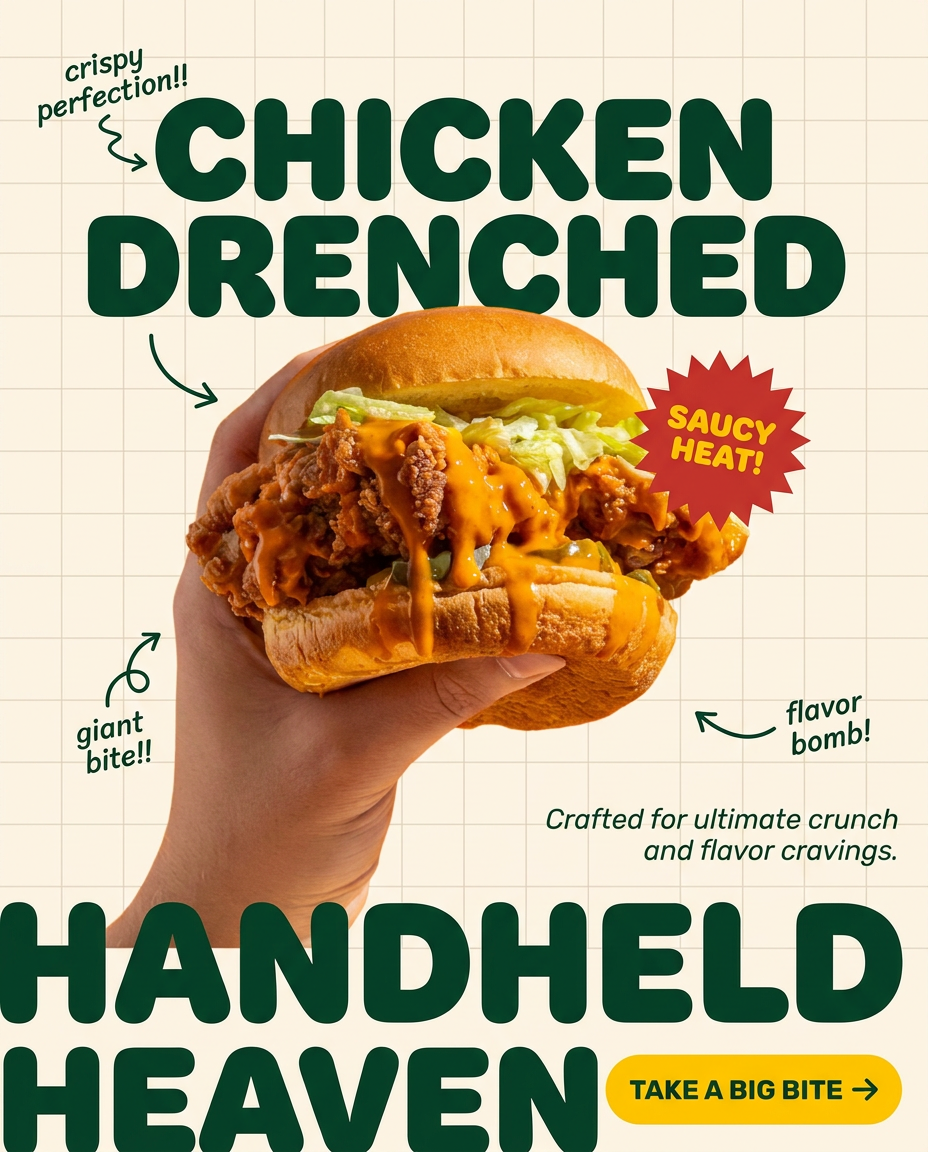
Turn any dish or snack into a bold, playful social ad. It places your food against a soft warm beige background with a subtle grid pattern, topped with chunky rounded headlines. It's clean, friendly, and instantly grabs attention in the feed.
Regenerate using your own assets.
The future is workflows, not just models
The rapid improvement of AI video models like Runway's Gen-3 is incredibly exciting for all creators. These tools open up new possibilities for storytelling and marketing. But for professionals who need reliable, repeatable, and on-brand results, the model itself is only one piece of the puzzle.
The real unlock for creative production is a workflow that puts you in the director's chair. By establishing a source of truth with a character sheet and using a system like MyUP's Brandkit to enforce it, you move from hoping for consistency to engineering it. This is how serious creators will harness the power of AI video—not by chasing the latest model, but by building the smartest workflow.
