
The wave of new AI tools in mid-2026, like Luma's Dream Machine, has made one thing clear: animating a static image is now a one-click job. Your social feeds are likely filled with mesmerizing, looping clips generated from photos. It's an impressive technical feat. But a 5-second looping clip isn't a marketing campaign.
A real video ad needs a clear message, consistent branding, and a call to action. It needs to look like it came from your brand, not from a random AI generator. This is where the simple one-click tools fall short, and where a proper workflow begins. This guide shows you how to move beyond the novelty and use MyUP.ai to turn any of your existing product photos into a finished, on-brand, and scalable video ad.
Step 1: Turn your static photo into a moving scene
The foundation of any image-to-video ad is, of course, the motion. The goal isn't to create a chaotic, swirling animation that distorts your product, but to add subtle, professional-looking camera movement that draws the viewer's eye. This transforms a flat product shot into a dynamic scene.
In MyUP.ai, this process is direct and controllable. You don't need to write complex prompts to describe camera moves. You start by uploading your best product photo—ideally a high-resolution image with a clean background.
Once your image is loaded into a MyUP workflow using the 'AI Video' generator, you can apply controlled motion effects:
- Pan (Left/Right/Up/Down): A slow, steady camera pan can reveal the product or give a sense of space.
- Zoom (In/Out): A gentle zoom-in focuses attention on a key detail, while a zoom-out can reveal the product in a larger context.
- Orbit (Clockwise/Counter-clockwise): A subtle orbit adds a three-dimensional feel, making the product feel more tangible.
The key is control. MyUP handles the technical production of the video clip, but you validate the result. You choose the motion that best serves your product, ensuring the output is a polished asset, not an unpredictable AI experiment.
Step 2: Add on-brand text that doesn't look like a mistake
Here is where most AI video generators fail spectacularly. When you ask them to generate video and text simultaneously, you often get warped, flickering letters that look like a mistake. This instantly kills credibility and makes your ad look unprofessional.
The solution is to separate the design phase from the animation phase. A professional workflow creates the static visual composition first—with perfect text—and then animates the final, approved image. MyUP automates this with its Brandkit integration.
Your MyUP Brandkit stores your brand's specific fonts, colors, and logo. When you build a workflow, you can add text overlays that are guaranteed to be crisp, clean, and perfectly on-brand. The AI isn't guessing at your font; it's using the exact file you provided. This is the difference between an amateur-looking clip and a professional ad.
To get started, you can use a workflow designed for a strong static composition. This template helps you arrange your product, headline, and brand elements before you even think about motion.
Workflow code: #myup-zpby-tzie
Minimal Vibrant Product Advertising Poster

Drop in any product shot and watch it turn into a bold, high-energy square ad. It automatically reads your packaging to pull out the dominant colors and text, then builds a vibrant poster styled perfectly around your brand.
Regenerate using your own assets.
By getting the design right in this static step, you ensure the final animated video has a clear, legible message that drives conversions. It’s a systematic approach that avoids the common pitfalls of AI-generated text.
Step 3: Build a scalable workflow, not just a one-off video
Creating one video is good. Creating an entire campaign's worth of video assets from a single product photo is how you win. Scalability is the real promise of AI in marketing, but it requires a repeatable system, not just a single tool.
In MyUP, you don't just make a video; you build a workflow. This workflow is a repeatable recipe that you can apply to any product photo. You can, for example, build a workflow that:
- Takes a product photo as input.
- Generates three different background variations for A/B testing.
- Applies a slow zoom-in motion to each variation.
- Overlays a promotional headline using your Brandkit font and color.
- Adds your logo to the corner.
Once this workflow is saved, you can run it for every product in your catalog. You feed it a new photo, and it automatically produces a new set of on-brand video ads. This turns your static product catalog into an endless library of video marketing assets.
MyUP has pre-built workflows designed for specific e-commerce verticals that you can use immediately. Whether you're selling beverages or luxury goods, there's a starting point for your campaign.
For drinks and bottled products: Workflow code: #myup-cqnu-i50m
Drink Product Ad
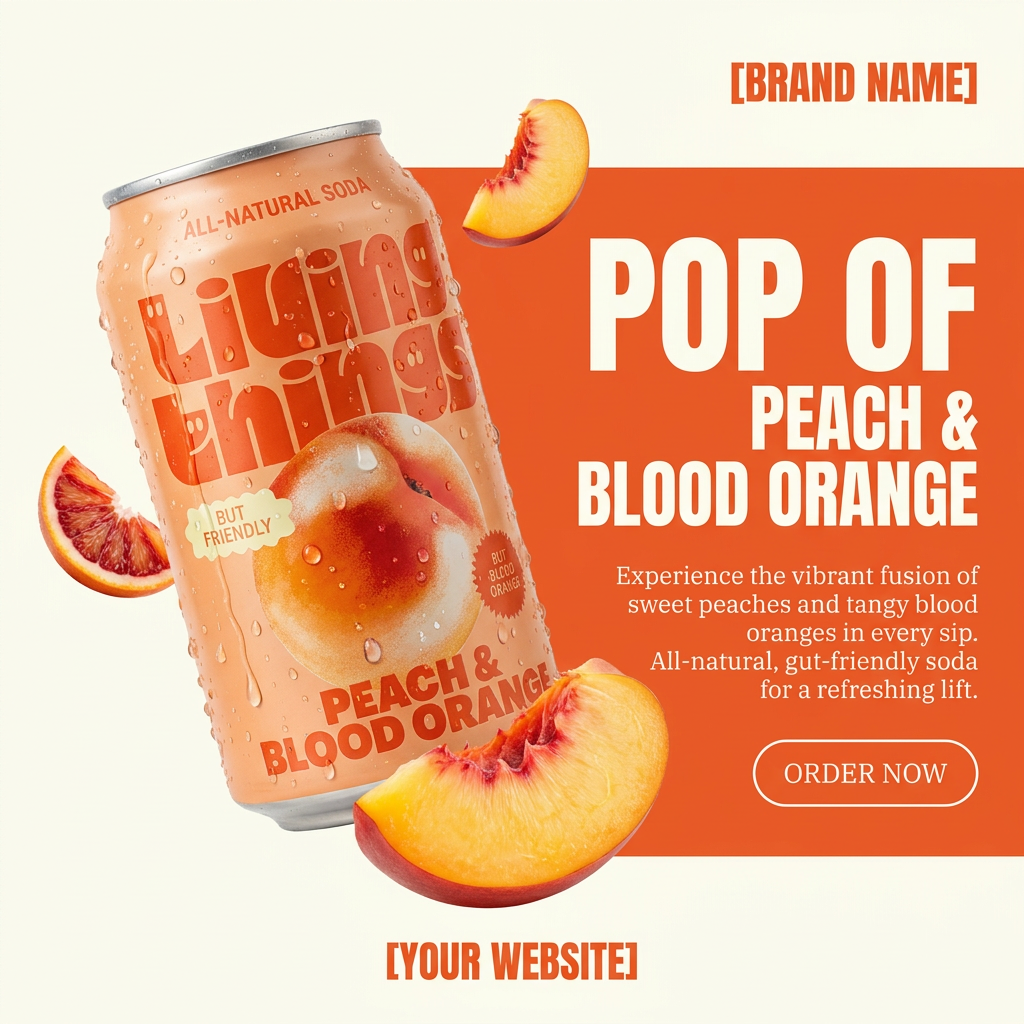
Turn any product photo into a bold, modern ad poster. It automatically frames your item against a split-color background, pairing a clean cream tone with a solid block of your product's dominant color. Super clean, minimal, and ready for social feeds.
Regenerate using your own assets.
For jewelry and accessories: Workflow code: #myup-qtty-nngw
Jewerly Product Ad
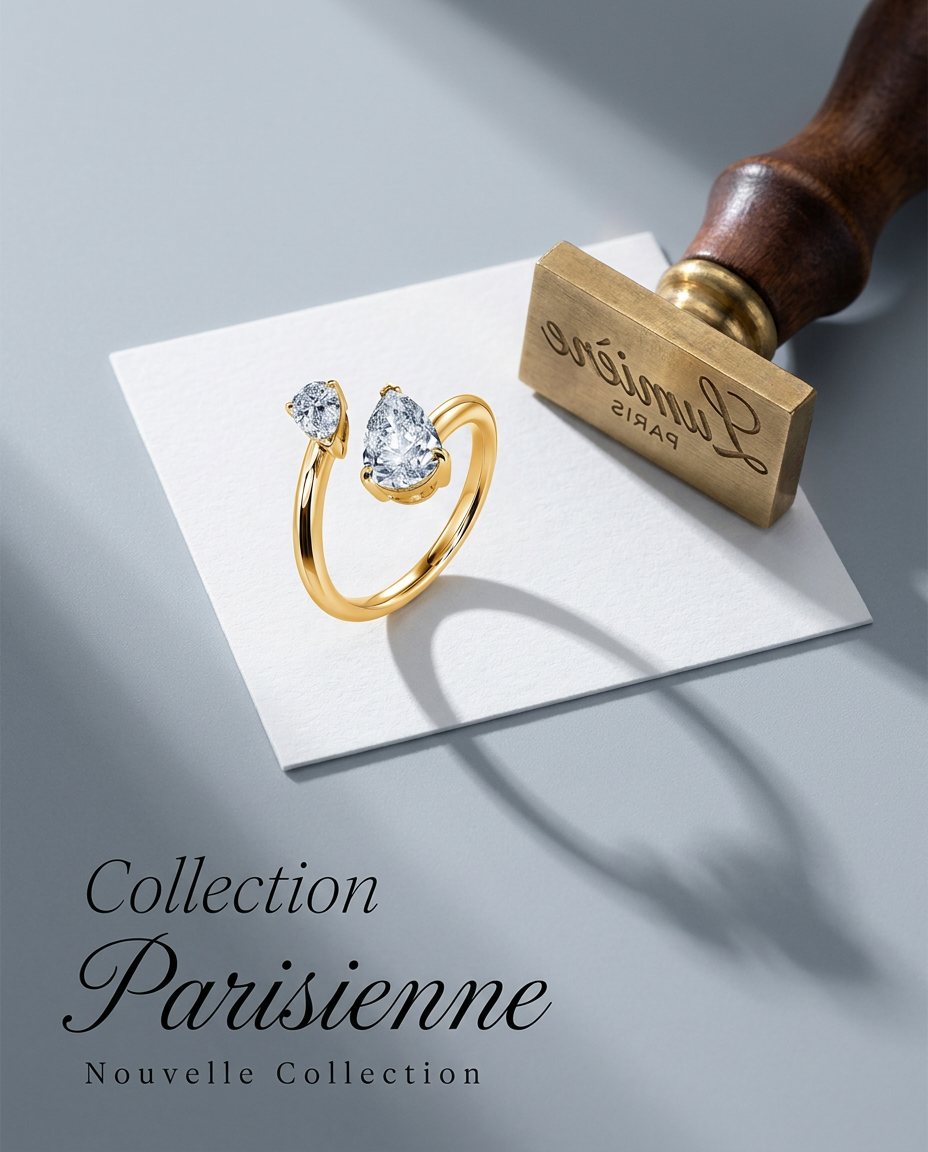
Turn any product into a high-end editorial shot. It drops your item into a clean, flat-lay setup with soft directional light and elegant long shadows against a cool matte gray background.
Regenerate using your own assets.
Common problems with AI product videos (and how to fix them)
As you start generating videos from images, you'll encounter a few common issues. Here’s how a workflow-based approach on MyUP helps solve them preemptively.
Problem: The product shape gets distorted.
Fix: This often happens when the AI is given too much creative freedom. In MyUP, you can use a lower 'motion strength' setting to ensure the animation is subtle and preserves the product's core structure. For products where fidelity is critical, like cosmetics, a workflow that emphasizes clean lighting and minimal movement is best.
Workflow code: #myup-iffs-sdef
Gourmand Candy Lip Gloss Ad
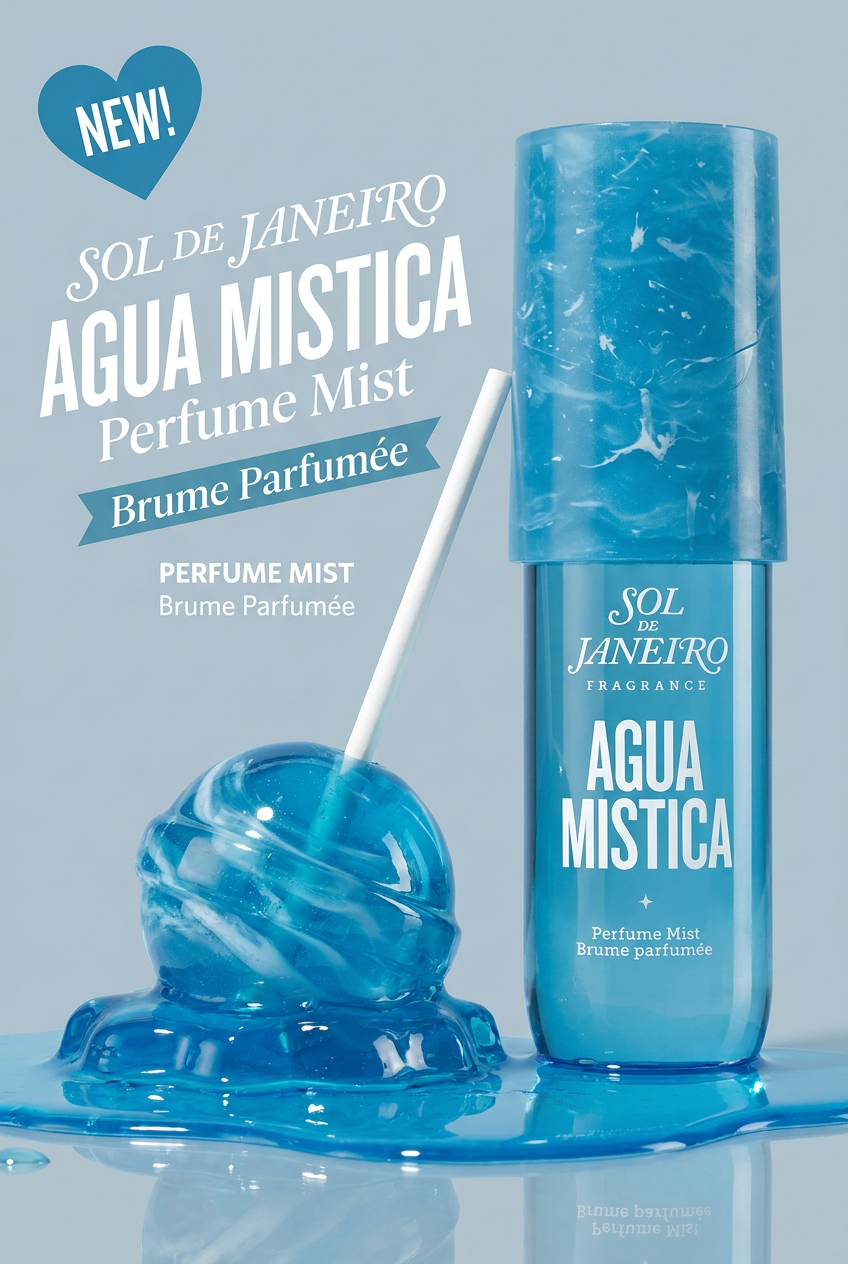
Drop your product photo in and watch it transform into a sleek, modern cosmetic ad. It automatically extracts your item's signature colors to build a vibrant, gourmand-style backdrop that matches perfectly.
Regenerate using your own assets.
Problem: The branding is inconsistent across videos.
Fix: This is a classic symptom of not using a brand-aware system. The MyUP Brandkit is the solution. By building your brand's fonts, colors, and logo into the workflow itself, every single video generated is automatically on-brand. There's no manual checking or correction needed.
Problem: The background is distracting or off-brand.
Fix: Your original product photo might have a plain white background. A MyUP workflow can automatically place your product into a variety of on-brand scenes *before* the animation step. This is similar to the process for creating a high-quality Amazon product image set, but with motion added as the final step. You can generate options—a marble countertop, a studio setting, a natural landscape—and let the workflow create a video for each one.
Your entire product catalog is now a video ad library
You don't need a film crew, a complex video editor, or a massive budget to compete in the age of video-first social media. The reality is, you already have the core assets you need: your product photos. By combining those photos with a smart, repeatable AI workflow in MyUP, you can turn every static image into a potential high-performing video ad. This isn't just about making one cool animation; it's about building a scalable system for producing the marketing assets you need to grow.
