
Midjourney's 'Style Sculpt' feature, released on June 24, 2026, is the latest attempt to solve the biggest problem for brands using AI image generators: consistency. Like Adobe's 'Style Reference' or Midjourney's own `--sref` parameter, it's a welcome tool for getting a single image closer to a desired aesthetic. But it's a feature, not a system.
The real job isn't to make one image look right; it's to build an entire, scalable library of custom visuals that all feel like they belong to your brand. Chasing consistency image by image with manual style references is a losing battle. You need a system that knows your brand's visual DNA and applies it automatically, every time. This workflow shows you how to build that system and generate your first on-brand photo in minutes.
Workflow code: #myup-seli-mtp0
Photo Product Ad
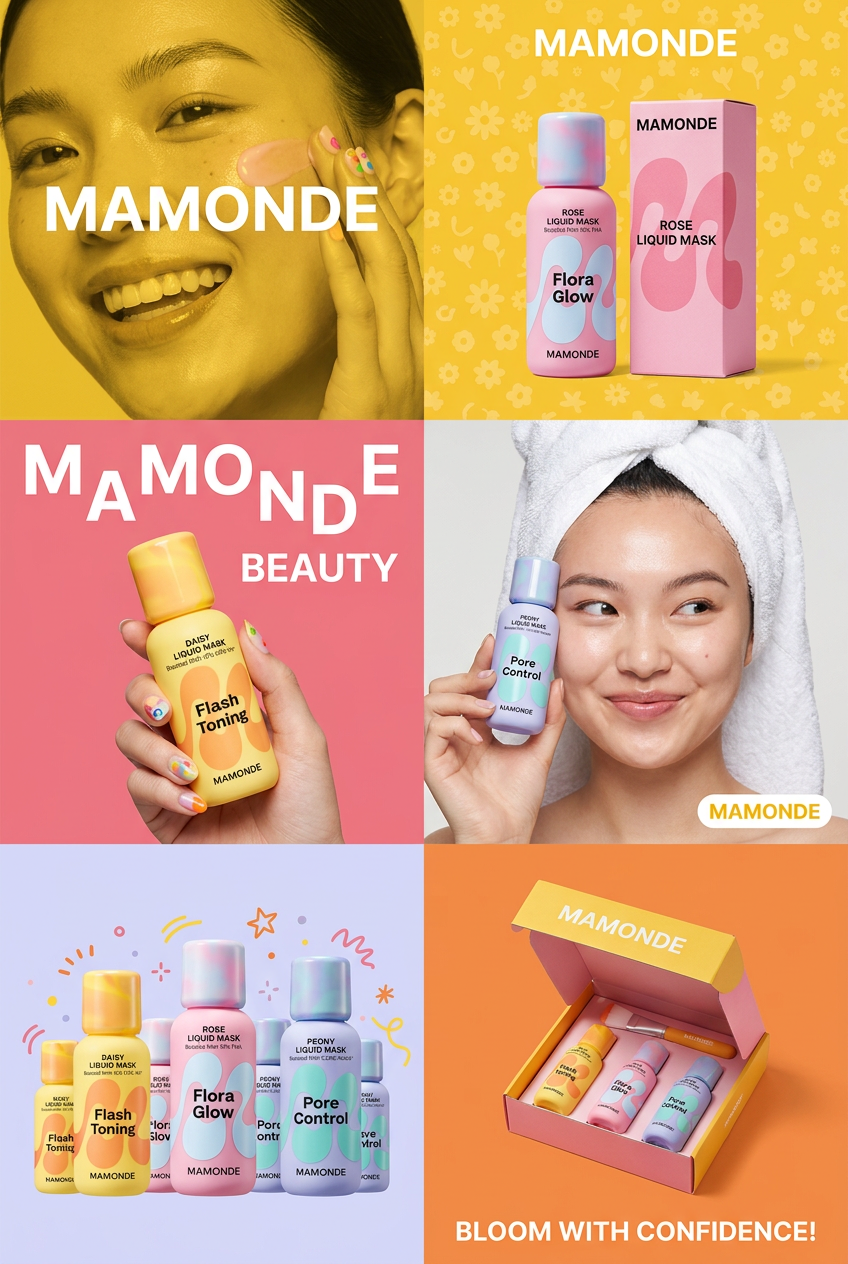
Get that high-end editorial look with a stacked, multi-panel campaign layout. It slices your brand visuals into a bold three-tier grid, pairing tight product close-ups right next to lifestyle shots for a cohesive, modern beauty poster.
Regenerate using your own assets.
The hard way: The manual chase for brand consistency
If you're trying to use AI for brand content, you're likely stuck in a frustrating loop. Your process probably looks something like this:
- Endless Prompting: You write incredibly detailed, multi-line prompts trying to describe your brand's specific photographic style—words like 'Kodak Portra 400 film grain', 'soft natural morning light', 'minimalist composition'—only to get a slightly different result with every generation.
- The Reference Lottery: You use features like Midjourney's `--sref` or Style Sculpt, feeding them your best-looking images hoping the AI grasps the essence. Sometimes it works. Often, it just copies superficial elements, missing the mood and creating a funhouse mirror version of your brand.
- The Technical Rabbit Hole: You've seen the guides on Reddit. The truly dedicated are training their own LoRA models, a highly technical process that involves curating a massive dataset of images and running complex scripts. It's powerful, but it's closer to software development than content creation.
These are all manual hacks designed to fix a system-level problem. They force you to be the guardian of brand consistency for every single image you create. It doesn't scale, and the time you save on a photoshoot is lost to endless regeneration and editing.
The workflow: Build a brand, not just a picture
Instead of re-teaching the AI your style for every image, you need a system that stores it permanently. In MyUP, this is the Brandkit. You build it once, and it becomes the foundation for every visual you generate, from social posts to product ads. It turns the AI from a generic image generator into your personal, on-brand photographer.
Creating a Brandkit is a one-time setup that takes minutes. You define your brand's core visual identity by providing:
- Logo: Upload your primary logo files.
- Colors & Fonts: Set your exact brand palette and typography. The AI will use these for any text or graphic overlays.
- Photographic Style: This is the key. Instead of a prompt, you define the core principles of your visual identity. Describe the lighting (e.g., 'bright, airy, natural light'), mood ('energetic and optimistic'), composition ('clean, centered subjects with negative space'), and overall feel ('premium but approachable, shot on a high-end digital camera').
Once saved, this Brandkit acts as a permanent set of instructions. MyUP doesn't just reference it; it integrates it into the generation process. The user—you—is left to validate the output, not wrestle with the setup.
Step 1: Generate your core brand image library
With your Brandkit active, you can stop thinking about individual images and start building your library. The goal is to create a set of 10-20 foundational visuals that represent the breadth of your brand's world. These aren't for a specific campaign; they are your new, custom stock photos.
Think about the images you're always searching for on stock sites:
- Lifestyle shots of people using your product or embodying your brand's values.
- Abstract textures and backgrounds that use your color palette.
- Conceptual images that represent key themes in your marketing.
For a sportswear brand, this might mean generating a series of dynamic, energetic photos of athletes in action. Instead of a complex prompt, you can launch a workflow designed for exactly this, and your Brandkit ensures the output has the right lighting, mood, and color grade.
This is where you move from setup to production. Use the 'Professional Sportswear Ad' workflow to generate a batch of on-brand lifestyle photos that will become the cornerstone of your new library.
Workflow code: #myup-ywpr-rqz6
Professional Sportswear Ad

Suspends your apparel right in the center of a high-energy promo shot, held up by hands around the frame. It gives your shirts or jerseys a gritty, collaborative streetwear editorial look that feels alive and physical.
Regenerate using your own assets.
Step 2: Scale production for specific campaigns
Your core library is your foundation. Now, when a specific need arises—a new product launch, a holiday promotion, a blog post—you can generate new assets that are automatically consistent with it. You aren't starting from scratch; you're expanding your existing visual world.
Let's say the sportswear brand from the previous step is launching a new sneaker. They need clean, studio-lit product shots for their e-commerce site. Instead of trying to match the style of their lifestyle library with a new prompt, they can simply run a workflow for product photography. Because the Brandkit is still active, the AI will generate studio shots that feel like they were part of the same professional photoshoot, maintaining consistency in lighting quality and brand feel. For a deeper dive on this, see our complete workflow for AI product photography.
The 'Studio Product Ad' workflow is perfect for this. It focuses on creating clean, professional product images that will fit seamlessly alongside the lifestyle shots in your library.
Workflow code: #myup-u4lt-o0ho
Studio Product Ad

Drop in a single product photo to instantly build a cohesive visual identity. It automatically samples your item's dominant colors to generate a beautifully matched mosaic moodboard, giving your brand an instant, polished aesthetic.
Regenerate using your own assets.
Workflow code: #myup-aon6-zvop
Studio Product Ad
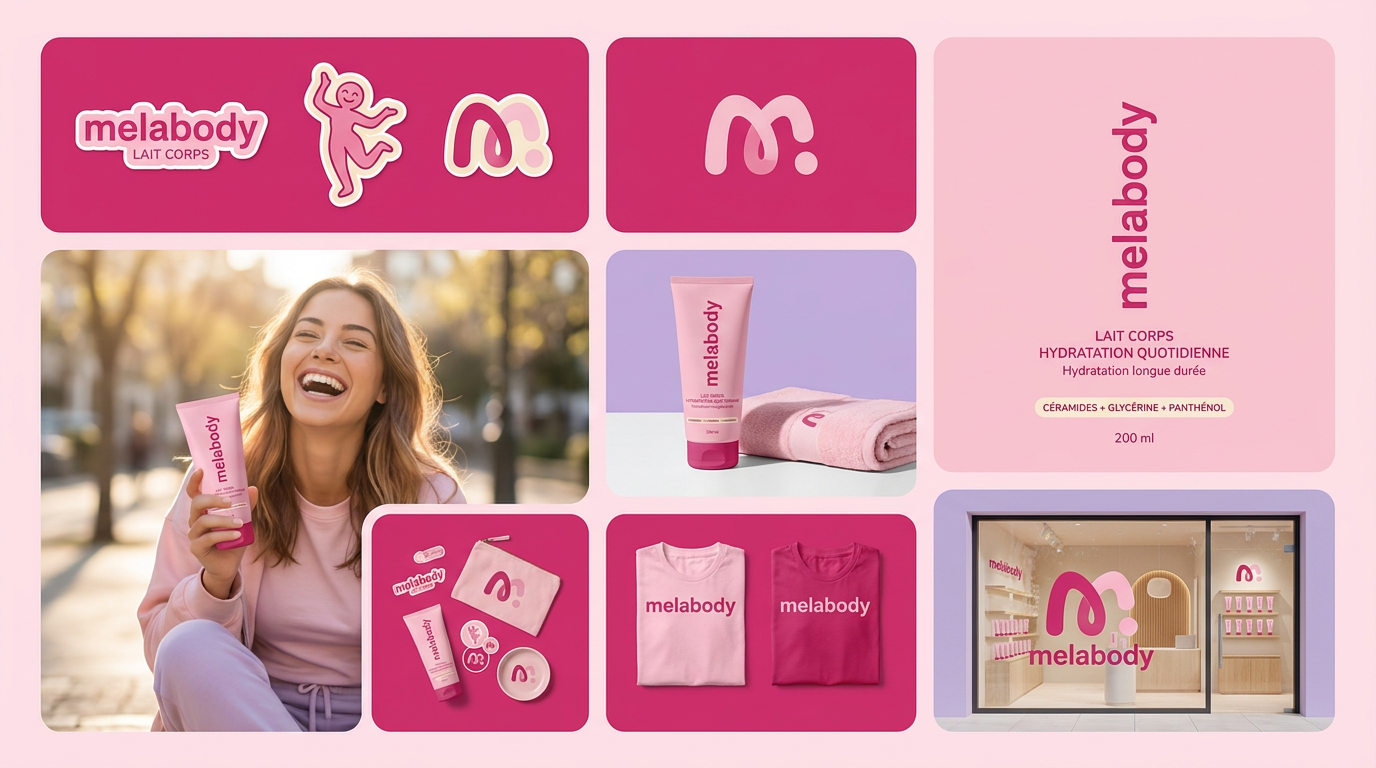
Turn any product photo into a cohesive brand moodboard. It automatically extracts the dominant color from your image to style the background, framing everything in a clean mosaic layout that perfectly matches your aesthetic.
Regenerate using your own assets.
Your brand now has an infinite stock photo library
This workflow represents a fundamental shift. You move from being a consumer of generic stock photography to the owner of a production system for unique, on-brand visuals. The constant search for images that 'kinda' fit is over. The frustration of inconsistent AI outputs is gone.
By investing a few minutes to build a Brandkit, you create a system that understands your visual identity. From that point on, every image, ad, and social post you generate is born on-brand. You've stopped searching for photos that fit your brand and started creating a brand that has its own infinite photo library.
