A single product photoshoot can cost thousands and take weeks to coordinate. You book the studio, hire the photographer, source the props, and hope the weather cooperates for that one perfect shot. For e-commerce brands needing a constant stream of fresh assets, this model is broken. It’s too slow, too expensive, and too rigid for modern marketing.
The answer isn't a slightly cheaper photographer; it's a fundamentally different workflow. You can now generate an entire campaign of professional, on-brand product and lifestyle photos from your desk using AI. This guide provides the exact 4-step process to turn a single product photo into a complete asset library for your store, social media, and ads.
The 4-step workflow for AI product photography campaigns
Most AI image tools are treated like slot machines: you pull the lever and hope for a good result. That’s not a business strategy. A professional workflow is repeatable, controllable, and designed for campaign-level output. Our process moves from a stable foundation to creative execution, ensuring quality and brand consistency at every stage.
- Start with a clean source image: The quality of your input determines the quality of your output.
- Define your campaign's visual identity: Establish a consistent style, lighting, and mood.
- Generate high-impact lifestyle scenes: Place your product in realistic, brand-aligned environments.
- Scale your visuals for a full campaign: Create variations for every marketing channel and season.
Step 1: Start with a clean source image
Your AI workflow begins with a single, high-quality photograph of your product. This isn't the place to use a blurry photo from your phone. The AI needs clear information about your product's shape, texture, and details to render it accurately in new scenes. A poor source image will lead to distorted, unusable results.
For best results, your source image should have:
- Clear, even lighting: Avoid harsh shadows or bright hotspots that obscure product details.
- A simple, neutral background: A plain white or grey background is ideal. This makes it easier for the AI to isolate the product itself.
- High resolution: The more pixel data the model has to work with, the more detailed and realistic the final generations will be.
- A straight-on angle: While not strictly necessary, a classic, front-facing e-commerce shot often provides the most versatile base for generating different scenes.
Think of this as your digital master file. One great shot can fuel an entire quarter's worth of marketing visuals, so it's worth getting it right.
Step 2: Define your campaign's visual identity
Before you start generating, you need to art direct. What is the mood of this campaign? Is it bright and airy for a summer promotion, or dark and moody for a luxury launch? Your brand guidelines are the starting point. Translate them into descriptive keywords for lighting, color palettes, and overall aesthetic.
Instead of just prompting "a product photo," think in terms of professional photography concepts:
- Lighting: "Soft, natural morning light," "dramatic studio lighting with hard shadows," "golden hour glow."
- Environment: "Minimalist Scandinavian interior," "on a wet, mossy rock in a forest," "on a sleek marble countertop."
- Mood: "Warm and inviting," "clean and clinical," "energetic and vibrant."
In MyUP, you can build a workflow that establishes this baseline style once, then applies it across dozens of generations. The 'Commercial Photography' template is an excellent starting point for this. It helps you lock in core aesthetic elements like camera angles and lighting styles to ensure a consistent look and feel. Workflow code: #myup-hyyy-zafs.
Commercial Photography
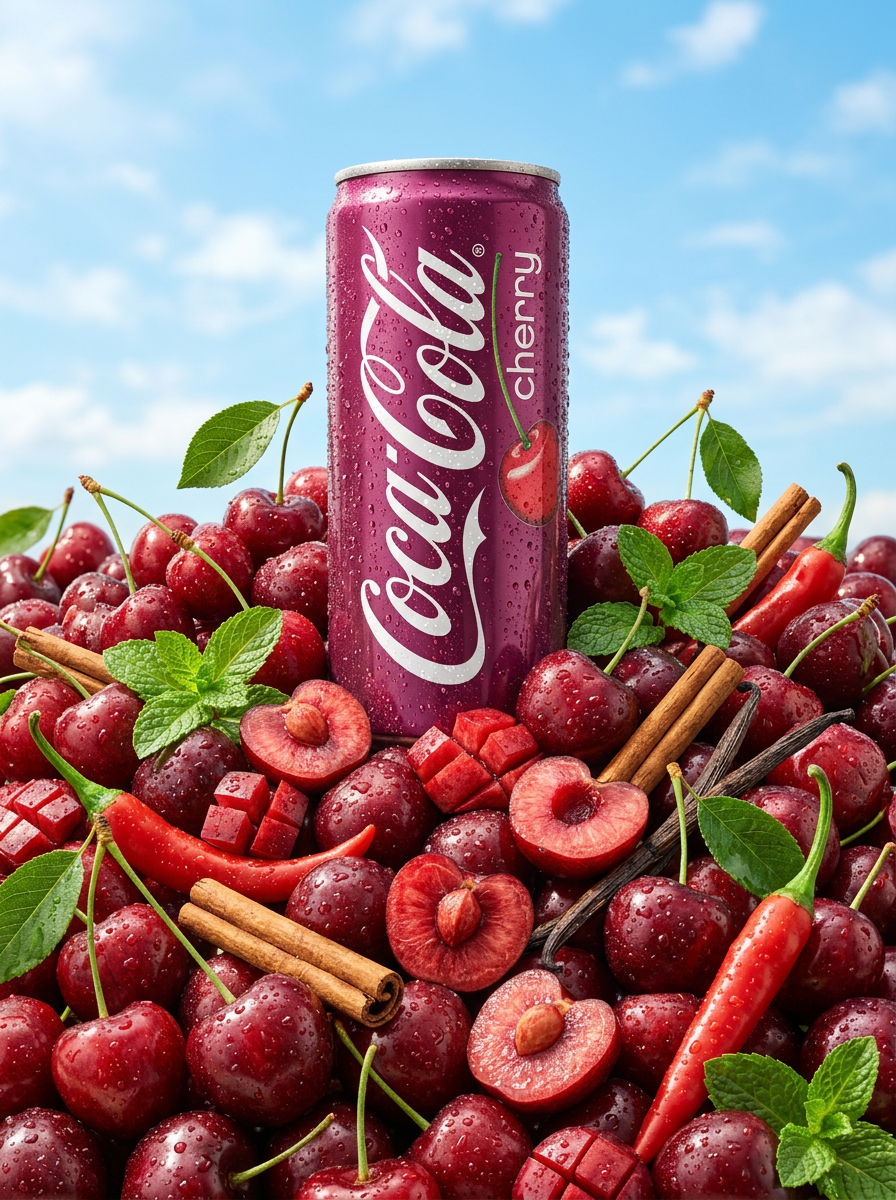
Drop your product into a pile of fresh fruit for an ultra-refreshing summer vibe. It builds dramatic low-angle hero shots against a bright sky, complete with realistic glistening condensation and crisp macro detail.
Regenerate using your own assets.
Step 3: Generate high-impact lifestyle scenes
This is where the magic happens. A product on a white background shows customers what it is, but a product in a lifestyle scene shows them how it fits into their life. This is critical for driving conversions. Recent trends show that e-commerce brands are rapidly adopting this 'product in the wild' tactic, placing their items in context-rich settings to tell a story.
Using your clean source image and defined visual identity, you can now generate these compelling scenes at scale. For example, a brand selling a high-end face cream can move beyond a simple packshot and create a whole narrative.
The MyUP 'Luxury Beauty Product' workflow is built for exactly this task. Workflow code: #myup-mgqi-hmi6. You provide your product image, and then prompt for scenes that match your campaign goals:
Luxury Beauty Product
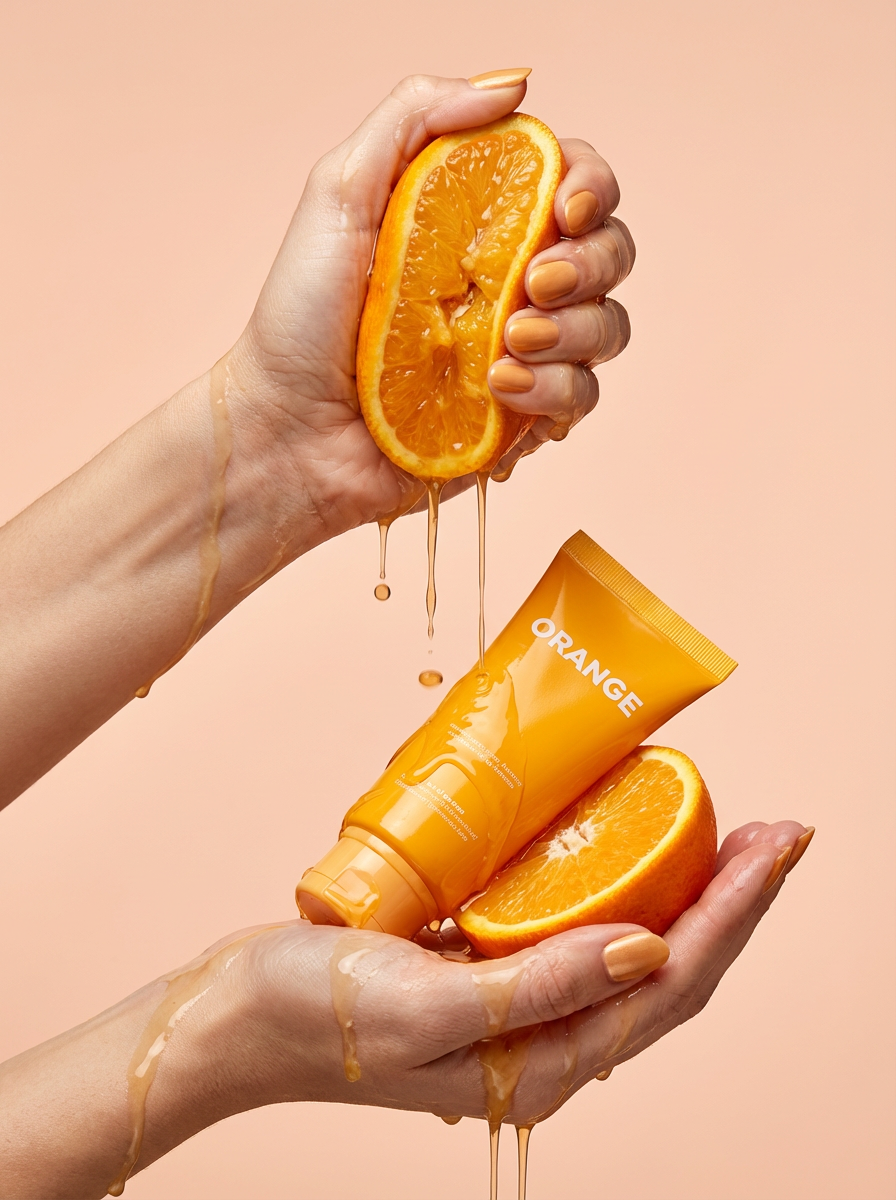
Get clean, hands-only luxury beauty editorials for your cosmetics or jewelry. It captures hyperrealistic skin textures and elegant hand posing, letting you customize the nail polish color to match your brand's exact palette.
Regenerate using your own assets.
- A shot of the cream jar on a bathroom vanity next to a silk robe and a fresh orchid.
- An image of the product resting on a stack of art books on a modern coffee table.
- A close-up of the jar's texture with water droplets, surrounded by its key botanical ingredients.
Each of these images serves a different purpose—showing luxury, aspiration, or natural ingredients—and would have previously required a separate, complex setup in a physical studio. Now, it's just a new prompt within the same workflow. For more ideas on this, see our guide to creating a luxury AI product photoshoot.
Workflow code: #myup-u5mu-9aek
Luxury Beauty Product
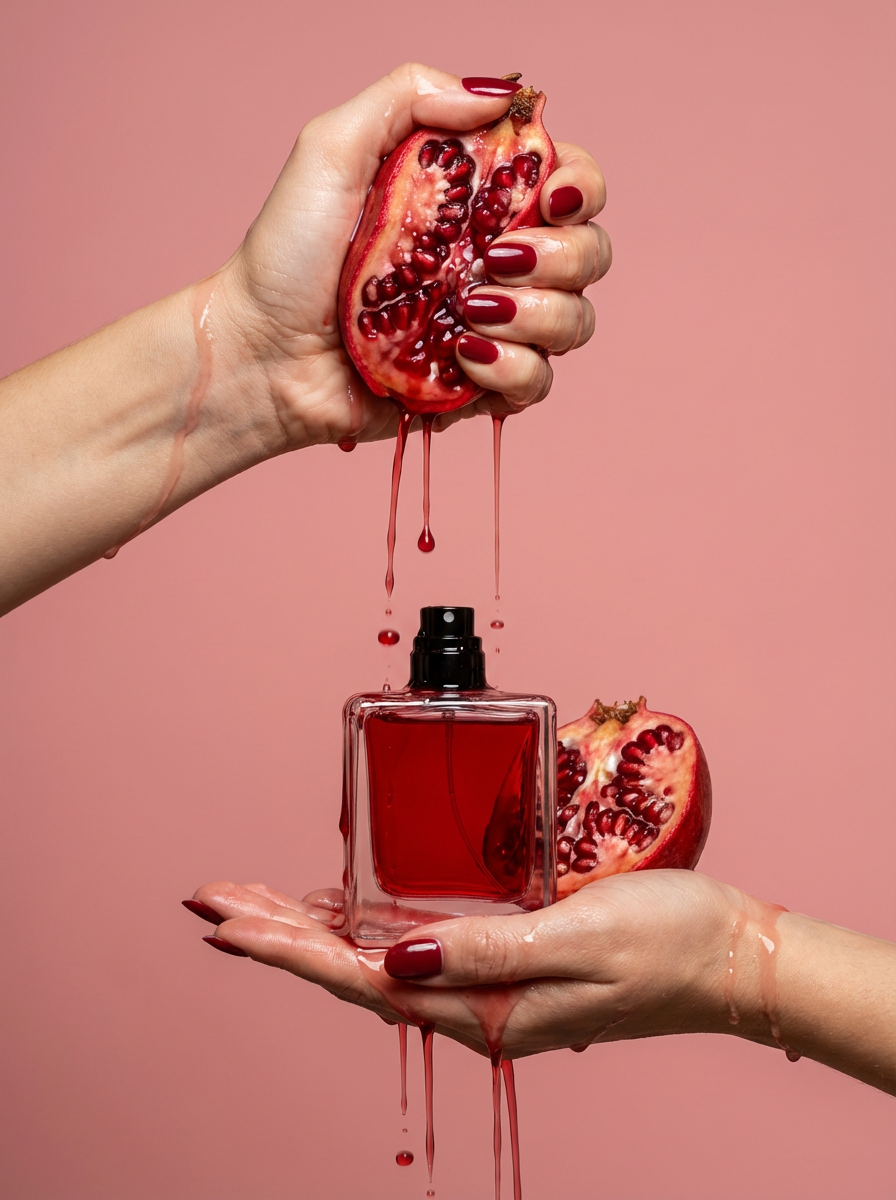
Get clean, editorial-grade beauty shots focusing entirely on your product held by hands with customizable nail polish. It skips the face to keep all the attention on your packaging and textures, giving you that high-end luxury aesthetic instantly.
Regenerate using your own assets.
Step 4: Scale your visuals for a full campaign
A single great image is nice, but a successful e-commerce brand needs a library of assets. The true power of an AI workflow is its scalability. Once you have a core set of high-quality scenes, you can create endless variations for different channels and moments in time.
This is how savvy marketers are using AI to build entire seasonal campaigns without a single photoshoot. That core image of a handbag can be placed in a spring-themed scene with cherry blossoms, a summer scene on a beach towel, and a winter scene next to a cup of hot cocoa. Each variation takes minutes, not days.
Consider the assets you need for a single product launch:
- Hero images for your product detail page.
- Square crops for your Instagram grid.
- Vertical 9:16 shots for Reels and Stories.
- Wide banners for your homepage and email newsletters.
- Ad creatives with space for text overlays.
With an AI workflow, you can generate specifically composed shots for each format, ensuring your product is always presented in the best possible way. This level of content velocity was previously only available to the biggest brands with the biggest budgets.
The key to consistency: protecting your product's integrity
A common fear with AI product photography is that the model will change the product itself—altering a logo, changing the color, or distorting the packaging. This is a valid concern, as it can damage brand trust and lead to customer complaints. Simple, general-purpose image generators are often the worst offenders here.
The solution lies in more advanced techniques, often built around control models that guide the AI's output. These technologies allow the AI to understand the core structure of your source image and preserve it, while creatively reimagining the background and environment. This ensures your product's shape, branding, and key features remain perfectly intact.
MyUP workflows are designed with this principle in mind. By providing a clean source image and using structured templates, you instruct the AI to maintain the integrity of the product while exercising creative freedom on the surroundings. This is the key difference between a fun experiment and a reliable commercial tool. It's a similar principle to what's used when creating consistent AI characters for brand storytelling.
When is AI photography the right choice?
AI product photography is a powerful tool, but it's not the right solution for every single task. Understanding its strengths and weaknesses helps you integrate it into your marketing strategy effectively.
MyUP's workflow is an ideal fit for:
- E-commerce brands with existing products: If you have at least one clean photo of your product, you can use AI to create a vast library of lifestyle and marketing assets.
- Marketers needing high content velocity: Perfect for teams that need a constant supply of fresh visuals for social media, email campaigns, and performance ads.
- Brands looking to reduce photoshoot costs: Dramatically cut your budget for photographers, studios, models, and props.
- Creating seasonal or themed campaigns: Quickly adapt your product visuals for holidays, seasons, or special promotions without a new shoot.
AI photography may not be the right choice if you need to:
- Generate a brand new product concept from scratch: While AI is great for ideation, creating the definitive 'master' image of a new product is often best done with 3D rendering or traditional photography.
- Create 360-degree product views: This specific format requires specialized 3D modeling or photogrammetry software, not generative AI.
The goal of AI isn't to replace every tool, but to replace the most inefficient workflows. For e-commerce brands, the slow, expensive, and repetitive process of creating lifestyle and marketing imagery is the perfect candidate for reinvention.
Your studio is now a workflow
Professional product photography is no longer defined by the quality of your camera, but by the creativity and efficiency of your workflow. By moving from one-off image generation to a campaign-level system, you can produce a higher volume of on-brand assets in a fraction of the time and at a fraction of the cost. Start with a single clean image, define your brand's aesthetic, and begin building your new asset library today.
