
You have great video, but your static images are failing
You’ve invested in creating beautiful, dynamic video content for your product. It looks great on Reels and TikTok. But when you need a static image for a product page, an email banner, or a carousel ad, you’re left with one frustrating option: taking a screenshot.
The result is almost always a letdown—blurry, poorly composed, and a cheap reflection of your brand. You have great video, but your static images are failing to represent the quality of your product.
Why screenshots and simple frame grabs damage your brand
Relying on frame grabs is more than just a technical compromise; it's a brand liability. Here’s why this common shortcut actively works against you:
- Motion Blur and Low Resolution: Video frames are designed to be seen in motion. When paused, they often reveal motion blur and lack the sharpness of a deliberate photograph. Even 4K video can produce soft, pixelated stills that look unprofessional when enlarged.
- Inconsistent Lighting and Composition: A video's lighting is set for movement. A single frame might catch your product in unflattering light or at an awkward, intermediate angle. It lacks the intentional composition of a professional studio photograph.
- Brand Dilution: Every blurry or poorly-lit image you publish chips away at your brand's perceived quality. Customers associate the quality of your visuals with the quality of your product. A low-effort screenshot signals a low-effort brand.
The myth of the 'video-to-image' button: why most AI tools fall short
A new wave of AI tools promises a simple 'video-to-image' conversion. You upload a video, and they extract frames or generate images. While the idea is appealing, the reality falls short for professional use. These tools are narrowly focused on the conversion task, not the finished creation.
They might pull a clean frame, but they deliver raw, generic assets. They don’t understand your brand’s colors, fonts, or aesthetic. You end up with a folder of uninspired images that still require hours of work in Photoshop or Canva to become usable. They solve one technical step but fail to deliver what you actually need: a publish-ready, on-brand visual.
A better method: from video inspiration to finished visual campaign
The solution isn't to extract a single, compromised frame from your video. It's to use the video as the creative brief for an entirely new set of perfect, studio-quality visuals.
Your video contains the product, the angles, and the mood. MyUP, as a Creative Production Platform, uses that inspiration to generate a complete, finished campaign that is ready to publish. This practical method ensures every image is high-resolution, perfectly composed, and 100% on-brand. Here’s how it’s done.
Step 1: Establish your visual foundation with a Brandkit
Before you create anything, you must ensure consistency. In MyUP, you build your Brandkit once by simply providing a URL to your website. MyUP automatically captures your logo, color palette, and typography. This isn't just a style guide; it's an active production asset. Every visual you generate from this point on will automatically inherit your brand's DNA, ensuring every creation is instantly recognizable as yours. As we've detailed in our guide on fixing failing AI brand kits, this foundation is the key to consistent marketing visuals.
Step 2: Generate a studio-quality hero shot
Start with the cornerstone of your product page: the hero shot. Instead of trying to find a clean frame in your video, simply describe your intention to MyUP: “a studio-quality photo of my skincare bottle on a clean white background.” MyUP handles the technical production, delivering a crisp, perfectly lit image that makes your product look its best.
For a professional, polished result, you can use a ready-made creative process designed by top creators to generate a clean product shot and a matching moodboard instantly. Template: #myup-u4lt-o0ho
Studio Product Ad

Drop in a single product photo to instantly build a cohesive visual identity. It automatically samples your item's dominant colors to generate a beautifully matched mosaic moodboard, giving your brand an instant, polished aesthetic.
Regenerate using your own assets.
Step 3: Create elegant lifestyle and editorial variations
A single hero shot isn't enough. You need visuals for social media, ads, and editorial features. Using the same Brandkit for consistency, you can now generate variations. Describe your new intention: “an elegant lifestyle photo of my product on a cream background with soft shadows.” MyUP will create a new image that feels completely different but is perfectly on-brand, using your established colors and style.
For a sophisticated, high-end look, top creators have already designed the perfect setup. Template: #myup-fy77-jljs
Minimalist Elegant Product Advertising Poster

Turn any product shot into a high-end editorial ad. It places your item against a soft cream background with airy spacing and adds elegant, small serif typography at the top. Great for wellness or luxury brands wanting a calm, minimal aesthetic.
Regenerate using your own assets.
Step 4: Produce a complete, multi-asset ad campaign
This is where the true power of a creative production platform becomes clear. You don't have to create assets one by one. You can state a broader intention: “I need a full ad campaign for my new skincare product, inspired by this demo video.” MyUP can generate a coordinated set of visuals—a hero shot, a texture detail shot, a lifestyle scene, and social media graphics—all at once. This moves beyond generating single images and into producing entire campaigns, a capability that sets it apart from tools that only offer simple image expansion.
To see this in action, you can launch a full production for a luxury product line instantly. Template: #myup-vccl-cyv5
Luxury Skincare Product Ad Campaign

Create a polished luxury advertising set from a single beauty product image. This reusable 4-step workflow generates a clean studio hero shot, an elegant lifestyle scene, a macro product detail and a vertical social media composition while preserving the visual identity of the uploaded product. Designed for skincare, cosmetics and premium beauty products.
Regenerate using your own assets.
In practice: creating an ad campaign for a luxury watch
Imagine you have a 15-second video showcasing a new luxury watch. The video has great motion, but no single frame is perfect for a high-end print ad or a product listing. Using the video as inspiration, you tell MyUP: “Create a dramatic flat-lay shot of this watch on a dark gray background with elegant shadows.” The platform understands the context and delivers a premium, composed photograph that feels like it came from an expensive studio shoot.
To achieve this specific high-end look for jewelry or similar products, a dedicated template provides the right lighting and composition. Template: #myup-qtty-nngw
Jewerly Product Ad
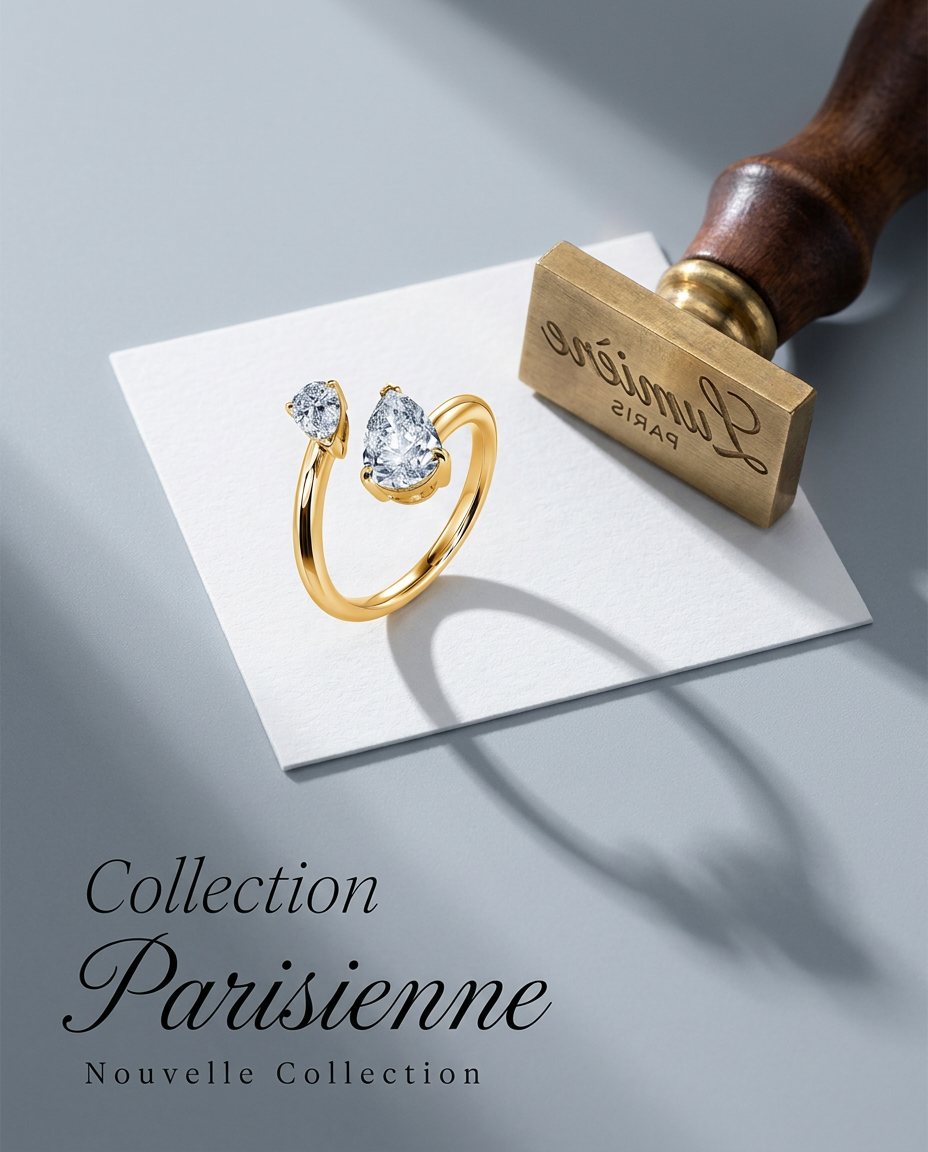
Turn any product into a high-end editorial shot. It drops your item into a clean, flat-lay setup with soft directional light and elegant long shadows against a cool matte gray background.
Regenerate using your own assets.
Stop repurposing, start creating
Taking screenshots or extracting frames from video is a form of 'repurposing'—a compromise that forces you to accept lower quality. The professional approach is to create. Use your video assets as the starting point for a new creative production process. With MyUP, you're not just converting files; you're turning a single piece of content into an entire library of high-performing, on-brand marketing visuals. You maintain the vision; MyUP handles the production. Start creating your next campaign today.
