
You have a perfect AI image. Now what?
You did it. After hours of prompting and refining, you have the perfect hero image for your new product. You ran it through an upscaler like Magnific AI, and the detail is incredible. It's crisp, vibrant, and ready to go. But ready for what, exactly? A single image isn't a campaign. As marketers on Reddit and X are pointing out with increasing frequency, this is where the real challenge begins: turning that one flawless visual into a complete, multi-format ad campaign that actually drives sales.
This is the 'image-to-campaign' gap. It's the frustrating void between creating a beautiful asset and launching a cohesive marketing push across Instagram, TikTok, email, and web banners. Today, September 5, 2026, Magnific AI acknowledged this problem by launching its 'Creative Expansion' feature. It's a step, but it's not the leap you need.
The single-asset trap: why upscaling alone is a dead end for marketers
A successful launch requires more than one hero shot. You need lifestyle photos showing the product in use, detail shots highlighting its quality, vertical video ads for social media, and on-brand graphics for your website. Before today, the standard creative process was a manual marathon. One product marketer on X recently quantified it: 2 hours in an image generator, 30 minutes in Magnific, followed by a grueling 12+ hours in Photoshop, Canva, and After Effects to create all the necessary variations.
This isn't just slow; it's a recipe for brand inconsistency. Every time you switch tools—from an image generator to an upscaler to a video editor—you risk losing control over your brand's colors, fonts, and overall aesthetic. The result is a fragmented campaign that feels disjointed to customers, a problem e-commerce owners are increasingly struggling with. You're trapped, spending more time juggling tools than building your business.
Magnific's 'Creative Expansion': a small step vs. the giant leap you need
Magnific's new 'Creative Expansion' feature aims to solve this by generating stylistic and compositional variations of your upscaled image. It’s a useful feature for ideation, allowing you to explore different artistic directions from a single starting point. You can get a photorealistic version, a 3D render, and an illustrated style of the same image.
But for a marketer, this is only a small piece of the puzzle. It gives you more *images*, but it doesn't give you a *campaign*. It won't produce a vertical video ad, a hero banner with your logo, or a set of lifestyle photos that all adhere to your specific brand guidelines. It's an expansion of a single task—image enhancement—not a solution for the entire business objective of launching a campaign. You still need other tools and a lot of manual work to get to the finish line.
The alternative: a production method for complete, on-brand campaigns
The alternative is to stop thinking about individual tools and tasks. Instead, focus on your end goal, your creative intention. MyUP, the Creative Production Platform, is built around this principle. You don't tell it *how* to make something; you tell it *what* you want to create: 'a high-converting ad campaign for my new skincare product.' MyUP then handles the entire production from A to Z.
The key to solving the consistency problem is MyUP's Brandkit. You set up your brand once—by simply providing a URL or uploading your logo, colors, and fonts. From that moment on, every single creation, whether it's an image, a video, or a design, is automatically produced with your exact brand identity. There's no more manually copy-pasting hex codes or hunting for the right font file between different apps. This is how you achieve true visual consistency without the manual effort, a concept we explored in our guide to creating reusable templates for brand consistency.
Practical example: generating a luxury product campaign in minutes
Let's make this practical. Imagine you're launching a luxury face cream. You have a clean shot of the jar. Instead of piecing together a campaign asset by asset, you can use a complete production template on MyUP. For instance, you can state your intention is a luxury skincare launch or use a ready-to-use template created by a top creator.
By loading the Luxury Skincare Product Ad Campaign (Template: #myup-vccl-cyv5) and providing your product image, MyUP produces a full set of initial assets in minutes. This isn't just image variations; it's a suite of finished creations ready to publish:
Luxury Skincare Product Ad Campaign

Create a polished luxury advertising set from a single beauty product image. This reusable 4-step workflow generates a clean studio hero shot, an elegant lifestyle scene, a macro product detail and a vertical social media composition while preserving the visual identity of the uploaded product. Designed for skincare, cosmetics and premium beauty products.
Regenerate using your own assets.
- A clean studio hero shot on a custom background.
- An elegant lifestyle scene with the product placed naturally.
- A macro detail shot highlighting the cream's texture.
- A vertical social media graphic with your brand's typography.
All four assets are generated from a single starting point and are perfectly aligned with the Brandkit you defined. You've gone from one photo to a multi-asset image campaign in the time it would take to open Photoshop.
From static images to a dynamic video ad
An effective modern campaign requires video. This is a hard limit for any image-only tool. With MyUP, extending your campaign into motion is part of the same production process. Your intention remains the same, but the output format changes. You can take the same product and Brandkit and generate a dynamic video ad.
Using a template like the Luxury Perfume Brand Commercial Video (Template: #myup-mvtk-dmtt), MyUP can take your static product shot and produce a cinematic commercial. It generates a scene with dramatic lighting, subtle camera moves, and a premium feel, turning your still image into a compelling brand story. This is something impossible to achieve with a tool focused solely on image upscaling and variation.
Luxury Perfume Brand Commercial Video
Capture a cinematic glow that makes any subject look like a brand icon. This process blends a sharp, low-angle still with a fluid motion sequence to turn your product into the star of a golden hour commercial.
Regenerate using your own assets.
Scaling your campaign with consistent social assets
Your campaign is live, but now you need to feed your social channels with fresh, on-brand content. MyUP's platform approach makes this incredibly efficient. Because your Brandkit is saved, you can instantly generate more assets for different contexts without starting from scratch. Need an editorial-style post for Instagram? A template like Streetwear Photography (Template: #myup-hyfn-escm) can generate a full five-shot lookbook for a fashion item. Want a minimalist teaser for an upcoming drop? The Fashion Poster (Template: #myup-wtgs-4huq) creates a clean, high-end graphic in seconds.
Streetwear Photography
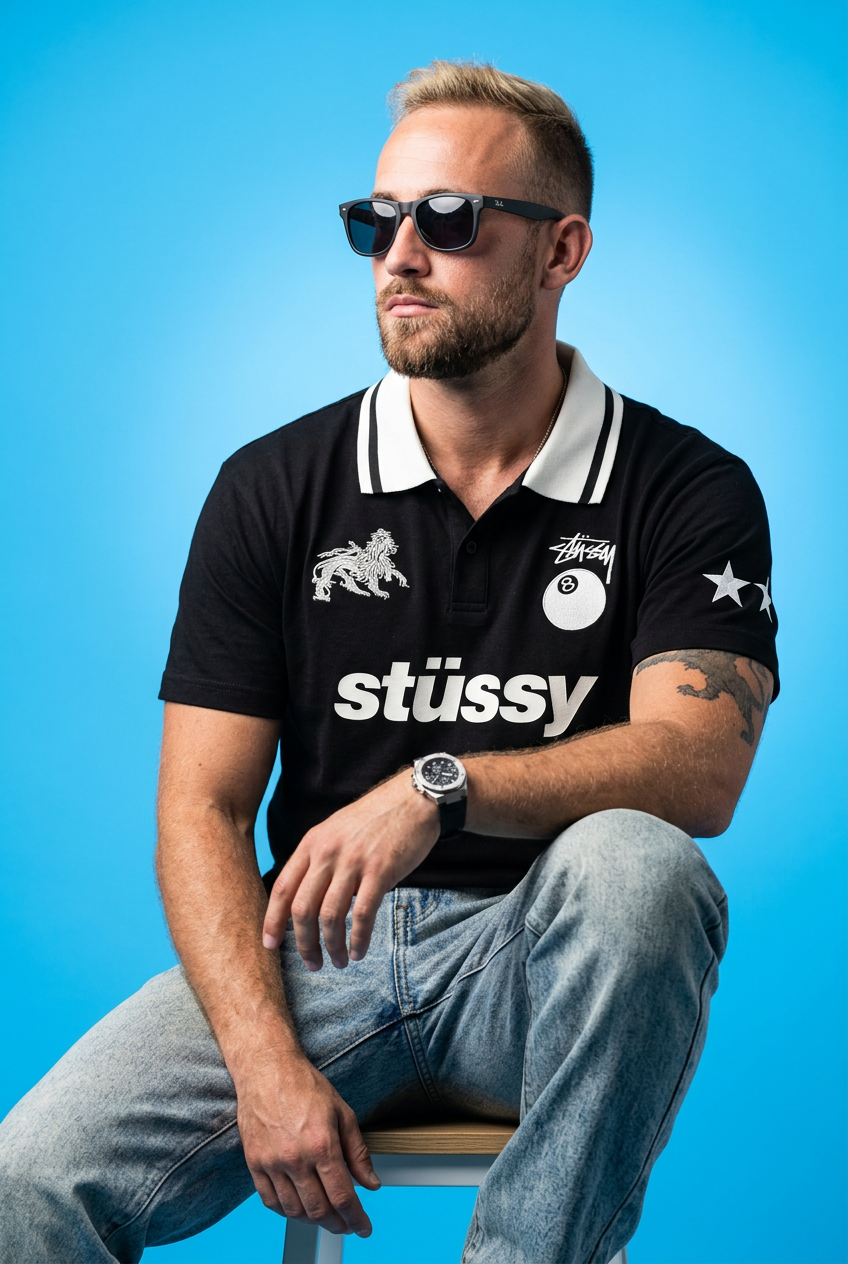
Drop your apparel design in to get a complete five-shot streetwear editorial campaign. It renders your clothing across a cohesive mix of high-fashion poses, from low-angle hero shots and mid-stride action to gritty macro close-ups.
Regenerate using your own assets.
Fashion Poster
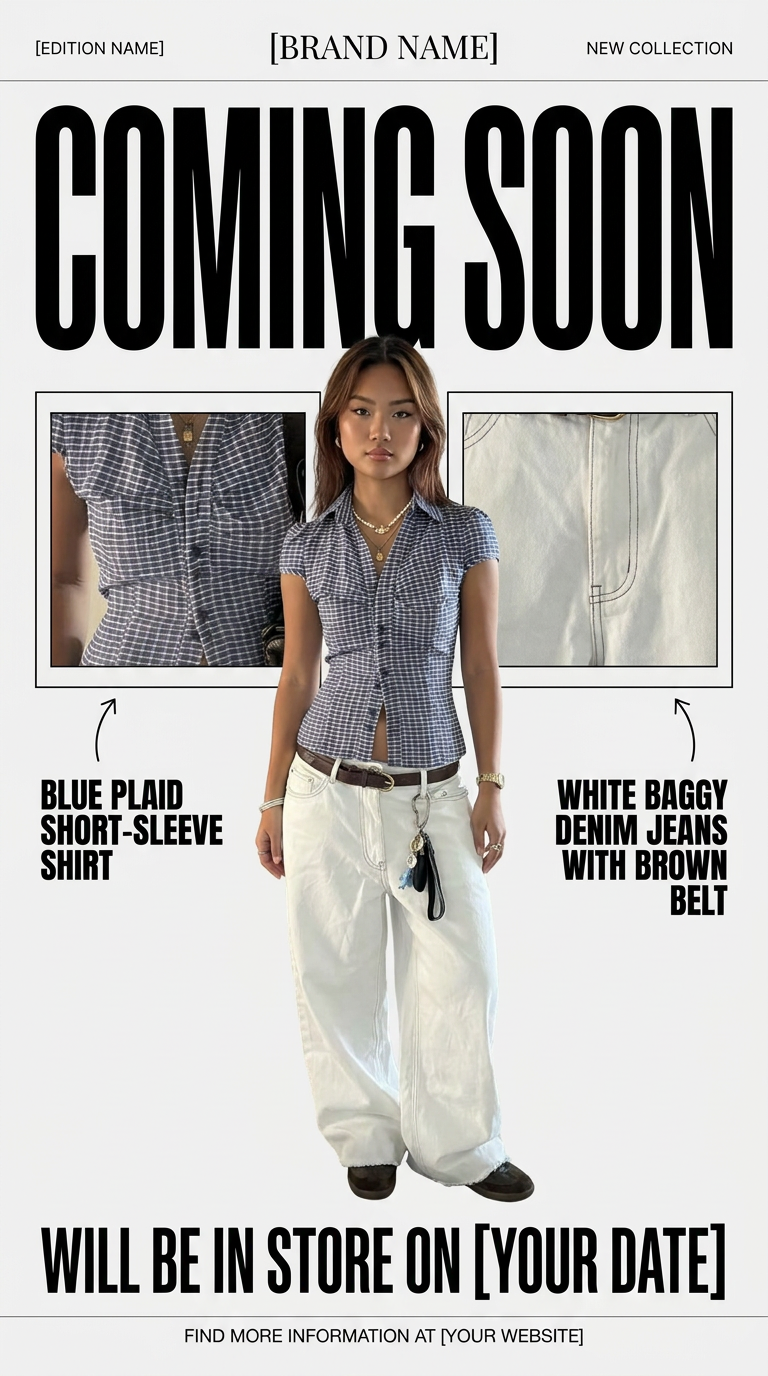
Turn your product shots into clean, high-end teaser posters. It frames your images in a minimalist off-white layout with editorial header text, giving your upcoming launches the look of a luxury fashion drop.
Regenerate using your own assets.
Each new creation automatically inherits your brand's visual identity, ensuring your entire marketing presence is cohesive. This move from single-asset generation to a full-stack production system is the core difference. While a tool like Magnific can be a valuable step for enhancing a single image, as we've discussed in our guide on architectural renders, it doesn't solve the larger business problem of campaign production.
Stop making assets, start producing campaigns
The choice facing marketers today isn't about which tool makes a slightly better image. It's about choosing between a single-task tool and a complete creative production platform. Tools like Magnific AI are excellent for what they do: enhancing a single asset. But your business goal isn't to own one perfect image; it's to launch a successful campaign that connects with customers and drives revenue.
MyUP is designed for that outcome. By focusing on your intention and automating brand consistency with a built-in Brandkit, it delivers finished, publish-ready campaigns—not just fragmented parts. Stop the 12-hour manual slog of stitching assets together. Define what you want to achieve, and let MyUP handle the production. Make your unimaginable possible.
