If you've tried generating animated stories with AI, you know the frustration: "character drift." One moment your hero has a distinct scar, the next it's gone. Their hair color shifts, their outfit changes subtly, or their face just looks... different. This isn't just an annoyance; it breaks immersion and undermines your narrative.
It's a challenge the entire industry is grappling with. Just this August 2026, we've seen major players like RunwayML announce their new "Character Lock" feature for Gen-3 Alpha, and Kling AI roll out its "Narrative Coherence" update, both aimed at tackling this exact problem. Viral AI animated shorts on X (formerly Twitter) are sparking endless questions about how creators achieve consistency, and Reddit threads on r/AIVideo and r/StableDiffusion are constantly filled with users asking for reliable methods.
But what if you could define your character once and have their visual identity locked in for every scene, every expression, every movement? On MyUP.ai, that's not just a feature—it's the core of how we approach AI animation. We give you the tools to ensure your characters stay on brand and on point, making your storytelling seamless.
The real problem with AI animation: why characters keep changing
Character drift happens because most AI image and video models generate each frame or image largely independently. Even with the best text prompts, the AI interprets your description anew each time, leading to subtle (or not-so-subtle) variations in facial features, body proportions, clothing details, and even overall style. For a single image, this isn't a huge issue. For a narrative, where continuity is king, it's a deal-breaker.
Imagine trying to tell a story where your main character morphs slightly in every shot. It pulls the viewer out of the experience, making your animated short feel amateurish and disjointed. This is precisely why discussions on platforms like Reddit, particularly in communities like r/AIVideo, consistently highlight character consistency as a primary pain point for creators trying to build multi-scene animated stories. While new features like RunwayML's 'Character Lock' and Kling AI's 'Narrative Coherence' are steps in the right direction, they often require a deep understanding of complex parameters or are limited in their integration with a broader brand identity.
MyUP.ai addresses this by integrating character consistency directly into your creative process, ensuring your visual identity is maintained throughout your entire animated narrative, from initial concept to final export.
MyUP's answer: lock in your character's identity with a Brandkit
The foundation for consistent AI animated characters on MyUP.ai is your Brandkit. Think of it as your character's visual DNA. Instead of relying on vague prompts that the AI might interpret differently each time, a MyUP Brandkit allows you to define a character's specific visual attributes once.
This includes everything from their core facial structure, hair style and color, eye shape, and skin tone, to their typical clothing style and even the specific color palette of their world. Once established, this Brandkit acts as a persistent reference point for all subsequent generations. When you create new scenes or poses, MyUP automatically applies these locked-in visual rules, drastically reducing character drift and ensuring your animated story flows seamlessly from one moment to the next.
It means less time spent manually editing frames or painstakingly trying to replicate prompts, and more time focusing on the narrative itself. You define the character, and MyUP handles the visual production, always within your approved guidelines.
Step 1: Create your core character reference
Every consistent character starts with a strong, definitive reference. On MyUP.ai, you begin by crafting a high-fidelity image of your character that captures their essential features and overall look. This initial image will serve as the anchor for all future generations, ensuring consistency across your entire animated story.
You can upload an existing image, or generate one from scratch using a detailed prompt. The key is to get the visual just right. Once you have that perfect base image, you can use a dedicated tool like the Photorealistic Face Swap Portrait to fine-tune and lock in the character's face. This ensures that the AI understands the unique nuances of their appearance, from the curve of their jaw to the expression in their eyes.
This template is designed to capture every nuance of your subject's appearance with precision, mapping exact facial features, skin tones, and physical textures onto your chosen composition. This initial step is critical for establishing the visual blueprint that MyUP will adhere to throughout your animation project.
Workflow code: #myup-bohr-uwjo
Photorealistic Face Swap Portrait
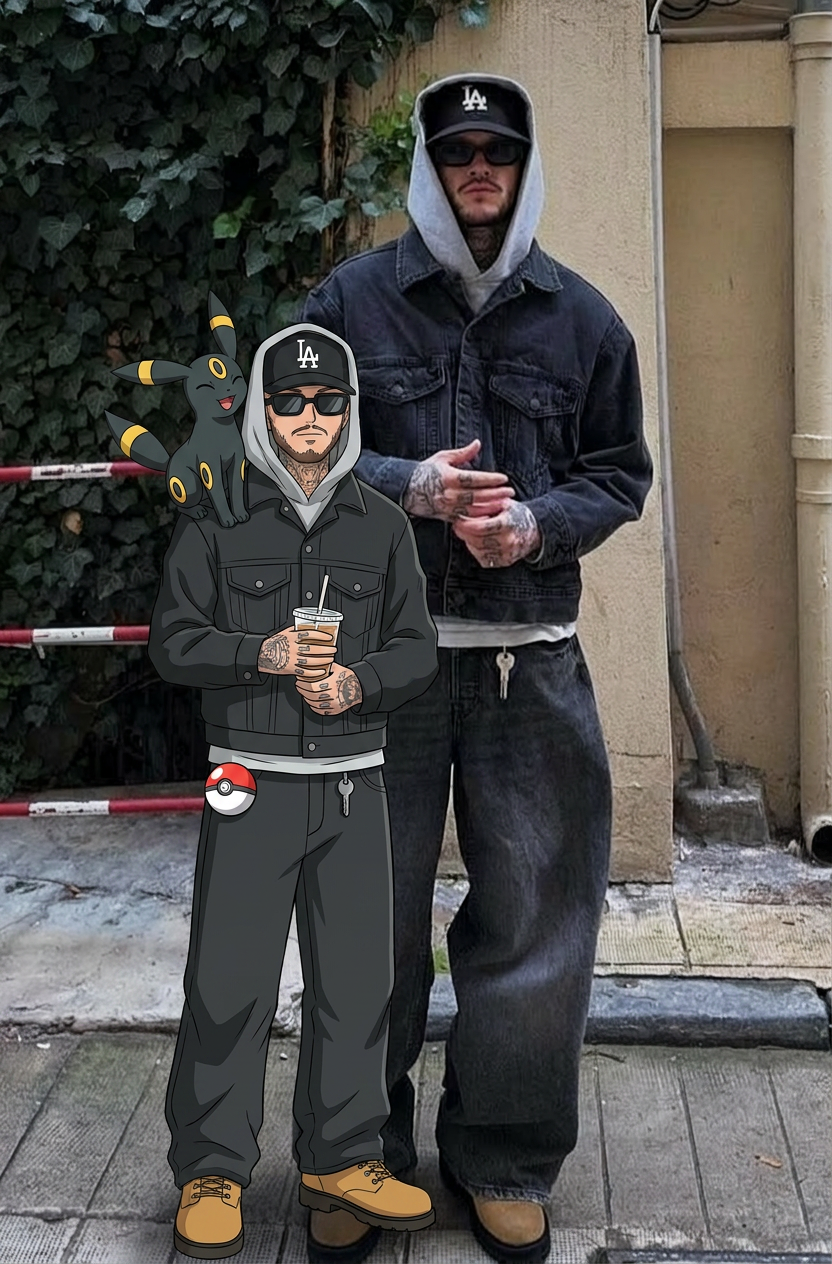
Capture every nuance of your subject's appearance with precision. This system maps exact facial features, skin tones, and physical textures onto your chosen composition, ensuring your final output stays true to the original's unique traits and distinct silhouette.
Regenerate using your own assets.
Step 2: Generate consistent character actions and expressions
With your core character defined in MyUP, the next step is to bring them to life through various actions and expressions. This is where the challenge of consistency often arises: how do you make your character smile, run, or look surprised, without them subtly changing appearance in the process?
MyUP.ai allows you to generate multiple images of your character in different poses or with varied expressions, all while maintaining their established identity. You simply provide a new scene description or desired action, and MyUP uses your Brandkit's character definition to generate the new image. The AI focuses on rendering the action or emotion, while strictly adhering to the character's locked-in visual traits.
For this, the Consistent Character Face And Body Replacer is an invaluable tool. It captures the exact likeness of any person, mapping every unique facial feature, skin tone, and hair texture onto your chosen subject, ensuring their physical appearance remains completely consistent even as their pose or environment changes. This tool is perfect for building out a sequence of actions or emotional beats for your animated story.
Workflow code: #myup-2gbp-wc6s
Consistent Character Face And Body Replacer
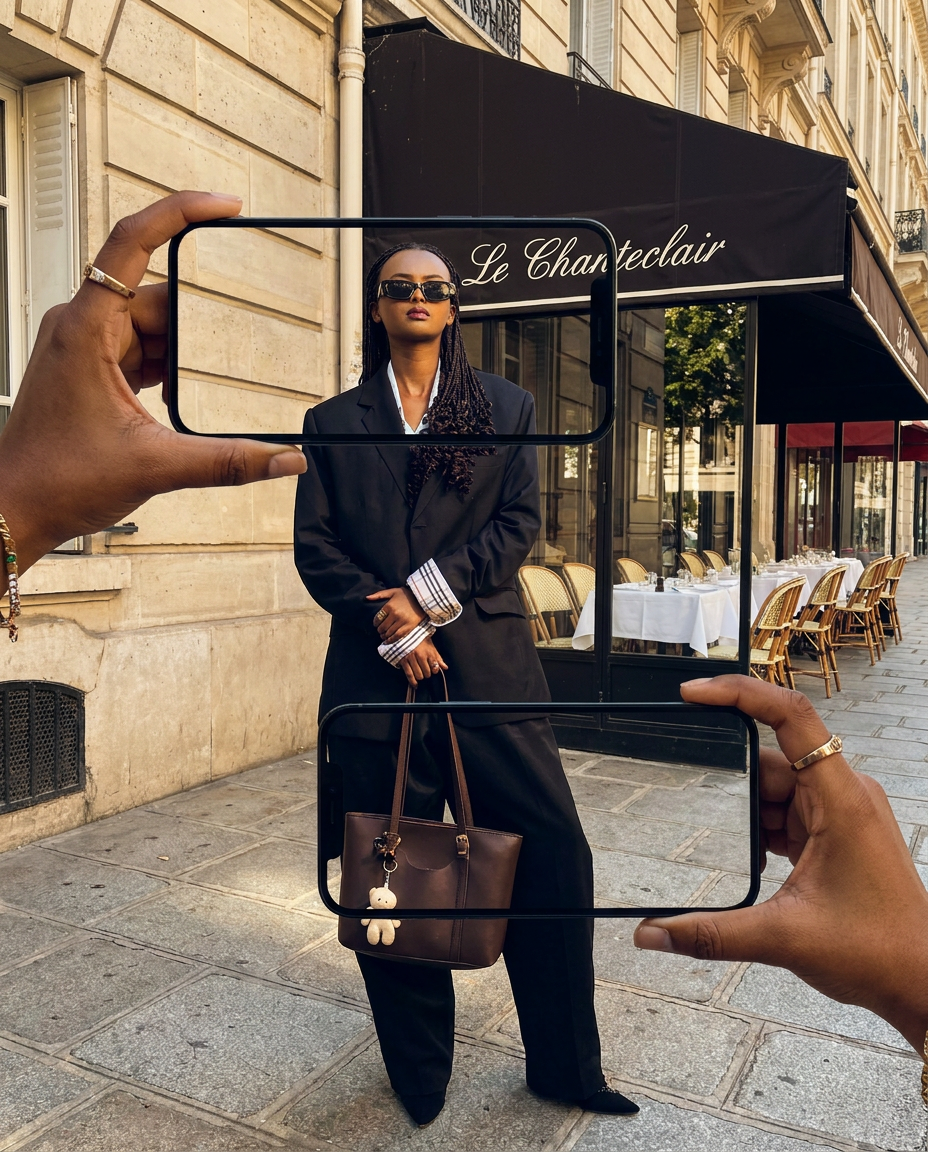
Capture the exact likeness of any person with incredible precision. This system maps every unique facial feature, skin tone, and hair texture onto your chosen subject, ensuring their physical appearance remains completely consistent across any pose or setting you decide to put them in.
Regenerate using your own assets.
Step 3: Animate your story: sequencing consistent frames
Once you have a series of consistent character images depicting different actions or stages of your narrative, the next step is to sequence them into an animated story. MyUP.ai provides the environment to arrange these frames, apply transitions, and dictate the timing of your animation. While MyUP handles the heavy lifting of generating consistent visuals, you, the creator, maintain full creative control over the storytelling.
This process is iterative. You can generate a sequence, review it, and then go back to refine individual frames or adjust the timing. Want a character's movement to be slightly faster or their reaction a bit more subtle? You can make those adjustments, regenerate specific frames if needed, and reassemble your sequence. MyUP executes your vision, but you validate and adjust every step of the way, ensuring the final animation truly reflects your story.
For more detailed control over your animated sequences, especially when aiming for a specific visual rhythm or style, consider exploring how to create AI stop motion videos with frame-by-frame control. This approach can be particularly effective for short, narrative animations where precise timing and character movement are crucial.
Step 4: Fine-tuning character details across scenes
Even with robust consistency measures, there might be moments where you need to make subtle adjustments to your character or adapt them slightly for a specific scene without breaking their core identity. Perhaps a slight change in expression is needed for an emotional beat, or a different lighting condition affects how their features appear.
MyUP.ai offers tools that allow for this fine-tuning. Instead of re-generating the entire character, you can use specialized templates to modify specific elements while keeping the overall identity intact. This is particularly useful for achieving nuanced emotional shifts or adapting to new scene compositions without introducing 'drift'.
The Consistent Character Face Swap Tool is perfect for these scenarios. It allows you to lock in a subject's exact likeness and physical traits across any new scene. You can maintain the core character while experimenting with different lighting, angles, or even minor stylistic shifts, ensuring consistency while allowing for creative flexibility. Just drop in your photo and let the AI adapt your character seamlessly.
Workflow code: #myup-i83a-ze2t
Consistent Character Face Swap Tool

Lock in a subject's exact likeness and physical traits across any new scene. It maps every facial feature and body detail perfectly, keeping the person consistent no matter where you place them. Just drop in your photo and let the system handle the rest.
Regenerate using your own assets.
The human touch: validating your AI-generated animated story
While AI excels at generating consistent visuals at scale, the true magic of storytelling still lies with the human creator. MyUP.ai's role is to handle the complex production, but your expertise is essential for validation and refinement. After generating your animated sequences, take the time to review them critically.
Does the narrative flow logically? Do the character's expressions convey the intended emotion? Is the overall visual style consistent with your brand or story's tone? These are questions only you can answer. MyUP empowers you to make quick adjustments, regenerate specific parts, or even experiment with alternative takes. This human-in-the-loop approach ensures that the final animated story isn't just technically consistent, but also creatively compelling and aligned with your original vision.
You approve and adjust; MyUP handles the production. This partnership ensures your animated stories maintain both visual integrity and narrative impact.
Beyond short clips: building an animated series with MyUP
The principles of character consistency you apply to a short animated story on MyUP.ai scale effortlessly to larger, more ambitious projects. Whether you're planning a series of brand explainers, a recurring social media mini-series, or a longer narrative animation, your established Brandkit and consistent character templates become invaluable assets.
By having a central repository for your character's visual identity, you can ensure that every episode, every new scene, and every promotional asset featuring that character remains perfectly on brand. This eliminates the need to start from scratch or re-engineer consistency with each new content piece, saving immense amounts of time and ensuring a professional, unified look across all your animated content.
For a deeper dive into maintaining character consistency across various visual formats, not just animation, explore our guide on the complete workflow for consistent AI characters and illustrations. It outlines how MyUP's system provides a robust framework for all your visual identity needs.
Start animating with consistent characters today
Character drift no longer needs to be the frustrating roadblock in your AI animation journey. With MyUP.ai, you have a powerful platform that prioritizes visual consistency, from defining your character's core identity with a Brandkit to generating dynamic scenes and fine-tuning details.
Stop wasting time wrestling with inconsistent outputs and start focusing on what truly matters: telling engaging stories. MyUP empowers you to produce high-quality, on-brand animated content with confidence and creative control. Ready to bring your consistent AI characters to life? Sign up for MyUP.ai and experience the difference.
