
You’ve followed all the advice. You're using AI to create stunning, high-resolution thumbnails for your content. But something is wrong. Your clicks are down. You're not alone. A growing number of creators and marketers are discovering a counter-intuitive truth: technically 'perfect' AI thumbnails can perform worse than their less-polished, human-made counterparts.
The reason is simple: audiences connect with authenticity, not perfection. The 'too clean' and 'soulless' feel of many AI-generated images lacks the emotional hook needed to stop a user from scrolling. This guide isn't about better prompts; it's about a better creative process. We'll dissect why sterile visuals fail and show you how to use AI to create thumbnails that are not just seen, but felt—and, most importantly, clicked.
The paradox of 'perfect' AI thumbnails: why sterile visuals get ignored
You’ve spent hours generating the 'perfect' AI thumbnail. The lighting is flawless, the colors are vibrant, and the subject is rendered with incredible detail. Yet, your click-through rate (CTR) is flat, or even worse, declining. As many creators are discovering on forums like Reddit, thumbnails that look 'too clean' or 'soulless' often fail to connect with a human audience. The pursuit of technical perfection can lead to sterile, unclickable visuals.
The problem isn't the AI; it's the intention. Most AI image tools are built to generate raw pixels, not to create emotionally resonant marketing assets. They deliver technical accuracy but often miss the subtle, imperfect cues that trigger human curiosity and emotion. A viewer doesn't click because an image is perfect; they click because it makes them feel something—curiosity, excitement, empathy, or surprise. This guide provides a practical method for moving beyond generic AI generation to produce thumbnails that are engineered for human connection and clicks.
Engineering emotional impact: beyond generic expressions for clickable results
The highest-performing thumbnails often feature exaggerated but believable emotional expressions. Think of the 'MrBeast style'—wide eyes, open mouths, and clear displays of shock or joy. Yet, creators report that prompting for these specific emotions is a major challenge. A generic prompt like 'surprised face' often returns a bland, low-energy expression that fails to grab attention.
The key is to guide the AI with more descriptive, action-oriented language. Instead of just naming the emotion, describe the physical manifestation of it. For example, instead of 'surprise,' try 'eyes wide in disbelief, jaw dropped, pointing at the unbelievable sight.' However, this process can be tedious and inconsistent. A more direct route to a finished result is to start with a creative foundation built for this exact purpose.
MyUP, the Creative Production Platform, allows you to bypass the trial-and-error. You can use templates designed by top creators that are already optimized for high-impact emotional storytelling. For instance, getting an authentic shot of someone enjoying a product is made simple. You can learn more about this in our guide on fixing emotional AI thumbnails.
Template: #myup-xjsb-hirr
Bold Portrait Food Advertising Photo

Get those high-impact, tight action shots of people actually enjoying your food brand. It drops your product right into a messy, realistic close-up bite shot that feels like a premium lifestyle campaign instead of a boring studio packshot.
Regenerate using your own assets.
Mastering composition and focal points for instant clarity
A thumbnail has less than a second to communicate its message. If the viewer's eye doesn't know where to look, they will scroll past. Many AI-generated images are visually cluttered, with no clear focal point or visual hierarchy. A great thumbnail guides the eye to the most important elements—a face, a product, or a key action—instantly.
Principles like the rule of thirds, leading lines, and negative space are crucial for creating a composition that is easy to parse. Instead of hoping a generic AI tool gets it right, you need a way to control the composition from the start. This is not about adding more complex prompts; it's about using a system that understands the intention behind the visual.
On MyUP, the creative process is structured to prioritize a clear focal point. By using templates or describing your intention, you guide the production towards a well-composed finished creation. For a masterclass in composition, see how a specific camera angle and pose can create an immediate focal point. We explore this further in our practical guide to AI thumbnail composition.
Template: #myup-lkxt-mwbw
Hyperrealistic High Angle Fashion Editorial
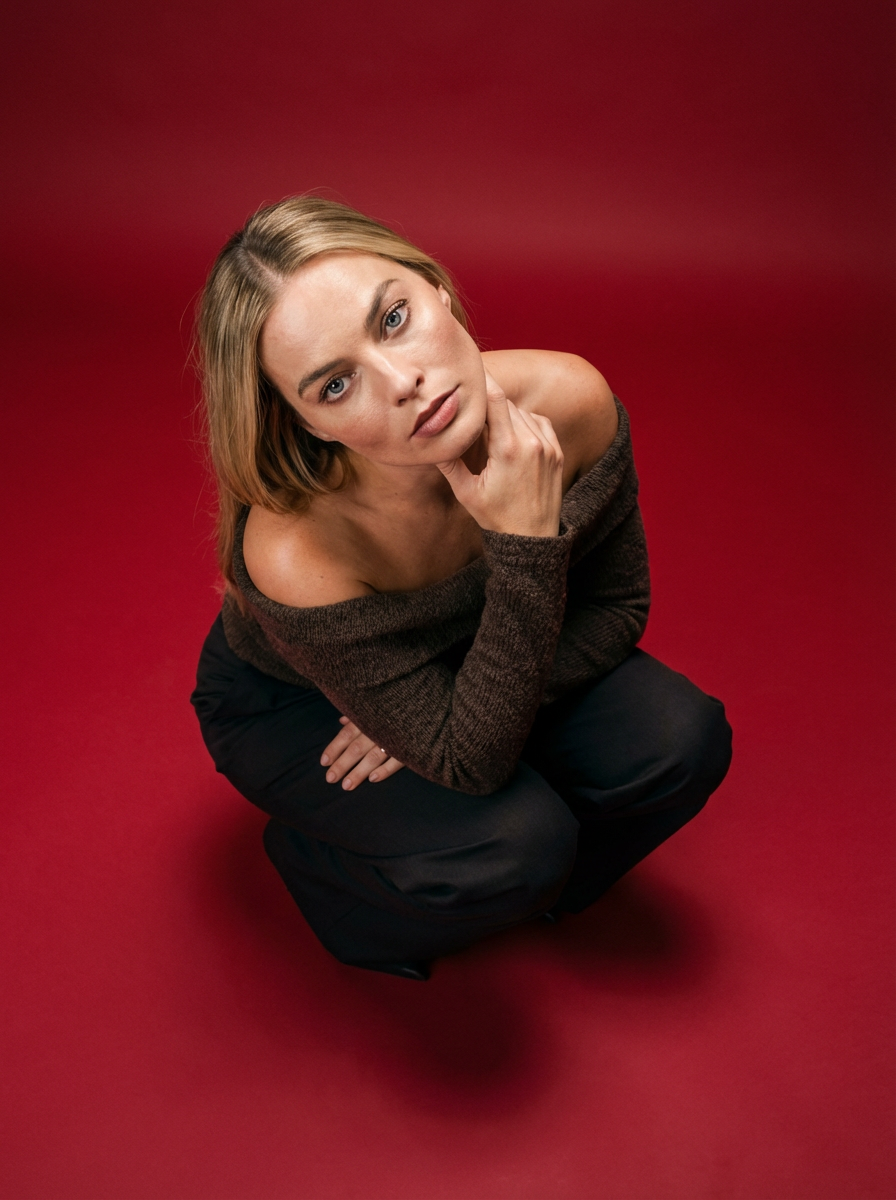
Frame your subject in a grounded, high-angle editorial style. This setup forces a compact, kneeling pose that brings out a raw and hyperrealistic fashion aesthetic, perfect for making any garment or accessory look sharp and intentional.
Regenerate using your own assets.
Maintaining brand identity across diverse AI-generated variations
Effective A/B testing requires generating dozens of thumbnail variations to find the top performer. But this creates a new problem: how do you maintain brand consistency across all those AI-generated visuals? Manually adding your logo or correcting brand colors in an external tool for every single variation is a massive bottleneck that defeats the purpose of using AI for speed.
True creative production requires consistency at scale. Your audience should recognize your content instantly, even with different thumbnail designs. This is where MyUP's Brandkit feature becomes essential. You build your visual identity—colors, fonts, logo, and style—once. Then, MyUP automatically applies it to every creation, ensuring every thumbnail variation is perfectly on-brand without any manual rework.
This same principle of consistency applies to creators who are their own brand. If you use a consistent AI character or persona in your videos, they must be recognizable in every thumbnail. MyUP provides a reliable method for maintaining character identity across multiple creations, a common challenge that other tools struggle with. You can see how in our guide to mastering consistent AI thumbnails.
Template: #myup-2gbp-wc6s
Consistent Character Face And Body Replacer
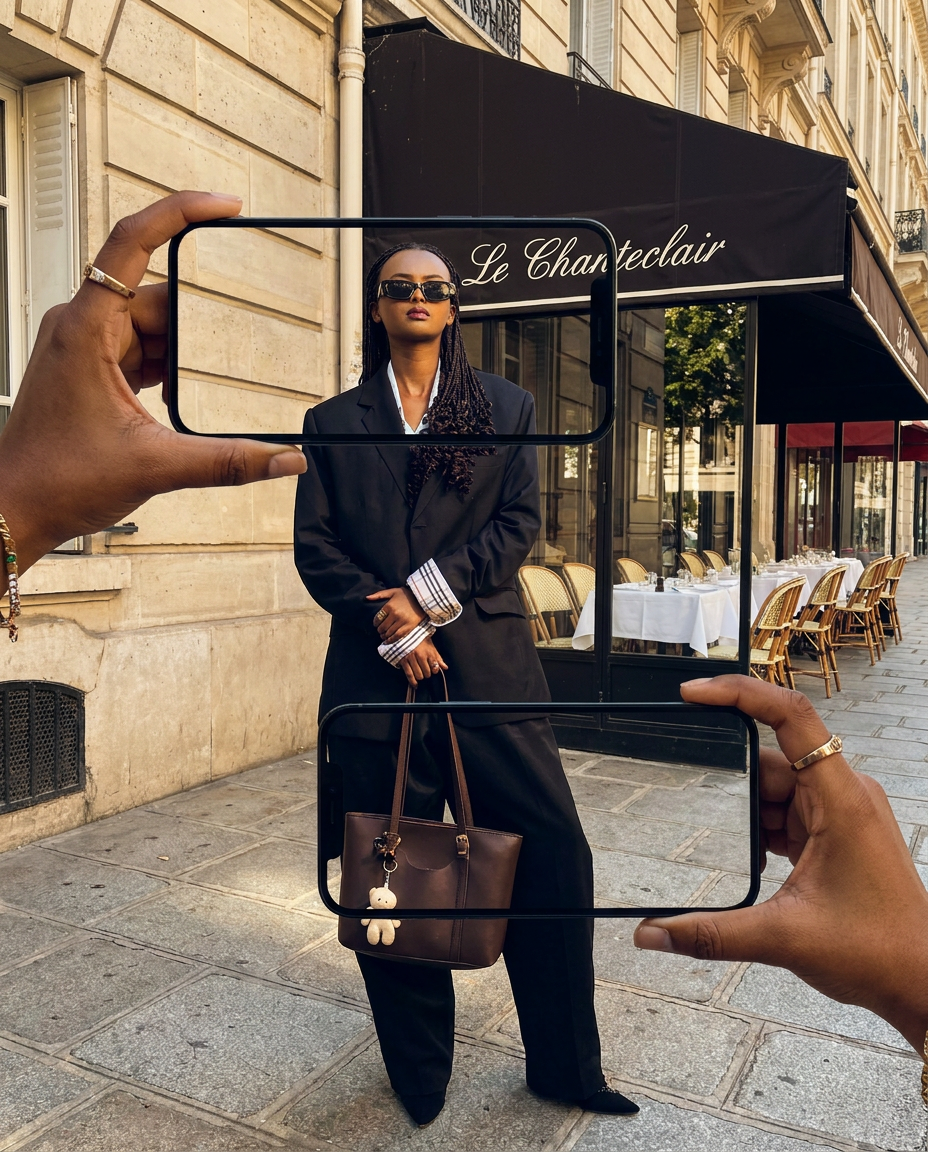
Capture the exact likeness of any person with incredible precision. This system maps every unique facial feature, skin tone, and hair texture onto your chosen subject, ensuring their physical appearance remains completely consistent across any pose or setting you decide to put them in.
Regenerate using your own assets.
The text challenge: integrating legible, on-brand typography
Text is often the final, and most frustrating, hurdle in AI thumbnail creation. Most image generators produce warped, misspelled, or illegible text. The common solution is a clunky, multi-tool process: generate an image in one tool, then import it into Canva or Photoshop to add text. This is slow and often results in text that looks 'pasted on' rather than integrated into the scene.
A clickable thumbnail needs crisp, clear, and on-brand typography that complements the visual. The goal should be a single, seamless creation process that delivers a finished asset, text included. MyUP is designed to produce finished creations, not just raw images. It handles typography as an integral part of the design, ensuring your text is not only legible but also stylistically cohesive with the overall image.
This focus on the final, publish-ready result saves you from the frustrating task of fixing broken text, allowing you to go from idea to high-converting thumbnail in a fraction of the time. For more on this, read about the one-step method for finished results.
Template: #myup-pssk-afff
Photorealistic Mlb Broadcast Stadium Portrait
Drop any face into a high-stakes broadcast setting. This setup mimics a professional live sports feed, capturing that authentic, slightly grainy stadium energy with a smooth, cinematic zoom that locks onto your subject as they react to the camera in real-time.
Regenerate using your own assets.
From intention to finished creation: producing human-centric AI thumbnails with MyUP
Creating a high-converting thumbnail isn't about chasing technical perfection. It’s about creating a visual that sparks a human connection. By focusing on authentic emotion, clear composition, brand consistency, and legible text, you can move beyond the sterile 'AI look' and start producing thumbnails that demand to be clicked.
This is the core philosophy of MyUP. We believe you shouldn't have to be a technical expert to bring your creative vision to life. As the Creative Production Platform, MyUP takes your intention—'I want a clickable thumbnail that connects with my audience'—and handles the complex production to deliver a finished, studio-quality creation ready to publish. Stop generating pixels and start creating results.
