
If you saw that viral discussion on X this week, you know the verdict is in: most AI virtual staging looks generic and soulless. The technology can fill a room with furniture, but it fails to capture a property's character or appeal to a specific buyer profile. The result is a portfolio of listings that all feel the same—a major liability in a competitive market.
The problem isn't the AI itself. It's the use of disconnected, single-purpose tools. An app that only does staging has no concept of your agency's brand, the story of the home, or the campaign that needs to follow. Don't just use AI to furnish a room; use it to furnish your entire marketing pipeline. A single staged image is a feature; an automated, on-brand campaign is a business advantage. Here’s the complete workflow on MyUP.ai to go from an empty room to a full set of marketing assets that actually helps you sell.
Step 1: Before you stage, build your Brandkit
The secret to avoiding generic AI output is giving the AI brand context *before* you ask it to create anything. In MyUP.ai, this is handled by your Brandkit. Instead of starting with a prompt, you start by defining your agency's visual identity once, so it can be applied automatically to every asset you generate.
Your Brandkit is a central repository for:
- Logos: Your primary and secondary agency logos.
- Colors: Your official brand color palette.
- Fonts: Your brand's specific typography.
- Style Guidelines: This is the crucial part for real estate. You can define visual styles like 'Modern Minimalist with warm woods', 'Luxury Scandinavian', or 'Classic Modern Farmhouse'. This style guide will inform not just your virtual staging but every graphic generated afterward.
Building your Brandkit first is the difference between fighting the AI to get on-brand results and having the AI work as an extension of your brand from the start. It's the control layer that ensures every piece of content, for every listing, feels like it came from your agency.
Step 2: On-brand staging, decluttering, and enhancement
With your Brandkit in place, you can now address the property photos. Upload a picture of an empty or cluttered room into a MyUP workflow. Here, you can perform several key actions guided by your brand's defined style:
- Virtual Staging: Ask the AI to stage the room, but reference your Brandkit style. For example: 'Virtually stage this living room in my Brandkit's Modern Farmhouse style, targeting young families.' The AI will use your defined aesthetic to select appropriate furniture, colors, and decor, creating a scene that resonates with your target buyer profile.
- Object Removal & Decluttering: Have a photo with the seller's personal items? Use the AI to instantly declutter the space, creating a clean canvas that buyers can project their own lives onto.
- Image Enhancement: Improve lighting, correct colors, and enhance the digital 'curb appeal' of your photos to make them stand out on listing portals.
The key here is that you are in control. MyUP executes the heavy lifting of rendering the furniture and adjusting the pixels, but your Brandkit and specific instructions ensure the final image aligns with your marketing strategy for that specific property.
Step 3: Turn one photo into a full marketing kit
This is where the workflow transforms from a simple image editor into a marketing engine. The single, perfectly staged hero shot of the property now becomes the seed for an entire campaign. Instead of downloading the image and manually creating posts in another tool, you trigger a MyUP workflow that automatically generates a complete set of assets. This is how you move beyond the single photo and into full campaign production.
You can build workflows to generate everything you need to launch a new listing, all pulling from the same staged image and your agency's Brandkit for perfect consistency.
Generate 'Just Listed' posts for social media
Your first priority is announcing the new listing. A MyUP workflow can instantly create a batch of social media graphics tailored for Instagram, Facebook, and LinkedIn. The templates automatically incorporate the new property photo, overlay your agency's logo, and use your brand fonts for the headline text like 'Just Listed' or 'New on Market'. You get a week's worth of visuals from a single prompt, ready to go.
For a clean, modern look that works perfectly for property showcases on Instagram Stories or Reels, this template is the ideal starting point. It focuses attention on the visual while leaving space for your brand elements.
Workflow code: #myup-sygb-rhnt
Minimalist Vertical Product Advertising Poster

Drop the clutter and put your product in the spotlight. This setup places your item against a pure, seamless white background with a striking vertical flow that draws the eye straight up. It's perfect for creating clean, high-end studio posters.
Regenerate using your own assets.
Create 'Open House' event announcements in seconds
Next, you need to drive traffic to your open house. Instead of starting from scratch, your workflow can generate a series of eye-catching event announcements. These templates are designed to be bold and stop the scroll, clearly communicating the date, time, and address while maintaining your brand's aesthetic. The workflow pulls in your brand colors and fonts, so you just need to input the event details.
This event poster template is perfect for creating a bold, can't-miss announcement that feels both professional and energetic.
Workflow code: #myup-xbur-hzoi
Bold Retro Yellow Event Poster

Turn your branding or event details into bold, nostalgic posters. It blends vibrant warm backdrops with a clean, retro square grid pattern to make any announcement look like a classic piece of mid-century graphic design.
Regenerate using your own assets.
Design printable flyers with on-brand QR codes
Marketing doesn't stop online. You still need physical flyers for the property, local mailings, and open house handouts. The same MyUP workflow can generate a print-ready flyer design, incorporating multiple property photos, listing details, your contact information, and your logo. Crucially, it can also generate an on-brand QR code that directs potential buyers to the online listing. As we've covered before, even your QR code can and should match your brand's visual identity.
Use this template to create a simple, elegant base for your flyer or listing sheet. The textured paper effect adds a touch of class to your printed materials.
Workflow code: #myup-hcix-fsva
Textured Paper Calendar Close-Up
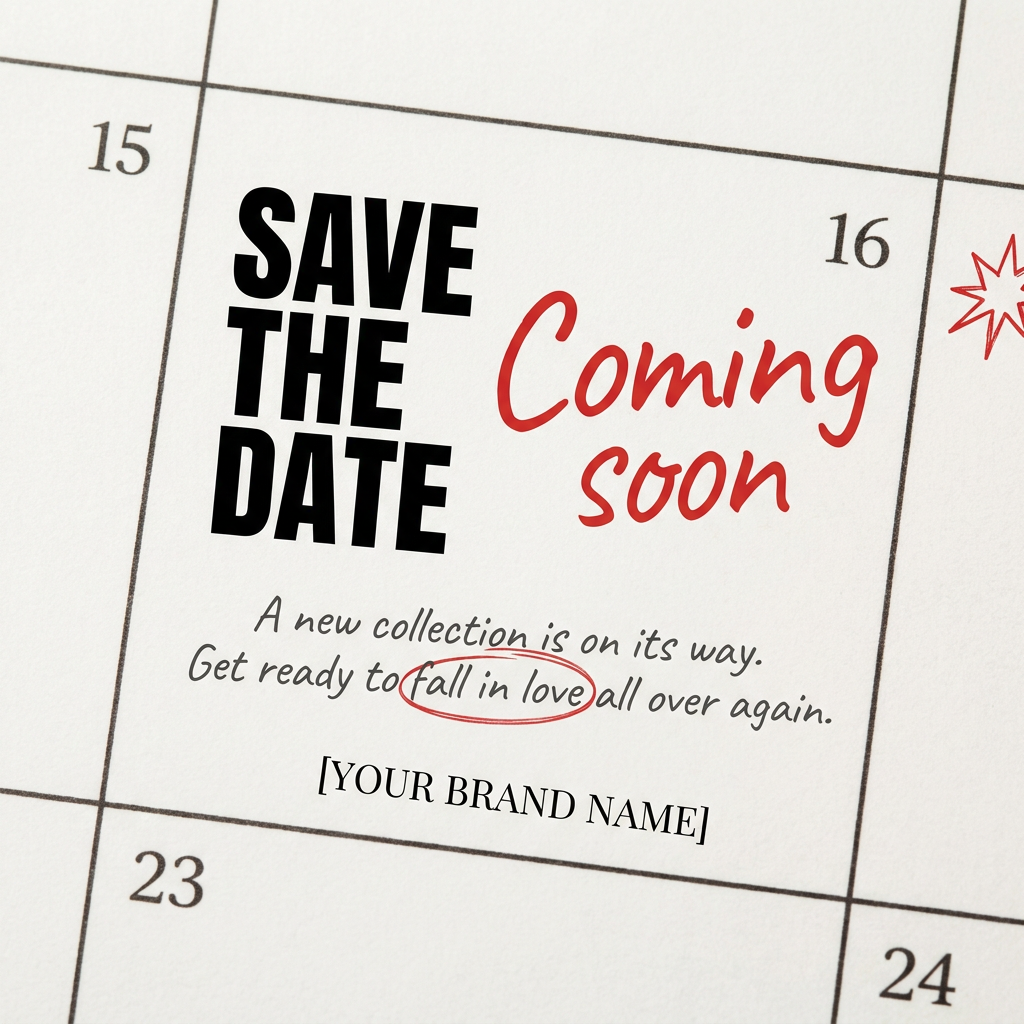
Turn your upcoming dates or launch schedule into a beautiful, tactile physical calendar. It renders crisp minimalist grids on heavy textured paper with realistic macro focus. Perfect for sharing events on social media without looking like a generic graphic.
Regenerate using your own assets.
The final step: your professional approval
MyUP automates the production, but you provide the final validation. After the workflow generates your marketing kit, you get the final say. You can review all the assets, request minor tweaks ('make the headline bolder' or 'swap this photo'), and approve the campaign for publishing. This keeps you, the real estate professional, in the driver's seat. The AI is your production team, not your replacement. It handles the repetitive design tasks, freeing you up to focus on what matters: closing the deal.
