You’ve tried it. You spent an hour crafting a prompt and finally got a stunning AI-generated image of your product. The problem? You need ten more just like it for your new campaign, and every subsequent image is slightly different. The lighting is off, the background shifts, and the brand identity feels disjointed. This is the single biggest challenge of using AI for serious commercial work: inconsistency.
The professional solution isn't a better prompt; it's a better workflow. It’s called the 'virtual set' method, and it’s how you move from generating single, random images to producing an entire, cohesive photoshoot that builds brand equity.
Step 1: Design your virtual set
Before generating a single image, you must first design the world your product lives in. A virtual set is a detailed, repeatable description of the environment, lighting, and mood for your entire campaign. This becomes the consistent foundation for every shot. Instead of thinking about a one-time prompt, you're creating a reusable brand asset.
A strong virtual set defines several key elements:
- Environment & Surfaces: Be specific. Don't just say 'a table.' Say 'a minimalist raw concrete slab' or 'a reflective black marble countertop with subtle white veining.'
- Lighting: This is the most critical element for mood. Instead of 'good lighting,' define it like a photographer. Is it 'soft, diffused morning light coming from a window on the left'? Or 'dramatic, single-source studio lighting creating hard shadows'?
- Props & Styling: What other objects are in the scene? These should be thematically consistent. For a beauty product, this might be 'a single wet monstera leaf' or 'a crumpled piece of raw silk fabric.'
- Color Palette & Mood: Define the overall feel. 'A warm, earthy color palette with a serene and natural mood' is much more effective than just listing colors.
- Camera & Lens Style: To add realism, you can even specify the photographic style. Phrases like 'shot on Portra 400 film,' 'macro lens with a shallow depth of field,' or 'editorial style' ground the AI's output in a real-world aesthetic.
Your goal is to create a paragraph that acts as a master blueprint. This is the 'location' you will return to for every single shot in the campaign, ensuring a consistent look and feel.
Step 2: Create a repeatable product description
Once your virtual set is defined, you need to do the same for your product. The AI cannot guess the exact details of your item, and any ambiguity will lead to inconsistencies from one image to the next. You must create a 'product passport'—a precise, locked-in description that you will reuse without modification for every image in the campaign.
Your product passport should include:
- Core Identity: Start with the basics. 'A 100ml glass perfume bottle with liquid.'
- Shape & Form: Detail the geometry. 'A tall, cylindrical bottle with a heavy base and a spherical, polished gold cap.'
- Materials & Textures: Describe the surfaces. 'The bottle is made of smooth, frosted amber glass. The cap is reflective, polished metal.'
- Color & Transparency: Be exact. 'The liquid inside is a deep honey-colored amber. The glass is semi-transparent.'
- Branding & Labels: Don't forget the details. 'A small, minimalist label on the front with the brand name in a white serif font.'
This description must be identical for every generation. Any small change—like switching 'gold cap' to 'brass cap'—will create a visual inconsistency that undermines the campaign's cohesiveness.
Step 3: Generate your campaign shots with a workflow
With your virtual set and product passport complete, you can start 'shooting'. The manual method involves painstakingly combining these two blocks of text with a specific shot instruction for every single image. This is tedious and prone to error. A far more effective approach is to use a structured workflow that separates the consistent elements from the variable ones.
This is where MyUP's workflow-based templates become a strategic advantage. Instead of wrestling with a giant, complex prompt, you use a tool designed for this exact process. For example, the Product Photography Campaign template guides you through defining your core brand elements once, then lets you focus on directing the shots.
Using a dedicated workflow like this abstracts away the complexity. You input your virtual set and product details into clear, separate fields. The system then intelligently combines them to produce a series of on-brand images. This approach is more reliable and scalable than trying to manage everything in a single prompt. You can get started by using the MyUP template with Workflow code: #myup-i7tv-whrn. It's a faster path from a creative brief to a full set of campaign assets. You can create a free MyUP account to try this workflow yourself.
Product Photography Campaign
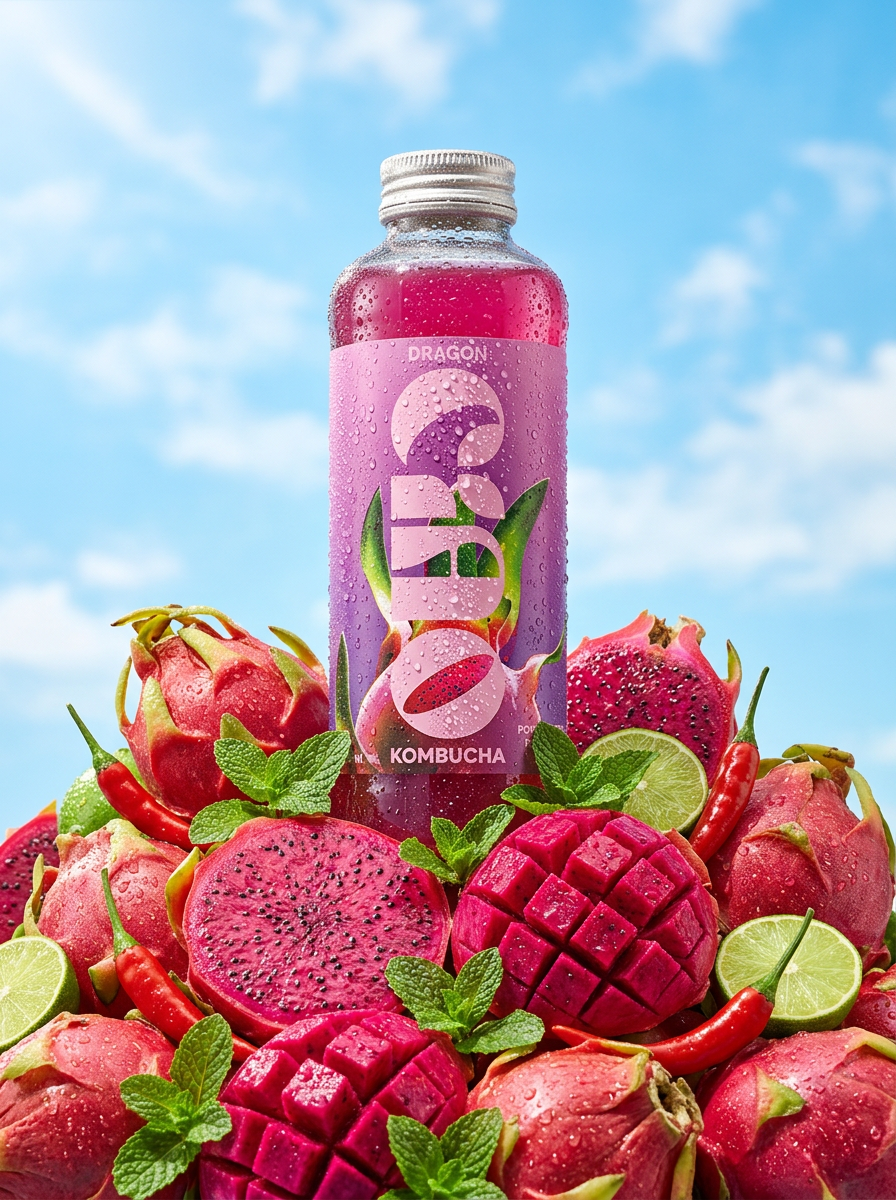
Give your drinks or cosmetics that ice-cold, sun-drenched look. It drops your product into a mountain of fresh fruit, capturing towering low-angle hero shots and macro details of glistening condensation under a bright blue sky.
Regenerate using your own assets.
Step 4: Create shot variations for your campaign
A successful campaign requires more than just one hero shot. You need close-ups, lifestyle compositions, and assets formatted for different social media platforms. The power of the virtual set workflow is that you can generate this variety while maintaining perfect brand consistency.
To create variations, you keep your virtual set and product passport completely unchanged. The only thing you modify is the 'shot instruction'—the part of the prompt that describes the composition and camera angle.
Here are a few examples for a perfume bottle campaign:
- Hero Shot: 'Product is centered on the marble surface, facing forward.'
- Lifestyle Shot: 'Product is placed to the right of a lit white candle, with a shadow cast to the left.'
- Ingredient Shot: 'A macro close-up of the bottle, next to a fresh vanilla bean and an orange peel.'
- Texture Shot: 'An extreme close-up on the frosted glass texture, with water droplets beading on the surface.'
By only changing the shot direction, you ensure that the lighting, environment, and product itself remain identical across the entire campaign. This allows you to build a complete visual library, from homepage banners to Instagram stories, that feels like it was all produced in a single, high-end studio session. This same principle can be used to generate a complete e-commerce product listing, including both copy and visuals.
When a virtual photoshoot isn't the right choice
AI-powered virtual photography is a powerful tool for creating stunning, conceptual imagery at scale. However, it is not a universal replacement for a traditional camera. To maintain brand trust and product accuracy, it's critical to understand the limitations.
A traditional photoshoot is still the better choice in these scenarios:
- Unique, One-of-a-Kind Products: If you sell artisan goods where the unique imperfections, textures, or material variations are a key selling point (e.g., handmade ceramics, one-of-a-kind jewelry), an AI-generated image cannot capture that specific authenticity.
- Products on Specific Human Models: If your brand relies on showing apparel, accessories, or cosmetics on your specific roster of brand models, a real photoshoot is non-negotiable for maintaining consistency and connection with your audience.
- Highly Complex or Transparent Items: While AI is improving, it can sometimes struggle with the complex physics of light passing through intricate glass, liquids with suspension, or highly reflective, multi-faceted objects. For absolute product accuracy in these cases, a camera is more reliable.
The best strategy is a hybrid one. Use virtual photoshoots for your aspirational campaign visuals, social media content, and lifestyle shots. Use traditional photography for the clean, white-background product detail shots on your e-commerce listings where 100% accuracy is paramount.
