
On July 2, 2026, Adobe shipped 'Structure Reference' in Firefly, a feature that finally lets you control the composition of an AI-generated image using a reference photo. It’s a huge and welcome step forward. For anyone who has tried to get an AI model to place a product in the bottom-left corner and keep it there, this feels like a breakthrough.
But getting one image right is only 10% of the job for an e-commerce brand. The real challenge is scale. How do you turn that capability into 50 different lifestyle shots for a new SKU launch? How do you ensure every single one of those shots feels like it belongs to your brand? You need a content factory, not just a feature.
The real workflow: from a single product photo to a full campaign
A single feature for consistency is a tool. A repeatable system for generating an entire catalog of on-brand assets is a workflow. E-commerce brands live and die by the quality and freshness of their visual assets, and the only way to keep up is to build a content engine. This is a step-by-step guide to that engine, showing you exactly how to turn one product photo into a full set of lifestyle images on MyUP.ai.
Step 1: Set your brand on autopilot with a Brandkit
Before you generate a single image, you solve brand consistency for all of them. In MyUP, you create a Brandkit once by simply providing your website URL. MyUP automatically extracts your logo, brand colors, and fonts, creating a visual identity that guides every subsequent AI generation. This means the soft, muted tones of your wellness brand or the bright, vibrant palette of your CPG product are baked in from the start. You're not trying to describe your brand in every prompt; the brand is already in the system, ready to be applied.
Step 2: Isolate your product and define your scenes
Start with a clean shot of your product, ideally on a white background. Upload it to MyUP. The platform automatically isolates the product, removing the background and creating a clean asset ready to be placed in new environments. Now, the critical step for scale: instead of writing one prompt for one scene, you provide a list of scenes. Think like a creative director planning a photoshoot:
- On a marble countertop next to a steaming cup of coffee.
- On a rustic wooden table surrounded by autumn leaves.
- In a minimalist bathroom with soft morning light.
- On a stack of books next to a pair of reading glasses.
- Held in a hand against a blurred city background at dusk.
This list is your shot list. It’s the brief for your entire campaign, and you write it once.
Step 3: Generate your entire lifestyle catalog in one go
This is where the factory kicks in. With your Brandkit active, your isolated product ready, and your scene list defined, you execute the workflow. MyUP’s engine takes your single product asset and systematically places it into every scene you defined, generating the entire set in a single batch. The product itself remains perfectly consistent—same shape, same label, same angle—while the environments are unique, creative, and, thanks to your Brandkit, perfectly on-brand. MyUP handles the production; you just have to approve the results. For a clean, professional look, this is the perfect place to start.
Workflow code: #myup-u4lt-o0ho
Studio Product Ad

Drop in a single product photo to instantly build a cohesive visual identity. It automatically samples your item's dominant colors to generate a beautifully matched mosaic moodboard, giving your brand an instant, polished aesthetic.
Regenerate using your own assets.
Step 4: Refine and specialize your shots
AI handles the repetitive production, but you provide the creative control. As the images come in, you validate the output. Perhaps the coffee cup in one shot is too prominent, or you want a different vibe for the bathroom scene. You can easily tweak individual prompts and regenerate specific images without starting over. For certain product types, specialized workflows give you an even better head start. Selling a beverage? Use a template that understands reflections and condensation. Marketing a minimalist product? Start with a workflow designed for clean, vibrant aesthetics.
For a beverage product ad: Workflow code: #myup-cqnu-i50m
Drink Product Ad
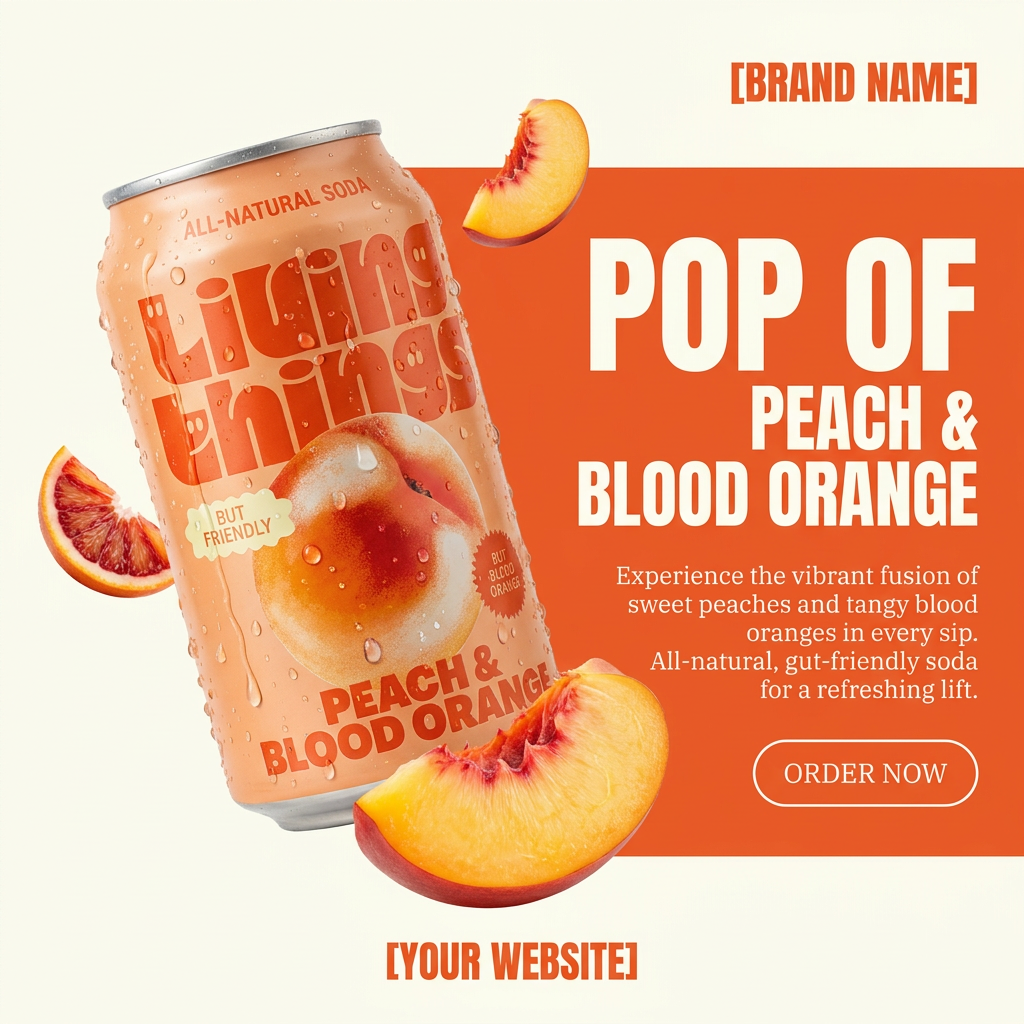
Turn any product photo into a bold, modern ad poster. It automatically frames your item against a split-color background, pairing a clean cream tone with a solid block of your product's dominant color. Super clean, minimal, and ready for social feeds.
Regenerate using your own assets.
For a vibrant, minimalist poster: Workflow code: #myup-zpby-tzie
Minimal Vibrant Product Advertising Poster

Drop in any product shot and watch it turn into a bold, high-energy square ad. It automatically reads your packaging to pull out the dominant colors and text, then builds a vibrant poster styled perfectly around your brand.
Regenerate using your own assets.
Workflow code: #myup-k4td-9k6z
Minimalist Poster

Give your social feed a clean, gallery-like aesthetic. This layout frames your images with structured mono typography and soft, neutral backgrounds for a high-end editorial look. It's perfect for minimal product launches or brand announcements.
Regenerate using your own assets.
From one SKU to your entire product line
The real power of this system isn't just in creating one batch of assets. It's in building a repeatable process. Once you've perfected your list of ten essential lifestyle scenes for your brand, you can save it as a custom workflow in MyUP. Launching a new product? Just swap the source image for the new SKU and run the workflow again. In minutes, you have a complete set of fresh marketing assets. This is how you stop being a content creator and start being a content operator. This approach is central to building a scalable AI product photography workflow that grows with your business.
For specialized products like jewelry that require specific lighting and focus, a dedicated workflow is key.
Workflow code: #myup-qtty-nngw
Jewerly Product Ad
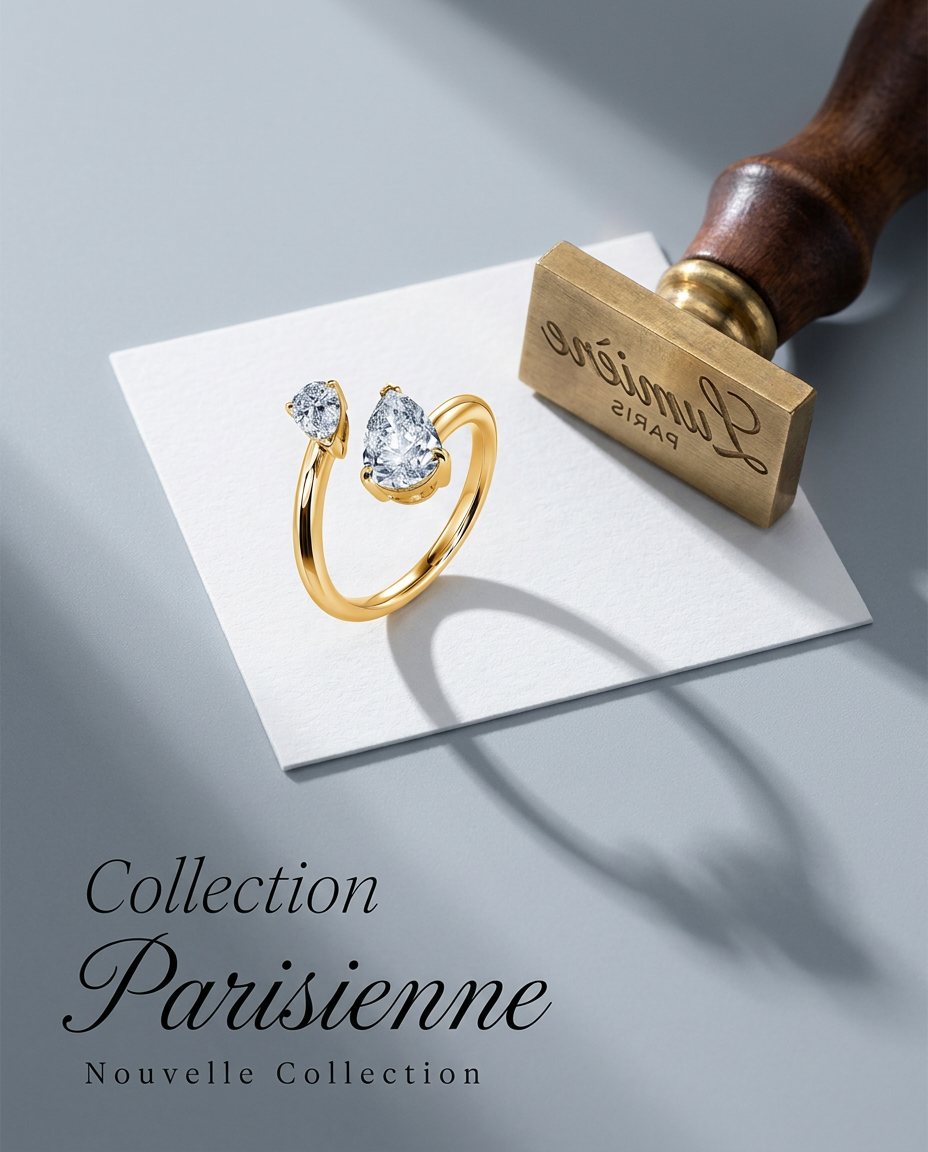
Turn any product into a high-end editorial shot. It drops your item into a clean, flat-lay setup with soft directional light and elegant long shadows against a cool matte gray background.
Regenerate using your own assets.
The right tool for the right job
Features like Adobe's Structure Reference are a fantastic validation of the market's need for compositional control, and they're great for crafting a single perfect image. But e-commerce marketing runs on volume, speed, and brand consistency at scale. For that, you don't need a better hammer; you need an assembly line. A platform like MyUP provides that assembly line, turning your single product image into a campaign's worth of assets—all perfectly on-brand and ready to fuel your ads, social feeds, and product pages. You can try it for yourself and see how a workflow beats a single tool every time.
