
Scroll through any social feed in July 2026, and you’ll see it: a sea of eerily similar, plasticky AI-generated images. The lighting is always perfect, the people are flawlessly generic, and the style is instantly recognizable as machine-made. This is 'AI slop', and it's the biggest threat to any brand trying to stand out.
When every image looks like it came from the same machine, your brand's visual identity vanishes. The solution is style consistency. But achieving it has felt like a choice between two extremes: endless prompt-wrestling or a highly technical process called 'fine-tuning'. You're probably hearing that term more and more. Let's cut through the noise and figure out what it actually means for you, the creator.
What is AI fine-tuning? (And why you're hearing about it now)
In simple terms, AI fine-tuning is the process of taking a general-purpose AI model (like one that can draw anything) and giving it specialized training on a narrow set of data to make it an expert in a specific style. Think of a classically trained painter who can create in any style from Baroque to Impressionism. Fine-tuning is like giving that painter a stack of 100 specific street art examples and telling them, "From now on, only paint like this."
The reason this developer-centric term is suddenly everywhere is because new tools are making it seem more accessible. As recently as July 20, 2026, a tool called Stylar AI launched a 'Style LoRA' feature that lets you train a mini-model from a single image. This is a huge simplification of a complex process, and it signals a shift in what creators are demanding: more control and less generic output.
This demand for control is a direct reaction to the limitations of mainstream tools. Even Midjourney’s recent '--style raw' update is an admission that creators are fighting against the platform's default aesthetic. People don't just want to generate images; they want to generate *their* images, in *their* style.
The developer's path: When fine-tuning makes sense
The traditional method of fine-tuning, or training a lightweight version called a LoRA (Low-Rank Adaptation), is a powerful way to create a truly custom model. But it's a tool-building exercise, not a content creation workflow. The process typically involves:
- Curating a Dataset: Gathering dozens, if not hundreds, of high-quality images that perfectly represent your desired style.
- Preparing the Data: Cleaning, cropping, and captioning every single image in your dataset so the model can understand it.
- Training the Model: Using a platform or your own code to run the training process, which can take hours and require significant computing power (and cost).
- Testing and Iterating: Generating images to see if the model learned correctly, then tweaking settings and retraining until you get the desired result.
This path makes sense if your goal is to build a new, fundamental tool for a highly specialized task, like analyzing medical scans or creating a new artistic medium. But for a marketer who just needs to create ten on-brand social media posts for a new product launch? It's like building a custom car engine just to drive to the grocery store. It's overkill, and it pulls you away from your actual job: creating content.
The creator's path: Get consistent style instantly with a Brandkit
There is a smarter way. Instead of teaching a machine your style from scratch, you can simply define it once and apply it everywhere. This is the creator's path, and it's built around the MyUP Brandkit.
A Brandkit is the direct answer to fine-tuning for 99% of brand content needs. It’s a centralized, intelligent definition of your brand’s visual identity. Here’s how it works on MyUP:
- You provide a URL. Just give MyUP your website address.
- MyUP creates your Brandkit. In seconds, it analyzes your site and automatically extracts your brand's core DNA: your logo, exact color palette, fonts, and key stylistic descriptors that define your aesthetic.
- Your style is ready. That's it. There is no dataset to build, no code to run, no models to train. Your visual identity is captured and ready to be applied to any content you create on the platform.
The fundamental difference is this: Fine-tuning is for building models. Brandkits are for building brands. It shifts the focus from a technical process to a creative outcome. You're not a data scientist; you're a brand builder. You need a system that integrates your brand into your workflow, not another complex tool to manage.
From brand definition to content production
Once your Brandkit is set up in MyUP, it becomes the engine for your content production. It's not just a filter you apply at the end; it's a core component that guides the AI from the very beginning. Every image, post, or ad you generate is automatically infused with your brand's visual language.
Imagine you need to create a series of social posts for a new skincare product. Instead of starting with a blank canvas and a generic prompt, you can launch a workflow designed for this exact task. The workflow already knows your brand's aesthetic from your Brandkit. It applies your colors, your typography style, and your overall vibe to every single variation. The user validates and adjusts; MyUP handles the production.
You can do this right now. The workflow below is designed to generate on-brand product-focused social posts by automatically using your saved Brandkit.
Workflow code: #myup-kbgo-tlle
Product Brand Post

Drop in your product to generate a cohesive nine-post Instagram grid. It blends warm lifestyle photography and flat-lay packaging with bold hand-drawn doodles, collages, and urban billboard mockups. Everything automatically styles itself to your brand's colors.
Regenerate using your own assets.
One brand, many styles: Using workflows for campaign-specific aesthetics
What if your brand needs more than one style? You might have your core corporate look, but you also need a distinct aesthetic for a summer campaign or a holiday promotion. This is where a Brandkit-driven system truly outshines a single fine-tuned model.
A fine-tuned model is a one-trick pony; it only knows the specific style it was trained on. In MyUP, your Brandkit serves as the foundation, but workflows can layer on campaign-specific instructions. You can have a workflow that takes your core brand colors and applies them to a 'dark and moody' photographic style, and another that uses them in a 'bright and poppy' illustrated style. For an example of how you can create distinct, on-brand assets that go beyond your core look, check out our guide to creating a branded meme generator.
For instance, if your brand wanted to run a campaign with a nostalgic feel, you wouldn't need to train a whole new model. You would simply use a workflow that combines your Brandkit with instructions for a vintage aesthetic. This template does exactly that.
Workflow code: #myup-sauf-5jod
Vintage Advertising Poster
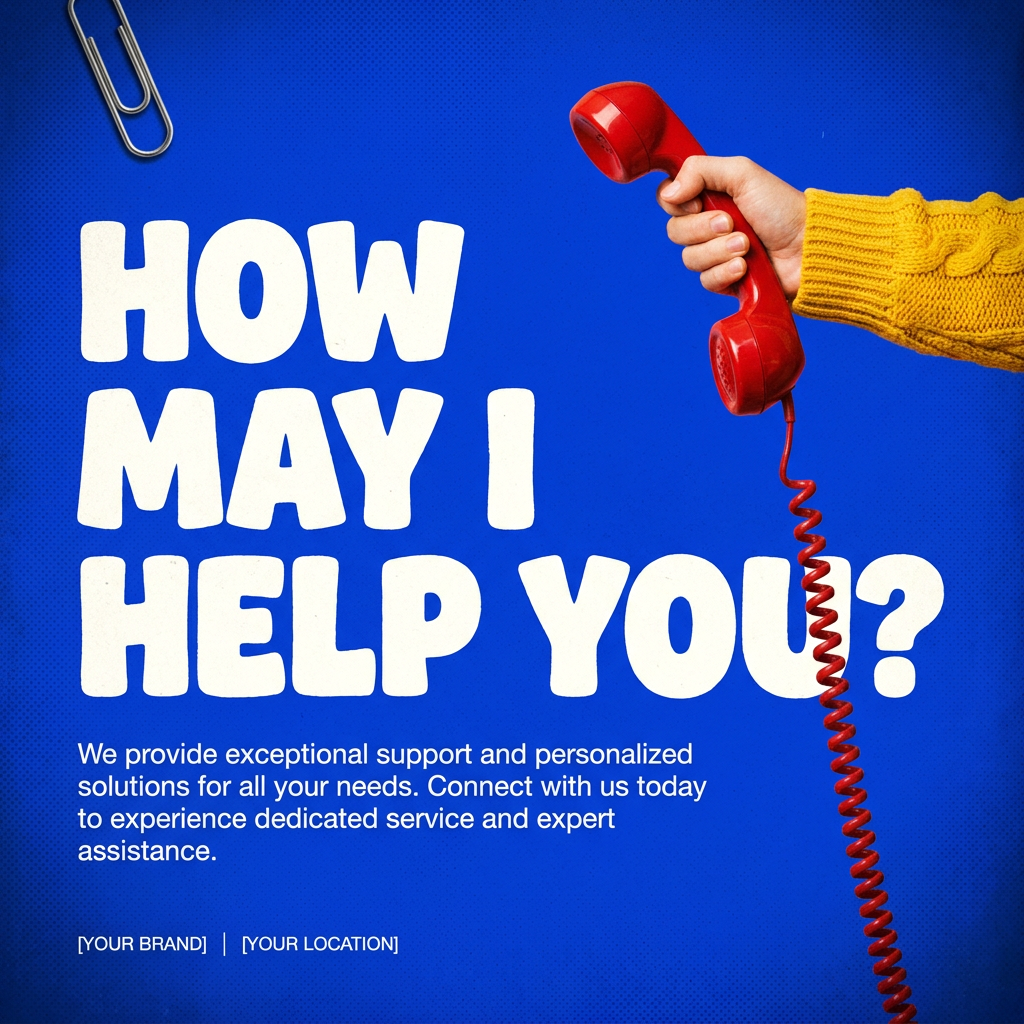
This creates high-impact graphic posters with a striking cobalt blue backdrop and subtle retro halftone textures. Just drop in your subject to get that bold, tactile look complete with realistic metallic accents and clean, modern framing.
Regenerate using your own assets.
Stop training models. Start building your brand.
The conversation around AI is maturing. It's no longer about the novelty of generating an image from text. It's about solving real production bottlenecks and creating work that is distinctive and effective. Getting dragged into the complexities of fine-tuning, datasets, and LoRAs is a distraction from the real job: communicating your brand's story.
The goal isn't to become an AI model trainer. The goal is to escape the sea of 'AI slop' and produce content that feels authentic to your brand, at a scale that was previously impossible. A Brandkit isn't just a shortcut; it's a more direct, intelligent, and creator-focused system for achieving style consistency. It lets you focus on the creative direction while intelligent AI agents and workflows handle the repetitive production work.
So the next time you hear someone talking about fine-tuning an AI model, you'll know the truth. For developers, it's about building the tool. For creators, it's about using the right system—and that system starts with your brand, not with a dataset.
