
Monday’s post is live. Now what about Tuesday? For fashion brands, the Instagram content treadmill never stops. The pressure to produce a constant stream of high-quality, on-brand visuals and engaging copy is immense. The common advice involves a patchwork of separate AI tools: one for ideas, another for images, a third for captions, and maybe a fourth for hashtags. This isn't a workflow; it's digital whiplash.
This guide explains how to get off that treadmill. We'll detail a single, integrated workflow inside MyUP that takes you from a blank calendar to a full week of scheduled Instagram content in about 15 minutes. No more context switching, just a seamless flow from strategy to execution.
Step 1: Generate your 7-day content strategy with an AI agent
Great content isn't born from random image prompts; it starts with a plan. Before you create a single visual, you need a strategic map for the week. This ensures your posts are varied, purposeful, and build a cohesive brand story. Instead of staring at a blank page, you can use an AI agent to build this foundation in two minutes.
Instruct the agent with your brand's core identity. Be specific about your target audience, aesthetic, and goals. A powerful prompt moves beyond generic requests and provides the creative constraints the AI needs to deliver a genuinely useful plan.
For example, for a futuristic streetwear brand, you might prompt the MyUP agent like this:
Act as a senior social media strategist for 'Vaporwave,' a Gen-Z streetwear brand with a nostalgic futurism aesthetic. Our core themes are chrome, iridescent fabrics, and clean lines. Generate a 7-day Instagram content plan. For each day, provide a theme, a specific post concept, and a visual direction that we can use for AI image generation.
The agent will return a structured calendar, giving you a clear creative direction for each day. You might get 'Monochrome Monday' focusing on black and white product shots, 'Techwear Tuesday' highlighting functional details, or 'Behind the Seams Friday' with conceptual images of the design process. This strategic document is the blueprint for the entire workflow. You can learn more about how to build an AI agent that automates your social media calendar in our detailed guide.
Workflow code: #myup-f7qo-gadu
Step 2: Create a week of visuals with a 'virtual photoshoot'
With your 7-day plan, you can now execute the visual component. The goal isn't just to create seven random images, but a cohesive set that feels like it came from a single, professional photoshoot. This is where you create a 'virtual lookbook' or an 'AI photo dump'—a series of stylistically consistent images that build your brand's world.
Recent advancements in model coherence now make it possible to generate multiple images of the same character or aesthetic in different poses and settings. This solves a major bottleneck for brands that can't afford daily photoshoots. In MyUP, you can use a workflow template to lock in your desired aesthetic.
Following your content plan, you can use the Streetwear Photography template to generate all seven visuals for the week. Workflow code: #myup-hyfn-escm. This template is pre-configured with the right parameters for high-quality fashion shots. You'll guide it with prompts based on your daily themes, like 'Techwear Tuesday,' specifying details like “a close-up shot of an iridescent utility vest” or “a full-body shot of a model in a chrome bomber jacket on a rain-slicked Tokyo street.” In minutes, you'll have a complete set of on-brand, editorial-quality images ready for the week.
Streetwear Photography
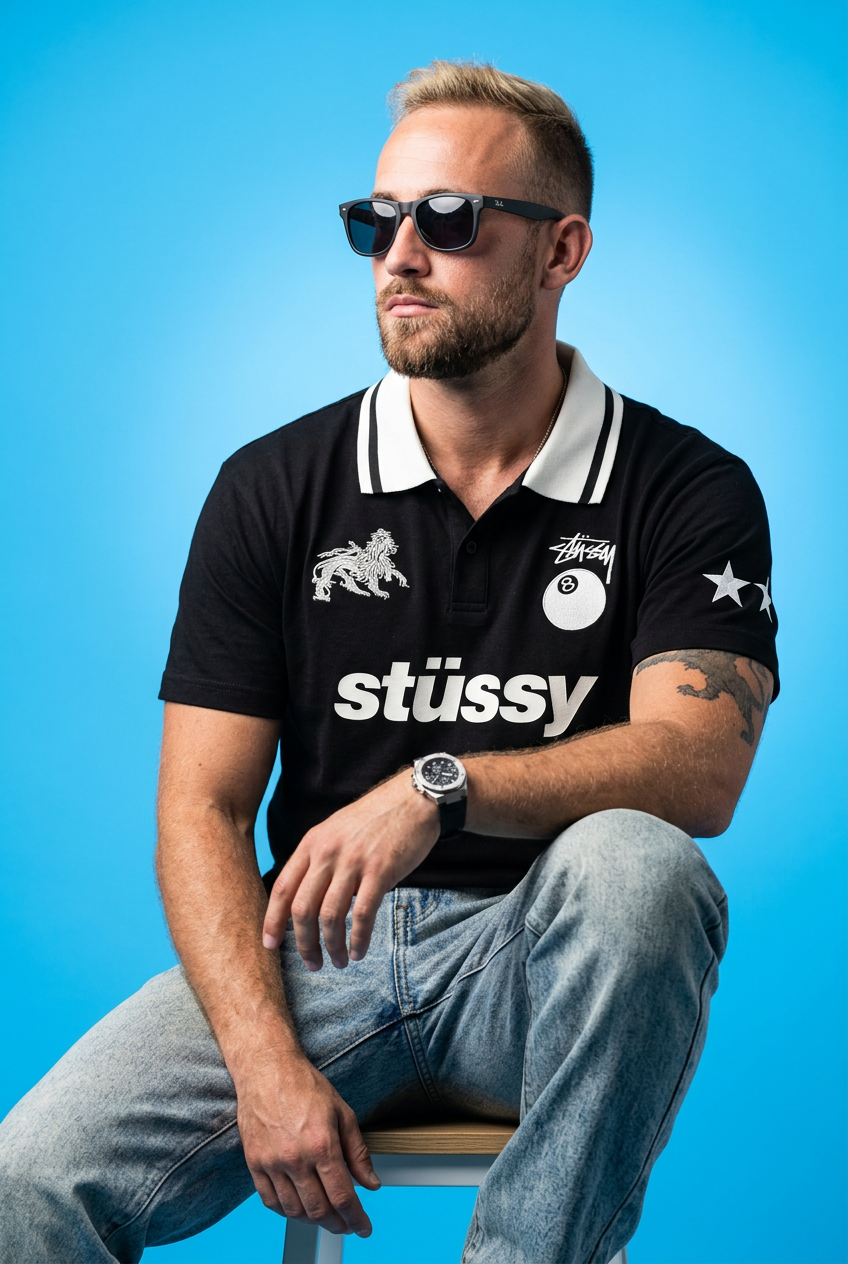
Drop your apparel design in to get a complete five-shot streetwear editorial campaign. It renders your clothing across a cohesive mix of high-fashion poses, from low-angle hero shots and mid-stride action to gritty macro close-ups.
Regenerate using your own assets.
Step 3: Write all your captions and hashtags in 60 seconds
Your visuals are generated and sitting in your workspace. Now, resist the urge to open another document or a separate AI writing tool. The power of an integrated workflow is keeping everything in one place. For each image, you can instantly generate the copy without losing momentum.
Within the MyUP workspace, select one of your new images and use the 'Instagram Captions' generator. The AI already has the visual context, so its suggestions will be far more relevant than a generic writer. It can describe the textures, the mood, and the style of the garment in the image. Generate a few options, pick the one that best fits your brand voice, and make any final tweaks.
Immediately after, use the 'Instagram Hashtags' generator. It will analyze both the image and your new caption to produce a relevant, optimized set of hashtags, mixing popular, niche, and brand-specific tags. Repeat this quick process for each of the seven images. The entire copywriting phase for the week can be completed in less time than it takes to make a coffee.
From prompt to post: see the finished product
Let's put it all together. Using the plan from Step 1, you've created a visual for 'Techwear Tuesday' and are ready to finalize the post. The result is a complete, ready-to-publish asset created in a fraction of the time of a traditional process.
Generated Image:
A hyperrealistic shot of a model wearing a sleek, black technical jacket with multiple pockets and straps. The background is a minimalist, concrete urban environment, and the lighting is sharp and slightly futuristic.
AI-Generated Caption:
Engineered for the elements. Built for the city. Our new utility shell combines functional design with a clean aesthetic. Every detail serves a purpose. #techwear #urbanexplorer #gorpcore
AI-Generated Hashtags:
#techwearfashion #streetwearstyle #functionalclothing #gorpcoreaesthetic #urbanfashion #futurewear #ootd #vaporwave #minimalstyle #outfitinspiration
This entire package—strategy, visual, and copy—was created in a single, continuous flow. Multiply this by seven, and your week is planned and ready to go.
When is this workflow the right fit for your brand?
This integrated AI workflow is a powerful tool, but it's not a universal solution. Understanding its ideal use case helps you leverage it effectively.
This workflow is a game-changer if:
- You're a solo founder or small e-commerce brand needing to produce high-quality content without a large team or budget.
- You're a social media manager looking to automate the 80% of repetitive content production to focus more on high-level strategy and community engagement.
- Your brand needs to rapidly test new aesthetics, product concepts, or campaign ideas before investing in a full photoshoot.
- You need to supplement your existing content calendar with fresh, engaging visuals to increase posting frequency.
You might prefer a traditional approach when:
- You're a large enterprise brand with a dedicated in-house creative team, photographers, and models, where absolute control over brand IP and live photoshoots is non-negotiable.
- Your product requires showing hyper-specific, real-world details that cannot be accurately replicated, such as the intricate weave of a unique fabric or a patented hardware feature.
- Your campaign's core concept is built entirely around a specific celebrity or brand ambassador who must be physically photographed.
Ultimately, MyUP's point of view is that content automation isn't about replacing creators. It's about empowering them. By handling the most time-consuming parts of the content creation process, AI frees up human talent to do what it does best: connect with an audience, build a brand, and drive real growth.
Stop juggling, start creating
The era of patching together five different tools to manage a social media calendar is over. An integrated AI content generator transforms the task from a week-long chore into a 15-minute strategic session. By combining an AI agent for planning, powerful image workflows for visuals, and integrated text generators for copy, you can finally escape the content treadmill and focus on building your fashion brand.
