The social media hamster wheel is spinning faster than ever. The pressure to feed the Instagram algorithm with a constant stream of high-quality, on-brand fashion content leads directly to burnout. You know you need to automate, but stitching together a dozen different AI tools—one for ideas, another for images, a third for captions—is just another form of busywork.
That’s why professionals are buzzing about the “one-prompt campaign,” a workflow that generates an entire content calendar from a single, strategic starting point. This isn’t a theoretical concept; it’s a practical solution to a real problem. This guide will show you exactly how to execute it inside MyUP, creating a full week of stunning Instagram content for your fashion brand in about 15 minutes.
Step 1: Generate your 7-day fashion content strategy
Great automation starts with a clear strategy, not a random image prompt. Instead of guessing what to post each day, you'll instruct a MyUP AI Agent to build a cohesive weekly plan. This ensures your content is varied, engaging, and aligned with your brand's goals.
The key is to give the agent a detailed role and a clear structure for its output. You’re not just asking for “ideas”; you’re asking for a structured content calendar based on proven social media pillars. This front-loads the strategic thinking, allowing the rest of the process to be pure production.
Here is a detailed prompt you can copy and paste directly into a MyUP AI Agent to get started. Just replace the bracketed details with your own brand’s information.
You are the lead social media strategist for [AVANT, a minimalist streetwear brand for urban creators]. Your goal is to create a 7-day Instagram content plan that drives engagement and showcases our new collection.
Create a content calendar in a simple list format for Monday to Sunday. For each day, provide a 'Content Pillar' (e.g., Behind the Scenes, Style Tip, Product Spotlight) and a 'Post Concept' (a one-sentence description of the post's topic and visual).
The content pillars to use are: Behind the Seams Monday, New Drop Tuesday, Styling Session Wednesday, Brand Values Thursday, Community Friday, Lookbook Saturday, and Relaxed Sunday.
The agent will instantly return a structured plan, giving you seven clear creative briefs—one for each day of the week. You now have the blueprint for your entire week, ready for visual creation. If you want to learn more about this part of the process, we have a full guide on how to build an AI agent that automates your social media calendar.
Step 2: Create a week of on-brand visuals in minutes
With your content plan in hand, the next step is creating the visuals. This is where most multi-tool workflows break down. Trying to create a consistent model, aesthetic, and lighting across seven different images with a generic image generator is a recipe for frustration. You get a different face every time, and the brand feel is lost.
An integrated workflow solves this. By using a specialized template within MyUP, you can generate your entire week of visuals in a single batch, maintaining strict control over your brand's aesthetic. For a modern fashion brand, a template like 'Streetwear Photography' is the perfect starting point. Workflow code: #myup-hyfn-escm.
Streetwear Photography
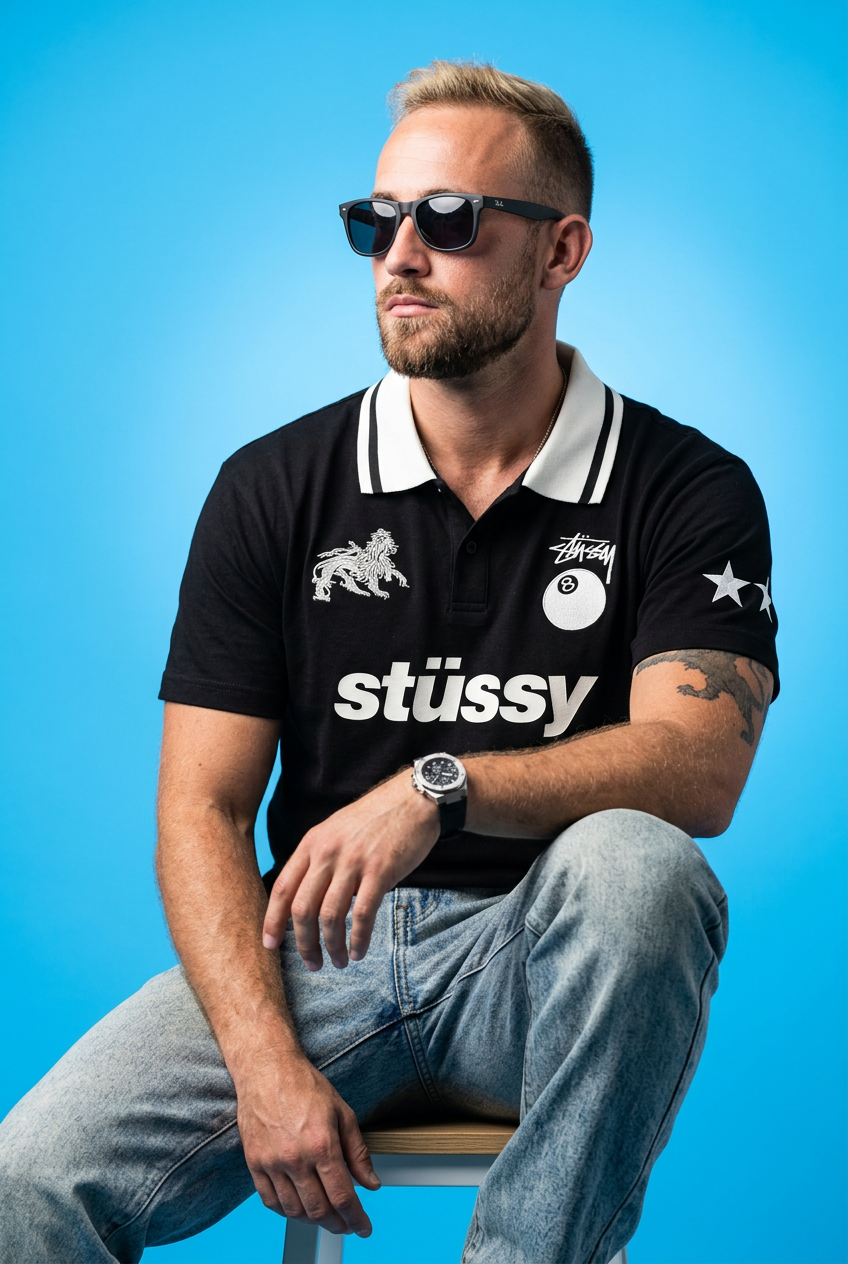
Drop your apparel design in to get a complete five-shot streetwear editorial campaign. It renders your clothing across a cohesive mix of high-fashion poses, from low-angle hero shots and mid-stride action to gritty macro close-ups.
Regenerate using your own assets.
Instead of prompting from scratch, the workflow guides you through the essential variables: model details, clothing, setting, and camera shot. By keeping the core model and brand descriptors consistent while only changing the daily concept (e.g., 'model working on a laptop in a design studio' for Monday, 'close-up shot of the new tech jacket' for Tuesday), you produce a set of images that feel like they came from the same professional photoshoot. This is how you achieve the visual consistency that was previously a major challenge for AI generation, a problem many still face with tools like Midjourney. For a deeper dive, see our guide on a workflow for truly consistent brand visuals.
Step 3: Write all your captions and hashtags at once
Now that your seven images are generated and sitting in your MyUP workspace, you can complete the final step without ever leaving the platform. This is the crucial efficiency gain. You don't need to download images, upload them to another tool, and then copy-paste captions back into your scheduler. The context is all in one place.
Select an image and use the integrated 'Instagram Captions' generator. Because the AI has the context of the image you just created, it can write more relevant, descriptive, and engaging copy. You can ask it to adopt a specific tone of voice—like 'witty and confident' or 'aspirational and cool'—to match your brand. Run it for each image.
Once the captions are ready, do the same with the 'Instagram Hashtags' generator. It will suggest a mix of popular, niche, and brand-specific hashtags relevant to the image and caption, maximizing your post's reach. In a few minutes, every one of your visuals is paired with ready-to-publish text.
Your complete Instagram calendar: from prompt to posts
After just 15 minutes, you've moved from a blank slate to a complete, ready-to-schedule content calendar. The output is not a random collection of assets but a cohesive campaign that tells a story throughout the week. Here’s what your final output for the AVANT brand might look like:
DayConceptCaption SnippetHashtagsMondayBehind the Seams: Designer sketching new collection.The process is the product. Every line starts here. #AvantProcess#fashiondesign #behindtheseams #streetwearbrandTuesdayNew Drop: Close-up on the 'Aether' tech jacket.Engineered for the elements. Built for the city. The Aether Tech Jacket is live.#newdrop #techwear #avantstyle #urbanfashionWednesdayStyling Session: How to style our cargo pants.Three ways to wear the Utility Cargos. Which one is your vibe? 1, 2, or 3?#styletips #howtostyle #cargopants #streetstyleThursdayBrand Values: Image of sustainable materials.We choose materials that last. Because fast fashion is never in style.#sustainablefashion #consciousconsumer #qualityoverquantityFridayCommunity: AI-generated image inspired by a UGC photo.You wear it best. Inspired by @creatorname's shot in Tokyo. Tag #AvantIRL to be featured.#ugc #communitylove #avantirl #customerfeatureSaturdayLookbook: Full outfit shot in a brutalist setting.Concrete jungle. Our uniform. Head-to-toe AVANT.#lookbook #ootd #minimalstreetstyle #brutalismSundayRelaxed Sunday: Model in our hoodie, relaxed vibe.The Sunday reset. Comfort is non-negotiable.#sundaymood #hoodieseason #loungewear #cozystyle
Why this workflow is your best fit (and when it isn't)
This integrated workflow is designed for a specific type of creator and team. It's the perfect fit for social media managers, founders, and small e-commerce brands where speed, consistency, and efficiency are paramount. If you are responsible for both strategy and execution, this system eliminates the 80% of repetitive production work, freeing you to focus on community engagement and bigger creative ideas.
However, this approach may not be right for everyone. Large enterprise teams with complex, multi-stage approval processes involving separate departments for copywriting, graphic design, and legal review might find a single, streamlined workflow challenging to adopt. Our system is built for agile creators who need to move from idea to publish-ready asset quickly, not for organizations with siloed creative functions.
