
You’ve seen the viral posts: a carousel of stunning AI-generated product shots that, on second glance, fall apart. The logo shifts, the lighting is different in every image, and the product's shape subtly changes. It’s a perfect example of a problem plaguing brands right now: a gallery of beautiful images that add up to a broken, unprofessional brand experience.
The market is responding. Just this week, on June 25, 2026, Adobe announced Style Reference features for Firefly, validating the massive need for visual consistency. But a feature isn't a strategy. To truly protect your brand integrity and scale content production, you need more than a tool that can copy a style once. You need a production workflow. You need a system.
This guide moves beyond the one-off generator mindset. We’ll show you the repeatable workflow for producing an entire campaign of hero images that are stylistically identical but contextually unique, all managed from a single platform: MyUP.ai.
The problem with one-off AI images: a broken brand experience
When your website’s hero images, social media posts, and ad creatives all pull from a different stylistic universe, you’re not building a brand; you’re building a collage of disconnected assets. This inconsistency chips away at brand recognition and trust. Customers subconsciously register the lack of cohesion, which can make a brand feel amateurish or unreliable.
The root cause isn't a lack of good AI tools. It's a process failure. Generating images one by one, with slightly different prompts each time, guarantees variation. Even with the same seed number or a reference image, you’re fighting the tool's inherent randomness. Professional branding requires the opposite: deliberate, systematic consistency.
The fix: shift from generating images to producing campaigns
The solution is to stop thinking like an artist creating a single masterpiece and start thinking like a creative director building a visual system. A campaign isn't just a collection of images; it's a set of assets that share the same visual DNA—the same lighting, color grade, composition rules, and mood. When done right, a customer should be able to look at any image out of context and immediately associate it with your brand.
This requires a central source of truth for your visual identity and an automated way to apply it. This is precisely what MyUP is built for. Instead of rewriting complex style prompts for every image, you define your campaign's aesthetic once in a MyUP Brandkit. Then, you use a workflow to apply that style to dozens of variations automatically.
The 4-step workflow for a cohesive hero image campaign
This entire process can be broken down into a simple, repeatable production loop. Once you set it up, you can generate new campaigns or add to existing ones with minimal effort.
- Define the Style: Codify your campaign's visual identity—lighting, composition, color palette, mood—in a MyUP Brandkit.
- Build the Workflow: Create a simple, reusable workflow that pulls from your Brandkit's style guide.
- Generate the Set: Run the workflow with a list of contextual variations to produce the entire image campaign in one batch.
- Validate the Output: Curate the results. The AI handles production; you provide the final creative approval.
Step 1: create your campaign style guide in a Brandkit
Your MyUP Brandkit is more than just a place for your logo and brand colors. For this workflow, it becomes the definitive style guide for your hero image campaign. The most critical asset you'll create here is a detailed style prompt. This isn't just 'a photo of a product'; it's the core instruction that defines your entire visual system.
A strong style prompt for a Brandkit might look like this:
"Overhead studio product shot, minimalist, on a textured off-white marble surface. Soft, natural morning light coming from the left, creating long, gentle shadows to the right. Muted, desaturated color palette focusing on earth tones. Shot with a 50mm lens, shallow depth of field, sharp focus on the product in the center. Clean, uncluttered composition."
By saving this level of detail in your Brandkit, you ensure that every image generated from it starts with the exact same aesthetic foundation. It becomes the single source of truth that protects your brand's visual integrity.
Step 2: turn your style guide into a repeatable workflow
With your visual DNA defined in the Brandkit, the next step is to build the machine that applies it. In MyUP, you create a workflow that connects your Brandkit to the image generator. This is a simple, one-time setup.
The workflow essentially says: "Take the style prompt from my main Brandkit, and combine it with a variable for the specific scene." This transforms a manual, error-prone task into an automated, scalable process. Now, anyone on your team can generate perfectly on-brand images without needing to copy-paste long prompts or understand the nuances of the style guide. They just need to run the workflow.
Step 3: generate your image set with contextual variations
This is where the system pays off. Instead of generating one image, you feed the workflow a list of contextual prompts. The workflow automatically combines each item from your list with the master style guide from your Brandkit.
For example, using the style prompt from Step 1, your list of variations could be:
- A bottle of our serum next to a fresh gardenia flower.
- A bottle of our serum with a single drop falling from the dropper.
- Three bottles of our serum arranged in a row.
- A hand model with clean, natural nails holding our serum bottle.
MyUP will process this list and output four images. They will all have the same overhead shot, the same marble surface, the same soft morning light, and the same color palette. But each will depict a unique scene. You've just produced a cohesive campaign, not a set of random images. This system is powerful enough to automate an entire e-commerce product catalog, ensuring every shot feels like it belongs.
Use case: a luxury product photography campaign
Imagine you're launching a new line of high-end cosmetics. You need a series of hero shots for your website, social media, and press kit. Each image needs to scream luxury and consistency. Instead of hiring a photographer for a multi-day shoot, you can use a MyUP workflow to generate a full campaign in minutes. This template is pre-configured with a style perfect for premium products.
Workflow code: #myup-xjaq-qhgx
Luxury Product Photography Studio
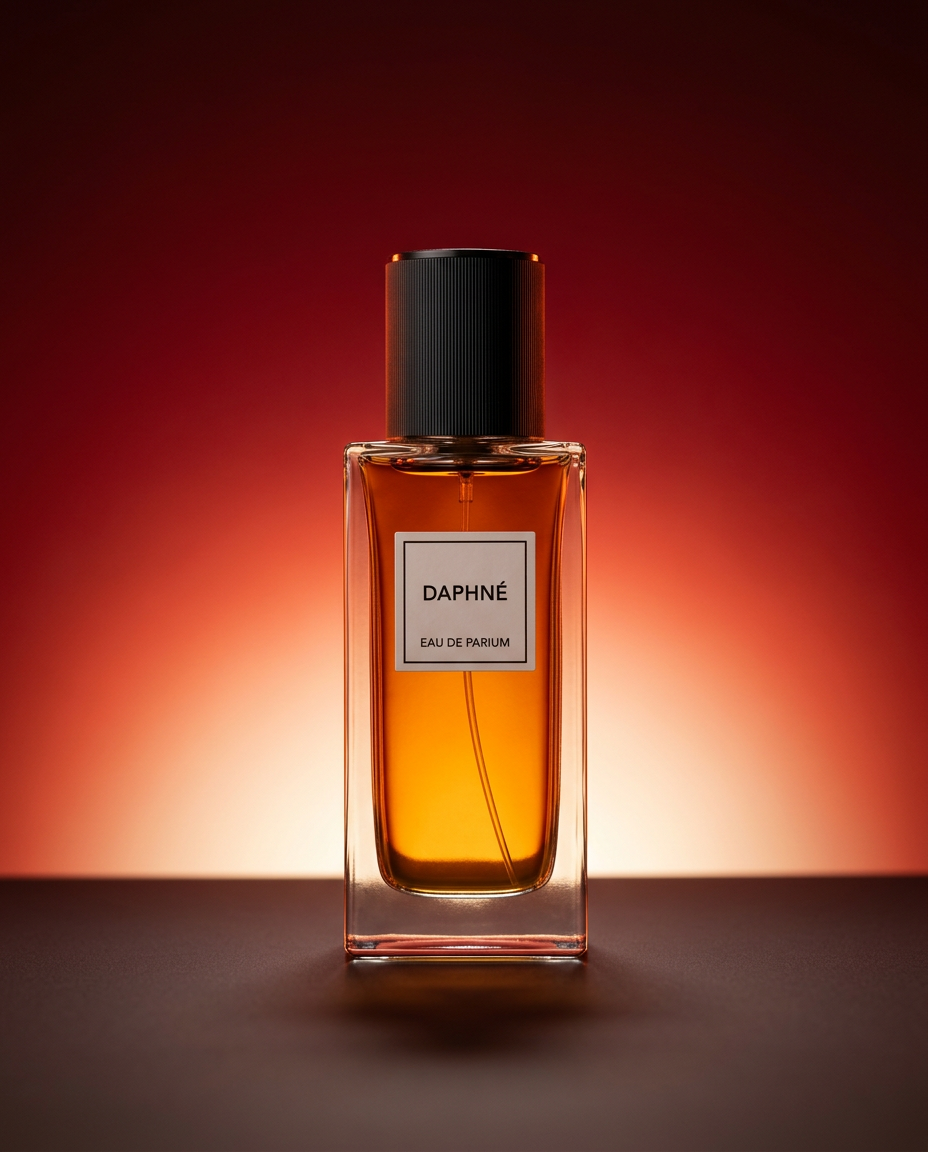
Drop your product into a dramatic, high-end studio setup. It places your item on a sleek flat surface against a rich crimson and orange cinematic gradient background. It's an easy way to get that moody, premium commercial look for any bottle, tech, or cosmetic.
Regenerate using your own assets.
Use case: a minimalist ad campaign for social media
Your goal is to create a set of clean, eye-catching vertical posters for Instagram Stories to advertise a new mobile app. The aesthetic needs to be minimalist and modern, with a consistent layout and typography. Using a workflow, you can generate variations with different taglines or feature callouts while keeping the core design locked in. This ensures your entire ad flight looks unified and professional.
Workflow code: #myup-sygb-rhnt
Minimalist Vertical Product Advertising Poster

Drop the clutter and put your product in the spotlight. This setup places your item against a pure, seamless white background with a striking vertical flow that draws the eye straight up. It's perfect for creating clean, high-end studio posters.
Regenerate using your own assets.
Use case: an editorial image set for your blog or website
You're writing a series of blog posts on a specific theme and need a unique, on-brand hero image for each one. Manually creating or sourcing these can be time-consuming and lead to a visually disjointed blog. With a workflow built from your Brandkit, you can generate a whole set of editorial images that share a cohesive, bold grid style, instantly elevating the professionalism of your content marketing.
Workflow code: #myup-n0bi-2wzk
Bold Editorial Grid Poster

Create striking 2x3 editorial posters with six seamless, flat-color square cards in a perfect 4:5 grid. There are absolutely no gaps between the blocks, giving your content a bold, high-contrast magazine layout. It looks incredibly clean on any social feed.
Regenerate using your own assets.
Step 4: the human in the loop: your job is to validate, not just create
This workflow doesn't remove the need for creative judgment; it elevates it. The AI handles the repetitive, technical work of production. Your role shifts from being a prompt technician to a creative director. MyUP generates the campaign set, and you make the final call. You curate the best options, request minor adjustments, and approve the final assets.
This 'human control' model is crucial. It keeps you in the driver's seat, ensuring the final output meets your quality standards and strategic goals, while delegating the heavy lifting of scaled production to the platform.
A system is the only way to scale your brand's visual identity
Features like Style Reference are a welcome development, but they are still just one step in a much larger process. True brand consistency at scale doesn't come from a single feature; it comes from a system. By connecting a permanent Brandkit to automated workflows, MyUP provides the infrastructure needed to turn a creative idea into a full-fledged, professional marketing campaign.
This is the same principle behind moving from a simple AI logo generator to a complete workflow for a real brand system. Stop creating assets one by one. Start building a system that produces your brand's visual world on demand, perfectly on-brand, every single time.
