You've spent hours trying to get your AI-generated character to look the same in the next panel. You change the angle, they lose their haircut. You put them in a new outfit, their face changes completely. Every creator trying to tell a sequential story with AI knows this frustration intimately. It’s the single biggest barrier between a cool one-off image and a real narrative.
As of July 22, 2026, the AI community is buzzing about Midjourney testing its improved Character Reference feature, ‘--cref v2’. It’s a definite improvement and validates that character consistency is a massive user pain point. But a prompt flag, no matter how good, is a patch, not a professional system. If your story depends on hoping a prompt works the same way every time, you don't have a workflow—you have a lottery ticket.
In comics, consistency is the foundation of storytelling. If the hero looks different in every panel, the reader loses their connection and the story falls apart. This tutorial details a complete, repeatable production system in MyUP.ai for true character and style consistency, moving beyond the limits of a single prompt to give you genuine creative control.
Step 1: Create your character's DNA, not just a reference image
The problem with prompt-based references is that they only capture surface-level data from a single image. A professional workflow starts by defining the character's core identity. This isn't just one good headshot; it's a model sheet that defines them from multiple angles, with various expressions, and in key poses. This is your character's DNA.
In MyUP.ai, you don't just use a reference image; you build a Character Asset inside a Brandkit. This is your single source of truth.
- Create a Turnaround Sheet: Generate images of your character from the front, side, three-quarter, and back. This teaches the AI their structural identity.
- Develop an Expression Sheet: Generate key expressions: happy, sad, angry, surprised. This defines their emotional range.
- Lock in the Style: Define the visual language of your comic. Is it gritty ink, clean vector lines, or a vintage print style? This decision should be made once, at the system level.
By saving these assets and style rules into a MyUP Brandkit, you've created a reusable system. You’re not just showing the AI a photo; you're giving it a complete design document. The user—you—validates these core assets once. MyUP then handles the execution, ensuring this DNA is applied to every single panel you generate.
To establish a unique artistic look for your entire comic right from the start, you can use a style workflow. For example, a risograph print effect gives a distinct, textured feel that stands out. You can lock this in as part of your Brandkit's style guide.
Workflow code: #myup-3xus-3l9x
Vintage Risograph Event Poster

Turn any announcement into a gritty, tactile gig poster. It layers your text with an uneven letterpress ink texture over a dusty, warm pink risograph paper background. It’s perfect for giving social posts a real analog, screenprinted vibe.
Regenerate using your own assets.
Step 2: Generate every panel with guaranteed consistency
With your character's DNA locked in the Brandkit, generating panels becomes a predictable manufacturing process, not a game of chance. For each new panel, you simply prompt the action and composition you need, and MyUP automatically applies your Brandkit rules.
This is the fundamental difference between a prompt and a system. Instead of adding a long `--cref` URL to every prompt and hoping for the best, the consistency is already built-in. MyUP uses your Character Assets and Style Guide to ensure that:
- The character is the character: Their facial structure, hair, and key features remain constant, regardless of the pose, lighting, or action in the scene.
- The style is the style: The line weight, color palette, and texture you defined in Step 1 are applied automatically. A panel of your character sitting in a cafe will have the exact same artistic feel as a panel of them running through a city.
This approach moves the creative burden from repetitive prompt engineering to high-level storytelling. Your focus shifts from 'How do I make the AI draw my character again?' to 'What should my character do next?' This is how professionals work: they build a system to handle the repetitive tasks so they can focus on the creative direction. We've previously explored a similar idea for creating unique 3D character styles, and the principle is the same: systemize the identity to unlock creative freedom.
Step 3: From panels to page: building your comic layout
Generating consistent panels solves one major problem. The next is assembling them into a coherent page that tells a story. Arranging images manually in a design tool is slow and can easily lead to inconsistencies in spacing, borders, and flow. A true comic workflow needs to account for the final layout.
MyUP allows you to use layout workflows to structure your generated panels into professional comic page grids. Instead of exporting individual images and importing them into another app, you can build the page directly within your creation environment. You can choose from standard grid layouts or create a custom one that fits your narrative pacing.
Using a workflow for layout ensures every page of your comic has a consistent structure. The gutters between panels are uniform, the border styles match, and the overall composition feels deliberate and professional. This is a critical step that is often overlooked by simple AI image generators.
For a clean, organized look that's common in modern webtoons and graphic novels, a grid-based poster workflow can be adapted perfectly for comic panels.
Workflow code: #myup-n0bi-2wzk
Bold Editorial Grid Poster

Create striking 2x3 editorial posters with six seamless, flat-color square cards in a perfect 4:5 grid. There are absolutely no gaps between the blocks, giving your content a bold, high-contrast magazine layout. It looks incredibly clean on any social feed.
Regenerate using your own assets.
Step 4: Add dialogue and lettering that stays on-brand
The final piece of the puzzle is typography. The font used for dialogue, captions, and sound effects is a huge part of a comic's visual identity. Using a different font or color by accident can break the reader's immersion just as much as an inconsistent character drawing.
This is another area where a Brandkit-based system shines. In MyUP, you can save your specific comic lettering fonts, text colors, and speech bubble styles directly in your Brandkit. When you add dialogue to your panels, these brand rules are applied automatically.
- Consistent Fonts: Your main dialogue font, caption font, and emphasis font are always correct.
- On-Brand Colors: Text colors are pulled directly from your Brandkit palette, ensuring they are legible and stylistically appropriate.
- Repeatable Styles: The size, weight, and spacing of your text are standardized, giving your entire comic a polished, uniform look.
This completes the end-to-end workflow within a single platform. From character concept to final lettered page, every element is governed by a central design system, guaranteeing total consistency. For a custom, hand-drawn lettering style that fits many comic aesthetics, you can use a dedicated typography workflow to generate and save your text assets.
Workflow code: #myup-6hp6-zwh2
Minimalist Hand-Lettered Food Brand Poster
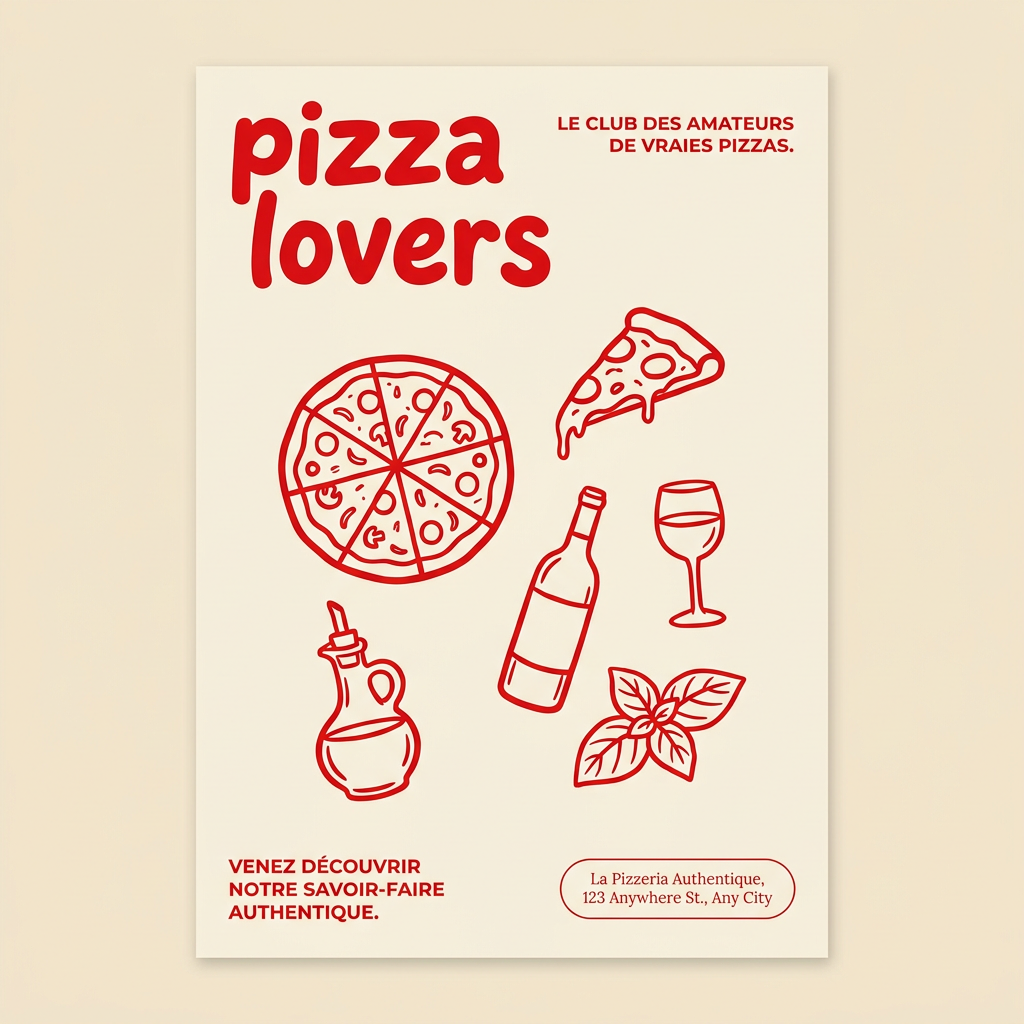
Generate clean, minimal posters for your food brand or cafe. It sets up a soft cream background with tons of breathing room, contrasted by a bold, chunky handwritten title in vivid red. It's a gorgeous editorial layout that makes your brand look instantly high-end.
Regenerate using your own assets.
The difference between a prompt and a production system
Tools like Midjourney's Character Reference are valuable, but they are fundamentally single-input solutions to a system-level problem. They ask you to solve the consistency puzzle again with every new generation. This might be fine for a hobbyist, but for a creator building a series, a brand narrative, or a webtoon with dozens of episodes, it's an unsustainable and unreliable process.
MyUP provides a production system. You define the character and the world's visual rules once in a Brandkit. From that point on, every asset you generate—from character panels to dialogue boxes—is born consistent. This is the professional workflow. It's not about finding the magic prompt; it's about building an intelligent system that executes your creative vision repeatably and at scale. It’s the difference between making a single drawing and creating a comic book. For a deeper dive into the full process, see our guide on the complete AI comic strip workflow.
