Character consistency is trending, but a prompt parameter isn't a strategy
On July 20, 2026, the AI image world lit up with news of Midjourney testing a new '--character' parameter (or '--cref'). The goal is simple and deeply felt by every creator: make a character once, and then use it again in different scenes. The excitement is justified because it addresses the single biggest frustration in AI-driven storytelling and brand-building.
But a command-line parameter is a tactic, not a strategy. It's a temporary fix within a single creation tool, dependent on the model's interpretation of a reference image. For a professional brand, whose mascot is a valuable, long-term asset, this isn't enough. You don't want to just *refer* to a character; you want to *own* its core identity. Relying on a prompt hack is like building your brand's visual identity on a foundation of sand. It works until the wind changes.
The problem with 'Pixar style': why generic characters are a dead end
Search any AI image platform for '3D character' and you'll be flooded with a sea of sameness: glossy eyes, soft features, and a friendly but forgettable aesthetic often tagged as 'Pixar style'. While appealing, this style is a creative dead end for any serious brand.
The business cost is significant. A generic character is, by definition, not memorable. It doesn't stand out, it doesn't build unique brand equity, and most importantly, it isn't legally defensible. You can't trademark an aesthetic that belongs to everyone. Using a generic style is effectively marketing for the entire category of 'cute 3D characters' instead of building a distinct visual asset for your own brand.
The solution: Define your character’s visual DNA
To create a truly ownable character, you need to move beyond simple style prompts and define its core components—its visual DNA. This is a set of specific, repeatable attributes that form the character's unique identity. Instead of asking the AI for a 'Pixar style character', you instruct it with a precise formula that is yours alone. This DNA consists of four key elements:
- Material & Texture: This is the most overlooked but crucial element. Is your character made of soft felt, glossy vinyl, brushed aluminum, or rough-hewn wood? Specifying 'a character made of polished white vinyl' yields a dramatically different and more specific result than just 'a white character'.
- Color Palette: Go beyond a single color. Define your brand's primary, secondary, and accent colors and how they apply to the character. A MyUP Brandkit automatically ingests these from your website, making them instantly available.
- Key Features & Proportions: What makes the character physically unique? Is it its oversized head, minimalist dot eyes, long gangly limbs, or a specific geometric body shape? These are the defining traits that make it recognizable from any angle.
- Lighting Style: How is your character lit? 'Soft studio lighting' creates a friendly, commercial feel. 'Dramatic rim lighting' is moody and heroic. 'Hard cinematic lighting with long shadows' tells a different story entirely. Defining this ensures a consistent mood across all your visuals.
How to build your character’s DNA in a MyUP Brandkit
This is where theory becomes production. The MyUP Brandkit is designed to store this visual DNA, turning it into a repeatable system. While most people use a Brandkit for logos and fonts, its real power for visual creation lies in storing your unique style instructions.
Here’s how to translate your DNA into the Brandkit:
- Create a New Brandkit: Start by entering your website URL. MyUP automatically pulls your logo, colors, and fonts.
- Add Your DNA as Style Descriptors: In the style section of the Brandkit, add the specific phrases you defined. Don't just add keywords; add descriptive instructions. For example, add 'Style: rendered as a glossy vinyl toy', 'Lighting: soft, diffused studio light from the top left', and 'Features: minimalist black dot eyes, no mouth'.
- Upload Reference Images (Optional but Recommended): If you have an initial character design you like, upload it to the Brandkit. MyUP will analyze its style, but the key is to override and reinforce it with your specific text-based DNA instructions for maximum control.
Once saved, this Brandkit becomes your single source of truth. Every time you generate an image on MyUP, you can apply the Brandkit with a single click. MyUP handles the complex task of injecting the DNA into the prompt; you simply validate the final output, making adjustments as needed. This is the professional workflow: the user directs, the platform executes.
Put your character to work: generating consistent assets
With your character's DNA locked in the Brandkit, the payoff is speed and consistency. You no longer need to write complex, multi-line prompts to maintain the character's look. The Brandkit handles the heavy lifting.
You can now generate endless variations simply by describing the action:
- 'Our brand mascot, waving hello.'
- 'Our brand mascot, holding a blank sign.'
- 'Our brand mascot, sitting at a desk and typing on a laptop.'
Because the Brandkit automatically applies the material, lighting, and feature definitions, the character remains consistent across every scene. A fantastic first application for a new mascot is creating a set of digital stickers for social media or packaging. The following workflow is pre-configured to generate high-quality, die-cut style stickers of any subject.
Workflow code: #myup-swqt-4zo3
Product Stickers

Turn your logo into a nostalgic, vibrant Y2K-style vertical ad. It automatically pulls your brand colors to create matching sweet treats like custom donuts or cupcakes in the background, giving you a super playful retro-pop aesthetic.
Regenerate using your own assets.
Advanced workflow: creating character model sheets and turnarounds
One of the most challenging tasks for AI image generators is creating a character model sheet, also known as a turnaround, showing front, side, and back views. On Reddit and X, you'll see creators sharing complex, multi-tool workflows to achieve this. It’s a clear signal of a high-value professional need.
A robust Brandkit in MyUP makes this process radically simpler. Because the character's core features are defined as a system, the AI can render it from different angles with far greater stability. After applying your Brandkit, you can simply prompt for:
- 'Character sheet for our brand mascot, front view.'
- 'Character sheet for our brand mascot, side profile view.'
- 'Character sheet for our brand mascot, three-quarters view.'
- 'Character sheet for our brand mascot, view from behind.'
The system's understanding of the character's DNA ensures the proportions and textures hold up, a task where simple image-reference parameters often fail. Once you have your character, you can easily place it into professional advertising layouts with a workflow like this one.
Workflow code: #myup-fy77-jljs
Minimalist Elegant Product Advertising Poster

Turn any product shot into a high-end editorial ad. It places your item against a soft cream background with airy spacing and adds elegant, small serif typography at the top. Great for wellness or luxury brands wanting a calm, minimal aesthetic.
Regenerate using your own assets.
Place your character in a world that is also on-brand
A character doesn't exist in a white void. The same Brandkit DNA that defines your mascot can be used to create an entire visual world for it to inhabit. The lighting style, color palette, and even material textures can be applied to generate backgrounds, scenes, and abstract patterns that feel cohesive and instantly recognizable. This is how you build a complete, immersive brand identity, not just a one-off mascot. You can even create endless on-brand patterns to use in your designs.
By applying your Brandkit to a scene description, you ensure the environment has the same aesthetic fingerprint as your character. For example, you can create a complex, atmospheric world for your character to explore using a workflow designed for rich editorial scenes.
Workflow code: #myup-xoux-qmmy
Dark Volcanic Jewelry Editorial
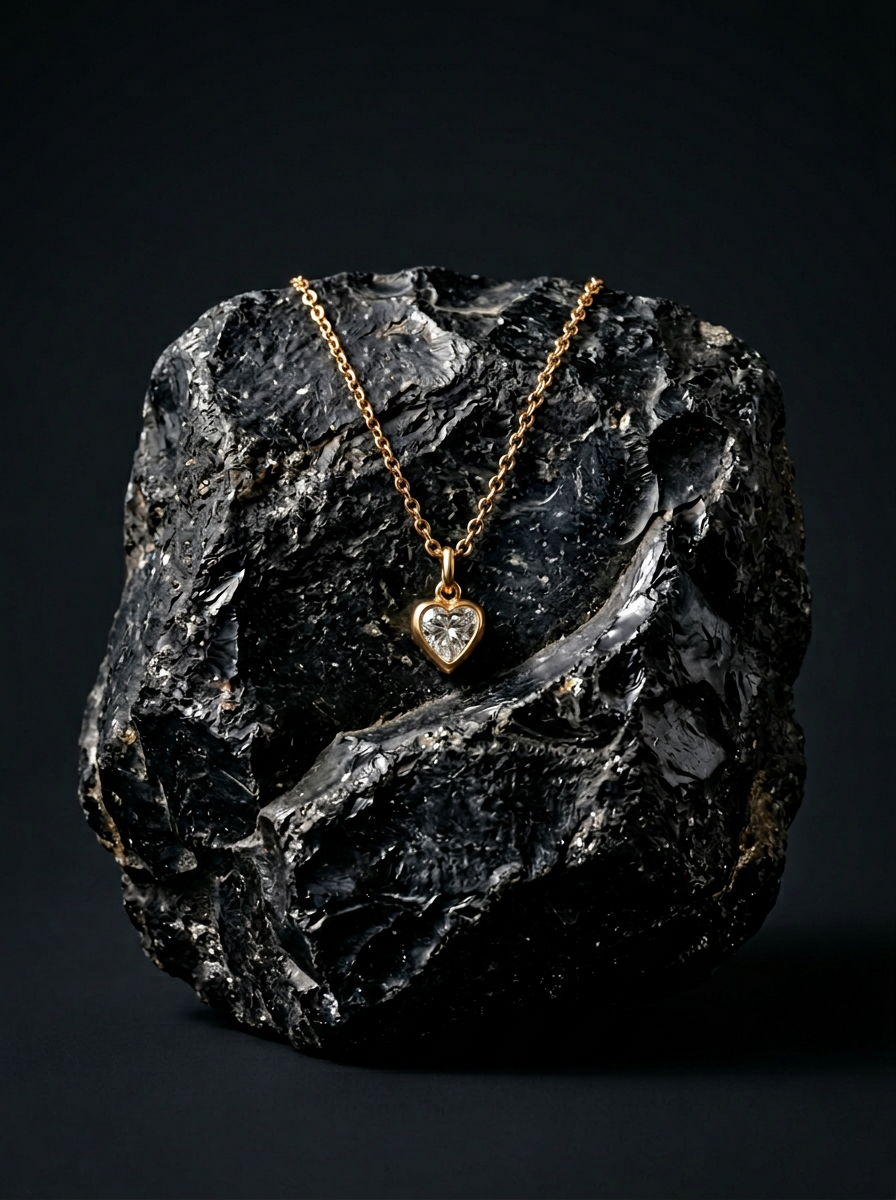
Place your product on a raw volcanic stone pedestal set against a pitch-black, moody studio backdrop. It creates a high-end, dramatic look with deep charcoal tones and sharp contrast. Perfect for making minimalist packaging or sleek tech stand out.
Regenerate using your own assets.
Stop prompting, start building
The arrival of features like Midjourney's '--cref' confirms what brand builders already know: character consistency is critical. But chasing the latest parameter is a reactive game. It keeps you dependent on a single platform's capabilities and focused on hacking together a solution.
The strategic alternative is to build an ownable creative asset. By defining your character's visual DNA—its materials, features, colors, and lighting—and codifying it in a MyUP Brandkit, you create a system. This system doesn't just produce a single image; it produces a consistent, recognizable character that works for your brand across any campaign, on any platform. Stop searching for the magic prompt and start building your brand's next great asset.
