If you’ve recently searched for “AI ad creative testing,” you’re not alone. The query saw a breakout trend in July 2026, signaling a major shift in how marketers think about AI. Generating a single, decent-looking image is now a commodity. Tools like Adobe's Firefly are even solving for style consistency with features like 'Generative Match'. The real, valuable work isn't just making one ad; it's building a system to find the winning ad among dozens of candidates.
The bottleneck for performance marketers is no longer the ability to create, but the capacity to test. This is where your AI tool needs to evolve from a simple generator into an operational workflow engine. This guide shows you how to build that engine in MyUP.
The goal isn't one perfect ad, it's a high-speed learning machine
The highest-performing marketing teams don't rely on a single creative genius guessing the perfect ad. They test relentlessly. They let market data, not internal opinion, dictate creative direction. Your AI tool should support this reality. Its job isn't to create your one best guess; it's to create all the viable candidates so the market can tell you what works.
This is the core philosophy behind MyUP's workflow engine: stop creating ads, start creating experiments. When you can test three different visual concepts against three different copy angles, you're not just making nine ads. You're building a learning machine that systematically identifies the messages and visuals that drive higher CTR, lower CPA, and better ROI. The speed at which you can run these experiments is your new competitive advantage.
Step 1: Set your brand foundation before you build variations
A valid A/B test requires a control. In creative testing, your brand identity is that control. If your variations have different logos, colors, or fonts, you're not just testing the creative concept; you're also testing brand recognition. This pollutes your data and makes it impossible to know why one ad outperformed another.
Before you generate a single variation, you must lock in your visual identity. In MyUP, this is done with a Brandkit. By setting up your brand once—uploading your logo, defining your color palette, and selecting your fonts—you ensure every asset generated by your workflow is automatically on-brand. MyUP applies your Brandkit to every output, so the integrity of your test is maintained. You can be certain you're measuring the impact of your creative hypothesis, not the distracting noise of inconsistent branding.
Step 2: Define your test matrix (what are you actually testing?)
An effective experiment is a structured one. Don't just generate random ideas; define your variables and build a test matrix. A simple but powerful matrix is a 3x3 grid:
- 3 Visual Hypotheses: These are distinct visual concepts. For example, for a fashion brand, you might test: 1) A minimalist studio shot, 2) A vibrant lifestyle shot on a city street, and 3) A high-fashion, editorial-style concept.
- 3 Copy Angles: These are different ways of communicating your value proposition. For example: 1) Highlighting a specific product benefit, 2) Addressing a customer pain point, and 3) Creating a sense of urgency or exclusivity.
This simple structure gives you nine unique ads to test. You can start building out your visual hypotheses in MyUP using pre-built workflows as a foundation. For instance, to test an edgy, high-fashion concept, you could start with a template designed for that exact aesthetic.
Workflow code: #myup-yk1h-uqy8
High-End Editorial Fashion Magazine Cover

Drop in any portrait and turn it into a high-end editorial magazine cover. It frames your subject beautifully with relaxed, high-fashion posing and soft styling for a polished print aesthetic.
Regenerate using your own assets.
Step 3: Build the automated workflow that generates every combination
This is where you move from manual work to a scalable system. Instead of creating nine ads one by one, you build a single MyUP workflow that does it for you. This workflow isn't just a prompt; it's a production process.
Here’s how it works in MyUP: your workflow takes lists of variables as inputs. You provide a list of your three copy headlines and a list of your three visual-concept prompts. The workflow then iterates through every possible combination, pairing each headline with each visual concept. For every one of the nine variations, it automatically applies your Brandkit for perfect consistency. What would take a designer hours of tedious versioning is executed in minutes.
This system also allows you to test radically different creative directions with the same efficiency. If your high-fashion concept doesn't perform, you can swap in a completely different aesthetic, like a retro-inspired campaign, without rebuilding your entire process.
Workflow code: #myup-1hgd-9oz5
Retro Style Food Advertising Poster

Turn any food product shot into a bold, nostalgic retro advertisement. It drops your item onto a warm cream background and automatically frames it with a color-matched header badge for that classic mid-century print ad look.
Regenerate using your own assets.
Step 4: Review and validate — where human control meets AI production
Automation doesn't mean abdication. MyUP executes the repetitive, time-consuming production, but you, the marketer, provide the final strategic validation. Once the workflow completes, MyUP presents you with a grid of all your generated ad variations. They are all on-brand and ready to deploy.
Your role shifts from being a pixel-pusher to a creative director. You quickly scan the outputs, check for any anomalies, and give the final approval. You're not spending your time creating; you're spending your time strategizing and analyzing. This is the power of the human-in-the-loop approach: AI handles the production, and you guide the strategy. The result is a set of high-quality, test-ready assets produced at a scale that was previously impossible.
Workflow code: #myup-5q78-bln0
Luxury Floral Product Editorial
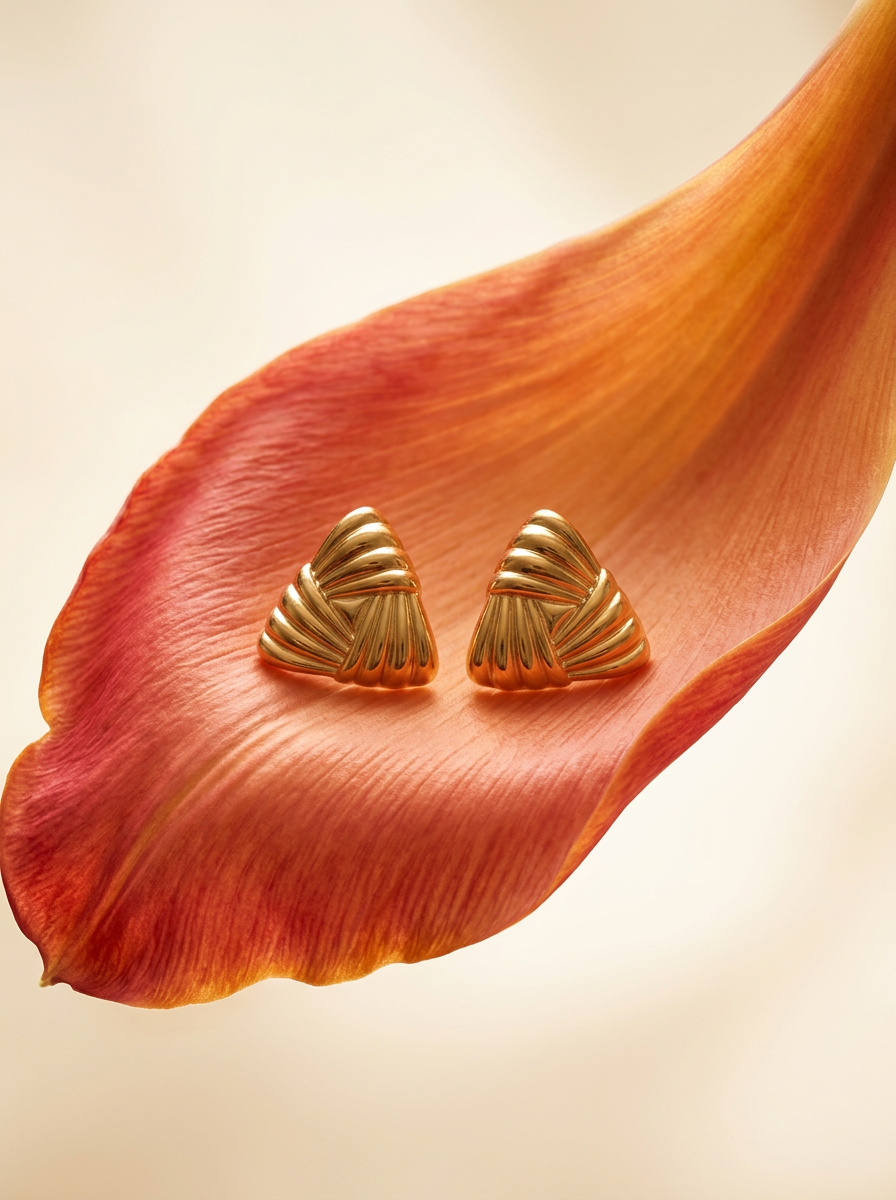
Place any product in an ultra-minimalist, warm studio space. It wraps your item in a seamless cream and beige backdrop with a super soft bokeh that melts away, making the details pop. It’s perfect for giving goods a clean, high-end look.
Regenerate using your own assets.
From hours of manual work to a repeatable growth engine
The traditional ad creative process is slow, expensive, and limits your ability to learn. Briefing a designer, waiting for assets, providing feedback, and getting final versions for a handful of variations can take days. The MyUP workflow condenses that entire process into minutes.
This isn't just about making ads faster. It's about learning what works faster. By building an automated testing engine, you create a repeatable system for improving performance. You can apply this same logic to generate on-brand product photos or even build out entire visual campaigns for new initiatives. It transforms the creative department from a cost center into a direct driver of business growth. To see how these scalable workflows fit your team's needs, you can review our pricing plans and start building your first experiment today.
