
If you work in e-commerce, your feed has likely been flooded with talk of AI product photography this week. With Adobe's launch of its Firefly Product Studio on July 12, 2026, the idea of turning one product photo into an entire campaign's worth of visuals went from a niche concept to a mainstream business strategy overnight.
But anyone who has tried these one-click tools has felt the immediate, sinking feeling when the AI returns an image where the product is... wrong. The logo is warped, the color is off, the shape is subtly distorted. These tools act like creative partners, riffing on your product. For e-commerce, that's a fatal flaw. You don't need a creative partner; you need a production tool. You need consistency, because brand trust is built on it.
This guide provides the solution: a structured, multi-step workflow that gives you infinite visual variety while keeping your product perfectly intact. It's not about prompting and praying. It's about locking your product as the hero and using AI as a controllable set designer. Here’s how to do it on MyUP.ai.
The workflow starts with one perfect, isolated product photo
Every successful AI product shot campaign begins with a single, non-negotiable asset: a high-resolution photo of your product, perfectly lit, on a clean, neutral background. This is your 'hero' image. It's the immutable source of truth that the AI will build around, but never alter.
Why is this so critical? Because the goal is asset multiplication, not asset mutation. By providing a clean, isolated image, you instruct the AI workflow to treat your product as a locked element. The AI's job is to generate the world *behind* and *around* it—the background, the props, the environment—not to reinterpret the product itself. Spending the time to get this one shot right saves you hours of fixing distorted outputs later.
Step 1: Generate simple, on-brand studio backgrounds
The easiest and fastest way to multiply your assets is by creating a variety of simple studio shots. This is perfect for product listing pages, social media, and basic ads where the product needs to be the sole focus.
Instead of just asking an AI for a 'blue background,' a proper workflow uses your brand's specific visual identity. In MyUP.ai, you start by setting up your Brandkit—uploading your logo, and defining your exact brand colors and fonts. Once it's set, you can run a workflow that takes your hero product image and automatically places it on backgrounds that use your precise color palette. You can generate dozens of options in minutes: solid colors, subtle gradients, or simple textures, all perfectly on-brand.
The user validates, MyUP executes. You get a grid of on-brand options and simply approve the ones you need. To execute this right now, use the Studio Product Ad workflow in MyUP.
Workflow code: #myup-u4lt-o0ho
Studio Product Ad

Drop in a single product photo to instantly build a cohesive visual identity. It automatically samples your item's dominant colors to generate a beautifully matched mosaic moodboard, giving your brand an instant, polished aesthetic.
Regenerate using your own assets.
Workflow code: #myup-aon6-zvop
Studio Product Ad
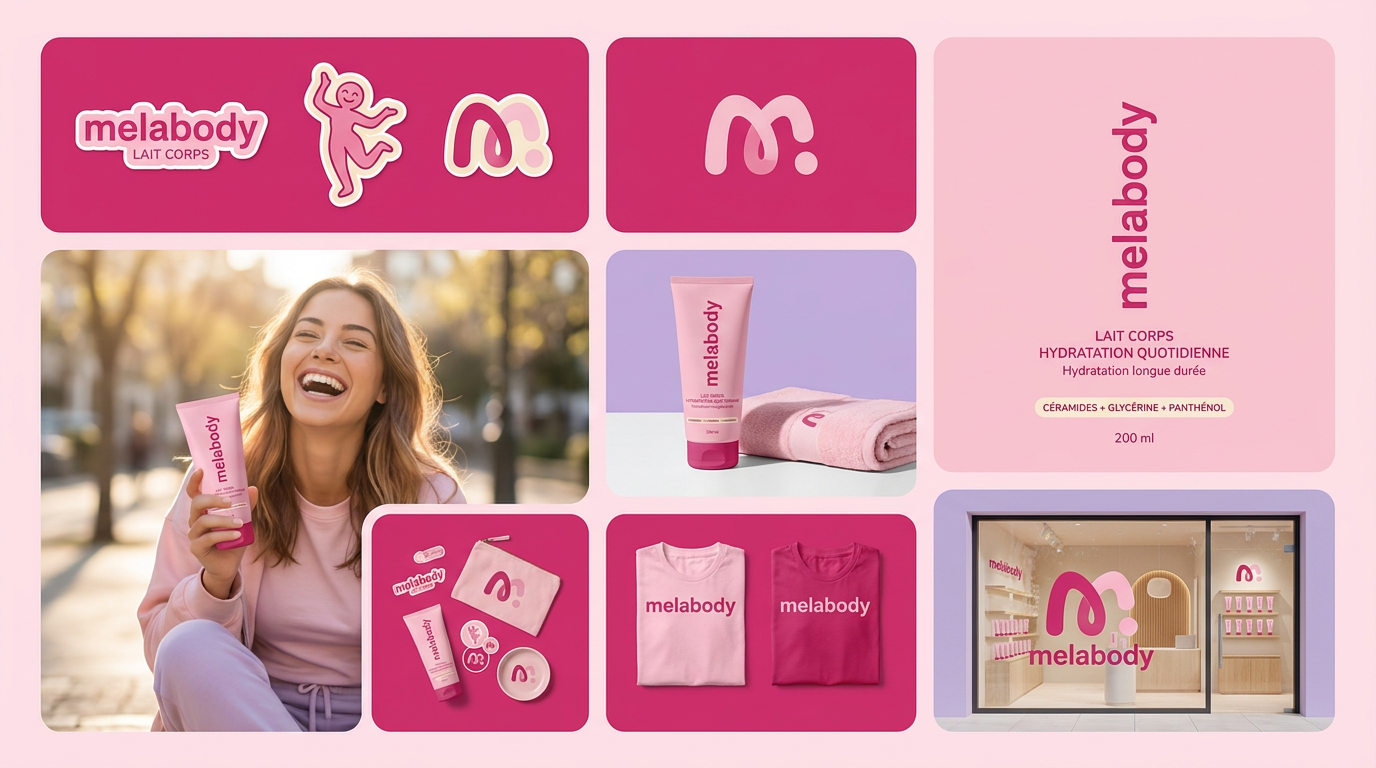
Turn any product photo into a cohesive brand moodboard. It automatically extracts the dominant color from your image to style the background, framing everything in a clean mosaic layout that perfectly matches your aesthetic.
Regenerate using your own assets.
Step 2: Add contextual props without distorting the product
Now let's move beyond simple backgrounds to contextual scenes. You want to show your product in use or alongside complementary items. For a beverage brand, this might mean placing a can next to fresh limes and ice cubes on a wooden bar top. For a skincare brand, it could be a bottle next to a sprig of lavender on a marble surface.
The key to doing this without the AI warping your bottle or can is a workflow that separates the product from the scene generation. In MyUP, the workflow uses your uploaded hero image as a fixed layer. You then prompt the AI to generate a scene *around* it. For example: 'A glistening, condensation-covered soda can on a rustic wooden table, surrounded by fresh lime wedges and sparkling ice cubes, with warm afternoon light.' The AI generates the table, limes, and ice, but your can remains exactly as it appeared in your original photo.
This control is the difference between a usable asset and a creative experiment. Try this workflow for a beverage product to see it in action.
Workflow code: #myup-cqnu-i50m
Drink Product Ad
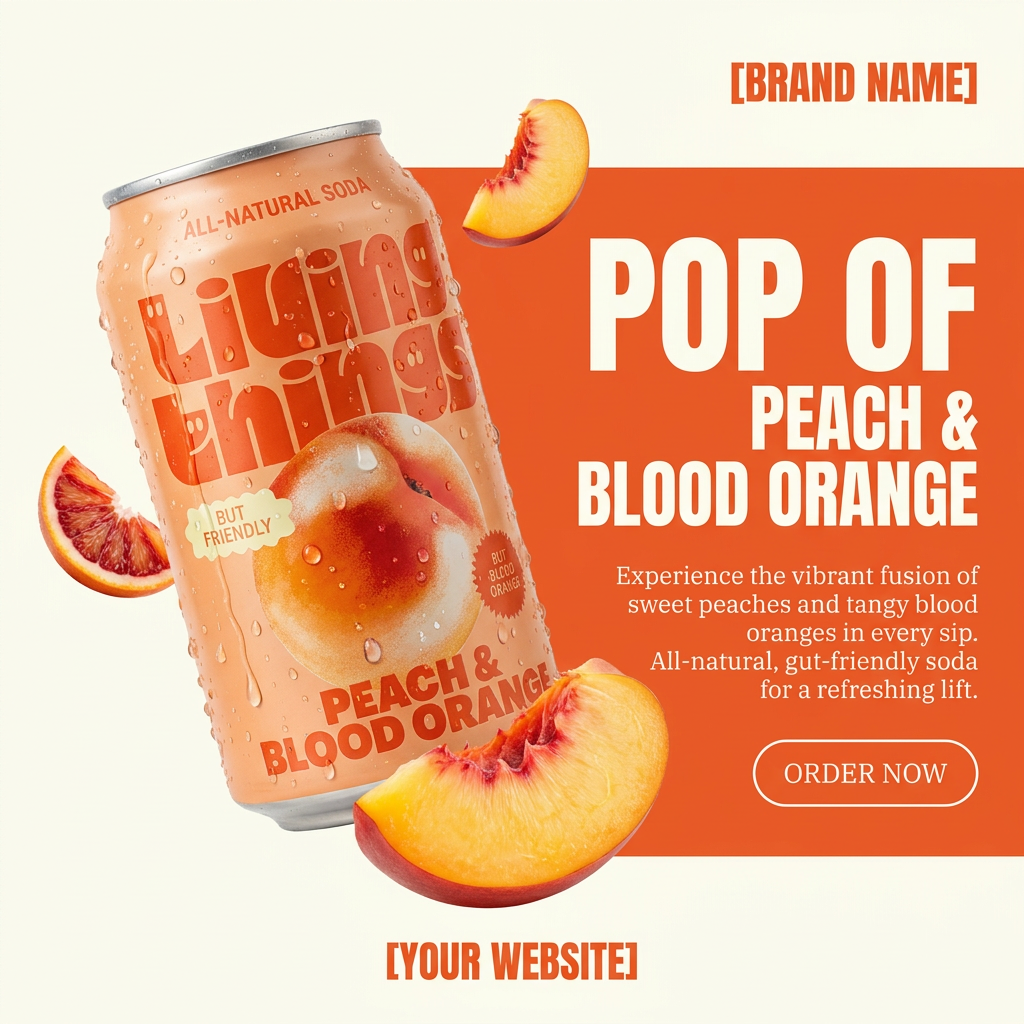
Turn any product photo into a bold, modern ad poster. It automatically frames your item against a split-color background, pairing a clean cream tone with a solid block of your product's dominant color. Super clean, minimal, and ready for social feeds.
Regenerate using your own assets.
Step 3: Create entire lifestyle scenes for your campaigns
This is the ultimate goal for most brands: creating rich, aspirational lifestyle photos that show the product as part of a larger story. This is also where most AI tools fail spectacularly, creating uncanny models and mangled products. A workflow approach, however, makes it a manageable production process. For a deeper dive, see our guide on turning one product photo into a full lifestyle campaign.
The process in MyUP builds on the previous steps. You lock your hero image and write a detailed prompt for the entire scene, including the environment, lighting, and even the type of models you want to feature. For example, for a piece of jewelry, your prompt might be: 'A woman with her back to the camera, looking out over a Santorini balcony at sunset. She is wearing a delicate gold necklace. The shot is warm, elegant, and serene.' The AI constructs the entire scene—the model, the balcony, the sunset—while ensuring the necklace shown is a perfect representation of your product.
This level of control allows you to art-direct an entire photoshoot from a text prompt, generating endless variations for different ad campaigns, seasonal promotions, or target audiences. This is especially powerful for high-end products where brand perception is everything.
Workflow code: #myup-qtty-nngw
Jewerly Product Ad
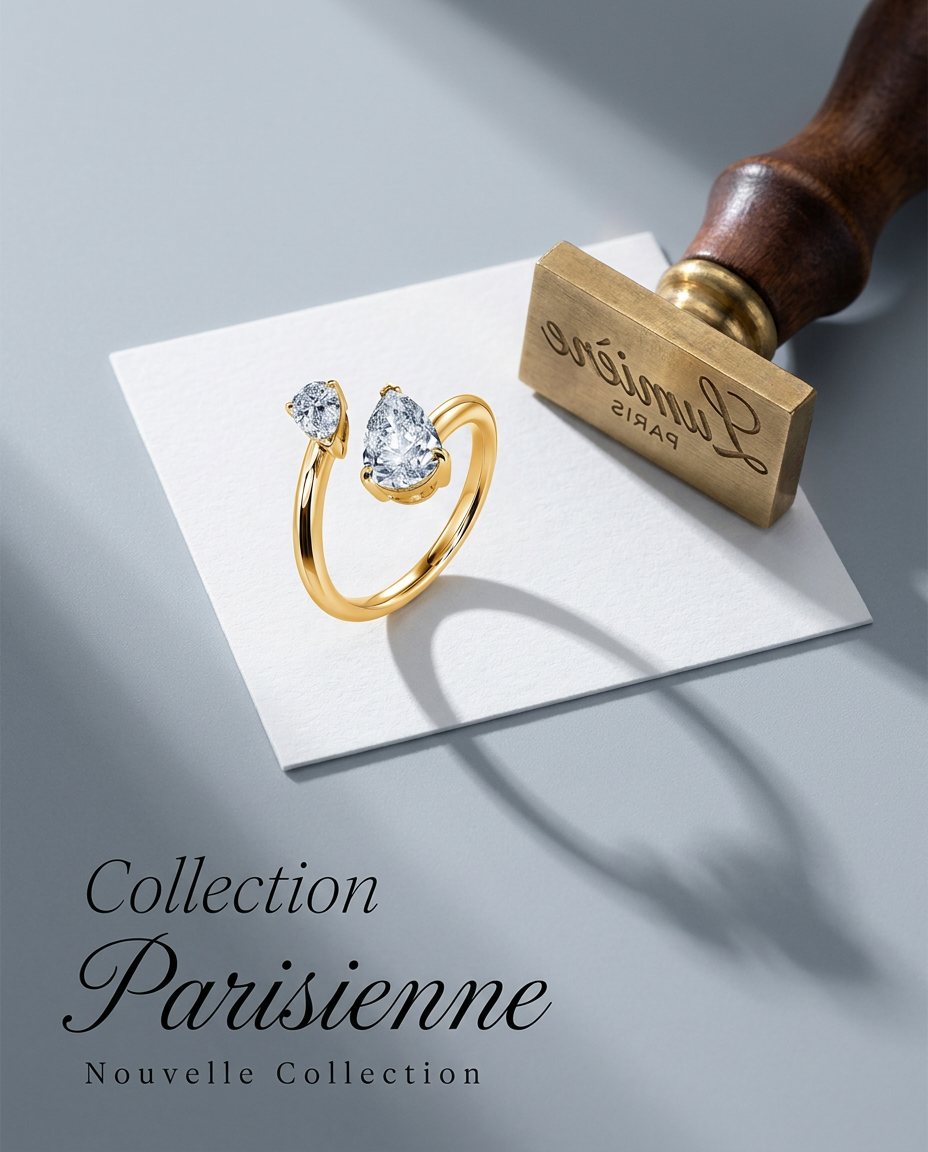
Turn any product into a high-end editorial shot. It drops your item into a clean, flat-lay setup with soft directional light and elegant long shadows against a cool matte gray background.
Regenerate using your own assets.
Why a workflow beats a one-click generator every time
The temptation of a single-prompt tool is understandable, but for any serious e-commerce business, the lack of control is a liability. A one-click generator might give you one great image out of twenty, but a workflow gives you two hundred usable assets out of two hundred attempts.
Here’s the difference:
- Consistency: A workflow locks your product's integrity. A one-click tool gambles with it on every generation.
- Brand Safety: By using a Brandkit, a workflow ensures every background color, font, and style aligns with your guidelines. A generator is stylistically random.
- Scalability: Once a workflow is built in MyUP, you can run it again and again for new products, new campaigns, or new seasons. It becomes a repeatable, efficient production system, not a one-off creative task.
Ultimately, a workflow produces a finished marketing asset, not just a picture. You can build steps to not only generate the scene but also add your brand's typography and logo, delivering a complete ad ready for deployment.
Workflow code: #myup-zpby-tzie
Minimal Vibrant Product Advertising Poster

Drop in any product shot and watch it turn into a bold, high-energy square ad. It automatically reads your packaging to pull out the dominant colors and text, then builds a vibrant poster styled perfectly around your brand.
Regenerate using your own assets.
Your product is the hero, AI is the set designer
The conversation around AI in e-commerce is no longer about *if* you should use it for product photography, but *how*. The choice isn't between AI and traditional photoshoots; it's between chaotic, unpredictable AI and controlled, brand-safe AI.
When your product's appearance is non-negotiable, you can't afford to let an AI 'reinterpret' it. Your product must be the hero of the shot, rendered with perfect accuracy. AI's role is to be the set designer, the lighting technician, and the location scout—building the world around your product under your explicit direction. This is the control that a structured workflow provides. It's how you move from generating random pictures to producing reliable brand assets at scale.
