But what if you could place your product into any photorealistic scene imaginable, with perfect lighting, texture, and, most importantly, unwavering brand consistency? With MyUP.ai, this is not just possible; it's a streamlined workflow. We'll show you how MyUP leverages the latest advancements, like Flux Pro's new Scene Control Module (released June 25, 2026) and 'Brand Style Lock' features (released June 24, 2026), to deliver hyper-realistic, on-brand product visuals at scale, putting you in complete creative control.
The challenge of realistic, on-brand product photography with AI
For e-commerce brands and marketers, high-quality product visuals are non-negotiable. They are the digital storefront, the first impression, and often the deciding factor in a purchase. Yet, achieving this at scale has always been a struggle. Traditional photography requires significant investment in studios, models, props, and post-production. The alternative – generic AI tools – often falls short, struggling with accurate product integration, inconsistent lighting, and an inability to adhere to brand guidelines. This leads to images that look artificial, lack context, or simply don't feel like *your* brand, costing you authenticity and conversions.MyUP's foundation: building your brand's visual identity with Brandkit
The first step to consistent, on-brand AI product photography is establishing your brand's visual identity within MyUP. This is where MyUP's Brandkit comes in. Instead of manually adjusting colors, fonts, and styles for every image, you build your Brandkit once, either by uploading your brand assets directly or by simply providing your website URL. MyUP then automatically extracts and stores your visual guidelines.This functionality mirrors the 'Brand Style Lock' features that leading AI image generators have recently introduced. MyUP's Brandkit ensures that every AI-generated scene, every graphic overlay, and every textual element automatically adheres to your brand's established aesthetic. This prevents the common AI pitfall of generating beautiful but off-brand visuals, ensuring all your outputs are instantly recognizable and consistent with your brand identity.
Step 1: Upload your product and establish its core look
To begin, upload a clean, well-lit image of your product to MyUP. Our AI intelligently processes this image, understanding its form, material properties, and inherent lighting. This initial product understanding is crucial for realistic scene integration. It's not just cutting out a background; it's about giving the AI a deep comprehension of the object itself. Once uploaded, you can start with a foundational product ad to see how MyUP integrates your product into a controlled environment, ready for further scene development. This step allows you to quickly generate a clean, professional-looking image that showcases your product's essential features, setting the stage for more complex scene generations.Workflow code: #myup-u4lt-o0ho
Studio Product Ad

Drop in a single product photo to instantly build a cohesive visual identity. It automatically samples your item's dominant colors to generate a beautifully matched mosaic moodboard, giving your brand an instant, polished aesthetic.
Regenerate using your own assets.
Step 2: Crafting the perfect scene prompt for photorealism and context
With your product established, the next stage is to describe the scene you envision. This is where precise prompt engineering becomes vital. Think beyond simple keywords; describe the environment, the time of day, the mood, the lighting conditions, and any specific elements that enhance your product's story. For instance, instead of 'coffee mug on a table,' try: 'A minimalist white ceramic coffee mug, filled with steaming latte art, placed on a rough-hewn wooden table beside a sun-drenched window, soft morning light, bokeh background, cozy atmosphere.'MyUP leverages advanced models, including those with capabilities similar to Flux Pro's new Scene Control Module (released June 25, 2026). This allows for granular control over product placement and lighting within the AI-generated scene. You're not just hoping the product appears; you're directing its exact position, scale, and how light interacts with its surfaces, ensuring truly photorealistic results that feel naturally integrated. For more on building worlds around your product, see our article: Your product photo is perfect. Here's the AI workflow to build its world.
Step 3: Generating and refining your product in any environment
After defining your scene, MyUP's AI gets to work. It takes your product and integrates it into the described environment, generating initial image variations. This is where the 'human control' aspect comes into play. You review the generated images, evaluating realism, lighting accuracy, and how well the product fits the scene. If an element isn't quite right – perhaps the shadow is too harsh or the background needs a subtle adjustment – you provide iterative feedback. MyUP processes these adjustments, refining the output until it perfectly matches your vision. This ensures that while AI handles the heavy lifting, your creative intent is fully realized. You can quickly generate dynamic product photos for various contexts, like this versatile ad format.Workflow code: #myup-seli-mtp0
Photo Product Ad
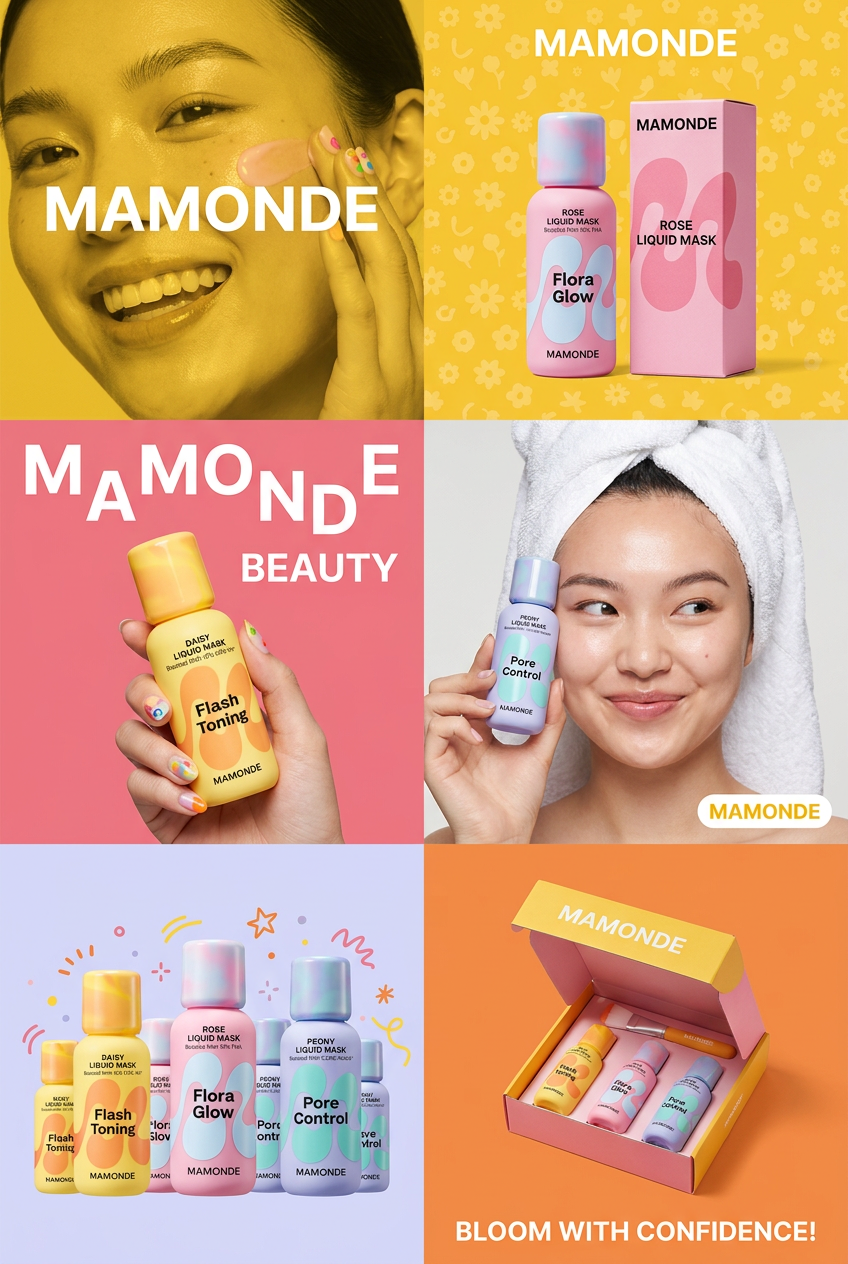
Get that high-end editorial look with a stacked, multi-panel campaign layout. It slices your brand visuals into a bold three-tier grid, pairing tight product close-ups right next to lifestyle shots for a cohesive, modern beauty poster.
Regenerate using your own assets.
Achieving hyper-realistic textures for challenging products
One of the toughest challenges in AI product photography has been rendering complex materials like glass, highly reflective metals, or intricate fabrics with true realism. Generic AI often struggles, producing blurry reflections, distorted refractions, or flat textures. MyUP addresses this by integrating with specialized models and leveraging advanced prompt engineering techniques, informed by community breakthroughs like the 'ProductPhotographyRealism v2.0' LoRA (released June 24, 2026) and viral prompt engineering methods for hyper-realistic textures (trending since June 25, 2026).By carefully crafting prompts that emphasize material properties (e.g., 'pristine polished chrome, intricate filigree, shimmering diamond facets, diffused studio lighting'), MyUP's AI can generate stunning fidelity, capturing the nuances of light and shadow on challenging surfaces. This means your jewelry will sparkle, your glass will refract light accurately, and your fabrics will show their true weave. For an in-depth look at mastering these materials, read: The workflow for perfect AI product photos of glass, jewelry, and liquids.
Workflow code: #myup-qtty-nngw
Jewerly Product Ad
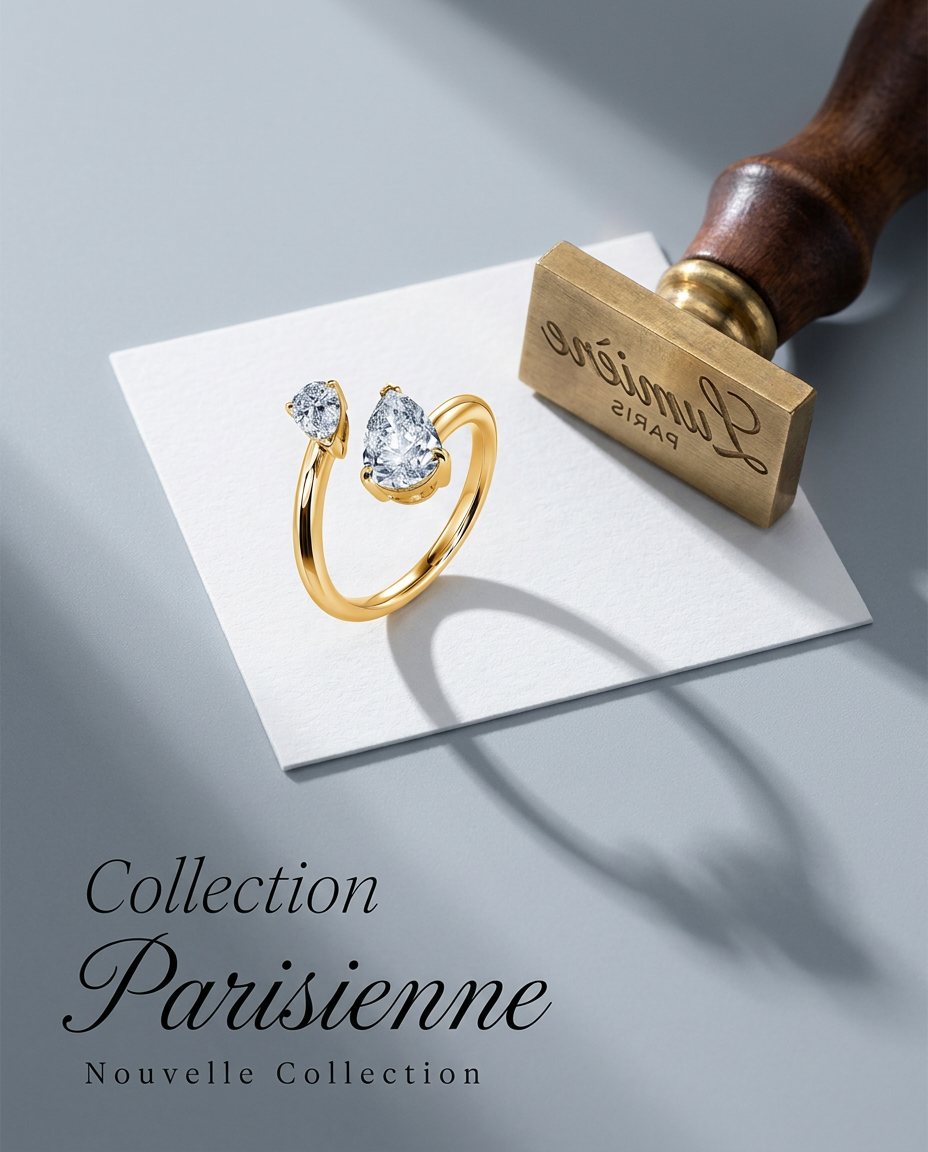
Turn any product into a high-end editorial shot. It drops your item into a clean, flat-lay setup with soft directional light and elegant long shadows against a cool matte gray background.
Regenerate using your own assets.
Scaling your product photography: consistent visuals across campaigns
The true power of MyUP lies in its ability to scale. Once you have a product and its Brandkit configured, you can rapidly generate dozens, even hundreds, of variations across diverse scenes without sacrificing consistency. Need lifestyle shots for social media, clean studio images for your website, and dynamic ads for a new campaign? MyUP's workflows allow you to apply the same product and brand identity to different scene prompts, generating a unified visual narrative.This automation streamlines content production, freeing up valuable time and resources. You can create an entire library of on-brand product visuals for every marketing touchpoint, knowing that MyUP's AI maintains the 'Brand Style Lock' across all generations. Even for complex compositions, MyUP handles multiple product placements within a single scene effectively, offering a level of control that surpasses many experimental features seen in other tools like Midjourney's 'Multi-Product Scene Generation' (experimental as of June 24, 2026). This poster template is perfect for consistent advertising across different products or campaigns.
Workflow code: #myup-fy77-jljs
Minimalist Elegant Product Advertising Poster

Turn any product shot into a high-end editorial ad. It places your item against a soft cream background with airy spacing and adds elegant, small serif typography at the top. Great for wellness or luxury brands wanting a calm, minimal aesthetic.
Regenerate using your own assets.
