
If you’ve spent any time online in June 2026, you’ve seen them: impossibly perfect AI photos of splashing cocktails in crystal glasses, gleaming chrome, and intricate jewelry that looks real enough to touch. It feels like something fundamentally changed overnight. And it did.
The underlying models in tools like Midjourney and Adobe Firefly have made a significant leap in rendering light and material properties. But getting those stunning results for your own products isn’t about finding one magic prompt. It's about adopting a professional workflow that controls the variables AI struggles with. This is that workflow.
Why AI suddenly got good at shiny things (and what’s still missing)
The recent improvements are not a coincidence. As search trends for terms like 'AI jewelry photography' have spiked, model developers have focused intensely on realism. The result is a better grasp of how light behaves. However, even the best models still don't truly understand physics. They are incredibly sophisticated mimics, not simulators.
This is the critical gap: the model can generate a beautiful image, but it can't guarantee commercial-grade accuracy or consistency on its own. It needs direction. A structured workflow provides that direction, bridging the gap between an impressive tech demo and a reliable production tool for your brand.
The physics of failure: why glass, metal, and liquids break most AI models
AI image generators are trained on pixels, not principles of optics. They don't know *why* a glass bottle bends light (refraction) or *why* a polished gold ring reflects its surroundings. They just replicate patterns they've seen in millions of photos. This works fine for simple, matte objects, but it fails when physics gets complicated.
- Reflections: A shiny surface is a mirror. If the AI doesn't know what's in the surrounding 'room,' it invents a generic, often distorted reflection that immediately looks fake.
- Refraction: Light changes speed and direction as it passes through transparent materials like glass or water. AI often gets this wrong, resulting in warped or broken-looking objects behind or inside the glass.
- Caustics: These are the bright, focused patterns of light you see when light shines through a curved transparent object, like the bottom of a wine glass or a swimming pool. Generating these realistically requires complex light-path calculations that are notoriously difficult for AI.
To get a perfect shot, your job is to give the AI explicit instructions that compensate for its lack of physics knowledge. You have to build the scene, define the materials, and control the light with your words.
Workflow part 1: Prompting for material science, not just objects
Your first instinct might be to prompt for 'a gold necklace.' This is too vague. To get professional results, you need to describe the material properties like a photographer or materials scientist would.
Instead of just the object, specify its finish, texture, and how it interacts with light. Be precise.
- Instead of 'gold,' try '18k polished yellow gold with sharp specular highlights.'
- Instead of 'diamond ring,' try 'macro shot of a brilliant-cut diamond ring, showing fire and scintillation, clean facet edges.'
- Instead of 'metal,' try 'brushed aluminum surface,' 'anodized steel,' or 'polished chrome with no distortion.'
By providing these details, you guide the model toward the specific patterns associated with high-quality photography of that material. For intricate items like jewelry, where every facet and reflection counts, this level of detail is non-negotiable.
To bypass the trial and error, you can use a workflow designed specifically for this task. It combines a specialized model with a prompt structure optimized for metallic and crystalline surfaces.
Workflow code: #myup-qtty-nngw
Jewerly Product Ad
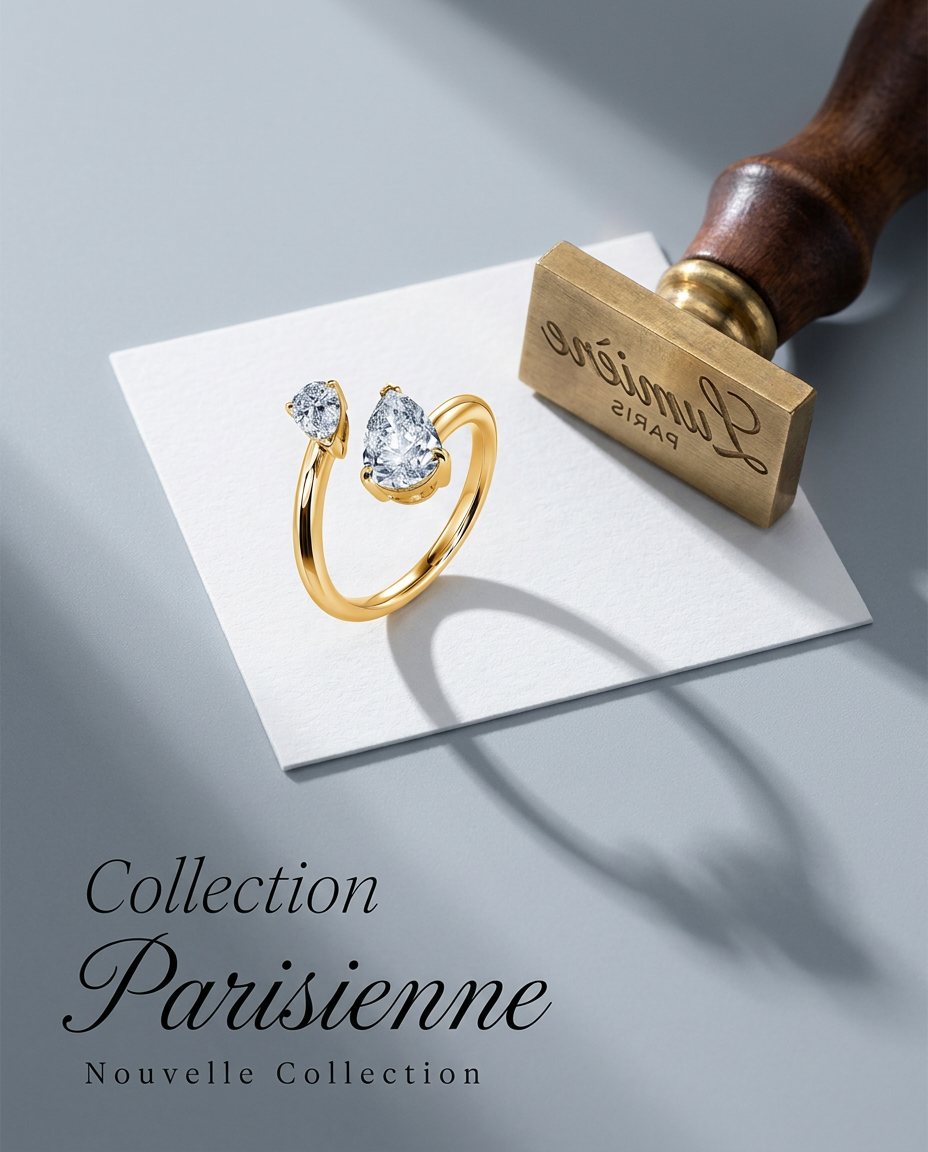
Turn any product into a high-end editorial shot. It drops your item into a clean, flat-lay setup with soft directional light and elegant long shadows against a cool matte gray background.
Regenerate using your own assets.
Workflow part 2: Mastering light and reflections by defining the environment
This is the most critical step and the one most people miss. A reflective object is defined by what it reflects. If your prompt doesn't build a virtual photo studio around your product, the AI will invent a generic, muddy environment, and your reflections will look fake.
Control the reflections by describing the scene in detail. Don't just place the object; build its world.
Bad prompt: A bottle of perfume on a table.
Good prompt: Product photography of a glass perfume bottle on a wet black slate surface. The scene is a minimalist bathroom with a large, soft-lit window to the left, creating a single clean reflection on the bottle's side.
This same logic applies to liquids and cosmetics. For a beverage, describe the condensation on the glass and the ice cubes within. For a lip gloss, specify the 'viscous, high-shine texture' and place it in a scene that would create compelling highlights.
MyUP workflows for drinks and cosmetics are pre-built with these environmental and lighting descriptions, giving you a professional starting point. You just describe your product, and the workflow handles the virtual studio setup.
For beverages: Workflow code: #myup-cqnu-i50m
Drink Product Ad
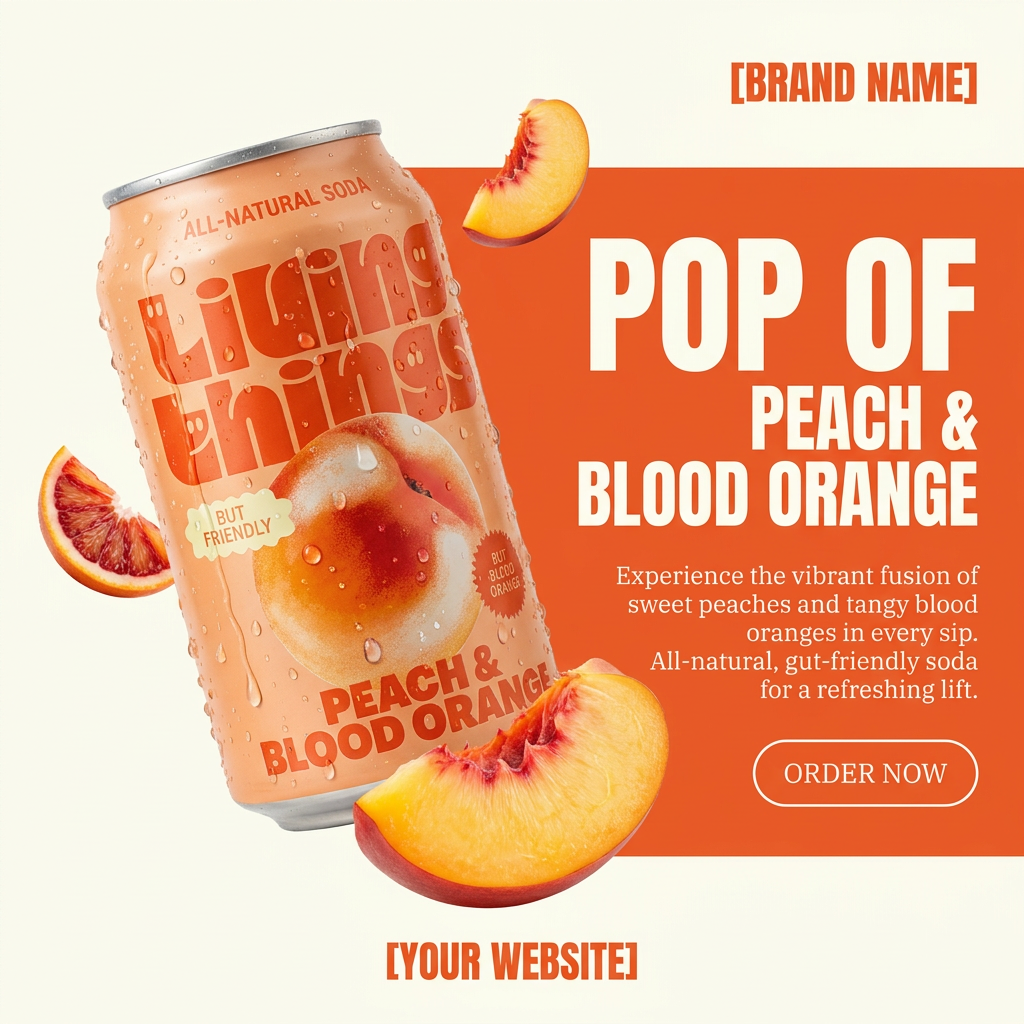
Turn any product photo into a bold, modern ad poster. It automatically frames your item against a split-color background, pairing a clean cream tone with a solid block of your product's dominant color. Super clean, minimal, and ready for social feeds.
Regenerate using your own assets.
For cosmetics: Workflow code: #myup-iffs-sdef
Gourmand Candy Lip Gloss Ad
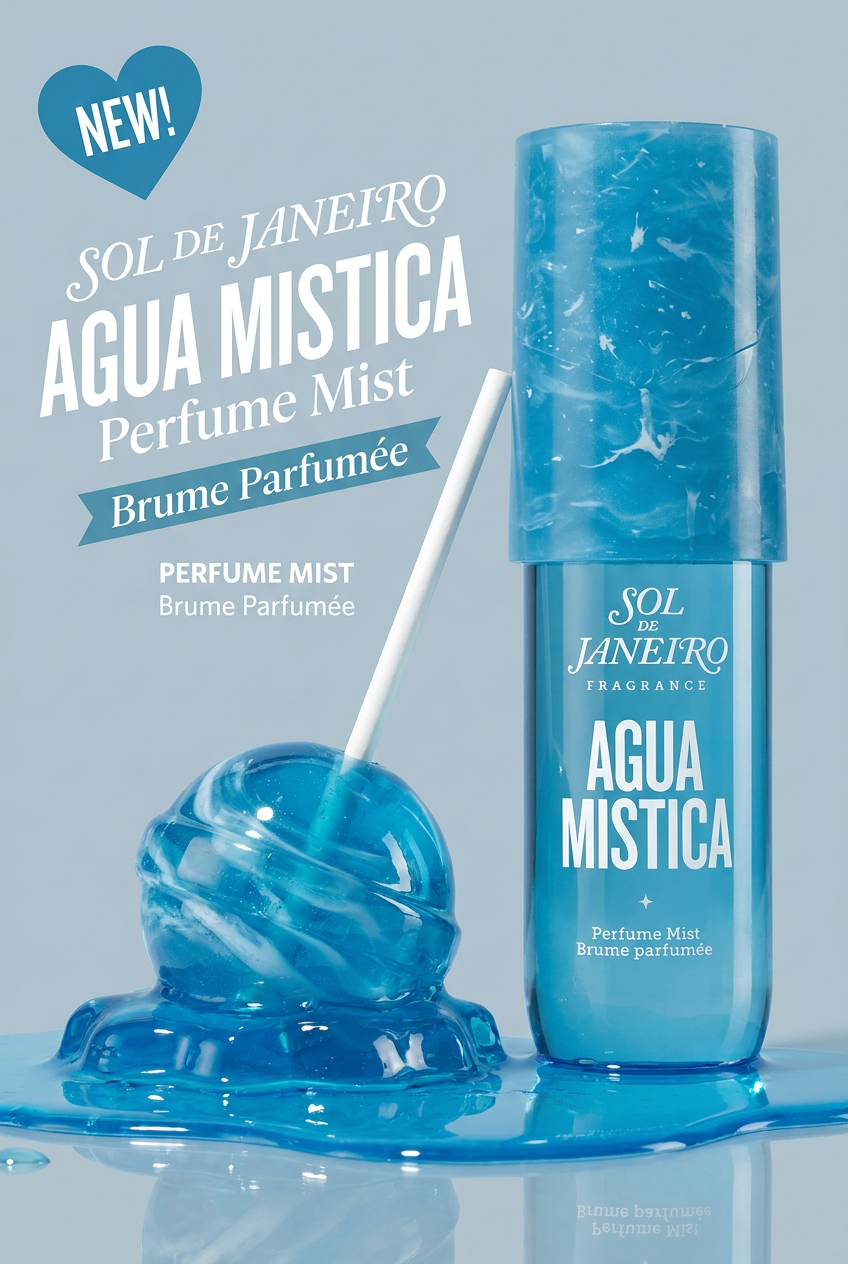
Drop your product photo in and watch it transform into a sleek, modern cosmetic ad. It automatically extracts your item's signature colors to build a vibrant, gourmand-style backdrop that matches perfectly.
Regenerate using your own assets.
Workflow part 3: From generation to validation—the human control loop
The first image your AI generates is a draft, not a final delivery. The professional process is one of generation and validation. MyUP is built around this principle: the AI executes, and the user validates and directs.
Your workflow shouldn't end after the first click. A typical refinement loop looks like this:
- Generate variations: Create 3-4 initial options based on your detailed prompt.
- Select the best composition: Choose the image where the lighting, reflections, and overall structure are closest to your vision.
- Refine and iterate: Rerun the workflow on the selected image with minor adjustments. You might change a keyword to make the reflections 'sharper' or the lighting 'softer.' Or you might use inpainting to correct a small flaw without regenerating the entire image.
This human-in-the-loop control is what separates a lucky shot from a repeatable, on-brand production process. For creating clean, controlled studio shots of any product, a general studio workflow is the perfect tool for this iterative process.
Workflow code: #myup-u4lt-o0ho
Studio Product Ad

Drop in a single product photo to instantly build a cohesive visual identity. It automatically samples your item's dominant colors to generate a beautifully matched mosaic moodboard, giving your brand an instant, polished aesthetic.
Regenerate using your own assets.
A flexible workflow vs. a specialized tool: which do you need?
With the recent launch of hyper-specialized tools like GlossAI, it's fair to ask if you need a niche tool just for shiny products. For generating a single, technically perfect image, they can be impressive. But brands don't just create one image. They create campaigns.
The real challenge isn't just getting one perfect jewelry photo. It's turning that photo into a consistent set of assets: a lifestyle shot for Instagram, an animated video for Reels, and a banner for your website. This is where a specialized tool falls short and a flexible, workflow-based platform excels.
In MyUP, you create your difficult product shot using a workflow that accesses advanced models like Stable Diffusion Ultra. Then, using the same Brandkit, you can instantly place that product into a new AI-generated scene or create social posts and ads that are automatically consistent with your brand's colors and fonts. It's the difference between solving an image problem and solving your entire content production problem.
