You’ve seen them. The impossibly glossy burger bun. The soup with a texture like melted plastic. The salad where every single leaf is perfectly, unnaturally placed. You typed a prompt into a generic AI image generator, and it returned something that looks sterile, unappetizing, and fundamentally fake. You're not alone. Recent discussions across creator communities highlight a universal frustration with this exact problem.
But the issue isn't that AI is incapable of realism. The problem is treating it like a magic button instead of a professional creative tool. A single prompt like "a photo of a burger" will always produce a generic, soulless average of a burger. Getting from 'fake' to 'feast' requires the same thing real food photography does: a process. It's about thinking like a food stylist, and here’s the step-by-step method for doing exactly that on MyUP.ai.
Why generic AI food shots fall flat (and what real food styling teaches us)
Professional food stylists know that appetite appeal comes from details that a simple prompt overlooks. Most AI food images fail because they lack the specific, layered instructions that create authenticity. Realism isn't about a single perfect shot; it's about the convincing execution of several key elements:
- Texture: Real food isn't perfectly smooth. It has crispy edges, crumbly surfaces, gooey drips, and visible grain. Generic AI often smooths these details into a plastic-like finish.
- Lighting: Light tells a story. Is it the soft, warm light of a morning breakfast scene, or the dramatic, high-contrast light of a fine-dining ad? A one-size-fits-all approach to lighting is a primary cause of fake-looking images.
- Imperfection: A perfectly symmetrical burger or a flawless piece of fruit looks computer-generated. A stray crumb, a slight char mark, or condensation on a glass are the details that trick our brains into believing what we see is real and edible.
- Context: A dish doesn't exist in a void. It sits on a surface, is surrounded by props, and is shot from a specific angle. The background, the plate, and the composition all contribute to the final image's story and realism.
A simple prompt can't juggle all these variables. A structured process can. On MyUP.ai, we break this down into a repeatable series of steps, giving you the control to build a delicious-looking scene, not just request a picture of food.
Step 1: Define your dish and its story (beyond just ingredients)
Before you generate anything, decide on the mood. A 'bowl of pasta' is an ingredient list. 'A rustic bowl of homemade tagliatelle on a weathered wooden table, bathed in late afternoon Italian sunlight' is a story. This context is your foundation. It informs the lighting, the props, and the overall feel of the image.
On MyUP, you can bake this story into your Brandkit. By defining a Brandkit with your restaurant's warm, rustic color palette and font style, you ensure consistency. This prevents your cozy Italian brand from accidentally generating a photo that looks like it belongs in a minimalist Scandinavian cafe. Your Brandkit becomes the visual anchor for every image you create.
For a clean, straightforward product shot that tells a clear story, this template is the perfect starting point.
Workflow code: #myup-w0vh-abft
Food Product Ad
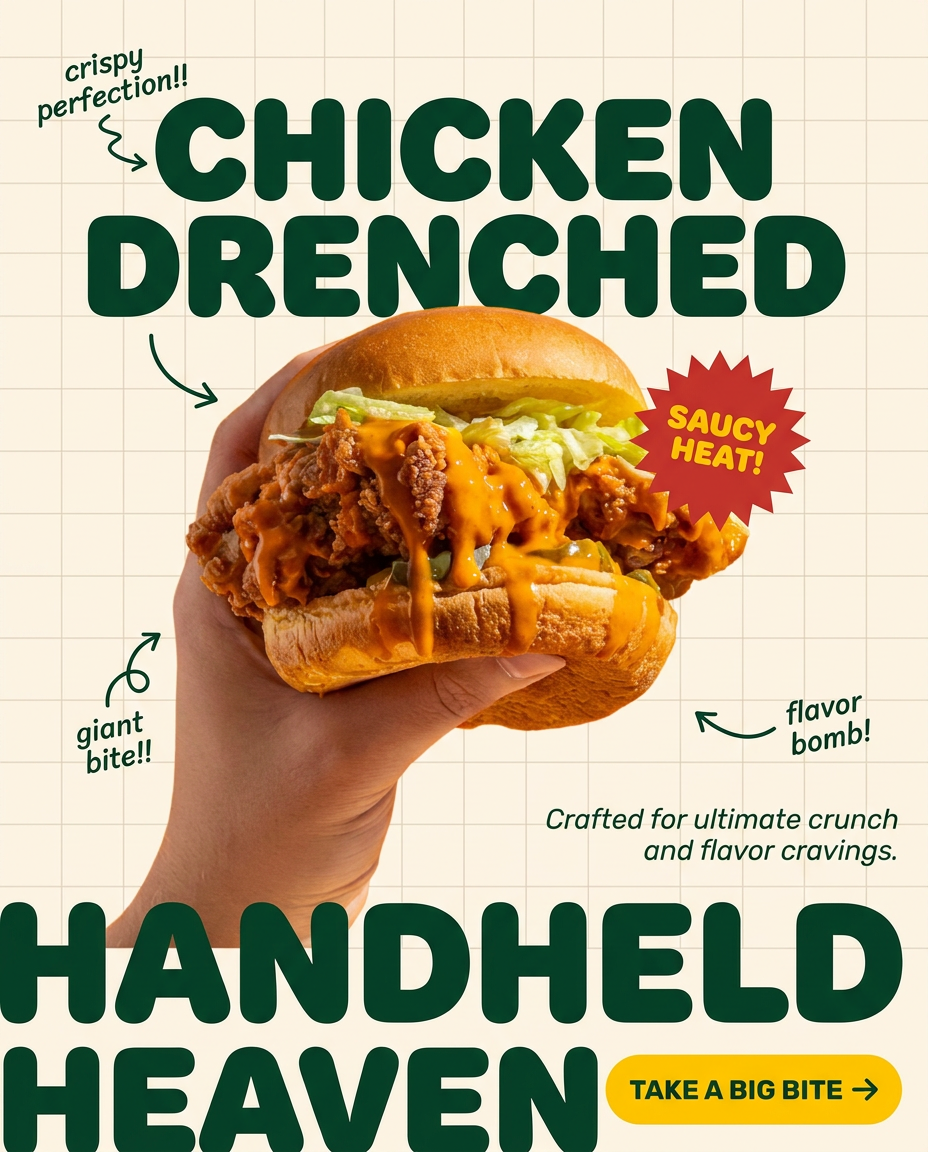
Turn any dish or snack into a bold, playful social ad. It places your food against a soft warm beige background with a subtle grid pattern, topped with chunky rounded headlines. It's clean, friendly, and instantly grabs attention in the feed.
Regenerate using your own assets.
Step 2: Master the light and shadow (the secret ingredient for appetite appeal)
Lighting is what separates a snapshot from a photograph. It creates depth, defines texture, and sets the mood. Instead of letting the AI guess, you need to direct the light like a photographer. Be specific in your descriptions. Consider these options:
- For a fresh, healthy feel: "Soft, natural morning light streaming from a large window on the left."
- For a dramatic, high-end look: "Chiaroscuro lighting with deep shadows, highlighting the steam rising from the dish."
- For a clean, commercial shot: "Bright, even studio lighting with soft-box reflections on the cutlery."
In MyUP, our templates are designed to give you this granular control. You're not just prompting for a dish; you're setting the entire scene. MyUP handles the complex task of rendering the light and shadow physics, while you act as the creative director, validating the result to ensure it matches the mood you defined.
Step 3: Texture, garnish, and imperfection (making it look edible)
This is where we solve the 'plasticky' problem. Real food has flaws, and those flaws make it appealing. You have to explicitly ask for them. Instead of just 'pizza,' describe 'a pizza with glistening pepperoni, melted mozzarella cheese with browned spots, and a crispy, slightly charred crust.' It's the difference between a 3D model and a real meal.
Add small, deliberate imperfections: 'a single stray crumb on the wooden board,' 'a drop of condensation rolling down the cold glass,' or 'a sprig of basil that is slightly wilted under the heat.' These are the details that signal authenticity. To get extreme close-ups that highlight these delicious textures, a mosaic approach is incredibly effective for creating social media assets that stop the scroll.
Workflow code: #myup-aktp-7jq0
Food Magazine Mosaic Cover
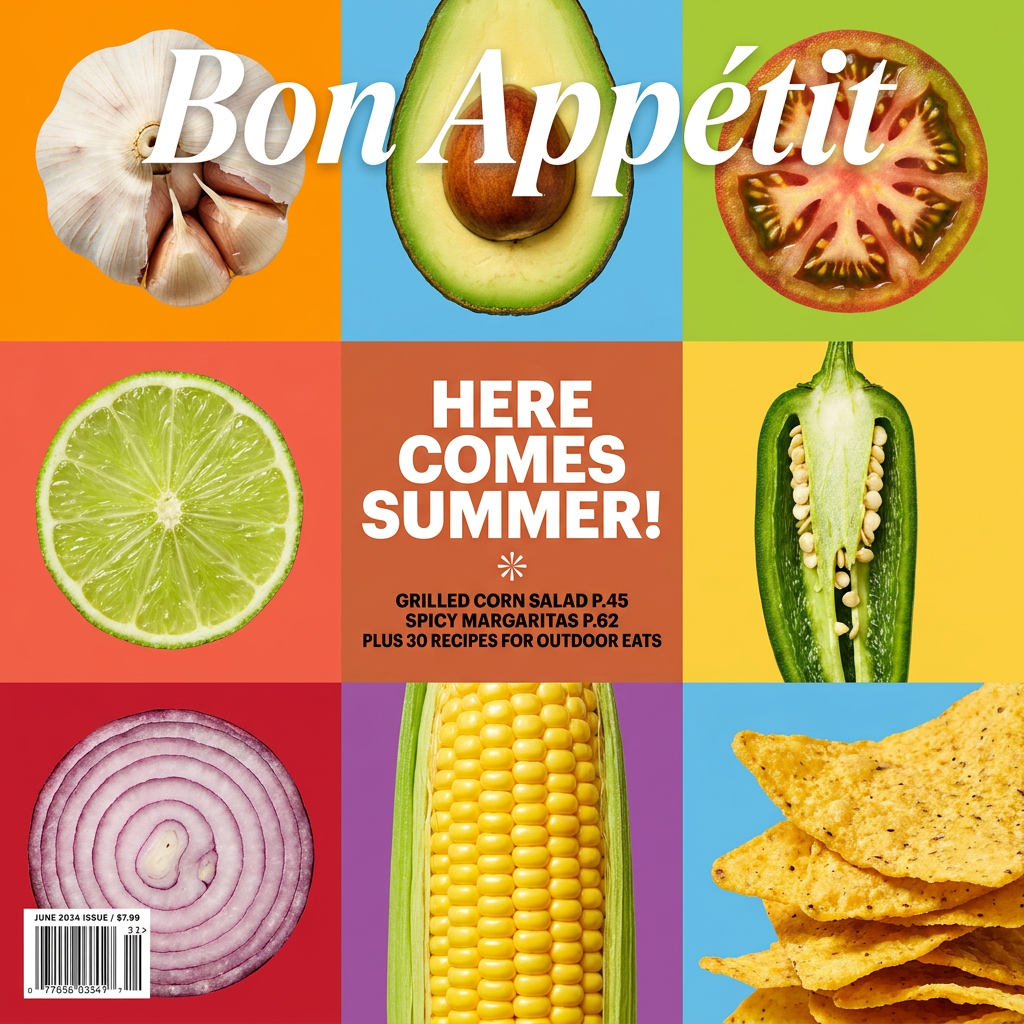
Turn your food shots into a bold, high-end editorial cover. It takes extreme close-ups of your dishes or ingredients and arranges them into a vibrant 3x3 grid that looks straight out of a premium food magazine.
Regenerate using your own assets.
Step 4: Crafting the scene and angle (composition for commercial impact)
Finally, build the world around your dish. Think about the surface, the props, and the camera.
- Surface: Is it a 'distressed wooden tabletop,' a 'polished marble countertop,' or a 'simple white ceramic plate'?
- Props: What else is in the frame? A 'crumpled linen napkin,' 'antique silver fork,' or 'a small bowl of parmesan cheese'? Keep it simple and relevant to the story.
- Angle: The camera angle changes everything. A 'top-down flat lay' is great for graphic compositions. A '45-degree angle shot' is the classic view. A 'macro close-up shot' focuses entirely on texture.
Creating dynamic shots for advertising often means showing the food in action. A template designed for this can generate high-impact, tight shots of people enjoying your product, making it feel like a premium lifestyle campaign, not a boring product listing.
Workflow code: #myup-xjsb-hirr
Bold Portrait Food Advertising Photo

Get those high-impact, tight action shots of people actually enjoying your food brand. It drops your product right into a messy, realistic close-up bite shot that feels like a premium lifestyle campaign instead of a boring studio packshot.
Regenerate using your own assets.
Step 5: Iteration and refinement (the human touch in AI food styling)
The first generation is rarely the final shot. This is where the human control angle becomes critical. MyUP executes the production; you validate the result. Review the image. Does the lighting feel right? Is the texture convincing? Maybe you need more steam, a different garnish, or a tighter crop.
Because you’ve used a structured process on MyUP, making adjustments is simple. You can tweak one element—the lighting, the angle, a specific texture detail—and regenerate without starting from scratch. This iterative process of generating, reviewing, and refining is how you arrive at a perfect, photorealistic result that's ready for a campaign. A great final step is to place your perfected image into a clean, modern promotional poster for social media or ads.
Workflow code: #myup-egd6-d8uv
Modern Minimalist Food Promotional Poster
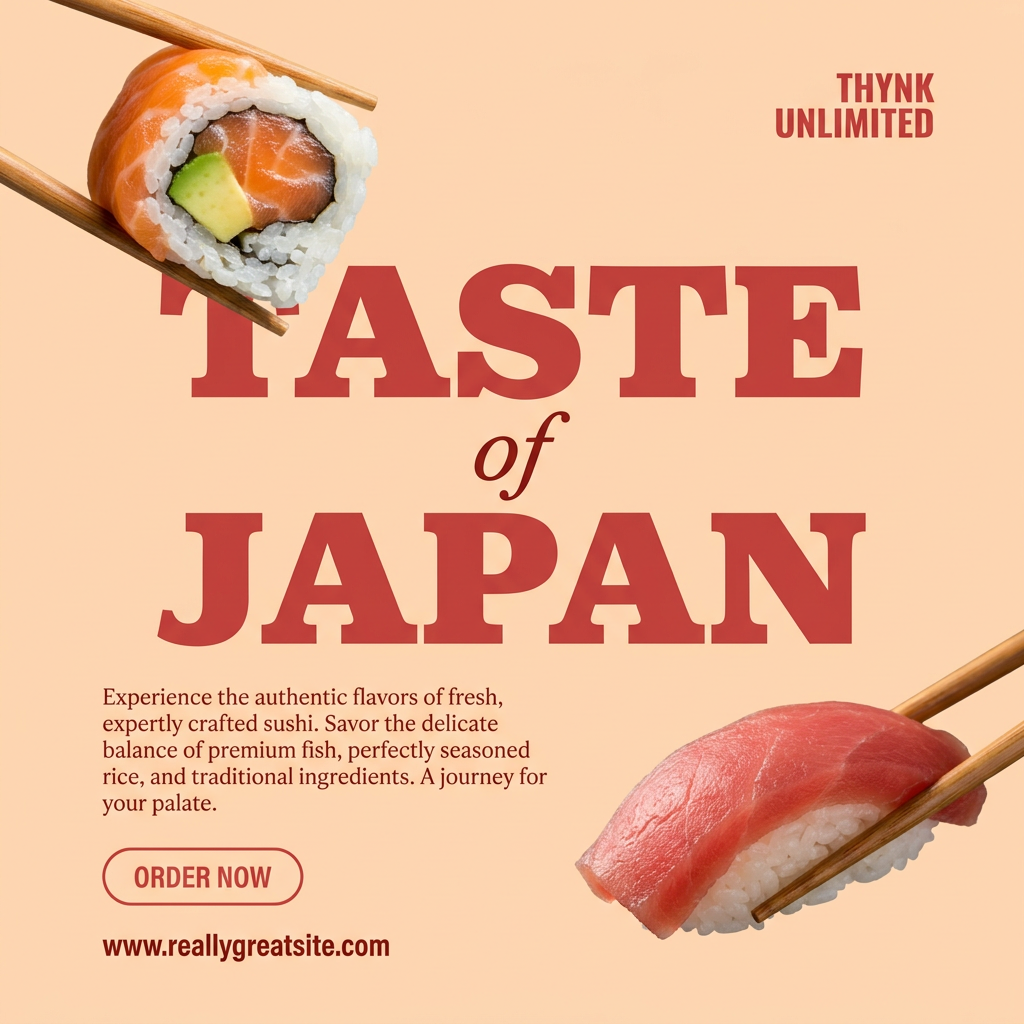
Turn your food photos into clean, modern social posters. It automatically grabs the lightest color tint from your uploaded dish to build a perfectly matched, soft background that keeps your feed looking cohesive and high-end.
Regenerate using your own assets.
Beyond single shots: consistent food branding with MyUP's Brandkit
Once you've perfected the look for one dish, the real power of MyUP becomes clear. You can save your unique combination of lighting, composition, and style. Your Brandkit ensures that the next dish you generate—whether it's a dessert, an appetizer, or a drink—has the exact same visual DNA. This is how you build a cohesive menu, a consistent Instagram feed, or a recognizable ad campaign without reshooting everything from scratch.
This solves one of the biggest challenges in AI content creation: maintaining a consistent brand identity. It's not just about creating one beautiful image; it's about producing an entire suite of on-brand, realistic food assets, quickly and repeatably. This is a challenge that many creators struggle with, whether they're creating AI fashion photography or food shots.
From 'fake' to 'feast' with a structured approach
The difference between unappetizing AI food and mouth-watering photorealism isn't the model you use—it's the method. By abandoning the single-prompt approach and adopting the structured, layered process of a food stylist, you can take full creative control. Define the story, direct the light, detail the textures, and build the scene. MyUP.ai provides the framework to execute this professional process, turning your creative vision into consistently delicious results.
