With Flux 1.1 Pro, Recraft V3, and Midjourney v7 all launching in November 2026, the creative community is flooded with conflicting advice. One tool is hailed for photorealism, another for clean vectors, and a third for all-around artistic flair. This paralysis of choice slows down your projects. You don't need to master three different platforms with unique quirks and costs; you need to produce finished, professional creations.
This guide cuts through the noise. We've benchmarked all three models on the jobs that matter: creating believable human portraits and producing production-ready vector graphics. We'll show you where each tool shines, where it fails, and how to get the result you want without juggling multiple subscriptions.
The verdict: which AI generator for which job?
A quick decision guide
If you only have time for the highlights, here's the breakdown based on our tests:
- Midjourney v7 is the versatile all-rounder. For general-purpose artistic illustration and creative exploration, its flexibility is unmatched. It's the jack-of-all-trades, but a master of none when it comes to specific professional outputs.
- Recraft V3 is the undisputed vector champion. If you need clean, editable SVG files for logos, icons, or design systems that won't give your designer a headache, Recraft is the only serious choice.
- Flux 1.1 Pro excels at photorealistic detail and upscaling. When it comes to raw detail, it's incredibly powerful. However, as we'll see, it has a significant flaw that can ruin portraits.
- MyUP is for the finished creation. Instead of choosing a tool, you state your intention—like "a high-converting ad"—and the platform handles the entire production process to deliver a studio-quality result ready to publish.
Test 1: photorealism and the 'plastic skin' problem
The uncanny valley of perfect skin
The promise of photorealism is what draws many professionals to new AI models. We tested all three generators with the same prompt for a realistic portrait. While Midjourney v7 and Recraft V3 produced decent results, Flux 1.1 Pro demonstrated a widely reported issue: the "plastic skin" effect.
As discussed on Reddit, Flux 1.1 Pro tends to over-smooth skin, removing natural pores, blemishes, and micro-textures. The result is technically perfect but feels unnervingly artificial, like a digital doll. This is a classic case of falling into the uncanny valley, and it's a dealbreaker for projects that require authentic human connection.
Trying to fix this with negative prompts like (smooth skin:1.3) is unreliable and adds friction to your creative process. The fundamental problem is that you're fighting the model's inherent bias. For a deeper dive into what makes AI-generated people feel real, our guide on how to create photorealistic AI people covers the key photographic principles.
Getting natural results instantly
Instead of wrestling with prompts, you need a creative method designed for specific, high-quality outcomes. On the MyUP platform, you can use templates built by top creators that are engineered to produce finished results. For example, to create a stunningly realistic fashion shot with natural skin texture, you can use the Hyperrealistic High Angle Fashion Editorial template.
Template: #myup-lkxt-mwbw
Hyperrealistic High Angle Fashion Editorial
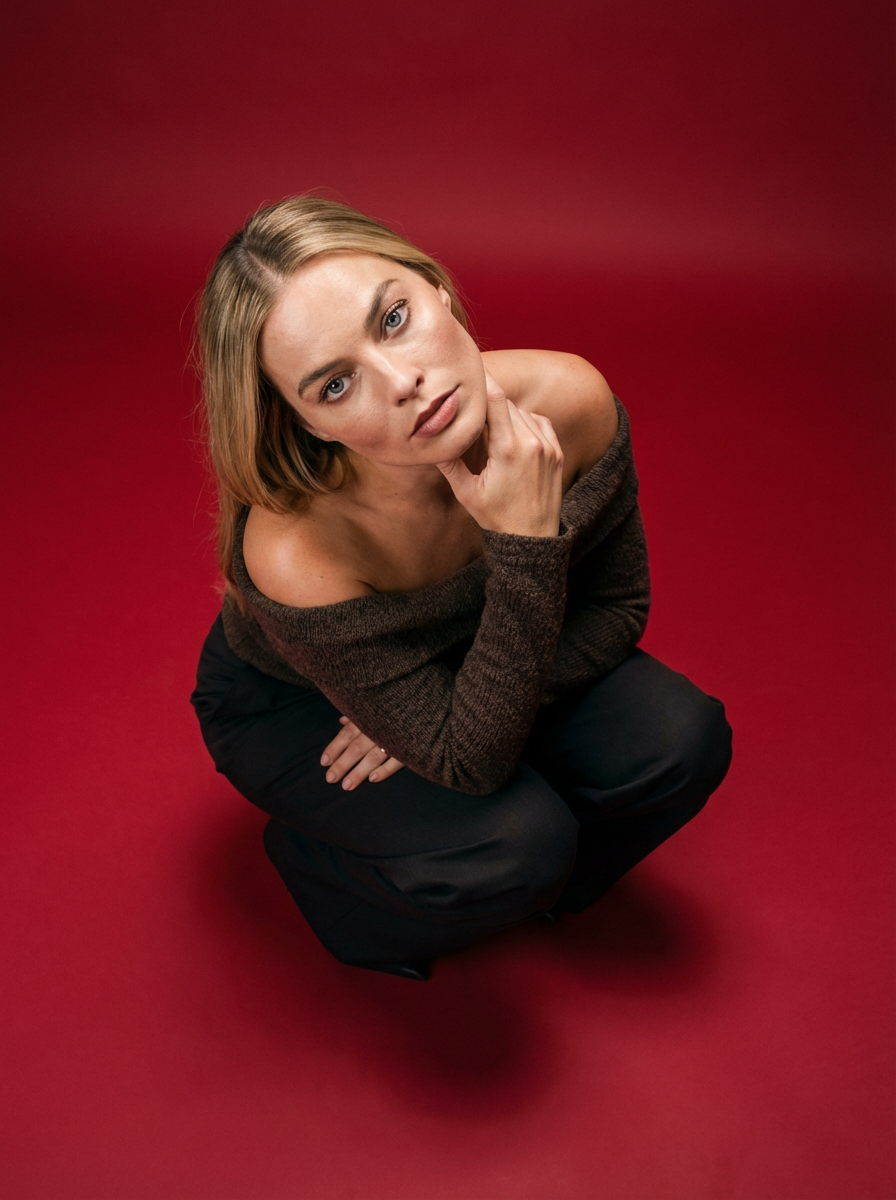
Frame your subject in a grounded, high-angle editorial style. This setup forces a compact, kneeling pose that brings out a raw and hyperrealistic fashion aesthetic, perfect for making any garment or accessory look sharp and intentional.
Regenerate using your own assets.
Or, if your goal is to place a person into a complex, real-world environment, another template can handle the specific lighting and camera physics for you.
Template: #myup-jadz-vxcd
Photorealistic Dodger Stadium Tv Broadcast Portrait
Drop any face into a live sports broadcast with this setup. It handles the stadium lighting, crowd depth, and camera movement to make your subject look like they're sitting front row at a night game. The zoom feels just like a real TV feed finding someone in the stands.
Regenerate using your own assets.
These templates don't just generate a raw image; they execute a complete production to ensure the final portrait is both beautiful and believable, bypassing common model flaws entirely.
Test 2: production-ready vectors for brand design
Clean lines or a tangled mess of anchor points?
For brand designers, an AI vector generator is only useful if it produces clean, editable SVG files. A beautiful illustration that consists of thousands of messy anchor points is unusable for a logo or UI icon. This is where the difference between Recraft V3 and Midjourney v7 becomes stark.
As designers on X have demonstrated, Recraft V3 is built for this job. It generates vectors with a minimal number of anchor points, creating clean lines and scalable shapes that can be immediately used in Illustrator or Figma. Midjourney v7, while capable of producing vector-style art, outputs SVGs that are geometrically complex and require significant manual cleanup. It's a tool for inspiration, not production.
The challenge of generating simple, usable graphics is a common hurdle. Our practical guide on how to get clean AI vector art explains the prompting discipline needed when using raw generators.
From intention to finished brand asset
On MyUP, you don't need to worry about anchor points or file formats. You state your intention, such as "a minimalist poster for my new product," and MyUP delivers the finished asset. For a clean, professional design that puts your product front and center, a template like the Minimalist Vertical Product Advertising Poster is ideal.
Template: #myup-sygb-rhnt
Minimalist Vertical Product Advertising Poster
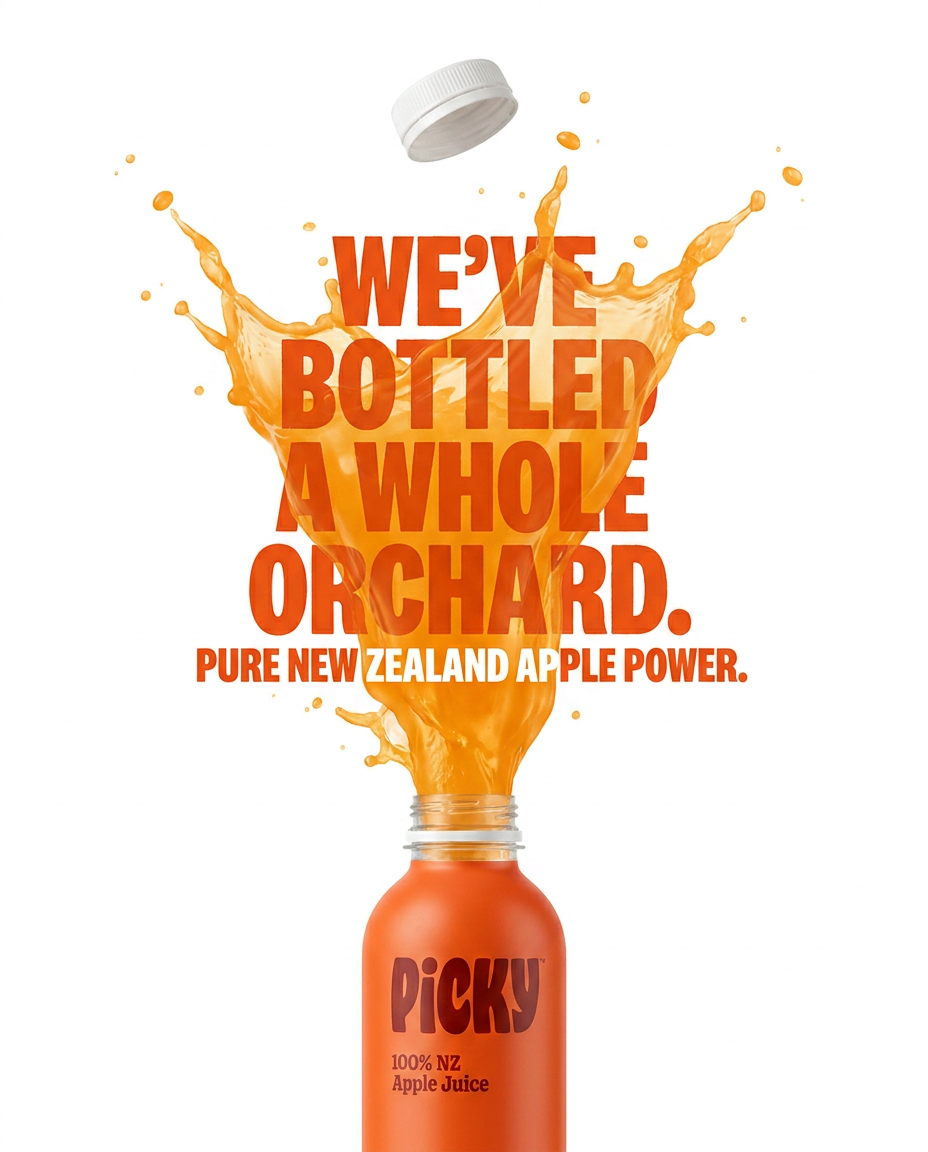
Drop the clutter and put your product in the spotlight. This setup places your item against a pure, seamless white background with a striking vertical flow that draws the eye straight up. It's perfect for creating clean, high-end studio posters.
Regenerate using your own assets.
MyUP handles the production to ensure the final design is not only aesthetically pleasing but also technically sound and ready for any marketing channel, from a social media post to a high-resolution print.
Test 3: prompting, cost, and creative friction
Juggling syntaxes and subscriptions
Beyond image quality, the daily reality of using these tools involves creative friction. Each platform has its own unique prompt syntax. A prompt that works perfectly in Midjourney (e.g., using --ar 16:9) will fail in Flux Pro, forcing you to constantly relearn and adapt. This mental tax slows you down and pulls you out of the creative zone.
Then there's the cost. Midjourney offers a predictable flat-rate subscription, while Flux 1.1 Pro's power comes with a usage-based API cost. For agencies processing thousands of images, this can become prohibitively expensive and unpredictable. This debate isn't about which model is cheaper, but about which business model aligns with your projects.
This friction is why many advanced creators are moving beyond selling one-off services and learning how to productize their unique AI image styles into scalable assets. They focus on creating value, not just generating images.
MyUP's creative production platform removes this friction. There are no competing syntaxes to learn or unpredictable API costs to manage. You operate on a single platform with a clear pricing model, focused entirely on your creative goal.
The MyUP method: from intention to finished creation
Focus on the goal, not the tool
The debate over which AI model is "best" misses the point. The goal of a professional isn't to be an expert prompter in three different tools; it's to deliver a finished, studio-quality creation that meets a business objective. This is where MyUP changes the game.
Let's say your intention is: "Create a bold, high-impact ad showing someone enjoying my new hot sauce."
In a multi-tool process, you might:
- Use Midjourney v7 to brainstorm compositions.
- Switch to Flux 1.1 Pro for a photorealistic render, then struggle to fix the plastic-looking skin.
- Take the image into Photoshop for color correction and to add your logo.
This is slow, complex, and inefficient. With MyUP, you simply use a template designed for this exact job.
Template: #myup-xjsb-hirr
Bold Portrait Food Advertising Photo
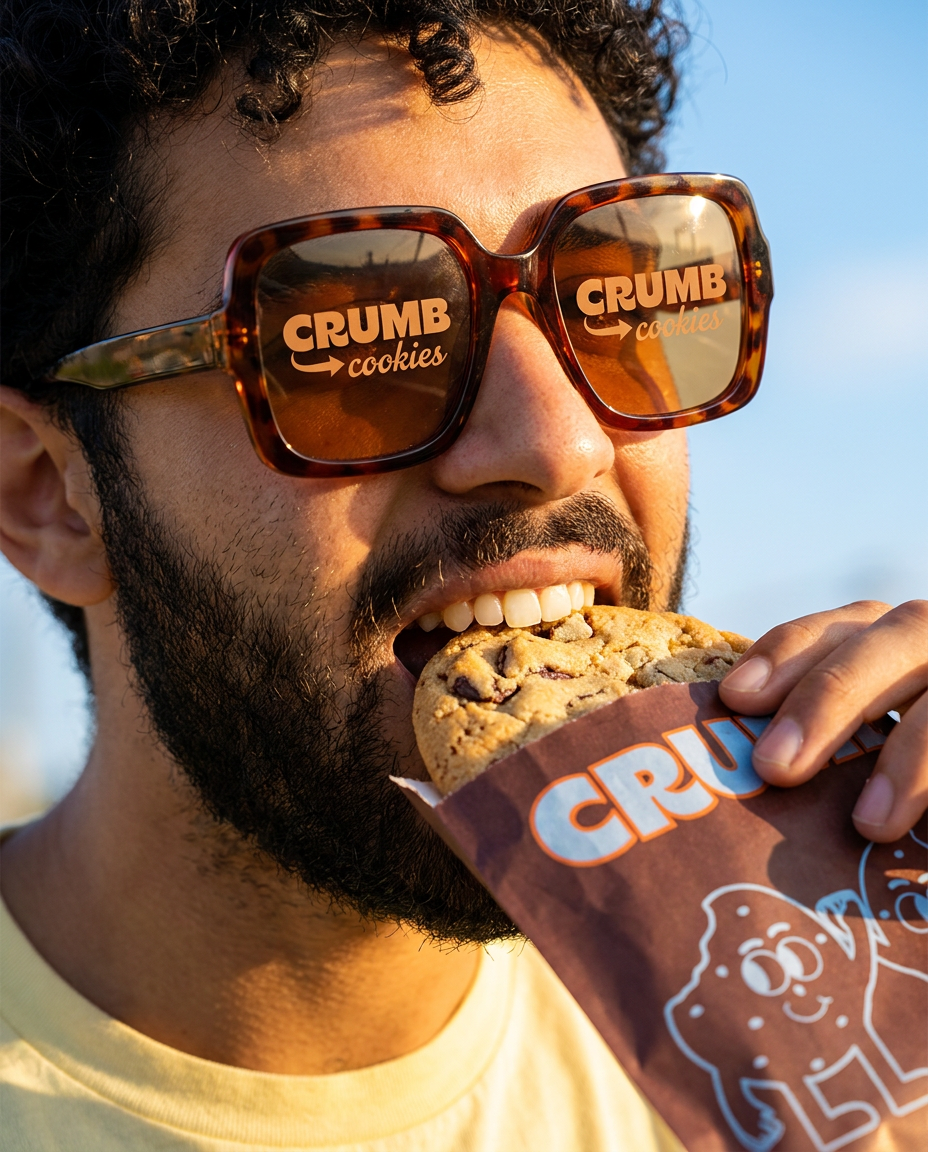
Get those high-impact, tight action shots of people actually enjoying your food brand. It drops your product right into a messy, realistic close-up bite shot that feels like a premium lifestyle campaign instead of a boring studio packshot.
Regenerate using your own assets.
By launching the 'Bold Portrait Food Advertising Photo' template, you provide your product and a simple description. MyUP handles the entire production—casting the right model, ensuring realistic textures, composing the shot for high impact, and even applying your brand identity from your saved Workspace. You get a finished ad, not a raw image. This is especially powerful when you need to generate dozens of on-brand ad variations for a campaign, a task that would be a nightmare to manage across multiple tools.
Final recommendation: stop juggling tools, start creating
The endless debate of Flux Pro vs. Midjourney vs. Recraft is a distraction. While each tool has niche strengths—Recraft for clean vectors, Midjourney for artistic exploration—they are still just raw material generators. They leave you with the difficult and time-consuming job of turning a promising image into a finished, publishable asset.
As a creative professional, your time is better spent on vision and strategy, not on fixing plastic skin, cleaning up messy vector paths, or translating prompts between platforms. MyUP, The Creative Production Platform, is designed for this reality. It allows you to state your intention and receive a finished creation, ready to go. Stop juggling tools and start making your unimaginable possible.