If you saw the viral X thread on July 12, 2026, about creating 'living logos,' you felt two things: excitement at the incredible, fluid results, and exhaustion looking at the complex, multi-tool workflow required to get there. It perfectly captured the current state of AI logo animation: the desire for something unique is high, but the standard tools deliver the same handful of generic templates.
Your brand’s core symbol deserves better than a 'fade in' or 'slide from left.' A truly on-brand animation should feel like it was born from your visual identity, not picked from a dropdown menu. This guide lays out a workflow to do just that. We'll skip the templates and use descriptive language to generate a logo animation that has character, texture, and energy—all within a single platform, MyUP.ai.
You've tried the AI logo animators. So why does it still look so generic?
The problem with most AI logo animation tools isn't the technology; it's the premise. They treat your logo like any other image and offer a fixed menu of effects: push, wipe, dissolve. The result is technically an animation, but it lacks personality. It's a container for your logo, not an expression of your brand.
A generic animation does more than just look boring; it dilutes your brand. When your logo animates the same way as a thousand other businesses, it loses its distinctiveness. This is why creators are resorting to complicated processes involving multiple AI models and video editing software—they're chasing a feeling of customisation that simple template tools can't provide. The goal isn't just motion; it's meaningful motion that tells a micro-story about your brand.
The workflow: animating from brand DNA, not a template list
A better approach is to treat animation as a generative process, not a selection process. Instead of picking a pre-made effect, you describe the motion's soul. This is the core philosophy behind creating on MyUP: your brand's identity is the input, not just an asset to be decorated.
The workflow is simple but powerful:
- Your Brandkit: The AI starts with your official logo, colors, and fonts. This is the non-negotiable foundation, ensuring every frame is perfectly on-brand from the start.
- Your Creative Prompt: You provide the direction. You describe the texture, the energy, and the feeling of the motion with words.
By combining these two elements, the AI doesn't just apply an effect; it generates a unique motion sequence that reflects your instructions and is constrained by your brand's visual rules. You direct, and MyUP produces.
Step 1: Anchor your animation in your Brandkit
Before you write a single prompt, the first step is to ensure the AI has the right materials. This is the single biggest failure point in other tools, where you upload a PNG and hope for the best. In MyUP, your Brandkit is the source of truth.
By creating a Brandkit from your website URL, MyUP automatically extracts your logo in high resolution, your exact brand color hex codes, and your typography. When you start an animation workflow, the AI isn't guessing; it's using the approved assets. This solves critical production problems upfront:
- No Color Drift: The AI uses your brand's primary and secondary colors, not a slightly-off interpretation.
- Highest Quality: It pulls the best-available vector or high-resolution version of your logo, preventing pixelated or blurry results.
- Instant Consistency: Any text or surrounding elements in the animation will automatically align with your brand's style.
Your Brandkit is the anchor. It ensures that no matter how creative your motion prompt is, the output is always, unmistakably, yours.
Step 2: Write prompts that describe motion, not just effects
This is where you move from being a user to being a creative director. A great animation prompt describes the physics and feeling of the motion. Instead of saying 'make it appear,' you might say, 'logo forms from swirling ink particles that coalesce in the center.' Thinking about different AI logo animation styles can help you find the right language.
A simple framework for writing motion prompts is: [Texture/Material] + [Energy/Velocity] + [Action/Narrative].
Here are a few examples to get you started:
For a tech brand: 'Liquid chrome with electric blue highlights flows rapidly to form the logo, ending with a subtle digital glitch effect.'Texture: Liquid chrome, electric highlightsEnergy: Flows rapidlyAction: Forms the logo, ends with a glitch
For a wellness brand: 'Soft, glowing light particles drift slowly and gracefully to assemble the logo, settling with a gentle pulse.'Texture: Soft, glowing light particlesEnergy: Drift slowly and gracefullyAction: Assemble the logo, settling with a pulse
For a creative agency: 'Strips of torn paper and paint splatters animate energetically, colliding and resolving into the final logo shape.'Texture: Torn paper, paint splattersEnergy: Animate energeticallyAction: Colliding and resolving into the logo
The key is to use evocative words that describe how the motion should feel. The more specific your description, the more unique the result.
Step 3: Generate and refine your on-brand animation
With your Brandkit ready and a descriptive prompt in hand, execution in MyUP is straightforward. You'll use the AI Video generator, which is designed for these kinds of asset-plus-prompt workflows.
Start with the 'Logo style animation' template as a baseline. It's pre-configured to pull the logo from your Brandkit and apply motion based on your text input. You simply provide your prompt and generate. This is where the human control comes in. The first generation might be 90% there. Your job is to validate and refine. Maybe the 'liquid chrome' needs to be 'more viscous' or the 'glitch' needs to be 'more subtle.' You adjust the prompt, regenerate, and steer the AI toward your final vision without needing to know a thing about keyframes or motion graphics software.
For a more advanced approach, you can generate a static style frame first to lock in the visual texture before animating. This gives you even more control over the final look and feel. For instance, you could use a workflow to create a minimalist poster version of your logo to define the aesthetic.
Workflow code: #myup-k4td-9k6z
Minimalist Poster

Give your social feed a clean, gallery-like aesthetic. This layout frames your images with structured mono typography and soft, neutral backgrounds for a high-end editorial look. It's perfect for minimal product launches or brand announcements.
Regenerate using your own assets.
Putting it to work: prompt recipes for common brand styles
Here are two more starting points, combining a prompt idea with a MyUP workflow to kickstart your creation. Use these as-is or as inspiration for your own unique animations.
The Bold Retro Reveal
Perfect for event announcements, product drops, or any content that needs to grab attention with a confident, energetic vibe.
- Use Case: Intro for an Instagram Reel announcing a new collection.
- Prompt Idea: 'Bold, grainy risograph textures in brand colors build the logo with a fast, snappy stop-motion feel, revealing the full logo with a final energetic pop.'
- Workflow Starter: Use this workflow to generate a bold, retro-style poster as your animation's target style frame.
Workflow code: #myup-xbur-hzoi
Bold Retro Yellow Event Poster

Turn your branding or event details into bold, nostalgic posters. It blends vibrant warm backdrops with a clean, retro square grid pattern to make any announcement look like a classic piece of mid-century graphic design.
Regenerate using your own assets.
The Playful Organic Build
Ideal for brands with a natural, handcrafted, or playful personality. Think farm-to-table restaurants, children's brands, or sustainable products.
- Use Case: A looping GIF for an email newsletter or a social media story.
- Prompt Idea: 'The logo is drawn on screen by an invisible hand using a chalk or crayon texture, with a slightly imperfect, organic flow. The lines wiggle subtly once complete.'
- Workflow Starter: This workflow for hand-lettered styles can help you define the visual texture before you add the motion prompt.
Workflow code: #myup-6hp6-zwh2
Minimalist Hand-Lettered Food Brand Poster
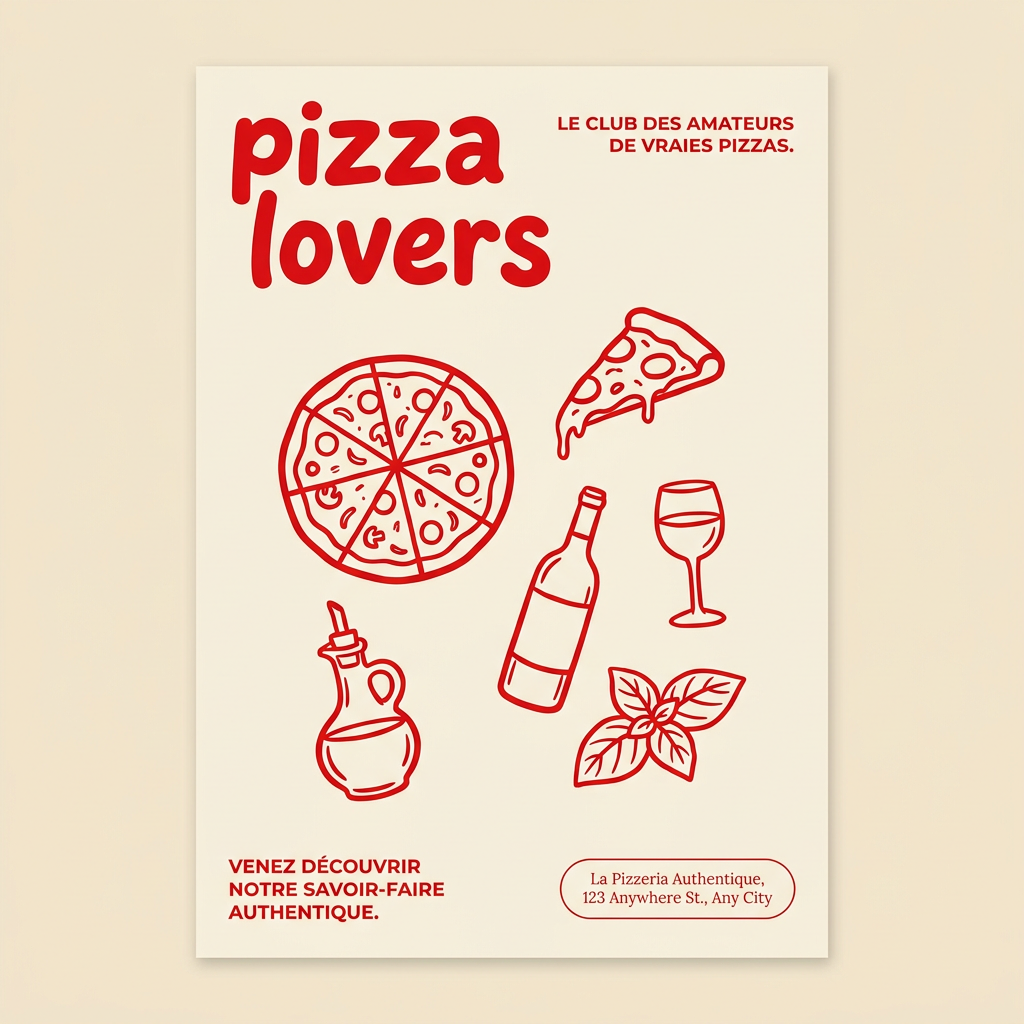
Generate clean, minimal posters for your food brand or cafe. It sets up a soft cream background with tons of breathing room, contrasted by a bold, chunky handwritten title in vivid red. It's a gorgeous editorial layout that makes your brand look instantly high-end.
Regenerate using your own assets.
Where to use your custom logo animation
Once you've generated an animation you love, it becomes a versatile brand asset. Don't just save it for one video. A custom logo animation reinforces your brand identity every time it's seen. Here are the best places to put it to work:
- Video Intros & Outros: The most common use. It bookends your content on YouTube, TikTok, and other video platforms, building brand recognition.
- Social Media Stories: A quick, looping version of your animated logo can serve as a branded transition or an eye-catching sticker.
- Website Headers: A subtle, looping animation on your homepage can create a premium, dynamic first impression.
- Presentation Slides: Use it on the title and closing slides of your pitch decks or webinars to add a professional polish.
- Email Signatures: A lightweight GIF version can make your email outreach more memorable.
By moving beyond templates, you create a signature piece of motion design that works for your brand everywhere, consistently and automatically.
