
It’s Sunday night. You open your content calendar, and the next seven days are a blank grid staring back at you. This is the weekly reality for most social media managers — the pressure to create, write, design, and post is relentless. It’s no surprise that search interest for terms like 'AI Instagram scheduler' has hit breakout velocity in July 2026. People are looking for an escape from the content treadmill.
But the real bottleneck isn't scheduling. It's the daily, manual grind of creating original, on-brand content. This is where most tools fall short. They help you post, but they don't help you create. It’s time to stop thinking post-by-post and start thinking in systems. Here’s the workflow to generate an entire week of on-brand Instagram content in one go.
Step 1: Set your brand on autopilot with a Brandkit
Before you can automate anything, you must first define what “on-brand” means. Without this, AI is just a random image generator. This is the foundational step that separates professional results from generic outputs. In MyUP, this is handled by the Brandkit.
A Brandkit is a central, reusable definition of your visual identity. You set it up once by providing a link to your website or manually uploading your assets. MyUP automatically extracts:
- Colors: Your full brand palette, ready to be applied to any generation.
- Fonts: Your primary and secondary typefaces for consistent text overlays.
- Logo: Your logo files for easy watermarking or inclusion in designs.
- Visual Style: MyUP analyzes your existing imagery to understand the mood, composition, and aesthetic of your brand.
This is fundamentally different from recent features like Adobe Firefly's 'Structure Reference,' which lets you copy the layout of a single image. That’s useful for one-off posts, but a Brandkit systemizes your entire identity. It ensures that every asset generated by a workflow—whether it's post #1 or post #100—inherits your brand's DNA automatically. You aren't just matching a layout; you're matching an entire visual system.
Step 2: Build your 7-day content generation workflow
With your Brandkit in place, you can now build the engine that will generate your content. The goal is a workflow that takes a simple list of seven daily prompts and outputs seven complete, ready-to-review Instagram posts (image and caption).
In MyUP, you can build this workflow visually. The logic looks like this:
- Input: Start with a list of 7 simple text prompts (your daily themes).
- Loop: For each prompt in the list, execute the following steps.
- Generate Image: Use an image generation model, but critically, instruct it to use your saved Brandkit. This automatically applies your colors, style, and composition rules.
- Generate Text: Feed the newly created image and the original prompt into a text generator to write a relevant caption, complete with engaging questions and hashtags.
- Output: Collect all seven image-and-caption pairs into a single project for review.
This moves your role from manual creator to creative director. You define the strategy (the daily themes), and MyUP handles the production. For a brand focused on showcasing products, a pre-built template can get you started instantly. This workflow generates a high-quality product shot that adheres to your brand's aesthetic.
Workflow code: #myup-kbgo-tlle
Product Brand Post

Drop in your product to generate a cohesive nine-post Instagram grid. It blends warm lifestyle photography and flat-lay packaging with bold hand-drawn doodles, collages, and urban billboard mockups. Everything automatically styles itself to your brand's colors.
Regenerate using your own assets.
Step 3: Define your daily content themes
Your workflow needs fuel. The input list of seven themes defines the substance of your week's content. These should align with your established content pillars. A typical week for a direct-to-consumer brand might look like this:
- Monday: A motivational quote using our brand font and colors.
- Tuesday: A spotlight on our best-selling product.
- Wednesday: Behind-the-scenes look at our packaging process.
- Thursday: A user-generated content feature (reimagined in our brand style).
- Friday: Announcing our new weekend promotion.
- Saturday: A lifestyle shot showing our product in use.
- Sunday: A relaxing, low-key image related to our brand's values.
Each of these simple phrases is enough for the workflow to generate a unique, relevant post. For an e-commerce fashion brand, you could use a specific workflow to generate shots of clothing that match your brand's vibe. Workflow code: #myup-3sro-edbt. For Monday's motivational quote or Friday's announcement, a minimalist poster template ensures the text is the hero, while still using your Brandkit's fonts and colors. Workflow code: #myup-k4td-9k6z.
Brand Clothes Post

Turn any outfit photo into a high-end fashion promo poster. It centers your subject in a full-body shot against a dark, dramatic studio backdrop, perfectly cropped for social feeds. It gives your apparel a moody, editorial look instantly.
Regenerate using your own assets.
Minimalist Poster

Give your social feed a clean, gallery-like aesthetic. This layout frames your images with structured mono typography and soft, neutral backgrounds for a high-end editorial look. It's perfect for minimal product launches or brand announcements.
Regenerate using your own assets.
Step 4: Run the workflow and review your week's content
Once you provide your seven themes, you execute the workflow. In a few minutes, MyUP will deliver a complete 7-day content calendar. You'll see seven unique images, all visually cohesive, each paired with a distinct caption and relevant hashtags.
This is the human validation step. Your job is not to painstakingly create each asset but to review the batch. Perhaps you want to tweak a caption for one post or regenerate the image for another. The key is that you're making small, strategic edits to a nearly-finished campaign, not starting from a blank page. You approve and adjust; MyUP handles the heavy lifting of production.
For a specific, stylized post, like a date announcement or a themed countdown, you can even use a workflow that creates a specific visual metaphor, like a close-up on a calendar, but rendered in your brand's unique style.
Workflow code: #myup-hcix-fsva
Textured Paper Calendar Close-Up
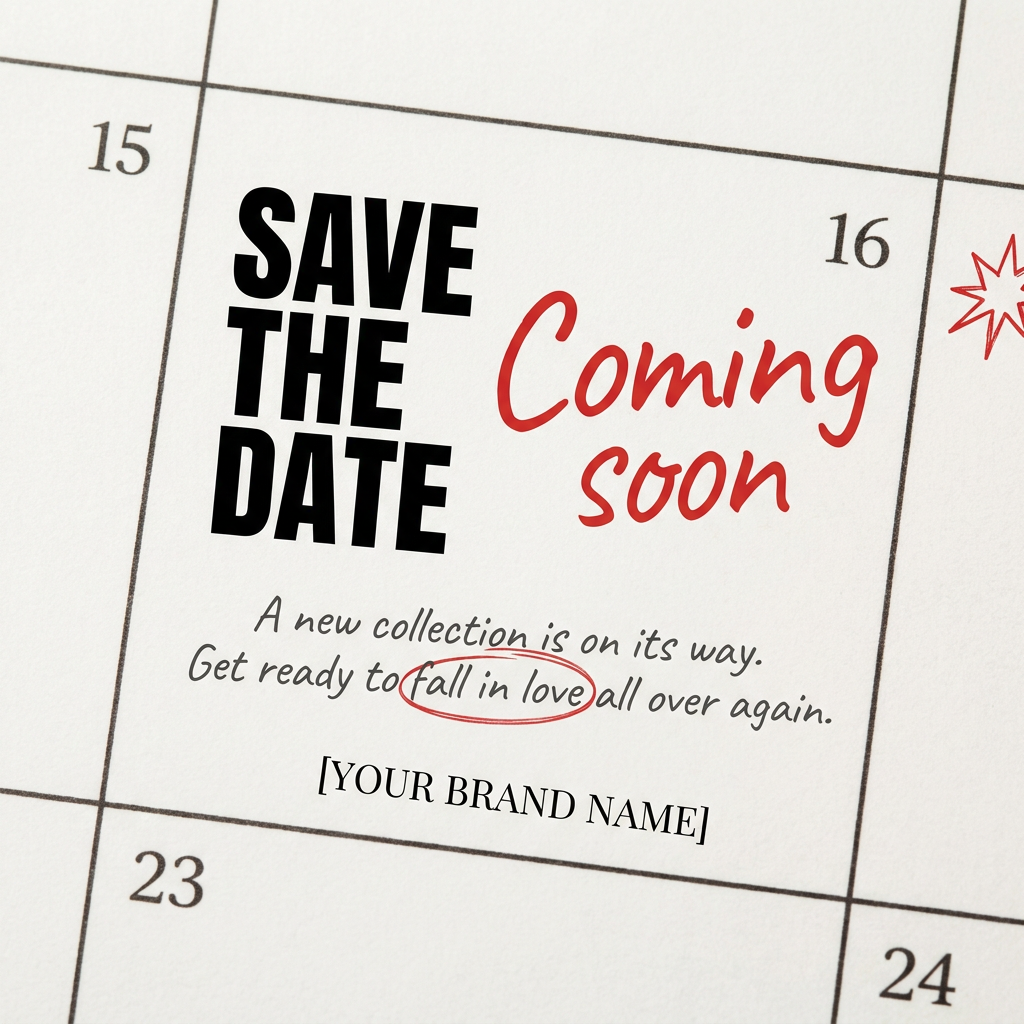
Turn your upcoming dates or launch schedule into a beautiful, tactile physical calendar. It renders crisp minimalist grids on heavy textured paper with realistic macro focus. Perfect for sharing events on social media without looking like a generic graphic.
Regenerate using your own assets.
From a week to a month: how to scale your content engine
This 7-day workflow isn't a one-time trick; it's a scalable system. Once you've perfected the workflow for Instagram, you can duplicate and adapt it. You could create a 30-day version by simply expanding your input list. Or, you could create a parallel workflow that reformats the same weekly themes for LinkedIn, using a more professional tone in the captions.
The principle remains the same: define your brand and content pillars once, then build automated systems to produce the assets. This frees you to focus on strategy and performance, rather than being trapped in the production cycle. This same workflow logic can be applied to much more complex tasks, such as creating variations of the same ad for different global markets. As we cover in our guide on how to localize ad creative, workflows can turn massive, time-consuming projects into manageable, automated processes.
