
This week, the conversation around AI imagery focused on one-off enhancements. Adobe's updates to its experimental Indigo camera app and the new 'Structure Reference' feature in Firefly, both from July 20, 2026, are powerful tools for refining a single picture. They can apply a 'natural look' or copy a composition with impressive results.
But a filter can't build a product catalog. A single, perfect image doesn't solve the e-commerce manager's real problem: how to produce 50 consistent, on-brand shots for a new product line before the end of the week. For that, you don't need a filter; you need a factory. This is the professional workflow for building one.
The real cost of inconsistent visuals: when 'good enough' hurts your brand
The core issue with using generic AI image generators for commercial work isn't just quality—it's consistency. One generation might yield a perfect shot with dramatic, moody lighting. The next, using the same prompt, produces something bright and flat. You spend hours trying to coax the AI back to that first 'perfect' look, a process that is neither repeatable nor scalable.
This isn't just a creative frustration; it's a business problem. Inconsistent visuals across your website, social media, and ads create a disjointed customer experience. They dilute your brand identity and make your products look unprofessional. This inconsistency becomes a major production bottleneck, wasting time and resources that could be spent on marketing and sales.
Fun AI filters are for social media. Your business needs a content factory. The difference is a system that guarantees brand compliance and visual harmony on every single output, every single time.
The 4-step workflow for scalable AI product photography
The solution is to move from one-off prompting to a structured, repeatable workflow. On MyUP.ai, this process turns the manual, unpredictable task of generating product shots into an automated system. It's built on a foundation of your unique brand identity, ensuring every image is not just realistic, but recognizably yours. Here’s how it works.
Step 1: Anchor your style with a Brandkit
Before you generate a single image, you must teach the AI what your brand looks like. A generic prompt for 'a photo of a sneaker' will produce a generic sneaker. An on-brand prompt needs to know your specific colors, your typographic style, and the overall mood of your visual identity.
In MyUP, this is handled by the Brandkit. You build it once—by providing a URL or uploading assets—and MyUP automatically learns your visual DNA. From that point on, every asset you create, from images to videos to social posts, is infused with your brand's style. This is the foundational step that separates professional-grade production from amateur experimentation. It solves brand compliance before the work even begins.
Step 2: Build your virtual studio set
Once your brand style is locked in, the next step is to define the scene. For a physical photoshoot, you'd set up lights, choose a backdrop, and arrange props. In AI, you do the same thing with a workflow template. This template acts as your reusable 'virtual studio,' defining the environment where your product will live.
You specify the key elements: the lighting style (e.g., 'soft morning light,' 'dramatic studio spotlight'), the surface ('marble slab,' 'rustic wood'), and the background ('minimalist grey wall,' 'out-of-focus garden'). By defining this scene once, you create a consistent stage for your entire product line. This is how you ensure the product shot for your new handbag has the exact same look and feel as the one for your new wallet.
To get started, you can use a pre-built virtual studio that establishes a high-end, clean aesthetic perfect for luxury goods.
Workflow code: #myup-xjaq-qhgx
Luxury Product Photography Studio
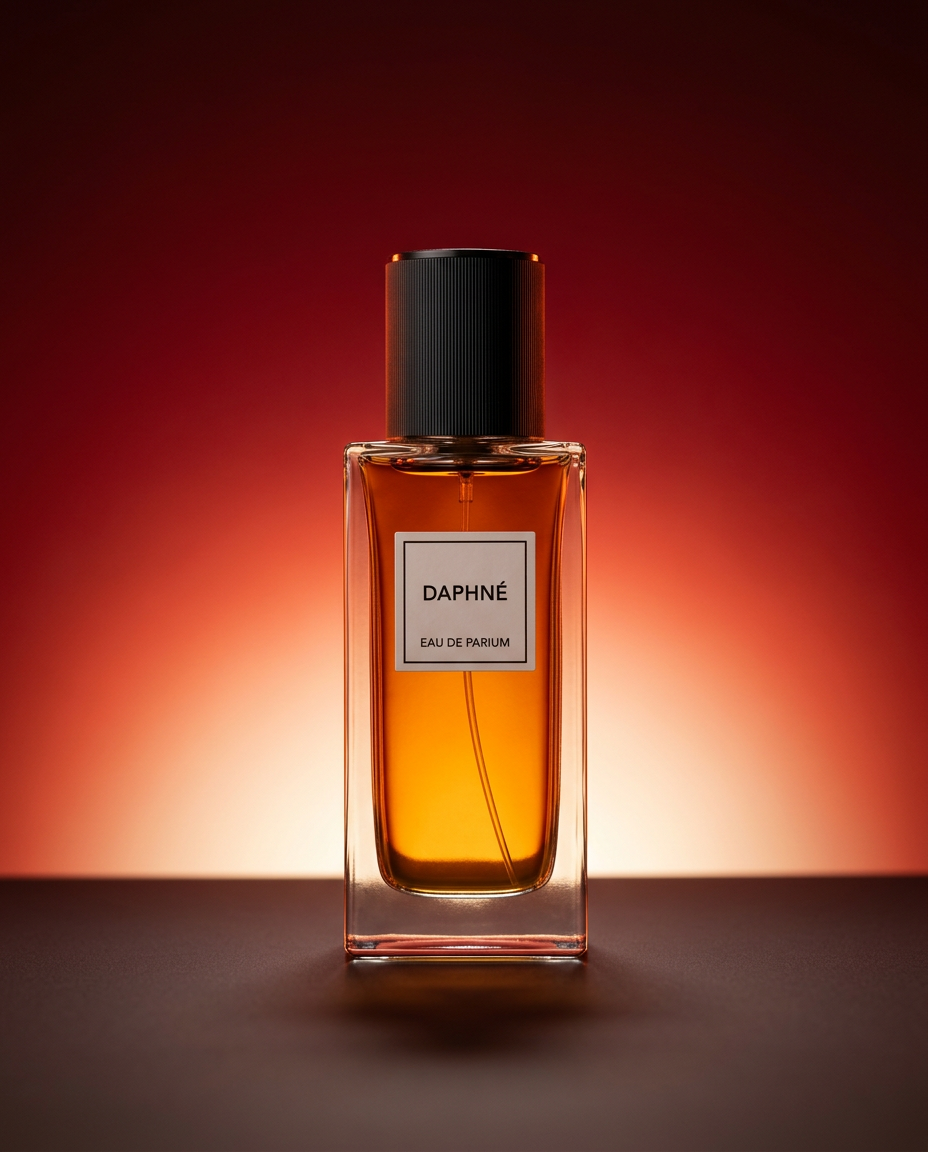
Drop your product into a dramatic, high-end studio setup. It places your item on a sleek flat surface against a rich crimson and orange cinematic gradient background. It's an easy way to get that moody, premium commercial look for any bottle, tech, or cosmetic.
Regenerate using your own assets.
Step 3: Generate an entire product line, not just one image
With your Brandkit active and your virtual studio set defined, you can now achieve true scale. The production bottleneck is broken. Need to shoot a new line of skincare products? Simply feed the product names or descriptions into your established workflow. MyUP will generate dozens of variations, each one perfectly matching the lighting, composition, and brand style you defined.
This is where the 'factory' model pays off. You're no longer wrestling with prompts for each individual item. You're running a production process. This system allows you to generate a complete set of catalog images or advertising posters that are perfectly consistent, saving countless hours of manual work and ensuring a cohesive brand presentation.
Use this workflow to place your product into a clean, elegant advertising format that can be repeated across an entire campaign.
Workflow code: #myup-fy77-jljs
Minimalist Elegant Product Advertising Poster

Turn any product shot into a high-end editorial ad. It places your item against a soft cream background with airy spacing and adds elegant, small serif typography at the top. Great for wellness or luxury brands wanting a calm, minimal aesthetic.
Regenerate using your own assets.
Step 4: Turn product shots into campaign assets
High-quality, consistent product shots are the foundation, but their value multiplies when you can easily repurpose them into broader campaign assets. The same workflow-based approach applies here. Once you have your core product visuals, you can run them through another MyUP workflow to place them in more complex, editorial-style scenes for social media, email newsletters, or digital ads.
For example, a clean shot of a perfume bottle can be instantly placed into a lush, floral environment for a spring campaign. Because the generation is still guided by your Brandkit, the final asset remains perfectly on-brand. This transforms your product photography from a static catalog item into a dynamic component of your marketing machine. It's how you go from simply showing a product to telling a story about it, a process you can explore further in our guide to generating a full ad campaign from a single prompt.
This template takes your product and builds a rich, editorial scene around it, perfect for a magazine spread or a high-impact social media post.
Workflow code: #myup-5q78-bln0
Luxury Floral Product Editorial
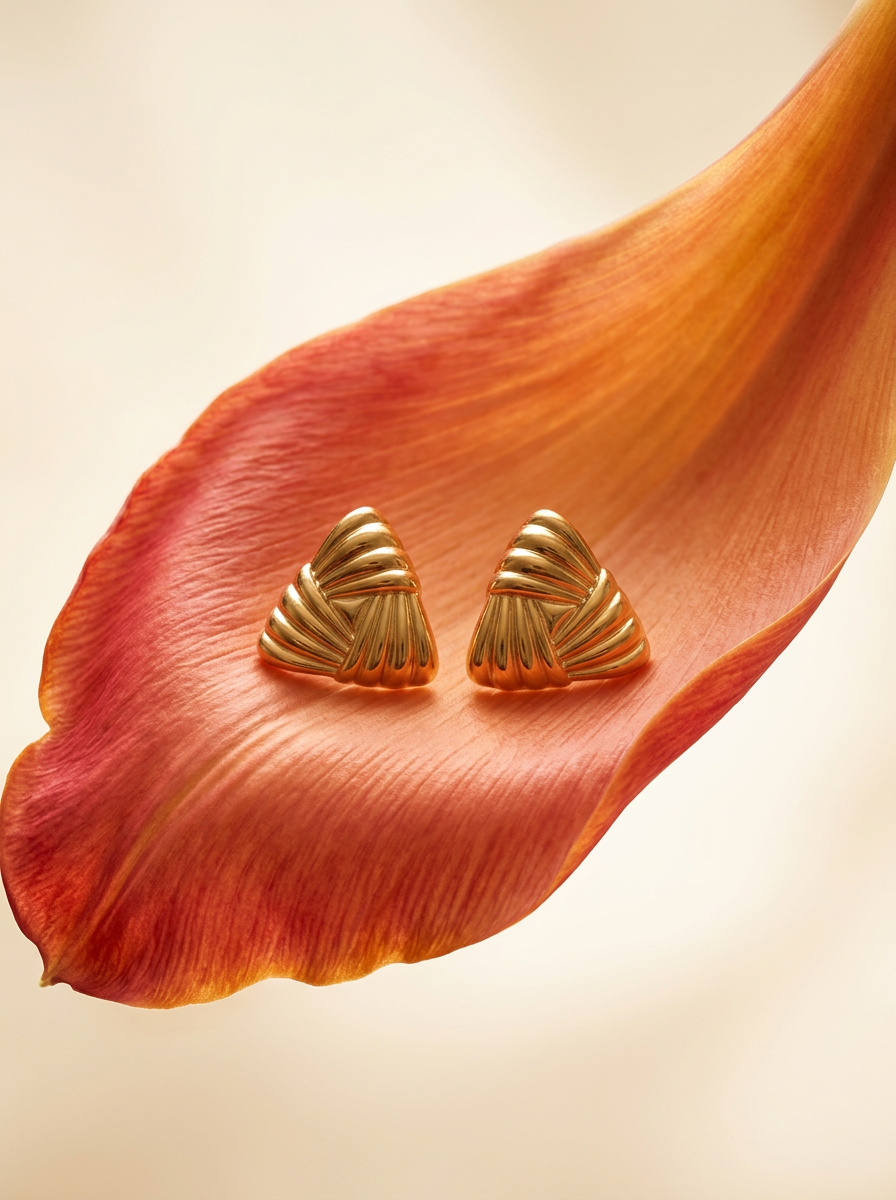
Place any product in an ultra-minimalist, warm studio space. It wraps your item in a seamless cream and beige backdrop with a super soft bokeh that melts away, making the details pop. It’s perfect for giving goods a clean, high-end look.
Regenerate using your own assets.
You are the creative director, MyUP is the production house
This workflow doesn't replace creative control; it enhances it. By using a system like MyUP, you shift your role from operator to director. You make the strategic decisions upfront: defining the brand's visual identity in the Brandkit and establishing the creative direction with a virtual studio workflow. You validate the outputs and make final adjustments.
MyUP handles the repetitive, time-consuming production work. It executes your vision at scale, ensuring every single asset meets the brand standards you've set. This is the critical difference between applying a clever AI filter to one photo and running a professional, scalable content production system for your entire business.
