Let's be direct: that static audiogram with a wiggling line over your podcast cover art isn't working anymore. It’s a placeholder, not a performance asset. In a social feed dominated by motion and storytelling, a static image with audio is functionally invisible. Viewers scroll right past it, and your best audio content never gets the engagement it deserves.
The standard has shifted. Audiences expect more, and the search for an 'Opus Clip alternative' shows that creators are frustrated with generic repurposing tools that strip away their brand identity. The solution isn't just to turn audio into video; it's to turn it into a video that looks and feels like your brand. This guide provides the exact MyUP.ai workflow to do it automatically.
Why your static audiograms are getting ignored
The traditional audiogram was a clever hack for its time, allowing audio-first creators to exist on visual platforms. But in 2026, it’s a liability. Social platforms are optimized for visual information and reward content that holds attention with dynamic movement. A static waveform fails this test completely.
Here's the production reality: you spend hours recording, editing, and perfecting your audio, only to wrap it in a visual package that screams 'low effort'. It fails to communicate the value of the audio within. It doesn't build brand recognition or create a distinct visual identity for your show. It's just noise in a crowded feed. To compete, your clips need to be as visually compelling as they are audibly interesting.
The three elements of a podcast clip that people actually watch
A high-performing podcast clip today is a self-contained piece of branded content. It’s not just audio in a box; it’s a micro-story with three key components that MyUP's workflow is built to deliver:
- A Relevant Visual Scene: The background shouldn't be your logo on a flat color. It should be a custom, AI-generated image or video that reflects the topic of your audio clip. If you're discussing vintage tech, the background should look like a retro computer lab, not your default brand pattern. This provides immediate context and visual intrigue.
- Dynamic, On-Brand Captions: More than 85% of social video is watched with the sound off. Your captions are the hook. Instead of generic, system-font subtitles, you need animated text that uses your brand’s specific fonts and colors. This is often called kinetic typography, and it turns captions from a utility into a core part of your visual brand.
- Cohesive Branding: Your logo, brand colors, and overall aesthetic should be present and consistent across every single clip. This isn't about manually stamping a PNG on every video; it's about an automated system that applies your visual identity flawlessly every time, building brand equity with each post.
The workflow: Turn any audio clip into a dynamic video in MyUP
Instead of juggling three different tools for transcription, image generation, and video editing, you can execute this entire process within a single, repeatable workflow on MyUP.ai. It’s designed to turn the repetitive task of creating social clips into an automated process where you, the creator, simply validate the output.
Here’s how it works, step by step.
Step 1: Generate a background scene that matches your topic
First, forget about finding the perfect stock photo. Your audio is unique, and your background should be too. In the MyUP workflow, you start with your audio clip. MyUP transcribes it automatically, giving you the text of your segment.
From that transcript, you can pull key concepts to write a simple prompt for the AI image generator. For example, if your clip is about the history of punk rock posters, you could use a prompt like, “A collage of torn punk rock flyers and zine cutouts, gritty texture, black, white, and neon pink.”
To get a specific, stylized result instantly, you can use a workflow template. For a bold, graphic look, the Retro Zine Style Event Poster is a great starting point.
Workflow code: #myup-msop-hlxf
Retro Zine Style Event Poster

Give your social posts a gritty, analog zine aesthetic. It layers a crumpled paper texture and a subtle grid over a warm cream background to make any event graphic look like a tactile, photocopied flyer. Perfect for DIY gigs and bold promos.
Regenerate using your own assets.
MyUP executes the image generation, giving you a custom, relevant background that no other podcast will have. You approve the visual, and the system moves to the next step.
Step 2: Add on-brand animated captions automatically
This is where you save hours of tedious work. Inside MyUP, you set up your Brandkit once by providing a link to your website. MyUP automatically extracts your logo, brand colors, and fonts. This Brandkit is now your central source of visual truth.
When your audio clip is transcribed, the workflow doesn't just generate plain text. It automatically applies your Brandkit to create animated captions. The words appear on screen in your brand's font, using your brand's color palette, without you ever opening a video editor. This ensures every single video clip you produce is instantly recognizable. For a deeper dive into this technique, see our guide on creating on-brand kinetic typography with AI.
Step 3: Experiment with different visual styles for your show
Your brand isn't static, and your promotional clips don't have to be either. The power of a workflow is that you can swap out one component—like the background style—to create a completely different mood for a specific episode or series. The core process of transcription and branded captioning remains automated.
Want a bright, high-energy look for a clip about a summer festival? Start with a template like the Bold Retro Yellow Event Poster.
Workflow code: #myup-xbur-hzoi
Bold Retro Yellow Event Poster

Turn your branding or event details into bold, nostalgic posters. It blends vibrant warm backdrops with a clean, retro square grid pattern to make any announcement look like a classic piece of mid-century graphic design.
Regenerate using your own assets.
Discussing a historical topic or a classic product? A more textured, nostalgic style might be a better fit. The Vintage Advertising Poster workflow can provide that aesthetic instantly.
Workflow code: #myup-sauf-5jod
Vintage Advertising Poster
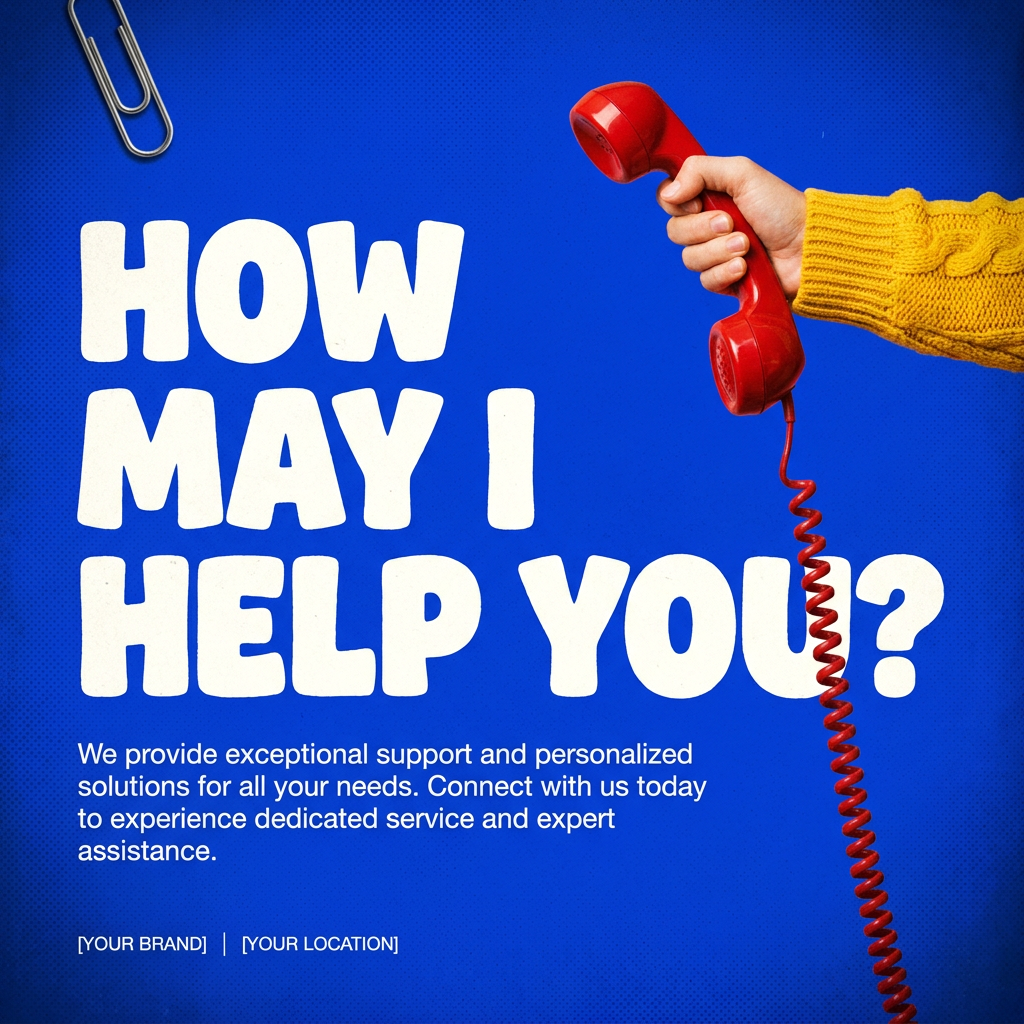
This creates high-impact graphic posters with a striking cobalt blue backdrop and subtle retro halftone textures. Just drop in your subject to get that bold, tactile look complete with realistic metallic accents and clean, modern framing.
Regenerate using your own assets.
By using different starting templates, you can build a library of visual styles for your podcast, all while ensuring your core branding (logo, fonts, colors) remains consistent thanks to the Brandkit.
Stop generating clips. Start creating brand assets.
A dynamic, on-brand video clip is more than just a piece of social media content. It's a marketing asset. It builds brand recognition, captures attention in the feed, and respects the quality of the audio you worked so hard to create. By moving from a manual, one-off process to an automated MyUP workflow, you stop spending time on repetitive production and start building a scalable system for promoting your show.
Each clip becomes a consistent, professional representation of your brand, helping you grow your audience without burning out on content creation. Ready to stop posting boring waveforms? Create your account on MyUP.ai and build your first dynamic video clip today.
