You’ve spent hours trying to generate the perfect on-model shot for your new t-shirt line. The model looks great, the lighting is perfect, but your brand's logo is a garbled, distorted mess. Or perhaps the hoodie looks like it's made of shiny plastic instead of soft cotton. For fashion and e-commerce brands, this is the frustrating reality of using generic AI image tools in September 2026. You get 90% of the way there, but the last 10% — brand integrity and physical realism — is a consistent failure.
Why your AI-generated clothing has warped logos and plastic fabric
You’ve spent hours trying to generate the perfect on-model shot for your new t-shirt line. The model looks great, the lighting is perfect, but your brand's logo is a garbled, distorted mess. Or perhaps the hoodie looks like it's made of shiny plastic instead of soft cotton. For fashion and e-commerce brands, this is the frustrating reality of using generic AI image tools in September 2026. You get 90% of the way there, but the last 10% — brand integrity and physical realism — is a consistent failure.
This isn't a user error; it's a fundamental limitation of tools designed for artistic exploration, not commercial production. They lack the specific controls needed to respect brand assets and simulate how real-world materials behave. The result is an image that's 'almost' right, which for a business, is completely wrong.
The two big challenges: getting fabric and logos right
Creating a believable on-model clothing photo with AI comes down to solving two notoriously difficult technical problems. Generic tools fail because they don't treat these as priorities.
1. Realistic Fabric Drape
Fabric isn't just a color or a pattern; it's a physical object with weight, stiffness, and texture. How a cotton t-shirt hangs is entirely different from how a silk blouse drapes or denim jeans fold. Most AI models are trained on flat images and lack an inherent understanding of physics. They guess at how fabric should look, often resulting in an unnatural, stiff, or 'shrink-wrapped' appearance that instantly signals 'fake' to a customer.
2. Accurate Logo and Pattern Projection
Your logo is a flat, 2D asset. A model's body is a complex, curved, 3D surface that moves and flexes. Projecting that 2D logo onto the 3D surface of a garment so that it realistically follows the folds, stretches, and shadows of the fabric without distortion is a complex geometric challenge. Standard image generators simply 'paint' the logo on top, leading to the warped, nonsensical text that ruins brand integrity and makes the final image unusable for your product-detail page (PDP).
The old way: fighting with prompts and complex node editors
To get around these issues, brand owners have been stuck with two frustrating options. The first is fighting with prompt-based tools like Midjourney. You can spend days tweaking prompts, trying to describe the precise physics of cotton or the exact angle of a logo, only to get inconsistent results. Even with recent improvements in character consistency, these platforms still struggle to render brand assets accurately.
The second option is diving into the deep end with complex, node-based editors like ComfyUI. While powerful, this approach requires you to become a part-time AI technician, manually connecting models, ControlNets for posing, and IP-Adapters for logos. It's a technical maze that takes you away from your real job: building your brand. You didn't start a clothing line to spend your days debugging a technical production process.
A better production method: from intention to finished photo
There is a better method. Instead of focusing on tools and technical steps, you should be able to focus on your creative intention. At MyUP, we built a Creative Production Platform that does just that. You don't tell it *how* to make the image; you tell it *what* you want to create. Your intention might be: "A studio-quality photo of our new hoodie on a male model, with our logo clearly visible on the chest."
MyUP then handles the entire production, from ensuring the logo is perfect to rendering the fabric with realistic texture and drape. You maintain creative vision and validate the results, while the platform manages the complex technical execution. This is how professionals get finished creations, not just raw images.
Step 1: Secure your brand integrity with a MyUP Brandkit
The first step to achieving brand-accurate visuals is establishing your brand's identity within the platform. This is where MyUP's Brandkit comes in. Instead of uploading your logo for every single generation, you build your Brandkit once by providing your website URL or uploading your assets directly. This includes:
- Your exact logo files (SVG, PNG)
- Your brand's specific color palette
- Your approved brand fonts
Once your Brandkit is saved, MyUP automatically applies your assets with perfect integrity to every creation. The platform understands that your logo isn't just a random image to be warped; it's a core asset that must be rendered accurately, following the contours of the fabric. This single step eliminates the primary reason brands reject AI visuals: the destruction of brand integrity.
Step 2: Generate your on-model visuals with a creative template
With your brand identity secure, you can now produce your on-model photos instantly. MyUP features a library of creative templates built by top creators. These aren't just prompts; they are complete, pre-configured production setups designed to deliver a specific style and result. You simply choose the template that matches your aesthetic and provide your product details.
For example, if you're launching a new line of streetwear, you can use a template designed for that gritty, editorial look. You can find a perfect look for a high-energy promo shot for your new apparel. Template: #myup-ywpr-rqz6
Professional Sportswear Ad

Suspends your apparel right in the center of a high-energy promo shot, held up by hands around the frame. It gives your shirts or jerseys a gritty, collaborative streetwear editorial look that feels alive and physical.
Regenerate using your own assets.
If your brand has a more elevated, high-fashion aesthetic, you can select a template that delivers a polished magazine look. For a grounded, high-angle editorial style perfect for making any garment look sharp, use the Hyperrealistic High Angle Fashion Editorial. Template: #myup-lkxt-mwbw
Hyperrealistic High Angle Fashion Editorial
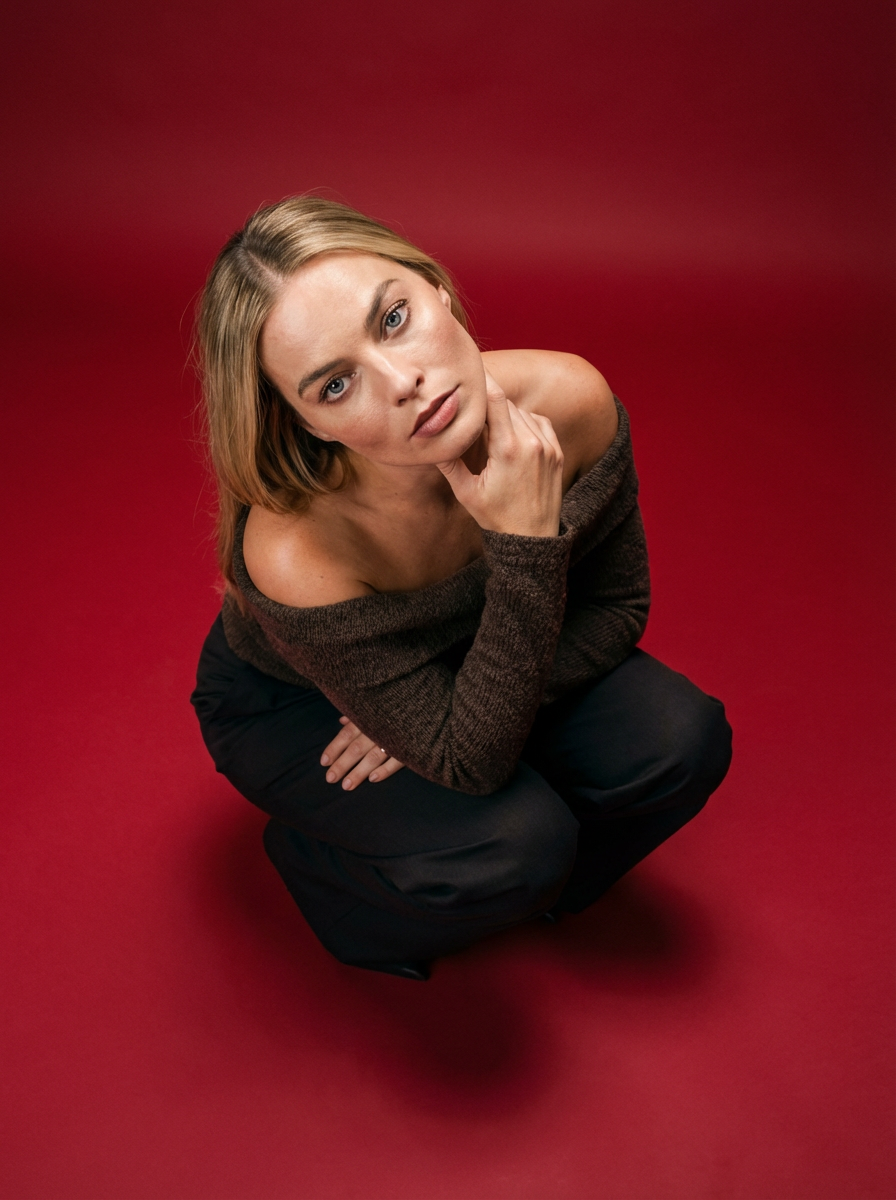
Frame your subject in a grounded, high-angle editorial style. This setup forces a compact, kneeling pose that brings out a raw and hyperrealistic fashion aesthetic, perfect for making any garment or accessory look sharp and intentional.
Regenerate using your own assets.
You just state your intention, and the template handles the complex production of posing, lighting, and composition to deliver a finished image in that style.
Step 3: Perfect the details from fabric texture to model pose
Using a template doesn't mean sacrificing creative control. Once the initial image is generated, you can easily refine the details to match your vision perfectly. You can instruct MyUP to make specific changes in plain language, not technical commands. For instance:
- "Make the cotton texture more visible."
- "Change the model's pose to a side profile."
- "Adjust the lighting to be warmer, like golden hour."
This allows you to focus on the creative aspects that matter, like the silhouette of the garment. If you need to produce a lookbook that emphasizes the cut and shape of your clothing, you can use a template designed specifically for that purpose. The Realistic Full Body Fashion Portrait system is ideal for capturing hair texture, skin tone, and body morphology with total precision, putting the focus entirely on the physical silhouette. Template: #myup-y0dr-cumd
Realistic Full Body Fashion Portrait
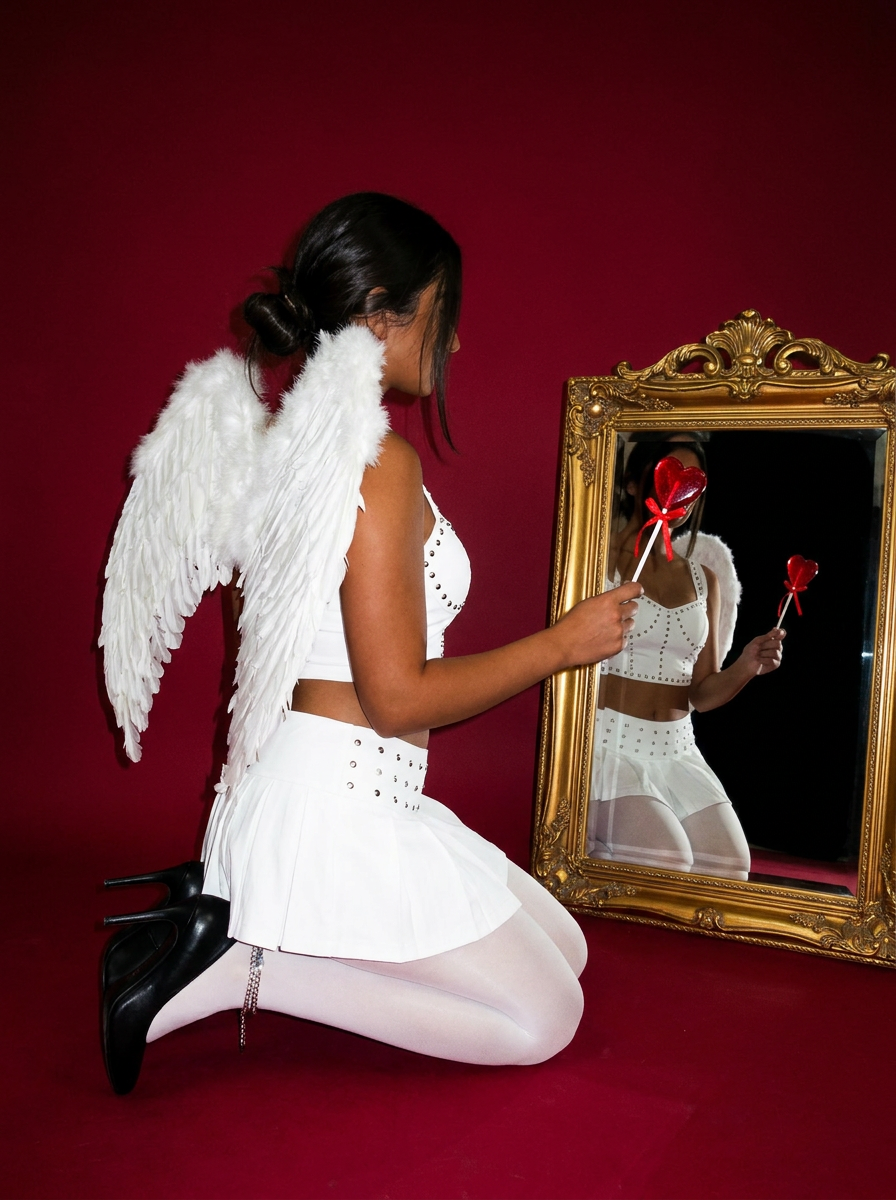
Focus entirely on the anatomy and physical silhouette of your subject. By stripping away facial features and locking into a clean side profile, this system captures hair texture, skin tone, and body morphology with total precision. It is built to turn any figure into a minimalist, high-fidelity study.
Regenerate using your own assets.
This is the key difference in a professional creative process: you guide the vision, and the platform handles the technical adjustments. We've written before about how this approach is crucial for perfecting AI clothing mockups with realistic patterns.
The result: studio-quality product photos ready to publish
The final output from MyUP isn't a flawed draft that you need to fix in Photoshop. It's a finished, commercially-ready asset. The background is clean, the shadows are realistic, the fabric has texture, and your logo is perfectly intact and correctly draped. It's an image you can immediately upload to your e-commerce store, use in an ad campaign, or feature in your lookbook.
This is the promise of a true Creative Production Platform. It doesn't just give you a starting point; it delivers the finished creation. By solving the hard problems of brand integrity and physical realism, MyUP enables fashion brands of any size to produce the kind of high-quality on-model photography that was once only possible with expensive photoshoots. This is especially powerful when creating visuals for platforms like Shopify, where studio-quality AI product photos can dramatically improve conversion rates.
Your vision, our production
Creating professional on-model photography for your brand shouldn't require becoming an expert in physics simulation or node-based editors. Your focus should be on your creative vision and growing your business. MyUP is designed for creators and entrepreneurs who need finished, high-quality results without the technical friction. We handle the complex production so you can turn your idea—'a realistic on-model photo of my new collection'—into a polished asset, ready to publish. If your goal is a finished creation, you're in the right place.
