
You’ve generated the perfect on-model photo with AI, but the moment you add your brand's unique pattern or logo, the illusion shatters. The graphic sits flat on the clothing, ignoring every fold, shadow, and wrinkle. It looks like a cheap sticker, and it instantly devalues your product.
If this sounds familiar, you're not alone. This is the single biggest challenge holding brands back from using AI for professional e-commerce visuals. This guide provides a practical method to solve it, ensuring your designs wrap realistically around fabric for a finished, studio-quality result that looks completely authentic.
The challenge of the 'flat sticker' effect on AI models
The biggest giveaway of an AI-generated clothing mockup is a poorly applied graphic. You spend time creating a photorealistic model, only to see your custom pattern or brand logo look like a flat, lifeless sticker slapped on top. It fails to follow the fabric's natural folds, ignores shadows, and lacks any sense of texture. The result doesn't just look artificial; it looks cheap, undermining the quality of your apparel and your brand's credibility.
This is a common frustration for e-commerce owners and fashion designers. As of September 2026, the problem is so prevalent that creators are sharing complex, multi-tool solutions on forums like Reddit, often involving tangled setups in ComfyUI or manual Photoshop passes, just to make a logo wrap convincingly around a sleeve. This technical barrier prevents most brands from using AI to its full potential for high-quality product visualization.
Why current methods fall short for commercial-grade mockups
Why is achieving realism so hard with most tools? The issue lies in treating a 3D object (a person wearing a shirt) like a 2D canvas. Standard AI image generators and simple overlay tools don't understand physical space. They can place a pattern *on* an image, but they can't render it *within* the scene. To do it right requires a system that can analyze the geometry of the clothing—its wrinkles, seams, and contours—and understand how light interacts with it.
This is why creators resort to complicated methods using multiple specialized models like IPAdapters and ControlNets. These technical production processes are powerful but incredibly time-consuming and require deep expertise. For a business owner who just wants a finished, professional photo for their Shopify store, learning to be an AI technician isn't a viable option. They need a result, not a research project.
MyUP's intention-driven approach to perfect clothing visuals
MyUP, the Creative Production Platform, is designed to solve this exact problem by focusing on your intention, not the technical steps. You don't need to think about which AI model or software to use. You simply state your creative goal: “I want a studio-quality photo of a model wearing our new t-shirt with our logo on the chest.” MyUP handles the entire production from A to Z to deliver a finished creation.
A core part of this is the MyUP Brandkit. Instead of uploading your logo and patterns for every single image, you build your visual identity once. Your logos, brand colors, fonts, and even custom patterns are saved and ready to be applied intelligently. When you ask MyUP to place your logo, it doesn't just paste an image; it accesses your Brandkit and renders the logo within the scene, ensuring it conforms to the fabric and lighting for a photorealistic finish. This is how you achieve brand consistency without repetitive manual effort.
Step-by-step: applying custom patterns with realistic fabric drape
Applying a seamless, all-over pattern that respects the physics of fabric is a true test of an AI system. Here’s the practical method within MyUP to get a professional result:
- Generate a High-Quality Base Model: Start by describing the model, pose, and clothing item. Be specific about the garment. For example: “Full body shot of a male model in a relaxed pose, wearing a plain white cotton hoodie, against a minimal grey studio background.” A clean, well-lit base is crucial.
- Select Your Pattern from the Brandkit: Once you have your base image, your next instruction is to apply the pattern you’ve already saved in your Brandkit. For example: “Apply my saved ‘vintage floral’ pattern to the hoodie.”
- Let MyUP Handle the Production: MyUP’s engine analyzes the hoodie's shape, including every wrinkle, fold, and seam. It then renders the pattern so that it realistically wraps and distorts across the surface. The pattern will appear slightly compressed in folds and stretched over curves, just as it would in reality.
For generating a clean foundation that focuses on the garment's shape, a template like Realistic Full Body Fashion Portrait (Template: #myup-y0dr-cumd) provides an excellent starting point.
Realistic Full Body Fashion Portrait
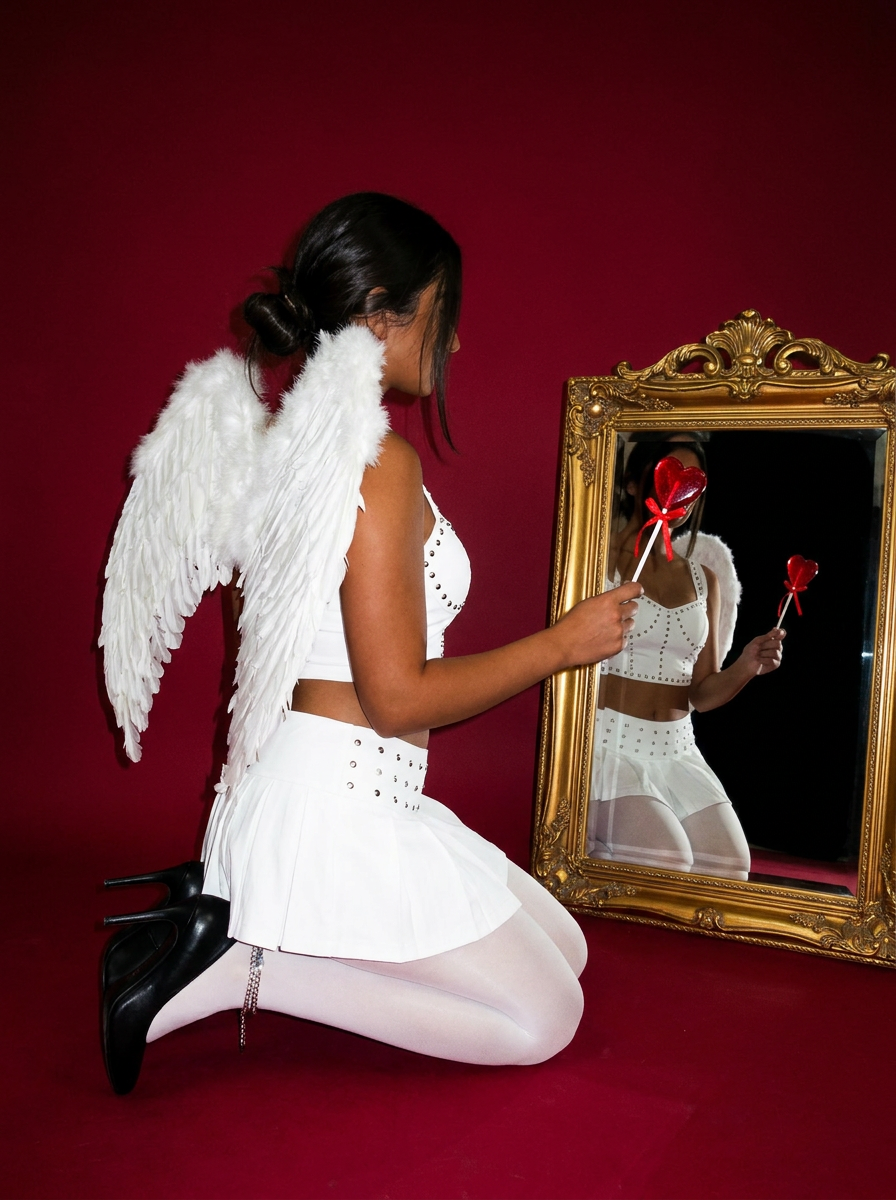
Focus entirely on the anatomy and physical silhouette of your subject. By stripping away facial features and locking into a clean side profile, this system captures hair texture, skin tone, and body morphology with total precision. It is built to turn any figure into a minimalist, high-fidelity study.
Regenerate using your own assets.
Integrating brand logos seamlessly onto AI clothing
Placing a logo requires precision. It needs to sit naturally on the garment, whether it's a crisp print on a flat area or an embroidered patch on a textured surface. The process is straightforward with MyUP.
- Define the Placement and Style: After generating your on-model visual, specify where the logo should go and what it should look like. For example: “Place my primary brand logo from the Brandkit on the left chest of the jacket, as a small, clean embroidery.”
- Ensure Realistic Integration: MyUP doesn't just overlay the logo. It renders it with the correct perspective and texture. If the fabric is wrinkled, the logo will subtly bend with the folds. The lighting on the logo will match the lighting in the scene, picking up highlights and shadows to create a sense of depth. This ensures your logo looks like a part of the product, not an afterthought.
To stage apparel in a way that makes logo placement feel dynamic and commercially appealing, you can use a creative template like Professional Sportswear Ad (Template: #myup-ywpr-rqz6) to guide the composition.
Professional Sportswear Ad

Suspends your apparel right in the center of a high-energy promo shot, held up by hands around the frame. It gives your shirts or jerseys a gritty, collaborative streetwear editorial look that feels alive and physical.
Regenerate using your own assets.
Refining for photorealism: shadows, lighting, and texture
The difference between an amateur mockup and a studio-quality photograph is in the details of light and shadow. A truly finished creation convinces the eye that every element belongs in the scene. MyUP's production process automatically accounts for these subtleties.
- Accurate Shadows: A logo or a dense pattern will subtly affect the light on the fabric underneath. MyUP renders these micro-shadows, giving the graphic a physical presence.
- Consistent Lighting: The applied graphics will inherit the scene's lighting conditions. If the model is lit from the side, your logo will have a bright edge and a soft shadow, making it feel three-dimensional.
- Fabric Texture Integrity: The texture of the underlying garment (e.g., the weave of canvas or the softness of fleece) remains visible through the applied pattern or print, grounding it in reality.
To push your visuals toward a specific photographic style, a template like Hyperrealistic High Angle Fashion Editorial (Template: #myup-lkxt-mwbw) can guide the final rendering for a sharp, magazine-quality aesthetic.
Hyperrealistic High Angle Fashion Editorial
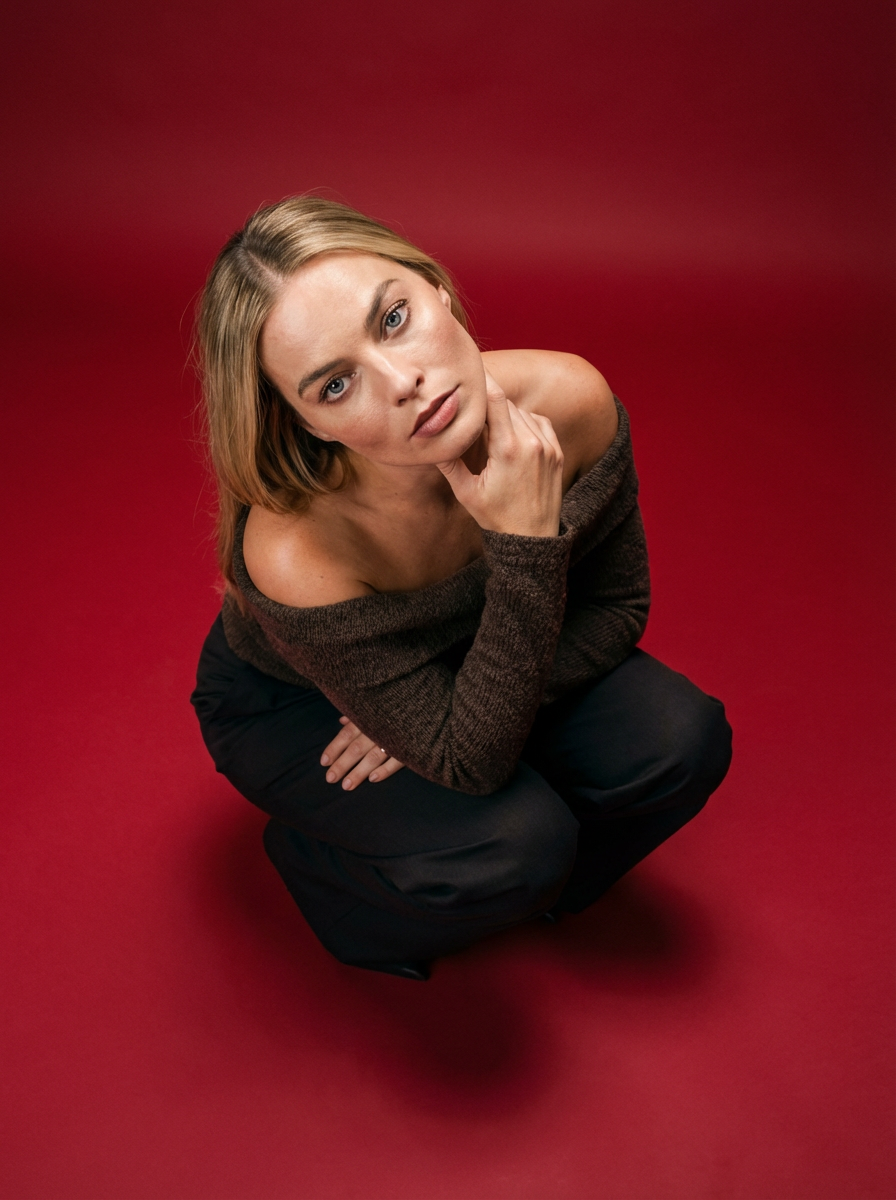
Frame your subject in a grounded, high-angle editorial style. This setup forces a compact, kneeling pose that brings out a raw and hyperrealistic fashion aesthetic, perfect for making any garment or accessory look sharp and intentional.
Regenerate using your own assets.
Scaling your brand visuals: beyond a single image
Creating one perfect image is good. Creating an entire, visually consistent campaign is how you build a powerful brand. The combination of MyUP's Brandkit and creative templates makes scaling your visuals effortless.
Once you've established the look for one product—the pattern application, the logo placement, the overall mood—you can reuse that setup across dozens of variations. Simply instruct MyUP: “Now create this same look on three different models with varied poses.” Because your brand assets are saved and the creative direction is understood, MyUP can produce a whole series of on-brand visuals for your product listings, social media, and ad campaigns. This ensures a cohesive and professional look across all customer touchpoints.
For example, you can take your newly generated on-model photos and consistently frame them for a series of ads using a template like Minimalist Elegant Product Advertising Poster (Template: #myup-fy77-jljs).
Minimalist Elegant Product Advertising Poster

Turn any product shot into a high-end editorial ad. It places your item against a soft cream background with airy spacing and adds elegant, small serif typography at the top. Great for wellness or luxury brands wanting a calm, minimal aesthetic.
Regenerate using your own assets.
Achieve studio-quality AI clothing mockups today
Creating believable AI on-model photography is no longer about mastering a dozen complex tools or settling for unrealistic results. It's about having the right creative production platform that understands your commercial goal.
With MyUP, you can finally move past the 'flat sticker' problem and produce finished, studio-quality clothing mockups where your custom patterns and logos look authentic. By focusing on your intention, MyUP delivers visuals that build brand trust and are ready to publish, helping you sell more products. Stop wrestling with technology and start creating with MyUP.ai.
