If you've spent any time on creative social media feeds in late June 2026, you've seen it: massive grids of logos, product mockups, and campaign visuals, all generated in a flash. It looks like a secret trick, but it’s not. It’s a new workflow, and it makes the old method of generating images one-by-one feel painfully slow and obsolete.
This is the shift from single image generation to full-scale concept generation. It’s about exploring an entire visual world, not just a single picture. This article explains the new workflow and shows you how to use MyUP.ai to do it in seconds, not hours.
The old way of AI moodboarding is already broken
Until very recently, using AI for moodboarding was a clumsy process. You'd write a prompt, wait for an image, adjust the prompt, generate again, and repeat. The result was a folder of disconnected images that shared a theme but lacked true stylistic cohesion. Getting them to feel like they belonged to the same brand was a frustrating battle against the AI's randomness.
Then, you'd have to manually assemble these disparate images into a board, hoping the client could see the vision through the inconsistencies. This process doesn't save time; it just shifts the bottleneck from creation to curation and revision.
What changed? The shift from image generation to concept generation
Two things happened. First, AI models became dramatically faster and more efficient, making it practical to generate a dozen high-quality images at once instead of just one. Second, the industry finally acknowledged that consistency is the biggest unsolved problem for brands. You can see this market shift in real-time: Adobe’s “Style Kit” feature, which launched on June 27, 2026, is a direct response to this pain point. It lets you upload a moodboard to guide the AI's aesthetic.
This is a step in the right direction, but it still relies on a manual, reactive process. You have to find and assemble reference images every single time you want to create something. It confirms the problem without offering a truly scalable solution.
The MyUP workflow: Use your Brandkit as an instant moodboard
This is where the MyUP.ai approach is fundamentally different. We believe moodboarding isn’t about finding images; it’s about defining a world. Instead of asking you to build a moodboard to get a moodboard, we turn your brand itself into the generative engine.
In MyUP, you create a Brandkit once by simply providing your website URL. MyUP automatically extracts your brand's DNA—colors, fonts, logo, and overall visual style—and creates a generative identity. This Brandkit isn't a static reference; it's an active ingredient in every creation. When you ask for a set of images, MyUP doesn't just look at your prompt; it bakes your entire brand identity into every single pixel of every variation. The result is an instant, perfectly consistent concept board, generated from one simple idea. It's a proactive system, not a reactive one. For a deeper dive into how this works, see our guide on fixing AI design inconsistency with a Brandkit.
How to generate your first concept board in 60 seconds
Executing this workflow in MyUP is incredibly straightforward. You define your brand's visual world once, and then you can explore it endlessly.
- Set up your Brandkit: If you haven't already, create your Brandkit in MyUP.ai. Just enter your website's URL and let the platform build your visual identity.
- Start a new generation: Open the AI Image Generator. Your Brandkit will be active by default.
- Write a concept prompt: Instead of a hyper-detailed prompt for one image, write a broader prompt for a theme. For example, “product photography for a new line of organic skincare on a marble surface with fresh botanicals.”
- Generate in batches: Ask the AI to generate a batch of 9 or 12 images. MyUP will produce a full grid of options that are all stylistically aligned with your Brandkit—sharing the same color theory, typography style, and mood.
The user validates, MyUP executes. You're not wrestling with the AI to maintain consistency; you're simply approving the creative directions that best fit your goal from a set of on-brand options.
Example: Exploring event poster aesthetics
Let's say you're concepting posters for a summer music series. You need to explore a few different visual directions quickly. With your Brandkit active, you can test a theme like “A vintage-style poster for a folk music festival in the park.”
MyUP will generate a dozen variations that interpret this idea through the lens of your brand's colors and style. To push the exploration into a more specific aesthetic, you can use a workflow designed for that look. This template helps you test out a risograph print effect while still staying true to your core brand identity.
Workflow code: #myup-3xus-3l9x
Vintage Risograph Event Poster

Turn any announcement into a gritty, tactile gig poster. It layers your text with an uneven letterpress ink texture over a dusty, warm pink risograph paper background. It’s perfect for giving social posts a real analog, screenprinted vibe.
Regenerate using your own assets.
Example: Building a moodboard for a social media campaign
This workflow is just as powerful for fast-moving social media campaigns. Imagine you want to tap into a trending Y2K aesthetic for a new product launch. The old way would involve hours of searching for inspiration on Pinterest and trying to replicate the style with one-off prompts.
The MyUP way is to use your Brandkit and a concept prompt like “Y2K-inspired Instagram posts for a new bubble tea flavor.” To get even more specific, you can use a dedicated workflow that structures the collage elements for you, ensuring every option is both on-trend and on-brand.
Workflow code: #myup-sacz-tjdn
Y2K Scrapbook Collage Creator
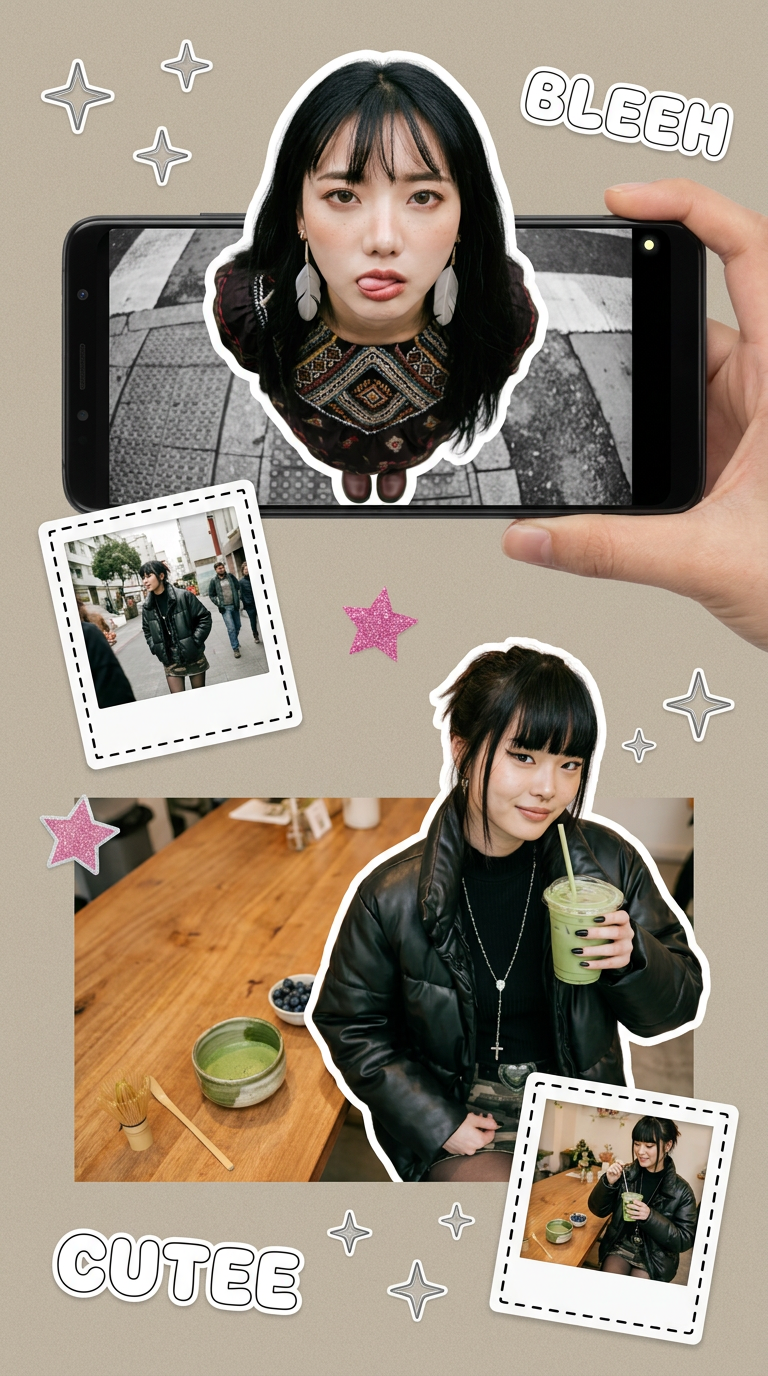
Put two different people into the same scene without losing their real-world features. Just upload two portraits and drop them together into any setting or style you need. It keeps both faces incredibly accurate.
Regenerate using your own assets.
Beyond moodboarding: From concept to final asset
A concept board is the start, not the end. The real power of this workflow is how seamlessly it connects ideation to production. Once you and your team validate a specific direction from the generated moodboard, you can immediately turn it into final assets.
You've picked a bold, retro direction from your concept board. Now, you can use a specific production template in MyUP to create the final deliverable with your approved headline, date, and details. The consistency is maintained from the first idea to the finished product, closing the loop and saving immense production time.
Workflow code: #myup-xbur-hzoi
Bold Retro Yellow Event Poster

Turn your branding or event details into bold, nostalgic posters. It blends vibrant warm backdrops with a clean, retro square grid pattern to make any announcement look like a classic piece of mid-century graphic design.
Regenerate using your own assets.
Stop generating images. Start generating worlds.
The era of prompting for single, isolated images is over. The new creative standard is about generating entire, cohesive visual concepts in an instant. By using a generative brand identity like MyUP's Brandkit as your foundation, you move beyond simply making pictures to exploring and defining your brand's entire world. This isn't just 100x faster—it's a more strategic and creatively powerful way to work.
