You generated an AI lifestyle image for your new product, and it looked great. Then you generated another. And another. Now you have a dozen images that look like they were shot by ten different photographers for five different brands. The lighting is different, the background keeps shifting, and the model's face changes subtly in every shot. It looks cheap, disjointed, and it breaks the customer's trust before they even click 'add to cart'.
This is the new wall every e-commerce brand hits. Getting one good image is a party trick; creating a cohesive campaign is a real business challenge. The problem isn't your prompts. It's the lack of a repeatable workflow.
With recent AI developments in July 2026, like the 'Scene Control' features in core models like Stable Diffusion, true consistency is finally possible. But you don't need to be a developer to use it. This guide breaks down the professional workflow for generating an entire, consistent lifestyle photoshoot on a single platform, MyUP.ai, turning a frustrating task into a scalable asset for your entire product catalog.
Deconstructing a real photoshoot: The three pillars of consistency
Before we build with AI, let's break down why a traditional photoshoot feels cohesive. It’s not magic; it’s control over three core elements. To replicate this with AI, we need to control the same three pillars:
- The Scene (Environment): A real photoshoot happens in one location with consistent lighting. The camera might move, but the world it captures remains the same.
- The Subject (Model): The same model appears in every shot of a campaign, building recognition and a consistent human element.
- The Style (Visual Identity): The photographer uses the same camera, lenses, and color grading to create a signature look that aligns with the brand’s aesthetic.
Most AI image tools make it nearly impossible to control these three pillars simultaneously. You might get a consistent model but a different scene, or a great scene with a generic, off-brand style. The key to a professional AI photoshoot is a workflow that locks in all three. MyUP is built for this campaign-level thinking.
Pillar 1: Build your 'virtual set' for consistent scenes
The most common failure in AI product photos is scene inconsistency. You prompt for 'a marble countertop', and you get a different slab of marble with different veining and lighting every single time. This immediately shatters the illusion of a single photoshoot.
The solution is to define and lock your 'virtual set'. Instead of prompting for a generic scene with every image, a proper workflow establishes the environment first and then places your product within it. This is how you can generate a wide shot, a close-up, and a detail shot that all look like they happened in the same physical space.
On MyUP, you can build a workflow that starts with a defined scene description—'a minimalist sunlit studio with concrete floors and a single potted monstera plant'—and reuses it for every generation. You provide the constant; the AI varies the product placement and angle. This gives you the variety you need without sacrificing the environmental consistency that signals professionalism.
For a jewelry brand, this means you can shoot your entire earring collection on the exact same textured velvet background, every single time. This template is the perfect starting point.
Workflow code: #myup-qtty-nngw
Jewerly Product Ad
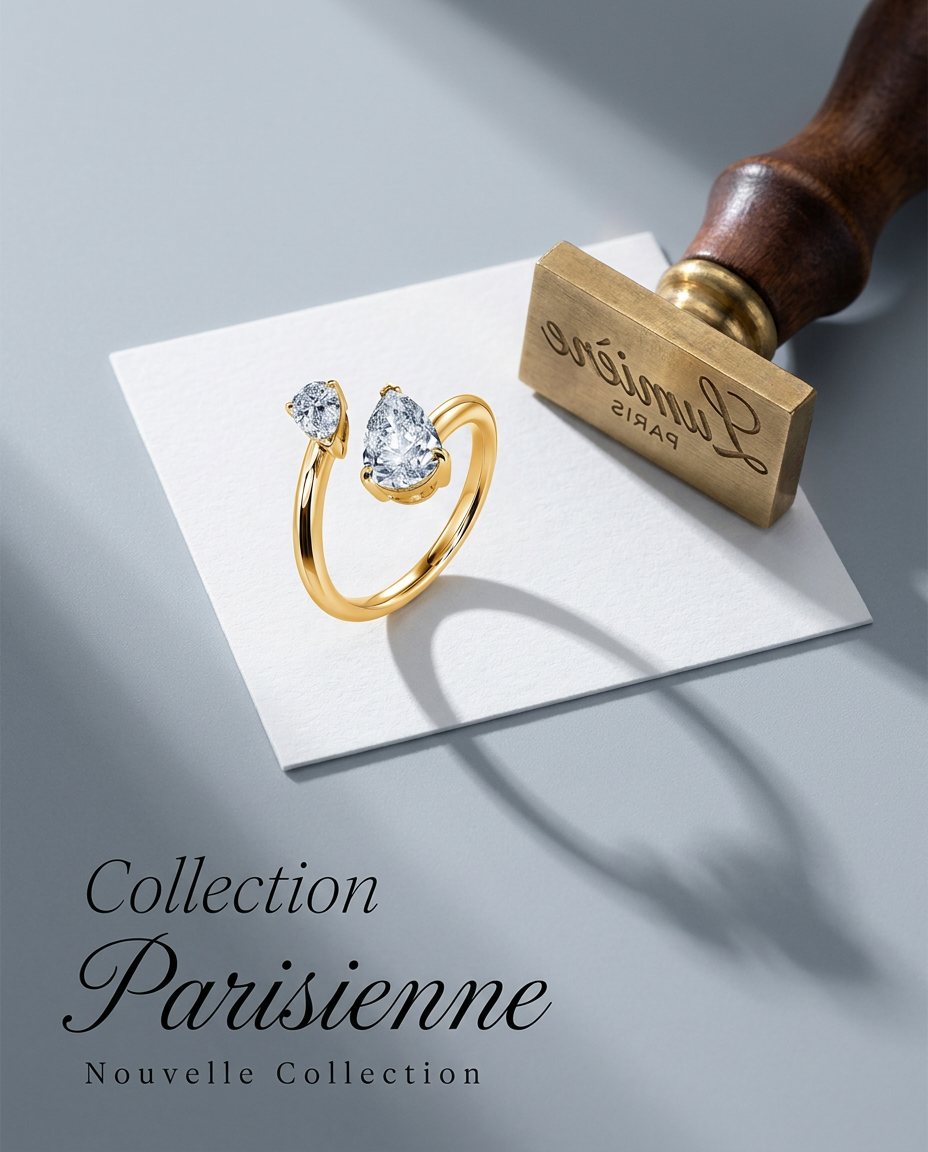
Turn any product into a high-end editorial shot. It drops your item into a clean, flat-lay setup with soft directional light and elegant long shadows against a cool matte gray background.
Regenerate using your own assets.
Pillar 2: Create and reuse your consistent 'AI model'
Character consistency has been the holy grail of AI image generation. While some tools have introduced complex methods involving reference parameters (`--cref`) or training custom models (LoRAs), these are often technical, time-consuming, and deliver mixed results. For a brand that needs to shoot a new line of sportswear every month, this isn't a scalable solution.
A workflow-based approach on MyUP simplifies this dramatically. You can define key characteristics of your 'AI model'—from facial features to body type—and lock them into a reusable template. When you run the workflow, it instructs the AI to generate that specific character, wearing your product, across multiple poses and scenes.
This allows you to build a visual narrative. Your customers see the same familiar face representing your brand across your website, social media, and ads. You're no longer just showing a product; you're building a brand world with consistent human figures. The user—you—validates the output, ensuring the model looks right in every shot, while MyUP handles the complex production of generating the variations.
This is the exact workflow for creating high-energy ads with a recurring model.
Workflow code: #myup-ywpr-rqz6
Professional Sportswear Ad

Suspends your apparel right in the center of a high-energy promo shot, held up by hands around the frame. It gives your shirts or jerseys a gritty, collaborative streetwear editorial look that feels alive and physical.
Regenerate using your own assets.
Pillar 3: Lock in your brand's unique visual style
Even with a consistent scene and model, your images can still feel generic if they don't reflect your brand's unique visual identity. The default 'photorealistic' style of most AI models looks clean, but it doesn't look like *you*. It lacks your brand's specific color palette, mood, and photographic signature.
This is the final and most crucial pillar. On MyUP, you solve this with a Brandkit. By simply providing your website URL, MyUP analyzes your visual identity—colors, fonts, logo, and overall image style—and creates a profile. This Brandkit can then be automatically applied to every asset you generate.
The result is transformative. An image generated with your Brandkit will use your color palette, adopt a lighting style that matches your existing photography, and feel like a native part of your brand ecosystem. It’s the difference between an image that looks like stock photography and an image that looks like it came from your creative director.
For brands with a highly specific aesthetic, like high-fashion, this is non-negotiable. This workflow helps establish a distinct editorial style from the start.
Workflow code: #myup-yk1h-uqy8
High-End Editorial Fashion Magazine Cover

Drop in any portrait and turn it into a high-end editorial magazine cover. It frames your subject beautifully with relaxed, high-fashion posing and soft styling for a polished print aesthetic.
Regenerate using your own assets.
The full workflow: From one product photo to a complete lifestyle campaign
Now, let's bring all three pillars together into a single, repeatable process on MyUP.ai. This is how you move from generating single images to producing an entire campaign.
- Set Up Your Brandkit: Before you generate anything, give MyUP your website URL. It will automatically create your Brandkit, ensuring everything that follows is infused with your unique style (Pillar 3).
- Choose a Lifestyle Workflow: Select a template designed for product photoshoots, like the ones above. These are pre-configured to prioritize consistency.
- Upload Your Product Image: Provide a clean, clear photo of your product on a transparent background. This is the asset the AI will place into the scenes. You can learn more about this process in our guide to creating a lifestyle campaign from a single product photo.
- Define Your Scene & Model: Within the workflow, specify your 'virtual set' (Pillar 1) and the key features of your desired 'AI model' (Pillar 2). Be descriptive and specific.
- Generate Your Campaign Shots: Run the workflow to produce a set of images—wide shots, close-ups, different angles, and model poses. Because you've locked in the three pillars, every image will feel like it belongs to the same professional shoot. You approve and adjust the final selections, maintaining full creative control.
You've just built a photoshoot machine, not just a photo
Following this workflow does more than create one good set of images. It creates a repeatable, scalable asset for your brand. The next time you launch a new product, you don't have to start from scratch. You simply run your new product through the same proven workflow.
This is the fundamental shift in thinking for e-commerce brands. Stop prompting for one-off images. Start building a 'photoshoot machine' you can deploy across your entire product catalog, saving thousands of dollars and weeks of logistical planning compared to traditional photoshoots. You're not just making content; you're building an automated system for on-brand visual production.
