
On July 2, 2026, Midjourney launched 'Style Sculpt,' a feature that lets you upload an image and extract its aesthetic to apply to new creations. It’s a powerful tool for achieving a consistent look, and the creative community is rightly excited. If you want all your images to share the vibe of a single, perfect reference, it’s a big step forward.
But for professionals creating content for a brand, this solves the wrong problem. A great conceptual illustration for a business report, a LinkedIn post, or a presentation doesn't just need a consistent *look*; it needs a consistent *logic*. It needs to translate a complex business idea into a clear visual metaphor, and it needs to do so within a complete brand system, not just the echo of one image. This is the difference between applying a style and deploying a strategy. Here's the workflow for the latter.
Style Sculpt is here. So why do your AI concepts still feel generic?
The core limitation of any style reference tool, including Style Sculpt, is that it’s fundamentally about mimicry. It learns the texture, color palette, and composition of a source image. This is great for creating variations on a theme. But what happens when you need to visualize 'Go-to-Market Strategy' on Monday and 'Customer Retention Funnel' on Tuesday? Applying the same style reference to both might make them look related, but it won't make them conceptually clear or distinct. You risk creating a library of assets that are stylistically similar but strategically shallow.
Business communication requires more than a cool aesthetic. It needs a visual language. A true brand workflow doesn’t just teach an AI what your content should look like; it teaches the AI how to think within your brand's visual rules. This means defining a system—colors, typography, illustration principles—that can be applied flexibly to create an infinite number of unique concepts that all feel like they belong to you. It’s about building an engine, not just taking a photograph of another engine.
The framework: from abstract business idea to concrete visual metaphor
Before you write a single prompt, the most critical work happens away from the keyboard. You need to translate your business concept into a visual metaphor the AI can understand. A generic prompt like “an image about scaling operations” will yield clichés: rockets, mountains, graphs pointing up. A strategic prompt starts with a better metaphor.
Follow this three-step translation process:
- Deconstruct the Core Idea: What is the absolute essence of the concept? 'Scaling operations' isn’t about just getting bigger. It’s about increasing output without a proportional increase in resources. The key concepts are 'efficiency,' 'system,' and 'leverage.'
- Brainstorm Visual Metaphors: Now, brainstorm visuals for the new keywords. For 'efficiency' and 'leverage,' you might think of gears, levers, a complex network of pipes, or a single domino triggering a long chain reaction. Avoid the first idea that comes to mind.
- Construct the Scene: Combine the best metaphor with your desired style. Instead of a rocket, your concept becomes: “A small, precise, glowing gear seamlessly engaging with and turning a much larger, intricate clockwork mechanism.” This is a concrete scene an AI can render, and it communicates the idea with far more intelligence.
This strategic thinking is the foundation. Now, let's build the brand system in MyUP to execute it.
Step 1: Define your brand's visual engine in MyUP
Your brand's intelligence needs a home. In MyUP, this is the Brandkit. Instead of relying on a single reference image, you build a complete visual identity that the AI uses as its unbreakable set of rules for every generation. This is where you move from one-off creations to a scalable system.
For conceptual illustrations, your Brandkit should define:
- A Locked Color Palette: Upload your exact brand hex codes. The AI will generate visuals using only these colors, ensuring every image, no matter the concept, is instantly recognizable.
- A Defined Illustration Style: Go beyond a generic description. Define the specific style you want to own. Is it 'minimalist line art with a single accent color'? 'Isometric vector illustrations on a dark background'? 'Flat, graphic-style character scenes'? Be precise. This is a core part of building a truly consistent AI illustration style.
- Typography Rules: Specify the fonts and weights to be used if any text is incorporated into the visuals.
By building your Brandkit first, you ensure that every visual metaphor you generate is born with your brand's DNA. MyUP executes within these constraints, while you focus on the quality of the idea. This simple workflow is a great place to start creating clean, focused conceptual visuals.
Workflow code: #myup-sygb-rhnt
Minimalist Vertical Product Advertising Poster

Drop the clutter and put your product in the spotlight. This setup places your item against a pure, seamless white background with a striking vertical flow that draws the eye straight up. It's perfect for creating clean, high-end studio posters.
Regenerate using your own assets.
Step 2: Generate a campaign of cohesive visuals, not just one-offs
Here is where the workflow approach proves its superiority. Your Brandkit is now active. Using your metaphor framework, you can generate a whole series of visuals for a campaign or presentation, and they will all feel like a family.
Let’s say you’re creating visuals for a pitch deck. You need images for:
- 'Market Disruption': A single, branded-color boat charting a new course through a sea of grey, uniform ships.
- 'Synergistic Partnership': Two distinct, complex puzzle pieces, each in a different brand color, locking together perfectly.
- 'Data-Driven Insights': An abstract network of glowing nodes and lines, coalescing into your company logo at the center.
When you generate these in MyUP, the Brandkit ensures they all share the same color palette and illustration style. The result is a set of visuals that are conceptually unique but stylistically unified. They look like they were commissioned from a single, expensive illustrator, but you created them in minutes. You're not just making images; you're building a world. An editorial layout can help you visualize how these assets will look together.
Workflow code: #myup-n0bi-2wzk
Bold Editorial Grid Poster

Create striking 2x3 editorial posters with six seamless, flat-color square cards in a perfect 4:5 grid. There are absolutely no gaps between the blocks, giving your content a bold, high-contrast magazine layout. It looks incredibly clean on any social feed.
Regenerate using your own assets.
Step 3: Validate and refine with human control
An AI workflow isn't about abdication; it's about leverage. MyUP executes the production, but you, the creator, validate the output. The AI will provide multiple options for each prompt, all adhering to your Brandkit. Your job is to review them with a strategist's eye.
Which image communicates the metaphor most clearly? Is there an option that feels more sophisticated? Can you refine the prompt to get closer to your vision? This human-in-the-loop process is crucial. You might run a prompt, see the results, and realize a better metaphor. For example, instead of gears, perhaps a 'conductor leading an orchestra' is a stronger metaphor for 'systems integration.' You can immediately pivot and generate new options without ever deviating from your brand's visual style.
This iterative loop—where you provide the strategic direction and the AI handles the repetitive rendering—is how you arrive at exceptional conceptual art, not just acceptable AI images. Sometimes the most powerful concepts are the most abstract and simple.
Workflow code: #myup-hcix-fsva
Textured Paper Calendar Close-Up
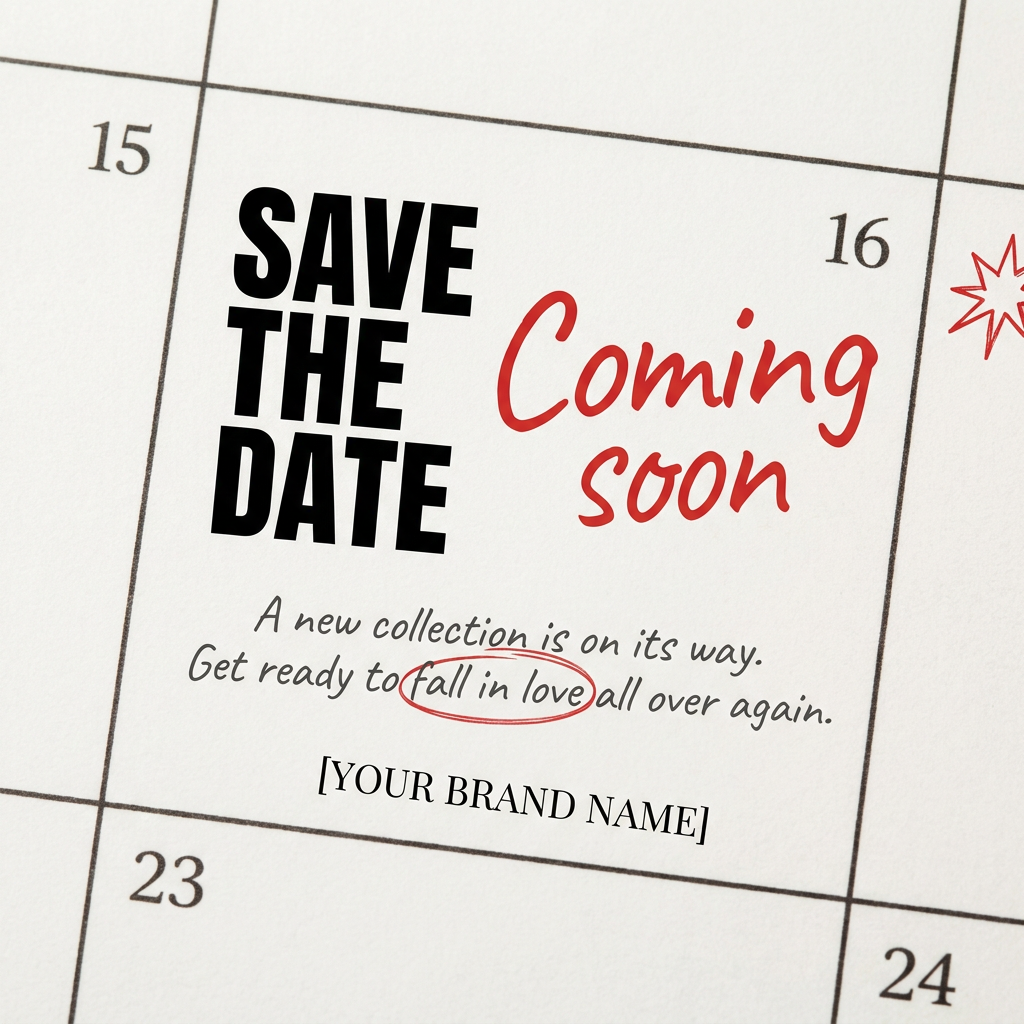
Turn your upcoming dates or launch schedule into a beautiful, tactile physical calendar. It renders crisp minimalist grids on heavy textured paper with realistic macro focus. Perfect for sharing events on social media without looking like a generic graphic.
Regenerate using your own assets.
Your workflow is your visual strategy
New features like Midjourney's Style Sculpt are exciting tools. But a tool is not a strategy. For brands and professionals, the goal isn't just to make content that looks consistent; it's to create a visual language that communicates ideas with intelligence and clarity. That requires more than a style reference—it requires a workflow.
By translating your business concepts into strong visual metaphors and executing them within a brand-aware system like MyUP, you build a scalable, strategic asset. You stop chasing aesthetics and start creating a unique visual identity for your ideas. This is how you produce content that not only looks like your brand but thinks like it, too.
