You’ve seen the YouTube tutorials trending this June. To create a half-decent AI coloring book, you need one tool for ideas, another like Midjourney to wrestle with prompts for clean line art, and a third to upscale for print. It’s a fragile, frustrating process that produces a folder of disconnected images, not a cohesive product.
What if you could do it all in one workflow? What if you could define a unique artistic style once, then generate 30, 50, or 100+ unique coloring pages that all look like they were drawn by the same artist, ready for Amazon KDP? That’s not a hack; it’s a professional production system. This guide will show you how to build it on MyUP.
Step 1: Find your niche and lock in a unique artistic style
A best-selling coloring book on Amazon isn't just a random collection of images; it has a point of view. Before you generate a single page, you need to make two decisions: your niche and your style. Are you creating a book of 'Enchanted Forest Creatures,' 'Gothic Victorian Houses,' or 'Minimalist Mandalas for Anxiety'?
Once you have a niche, the most critical step is defining a unique artistic style. This is what separates a professional-looking book from a generic AI dump. Your goal is consistency in line weight, detail level, and overall aesthetic. A customer should feel like they bought a book from a single, distinct artist.
This is where most creators get stuck, trying to force consistency with complex prompts. The professional approach is to define your style once and make it reusable. In MyUP, you do this by creating a Style Brandkit. You don't need to describe the style in words; you show it. Find or create a single reference image that perfectly captures the line art style you want for your entire book. Upload it to a new Brandkit in MyUP. This Brandkit now holds the visual DNA of your coloring book, ready to be applied to every page you generate.
Step 2: Generate 30+ pages with a style-locked workflow
With your Style Brandkit established, you can now move into mass production without sacrificing quality. Instead of generating pages one by one and hoping for the best, you'll use a workflow to produce the entire book's interior in a single batch.
In MyUP, you can set up a workflow that takes two inputs: your Style Brandkit and a simple list of subjects for your pages. For an 'Enchanted Forest' theme, your list might look like this:
- A wise old owl reading a book
- A fox with a crown of flowers
- A family of mushrooms with tiny doors and windows
- A deer with intricate patterns on its antlers
When you run the workflow, MyUP generates a unique coloring page for each item on your list. The critical difference is that every single image is forced to conform to the style reference you locked into your Brandkit. The result is 30+ pages that are thematically diverse but stylistically identical. The AI handles the heavy lifting of production; you simply provide the creative direction. This is how you scale from an idea to a full book in an afternoon.
Once your pages are ready, you'll want to think about launching your book. You can use the same style-locked approach to create promotional assets. This workflow helps you create posters and social media assets that match your book's aesthetic.
Workflow code: #myup-msop-hlxf
Retro Zine Style Event Poster

Give your social posts a gritty, analog zine aesthetic. It layers a crumpled paper texture and a subtle grid over a warm cream background to make any event graphic look like a tactile, photocopied flyer. Perfect for DIY gigs and bold promos.
Regenerate using your own assets.
Step 3: Curate your best pages and prepare for print
AI is your production engine, but you are the editor. Not every image generated will be perfect. The next step is to review the entire batch of coloring pages and select the strongest compositions. Look for clean lines, interesting subjects, and a good balance of intricate detail and open spaces for coloring.
This curation phase is where human control ensures a high-quality final product. You might generate 40 images to get 30 best-sellers. In MyUP, you can easily review, select, and discard images from your batch generation. Once you have your final set, the technical details of print-readiness become important.
Amazon KDP has specific requirements for print quality, typically demanding images at 300 DPI (dots per inch) to avoid pixelation. MyUP workflows can be configured to export high-resolution files suitable for print, so you don't need a separate upscaling tool. You're downloading files that are ready for formatting, not low-resolution web previews.
Step 4: Design a winning cover and format for Amazon KDP
The book cover is your most important piece of marketing. It needs to stand out as a tiny thumbnail on an Amazon search results page and clearly communicate the style and theme of the interior. The easiest way to ensure consistency is to use your Style Brandkit one last time to generate several cover concepts.
Pick one of your strongest interior subjects—like the 'wise old owl'—and generate a full-color version in the same line art style. This creates a powerful link between the cover and the content. You can use a design workflow in MyUP to quickly mock up cover layouts with titles and author information.
Workflow code: #myup-sacz-tjdn
Y2K Scrapbook Collage Creator
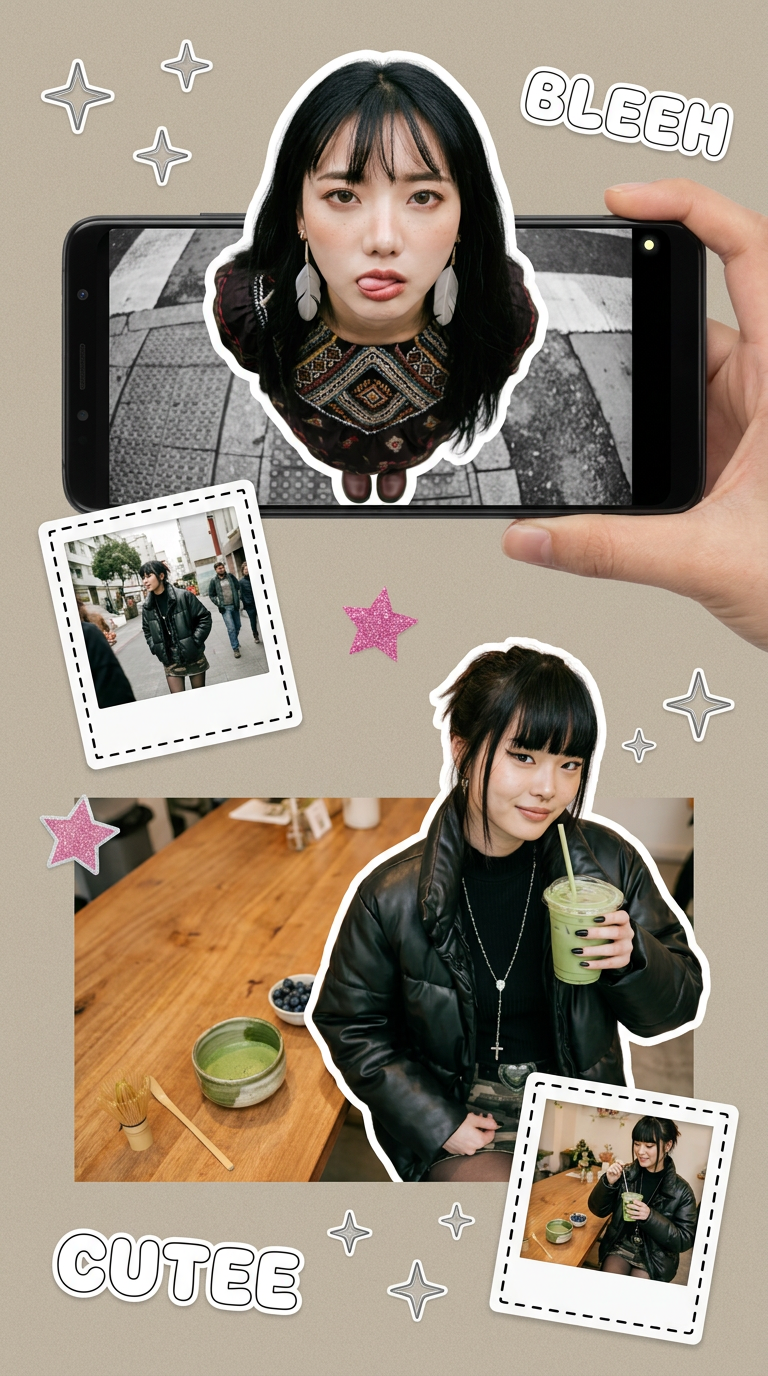
Put two different people into the same scene without losing their real-world features. Just upload two portraits and drop them together into any setting or style you need. It keeps both faces incredibly accurate.
Regenerate using your own assets.
Finally, you need to assemble your interior pages and cover into a print-ready PDF. Here’s a quick checklist for KDP formatting:
- Trim Size: The final dimensions of your book. A common size for coloring books is 8.5 x 11 inches.
- Bleed: If your images extend to the edge of the page, you must add a 'bleed' (typically 0.125 inches) to the outer edges to avoid white borders after printing.
- Resolution: All images, including the cover, must be at least 300 DPI.
- File Format: KDP requires a print-ready PDF for both the interior and the cover.
By following this workflow, you can ensure the file you upload to KDP is technically sound and professionally produced.
From random images to a real product
Chaining together different AI tools is a popular hack, but it's not a business model. It's slow, unreliable, and produces inconsistent results. A successful KDP creator builds systems, not just one-off products. MyUP provides that system by integrating style definition, batch production, and asset creation into a single, repeatable workflow.
You move from being a prompt operator to a creative director. You define the style, you curate the results, and you build a real asset that can generate passive income. Stop generating random pages and start building your publishing business.
