Your AI storyboards look flat. Here's the cinematic language you're missing.
You have a specific shot in your head: a tight, intimate portrait with a soft, out-of-focus background. You know it needs an 85mm lens at f/1.8. But when you ask an AI generator for a 'close-up portrait,' you get a flat, lifeless image that looks like it was shot on a phone. The emotion is gone. The cinematic quality is missing.
As of November 2026, filmmakers on Reddit and X are trying to solve this by 'hacking' prompts with technical terms like 'shot on 85mm lens.' Some tools, like Pika, have even released 'Virtual Lens Kits' this week, confirming the demand for more control. But these are either unreliable hacks or limited presets. They don't give you the full control of a Director of Photography.
This guide provides a practical production method for filmmakers to move beyond generic prompts and create precise, professional AI storyboards. We'll show you how to direct the AI with your creative intention, specifying the exact lens, aperture, and style to get the shot you're actually picturing. This isn't about prompt hacking; it's about using a platform built for finished creations, MyUP.ai, to turn your vision into a concrete pre-visualization.
Why 'close-up' isn't enough: thinking like a director of photography
In filmmaking, the choice of lens is a fundamental storytelling tool. A wide-angle 24mm lens can create a sense of scale or unease, distorting features up close. A standard 50mm lens offers a natural perspective similar to the human eye. A telephoto 85mm or 135mm lens compresses the background, isolates the subject, and creates a flattering, intimate portrait. This is called perspective compression, and it's a key ingredient of cinematic visuals.
Generic AI prompts like 'wide shot' or 'close-up' ignore this completely. They only understand framing, not the optical properties that shape a shot's emotional impact. To create effective storyboards, you need to think like a Director of Photography and communicate not just the framing, but the specific characteristics of the lens you intend to use.
Step 1: Pre-visualizing focal length and perspective
The first step to gaining control is specifying focal length. This directly influences the field of view and perspective distortion. Let's compare the traditional approach to the MyUP method.
- The Generic Way: A prompt like cinematic wide shot of a character in a city produces unpredictable results. The AI might generate a shot that feels like a telephoto lens from far away or a distorted wide-angle, but you have no control.
- The Prompt Hack: A more specific prompt like 24mm wide angle shot, character walking in a city, slight barrel distortion gives you a better chance but often requires dozens of re-rolls and still might not capture the right feeling.
- The MyUP Intention: On MyUP, you state your goal directly. For example: "I want a wide, establishing shot of my character in a futuristic city. Use a 24mm lens perspective to create a sense of scale and make the architecture feel imposing." MyUP handles the technical interpretation to deliver the finished storyboard frame.
This direct approach saves you the guesswork. To achieve a very specific shot, like a dramatic high-angle that uses perspective to create a powerful mood, you can use a ready-made creative process. For example, the Hyperrealistic High Angle Fashion Editorial (Template: #myup-lkxt-mwbw) is built to produce this exact aesthetic instantly.
Hyperrealistic High Angle Fashion Editorial
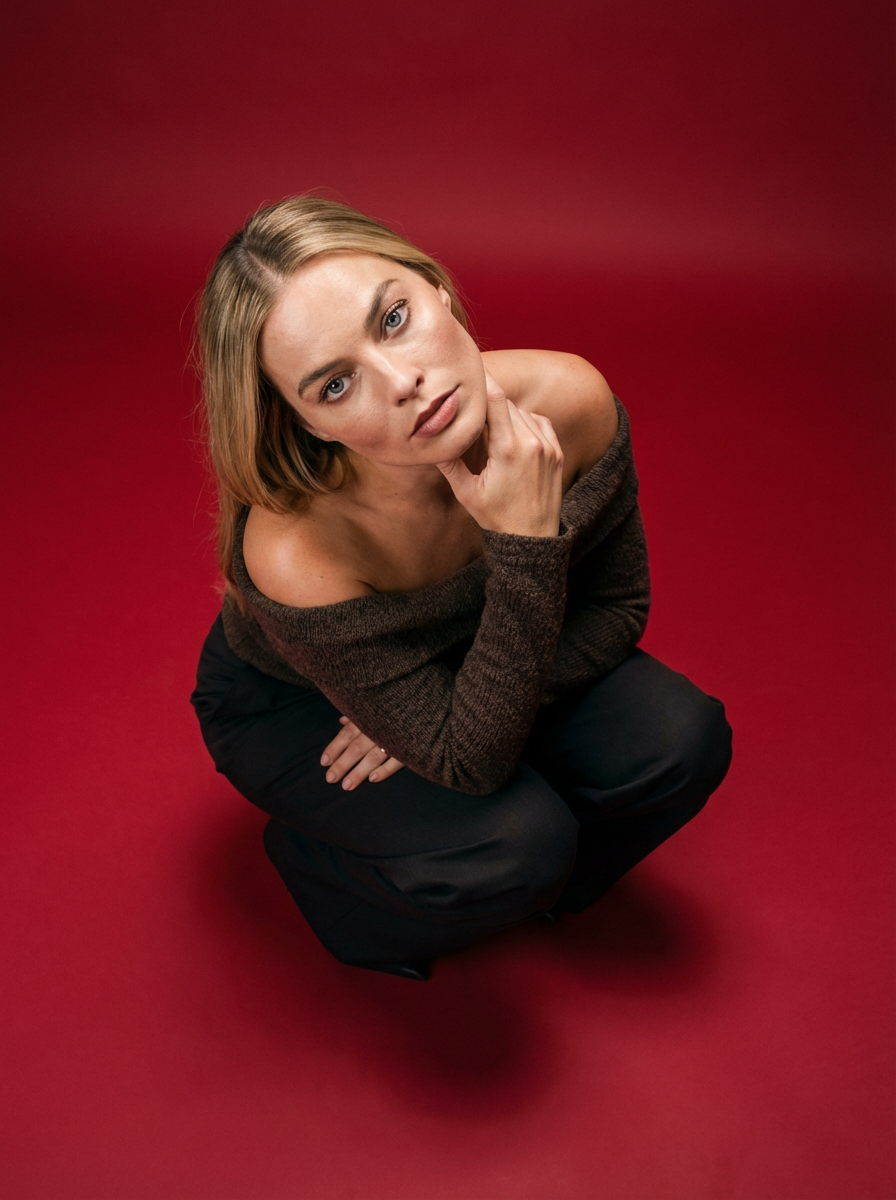
Frame your subject in a grounded, high-angle editorial style. This setup forces a compact, kneeling pose that brings out a raw and hyperrealistic fashion aesthetic, perfect for making any garment or accessory look sharp and intentional.
Regenerate using your own assets.
Step 2: Controlling depth of field for a professional look
A shallow depth of field (DoF), with its pleasing background blur (or 'bokeh'), is a hallmark of professional cinematography. It directs the viewer's eye and adds a layer of polish. Yet, many AI tools struggle to create it realistically, leading creators to use complex multi-step techniques to fake the effect in post-production.
You can skip that entire frustrating process by describing the aperture settings in your intention.
- The Bad Way: Prompting for a blurry background often results in an artificial, Gaussian-blur effect that looks cheap and fake.
- The Good Way: Specifying aperture helps. MCU portrait, f/1.8, shallow depth of field, creamy bokeh is much better. However, consistency is still an issue.
- The MyUP Intention: Describe the visual and emotional goal. "Create a hero shot of my skincare bottle on a marble countertop. The background should have a very shallow depth of field, like a macro lens at f/1.8, with soft, creamy bokeh that makes the product pop." MyUP's production platform is designed to interpret these professional instructions. It can generate entire scenes, from macro details to lifestyle shots, all with the correct optical properties, as demonstrated in the Luxury Skincare Product Ad Campaign (Template: #myup-vccl-cyv5). This is a core part of creating cinematic AI product commercials that convert.
Step 3: Emulating specific lens styles like anamorphic and broadcast
Beyond technical specs, you can pre-visualize specific, stylized lens aesthetics. The anamorphic lens look, famous for its horizontal lens flares and distinctive oval bokeh, is incredibly popular for achieving a premium, widescreen cinematic feel. Instead of trying to piece together keywords like 'JJ Abrams lens flare,' you can simply state your intent.
On MyUP, you would describe it: "A cinematic night shot of a car driving through the rain, captured with an anamorphic lens style. I want to see the characteristic horizontal lens flares from the headlights and oval-shaped bokeh from the city lights in the background."
This applies to any distinct visual style. If you wanted to replicate the look of a live sports broadcast, for instance, you wouldn't need to guess the lighting or camera settings. You could use a pre-built template like the Photorealistic Dodger Stadium Tv Broadcast Portrait (Template: #myup-jadz-vxcd) to instantly achieve that specific aesthetic. The key is to move from generating images to producing visuals with a clear stylistic goal. Mastering these styles is central to directing precise cinematic camera movements.
Photorealistic Dodger Stadium Tv Broadcast Portrait
Drop any face into a live sports broadcast with this setup. It handles the stadium lighting, crowd depth, and camera movement to make your subject look like they're sitting front row at a night game. The zoom feels just like a real TV feed finding someone in the stands.
Regenerate using your own assets.
Step 4: From single frames to a consistent animatic
Individual frames are useful, but a true storyboard or animatic requires a sequence of shots that are visually consistent. This is where most AI video tools fail, producing a distracting 'breathing' or 'warping' effect where the virtual focal length and camera position seem to shift randomly from frame to frame.
MyUP is designed to solve this by focusing on production, not just generation. When you create a sequence of shots, you do so within a MyUP Workspace. This Workspace saves your visual identity—your characters, color palette, and overall style—ensuring that every shot feels like it belongs to the same film. This method is crucial for maintaining consistent color across AI video scenes.
By defining your lens choices and character once, you can generate a full sequence: an establishing wide shot, a medium two-shot, and a tight over-the-shoulder, all with a consistent look and feel. The platform delivers a finished, cohesive creation, not just a collection of random images. This principle of a finished asset is visible in templates like Food Brand Poster (Template: #myup-tbky-nciq), which builds a complete, ready-to-publish poster from a single product image, handling all the layout and color coordination automatically. This approach allows you to create multi-shot AI video stories that are actually consistent.
Food Brand Poster
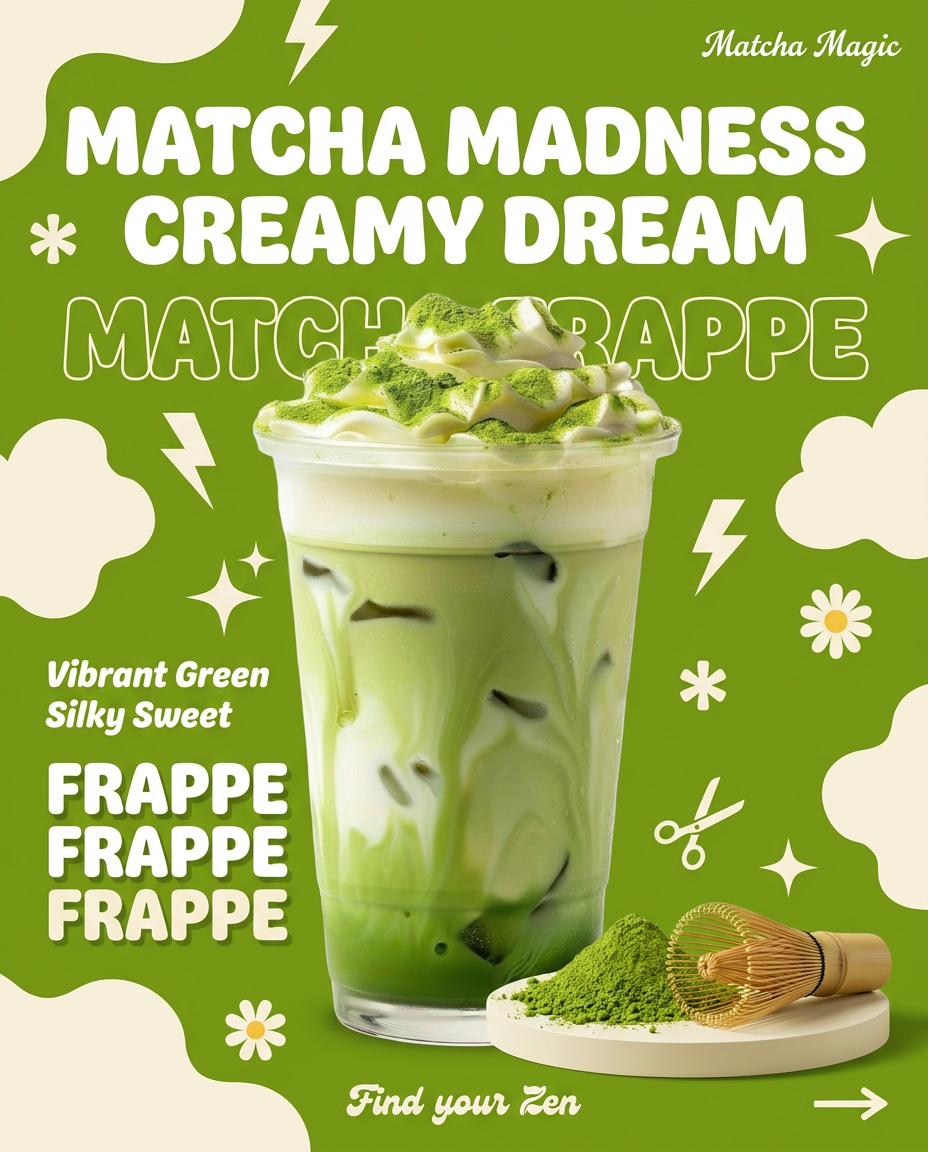
Instantly turn any food or drink product packaging into a bold, vibrant retro poster. The system automatically reads your bottle or box to grab its exact colors and ingredients, then crafts a perfectly coordinated vintage background around it.
Regenerate using your own assets.
Stop generating, start directing
The era of accepting whatever a generic AI model gives you is over. For professionals, control is not a luxury; it's a requirement. By speaking the language of cinematography—focal length, aperture, and lens style—you can move from being a prompter to being a director.
While other tools force you to navigate complex node systems like ComfyUI or settle for the limited presets of new features, MyUP provides a direct path from your creative intention to a finished storyboard. Describe the shot you see in your head, and let the Creative Production Platform handle the technical execution. Pre-visualize your next project with the precision it deserves.