
If you've experimented with AI to generate a social media avatar or profile picture, you've likely encountered the frustration: outputs that look either too generic, wildly inconsistent across platforms, or worse, fall squarely into the 'uncanny valley.' This isn't just an aesthetic problem; it's a brand problem. A recent viral discussion on X (June 26, 2026) highlighted widespread user frustration with these exact issues, underscoring the urgent need for a solution that delivers quality and brand adherence. Your online presence starts with your profile picture, and an off-brand avatar undermines your credibility and recognition. The good news? MyUP.ai offers a structured workflow to generate a suite of AI avatars that are perfectly consistent with your established brand identity, effortlessly and repeatedly.
The hidden cost of off-brand AI avatars and profile pictures
Inconsistent or generic AI visuals carry a real cost. When your profile picture on LinkedIn doesn't align with your brand's aesthetic on Instagram, or when AI-generated headshots for your team look subtly 'off,' you erode trust and dilute your professional image. This fragmentation forces your audience to work harder to recognize and connect with your brand, costing you engagement and potentially opportunities. The 'uncanny valley' effect, where AI-generated faces appear almost human but unsettlingly so, is another significant hurdle. As of June 26, 2026, many users are vocalizing their disappointment with tools that fail to produce truly professional and on-brand results, confirming that a consistent, high-quality visual identity isn't a 'nice-to-have' but a necessity.How MyUP's Brandkit ensures visual consistency for your AI avatars
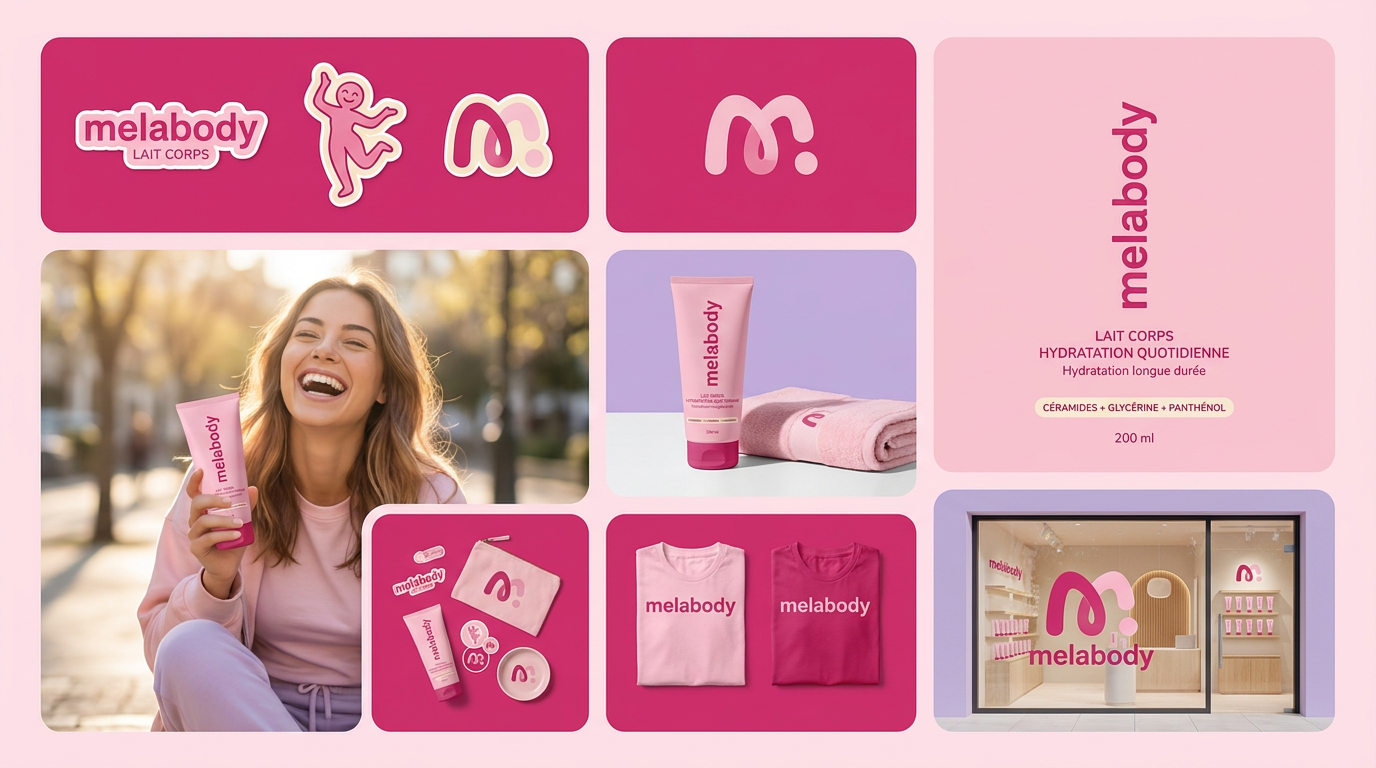
The foundation of consistent AI-generated avatars lies in a robust brand identity. MyUP.ai's Brandkit feature is designed precisely for this. Instead of starting from scratch with every new image, you build your Brandkit once by inputting your brand's core elements: specific colors, preferred fonts, logo variations, and an overall style guide or mood. MyUP then automatically applies these guidelines to every AI-generated output. This means your AI avatars will inherently reflect your brand's visual language, ensuring uniformity across all platforms. Whether you need a professional headshot, a stylized avatar, or a team photo, your Brandkit acts as the central control, guiding the AI to produce results that are unmistakably yours.Step 1: defining your avatar's core aesthetic with a brand template
To kickstart your branded avatar creation, begin by selecting a template within MyUP.ai that aligns with the general visual style you envision. These templates provide a structured starting point, pre-configuring many settings that influence the AI's output, from lighting and composition to overall artistic direction. This initial choice helps narrow down the vast possibilities of AI generation, making the process more manageable and focused on your brand's needs. For a foundational template that balances professionalism with a clean aesthetic, you can use the Product Post template. Workflow code: #myup-gxue-opd0. Once loaded, you can customize it further to suit the specific requirements of your avatar.Step 2: generating your initial AI avatar and refining the prompt for realism
With your template selected, the next step is to generate your initial AI avatar. This is where prompt engineering becomes crucial for achieving the desired facial features, expressions, and overall realism. MyUP.ai integrates with advanced models like Flux Pro and Stable Diffusion 3, which received significant updates on June 26, 2026, specifically improving character consistency and human face generation. This directly addresses the 'uncanny valley' problem by delivering more natural and lifelike results. Craft your prompt to describe the subject's appearance, expression, background, and desired mood. Experiment with variations, focusing on details like 'soft lighting,' 'professional attire,' or 'friendly smile' to guide the AI. Remember, MyUP executes, but you validate—review the initial generations and refine your prompt until you achieve an output that meets your quality standards. For more depth on achieving realistic results, see our guide on realistic AI headshots.Step 3: applying brand elements and maintaining consistency across variations
Once you have a satisfactory base avatar, MyUP.ai's Brandkit truly shines. The platform automatically overlays or integrates your predefined brand elements onto the AI-generated image. This could mean applying a specific color grade that matches your brand palette, incorporating a subtle texture, or ensuring the overall style aligns with your visual identity. The power here is in creating multiple variations—perhaps one for LinkedIn (more formal), one for Instagram (more casual), and another for a team member—all while maintaining a consistent core brand identity. MyUP ensures that even with stylistic adjustments, the underlying brand aesthetic remains coherent. For a polished, professional look, consider using the Photo Product Ad template as a stylistic guide for your avatar. Workflow code: #myup-seli-mtp0.Step 4: creating stylized or themed avatars with specific brand aesthetics
Beyond standard profile pictures, MyUP allows you to adapt your workflow for diverse brand moods or specific campaign needs. Perhaps you need a more illustrative, artistic avatar for a creative project, or a casual, approachable look for a community platform. By adjusting the template and prompt, while still leveraging your Brandkit, you can generate avatars that fit these specific aesthetics without losing brand recognition. This flexibility ensures your visual content remains fresh and relevant across all contexts. For a brand that emphasizes clothing or a specific lifestyle, the Brand Clothes Post template can provide an excellent starting point. Workflow code: #myup-3sro-edbt. If your brand has a clean, studio-focused aesthetic, the Studio Product Ad template offers a polished foundation. Workflow code: #myup-u4lt-o0ho. This allows you to scale your avatar production while maintaining creative control over the final output.Workflow code: #myup-aon6-zvop
Studio Product Ad
Turn any product photo into a cohesive brand moodboard. It automatically extracts the dominant color from your image to style the background, framing everything in a clean mosaic layout that perfectly matches your aesthetic.
Use for Free
Regenerate using your own assets.
Human control: validating and adjusting your AI-generated profile pictures
While MyUP.ai handles the heavy lifting of AI generation and brand application, human oversight remains paramount. The platform is designed for the user to validate and adjust outputs, not just accept them blindly. After each generation, review the avatars critically. Does it accurately represent your brand? Is the expression appropriate? Are there any subtle details that need tweaking? MyUP provides intuitive tools for minor adjustments, ensuring that the final image perfectly aligns with your brand standards and personal preferences. This iterative process, where MyUP executes and you refine, guarantees high-quality, on-brand results every time.Beyond avatars: scaling your on-brand visual content with MyUP
The principles applied to generating on-brand AI avatars extend across all your visual content needs. The same Brandkit and workflow methodology can be used to create consistent social media posts, marketing campaign visuals, product photography, and even consistent AI characters for narratives. MyUP.ai transforms your brand identity into an actionable framework for AI, enabling you to scale your content production significantly without compromising on visual coherence. This means less time spent on manual adjustments and more time focusing on creative strategy and engagement. Discover how MyUP can help you generate diverse, on-brand product scenes, maintaining consistency across all your visual assets.Conclusion: consistent brand identity, effortlessly generated
Generic and inconsistent AI avatars are a thing of the past. With MyUP.ai's powerful Brandkit and intuitive workflow, you can generate social media avatars and profile pictures that are not only high-quality and realistic but also perfectly aligned with your brand's unique visual identity. This approach saves time, ensures consistency, and elevates your online presence across every platform. Stop settling for off-brand outputs and start creating a cohesive, professional image that truly represents you or your business. Ready to transform your social media presence? Create an account on MyUP.ai today and explore our flexible pricing plans to get started.Conclusion: consistent brand identity, effortlessly generated
Generic and inconsistent AI avatars are a thing of the past. With MyUP.ai's powerful Brandkit and intuitive workflow, you can generate social media avatars and profile pictures that are not only high-quality and realistic but also perfectly aligned with your brand's unique visual identity. This approach saves time, ensures consistency, and elevates your online presence across every platform. Stop settling for off-brand outputs and start creating a cohesive, professional image that truly represents you or your business. Ready to transform your social media presence? Create an account on MyUP.ai today and explore our flexible pricing plans to get started.Tags:
