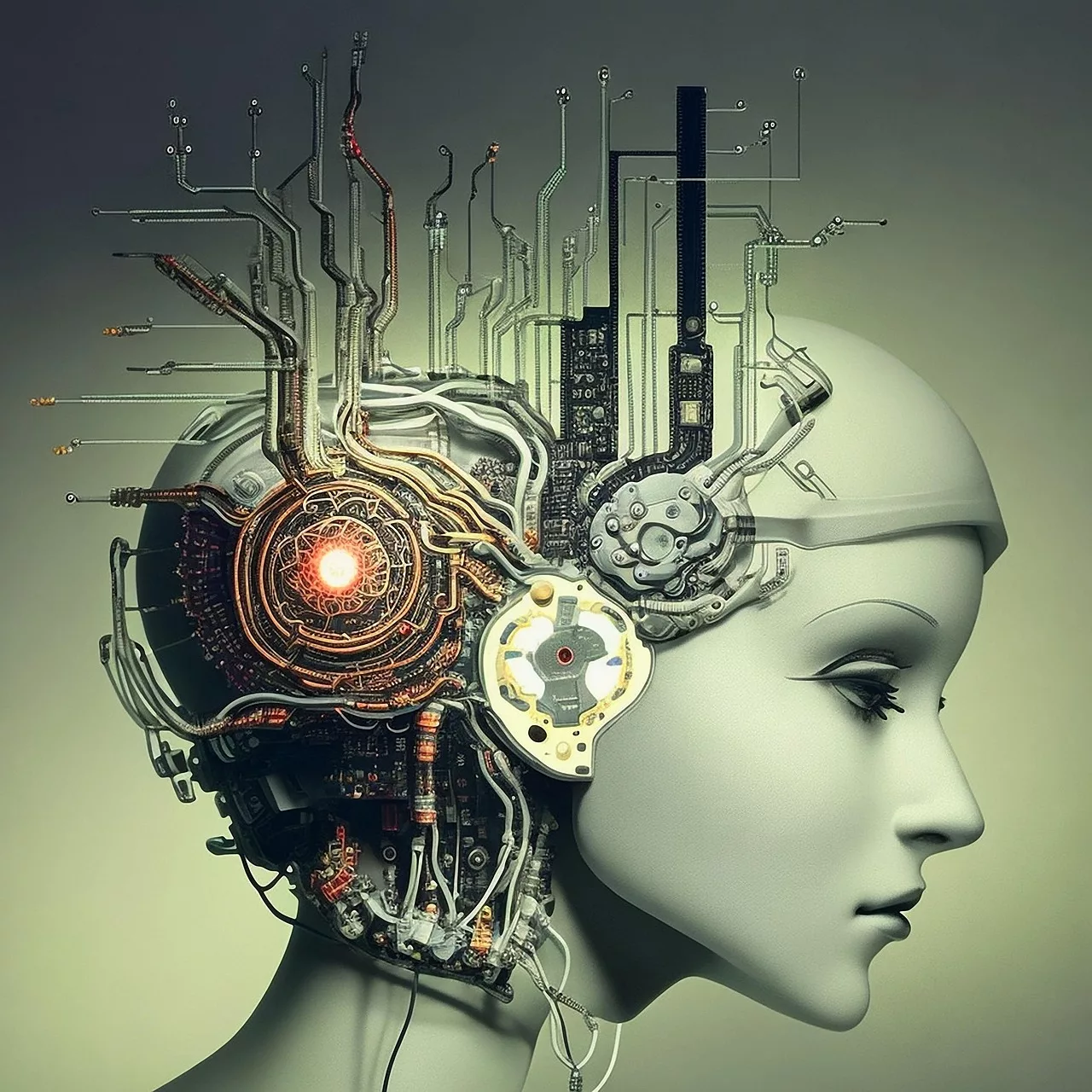
This isn't just about changing a background; it's about telling a richer story for your product in every context, from a minimalist studio shot to a vibrant outdoor lifestyle scene. The real cost of inconsistency is a diluted brand message and missed engagement. MyUP.ai directly addresses this, offering a streamlined workflow to generate diverse, on-brand product scenes with unparalleled consistency and efficiency. MyUP empowers you to build an entire virtual photography studio, ensuring your product always looks its best, no matter the environment.
Why traditional methods fall short for diverse scenes
Creating diverse product scenes through traditional photography is a resource-intensive endeavor. Each new scene demands scouting locations, hiring models, setting up lighting, and managing props – a process that quickly accumulates costs and time. For a single product needing variations for an e-commerce catalog, social media campaigns, and print ads, this can become an astronomical undertaking. Even with a large budget, ensuring visual consistency across all these disparate shoots, especially for subtle elements like lighting and mood, is a constant battle for creative teams.Generic AI tools offer a tempting alternative, promising endless variations with a simple prompt. However, they often fall short on consistency. You might get a 'beach scene' and a 'city street scene,' but the product's appearance, the brand's color palette, or the overall aesthetic can wildly diverge. The product might look different, the lighting might be inconsistent, or the text overlays might not match your brand's typography. This means more time spent in post-production, trying to manually align disparate AI outputs with your brand guidelines, defeating the purpose of speed and efficiency. The goal isn't just *more* content, but *more consistent, on-brand* content.
MyUP's Brandkit: Your foundation for consistent product scenes
The cornerstone of generating diverse, on-brand product scenes with MyUP.ai is the Brandkit. Unlike generic AI tools that require manual style references for every generation, MyUP's Brandkit centralizes your brand's visual identity. You build it once – defining your logo, color palettes, preferred fonts, and overall aesthetic style from a URL – and then reuse it automatically with every creative task. This means that whether you're generating a minimalist studio shot or a dynamic lifestyle image, your brand's core visual elements are consistently applied, ensuring immediate recognition and cohesion.This automated consistency is where MyUP truly differentiates itself. Imagine generating a product advertisement. Instead of painstakingly ensuring every element aligns with your brand, the Brandkit handles it for you. It's not just about applying a logo; it's about infusing the entire visual output with your brand's essence. This frees up your creative energy to focus on the narrative of the scene, rather than the mechanics of brand adherence.
To see this in action, you can start with a general product ad template that incorporates your Brandkit elements from the outset. Workflow code: #myup-fy77-jljs
Minimalist Elegant Product Advertising Poster

Turn any product shot into a high-end editorial ad. It places your item against a soft cream background with airy spacing and adds elegant, small serif typography at the top. Great for wellness or luxury brands wanting a calm, minimal aesthetic.
Regenerate using your own assets.
Workflow step 1: Preparing your product for diverse AI scenes
Before AI can place your product into diverse scenes, it needs a clean, high-quality reference image of the product itself. The better the initial input, the more realistic and versatile the AI output will be. This means ensuring your product image has a clear, well-defined silhouette, ideally on a neutral background. MyUP simplifies this preparation significantly. You simply upload your product image, and MyUP's AI tools can automatically handle the product isolation and background removal, providing a clean cutout ready for scene generation.This step is crucial because it separates the product from any existing environment, allowing the AI to integrate it seamlessly into new, diverse scenes. A precise cutout ensures that the product maintains its integrity and proportions, avoiding awkward edges or blurred details when placed against a new backdrop. It's about giving the AI the best possible 'raw material' to work with, ensuring the final composition looks natural and professional, rather than a clumsy paste-up.
Workflow step 2: Crafting diverse scene concepts with AI
With your product isolated and your Brandkit ready, the next step is to instruct MyUP's AI to generate the diverse scenes you envision. This is where creative prompt engineering comes into play. You're not just describing a background; you're painting a picture of an entire environment and atmosphere. Think about the story you want each scene to tell: is it a product in a sleek, modern apartment, or a rugged outdoor adventure? MyUP allows you to articulate these varied concepts with detailed prompts, guiding the AI to create distinct environments while keeping your product the central focus.For instance, you might prompt for a 'minimalist studio scene with soft, diffused lighting,' then for an 'urban street scene at dusk with neon reflections,' and finally for a 'vibrant outdoor picnic setting under natural sunlight.' MyUP's AI understands these nuanced descriptions, generating environments that are visually distinct yet perfectly frame your product. The key is to be descriptive about the mood, lighting, and elements of the scene, allowing the AI to build a rich, varied world around your consistent product image.
To explore different scene types, you can use templates designed for varied aesthetics. For a dynamic, eye-catching scene, try the Minimal Vibrant Product Advertising Poster workflow. Workflow code: #myup-zpby-tzie
Minimal Vibrant Product Advertising Poster

Drop in any product shot and watch it turn into a bold, high-energy square ad. It automatically reads your packaging to pull out the dominant colors and text, then builds a vibrant poster styled perfectly around your brand.
Regenerate using your own assets.
Workflow step 3: Ensuring photorealism and detail in complex environments
Achieving photorealism in AI-generated product scenes, especially with dynamic elements like realistic lighting, shadows, and reflections, has historically been a significant hurdle. A viral discussion on X, as of June 25, 2026, highlights the community's focus on mastering 'AI product photos with dynamic shadows and reflections' to make them indistinguishable from real photography. This is where MyUP's advanced models, such as Flux Pro and Flux Realism, come into play. These models are designed to understand complex scene descriptions and object interactions, allowing for highly nuanced and detailed product placements within intricate environments.When you generate a scene on MyUP, the platform goes beyond simply placing your product. It intelligently integrates it into the new environment, simulating how light would fall on it, how shadows would be cast by surrounding objects, and how reflections would appear on its surface. This iterative refinement process, often requiring slight adjustments to prompts or parameters, ensures that the product doesn't just sit *on* the scene, but truly lives *within* it. MyUP's human-in-the-loop control means you can validate and adjust these details, ensuring the final output meets your exact photorealistic standards.
For a realistic integration of your product into a specific environment, consider the Professional Sportswear Ad workflow. Workflow code: #myup-ywpr-rqz6
Professional Sportswear Ad

Suspends your apparel right in the center of a high-energy promo shot, held up by hands around the frame. It gives your shirts or jerseys a gritty, collaborative streetwear editorial look that feels alive and physical.
Regenerate using your own assets.
Workflow step 4: Scaling your diverse product photography with MyUP automation
The true power of MyUP.ai lies in its ability to scale your content production without compromising quality or consistency. Once you've perfected a scene concept and seen how your product integrates realistically, MyUP's workflow automation allows you to generate multiple variations rapidly. This means you can take a single product and generate dozens, even hundreds, of unique, on-brand scenes in a fraction of the time it would take with traditional methods or less integrated AI tools. The Brandkit ensures that all these outputs, no matter how diverse the scenes, maintain a unified visual identity.You can use templates and batch generation features to apply the same product and Brandkit across a series of distinct scene prompts. This is invaluable for e-commerce brands needing extensive product galleries, or marketing teams running A/B tests with varied visual creatives. MyUP acts as your virtual product photography studio, ready to produce high-volume, high-quality content on demand. This efficiency translates directly into cost savings and increased creative output, allowing you to tell richer, more varied stories for your products across all your marketing channels.
For example, if you're working with a product line like jewelry that benefits from diverse, elegant presentations, you can use the Jewerly Product Ad workflow to quickly generate multiple on-brand variations. Workflow code: #myup-qtty-nngw
Jewerly Product Ad
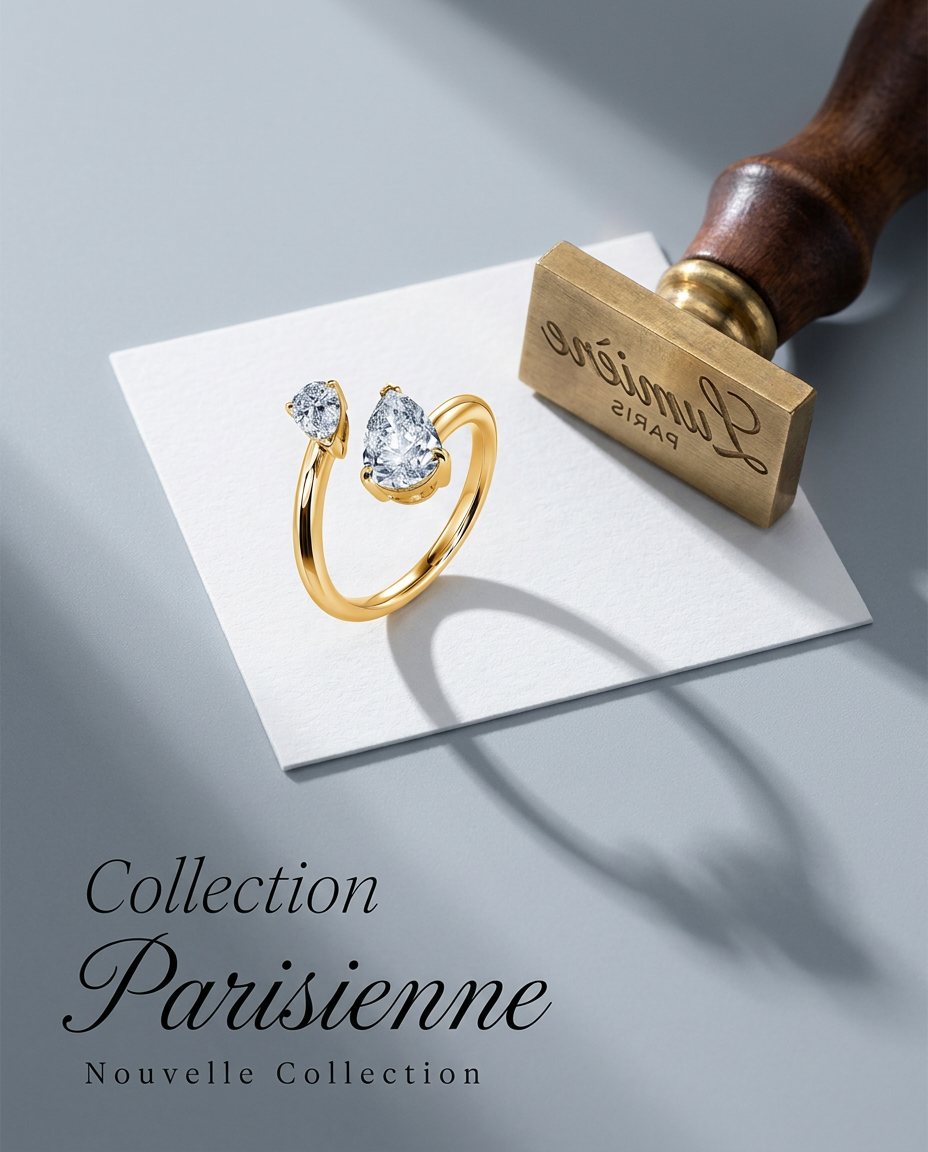
Turn any product into a high-end editorial shot. It drops your item into a clean, flat-lay setup with soft directional light and elegant long shadows against a cool matte gray background.
Regenerate using your own assets.
Beyond images: Extending diverse product visuals to video
The demand for diverse, on-brand visuals isn't limited to static images. As dynamic content dominates social feeds, the need for consistent product visuals in video is growing. The recent release of RunwayML's Gen-3 Alpha model on June 24, 2026, with its enhanced control over video generation and precise object placement, highlights the industry's push towards high-quality, realistic product shots in diverse, controlled video environments. MyUP extends the principles of consistent, diverse product visuals to video, allowing you to create dynamic product showcases that resonate with your audience.By leveraging the same Brandkit and product assets, you can transition from generating varied static scenes to producing short, engaging product videos. Imagine your product seamlessly moving through different on-brand environments, all while maintaining its visual integrity and your brand's aesthetic. MyUP's video capabilities enable you to animate your product within these diverse settings, offering another powerful avenue for telling compelling brand stories. Learn more about creating dynamic, on-brand video ads with MyUP in our article: Generate dynamic, on-brand AI short-form video ads: The workflow for consistent variations.
Your virtual product photography studio is here
The era of costly, time-consuming, and inconsistent product photography is over. MyUP.ai provides a comprehensive platform that transforms how you generate product visuals, offering the speed and scale of AI without sacrificing the critical element of brand consistency. From preparing your product to crafting diverse, photorealistic scenes and scaling your output, MyUP streamlines every step.With MyUP, you gain a virtual photography studio at your fingertips, capable of producing an endless array of on-brand product images and even videos. You control the narrative, approve the vision, and MyUP handles the intricate production, ensuring every visual asset tells a cohesive and compelling story. Stop struggling with disparate tools and embrace a unified workflow for all your product content needs. Try MyUP.ai today and unlock the full potential of diverse, on-brand AI product photography.
