
Running a global campaign used to mean a painful choice: stay consistent and risk being irrelevant, or localize and watch your budget evaporate into endless agency fees and versioning requests. For years, the production reality of creating ten different, on-brand ads for ten markets was a nightmare of transcreation, reshoots, and brand governance headaches. The tools simply couldn't keep up.
That has fundamentally changed. As of July 2026, two critical breakthroughs have made true, scalable visual localization possible. First, the launch of models like Polyglot-Image finally solved the problem of generating coherent, multilingual text inside images. Second, the release of commercially safe, licensed AI image tools from providers like Getty Images has addressed the critical need for authentic, diverse representation without legal risk. The tech is here. But raw technology doesn't solve the production problem. Generating one-off images in Midjourney or Firefly is easy; generating 50 brand-compliant variations isn't. For that, you need a workflow.
This guide provides that workflow. We'll show you how to stop creating ten campaigns and start managing one intelligent master template in MyUP.ai that does the heavy lifting for you.
Step 1: Build your master template (the 90% you won't change)
The foundation of scalable localization is identifying what doesn't change. Your logo, brand colors, primary font, product placement, and overall composition are the constants that ensure global brand recognition. Before you even think about generating a single variation, you must lock these elements in.
This is where a MyUP Brandkit becomes your single source of truth. Instead of manually adding your logo or checking hex codes for every ad, you build your visual identity once. Upload your logo, define your color palette, set your fonts, and even provide a core product image. MyUP saves this as your Brandkit.
From this point on, every asset you create within your localization workflow will automatically inherit these properties. The Brandkit acts as a set of guardrails, ensuring that no matter how much the visual context changes—from a model in Tokyo to a background in Berlin—the core of your brand remains perfectly consistent. This isn't just about saving time; it's about enforcing brand governance at scale, eliminating the risk of rogue fonts or off-brand colors slipping through.
Step 2: Localize the human element with a single prompt variable
With your brand foundation secure, the next step is to localize the most important element: the people. True connection happens when your audience sees themselves in your advertising. A generic stock model won't resonate in every market. You need authentic representation.
In MyUP, you achieve this not by creating ten different prompts, but by building one smart workflow with a variable. A variable is a placeholder in your master prompt that you can change each time you run the workflow. Instead of writing a fixed prompt, you write something like:
"A photograph of [model_description] happily using our product."
When you run the workflow, MyUP will ask you what `[model_description]` should be. This allows you to generate endless variations from the same core instruction:
- For your German campaign: "a German woman in her 20s with blonde hair"
- For your Brazilian campaign: "a Brazilian man in his 40s with a warm smile"
- For your Korean campaign: "a stylish South Korean woman in her early 30s"
The MyUP workflow executes the production, generating a high-quality, on-brand image for each input. You, the user, simply validate the results. This model transforms a complex, multi-day design task into a simple, repeatable process that anyone on your team can run.
Your starting point for a global product campaign
You don't have to build this structure from scratch. You can load a pre-built workflow to see exactly how variables work. This template for sportswear is designed for localization, with placeholders for the model and setting, while keeping the product front and center.
Workflow code: #myup-ywpr-rqz6
Professional Sportswear Ad

Suspends your apparel right in the center of a high-energy promo shot, held up by hands around the frame. It gives your shirts or jerseys a gritty, collaborative streetwear editorial look that feels alive and physical.
Regenerate using your own assets.
Step 3: Swap the background to create local context
People are only half the story. The environment provides the cultural context that makes an ad feel truly local. A scene in a Parisian cafe feels different from one on a bustling street in Seoul. Just like with the human element, you can control this with another variable in your MyUP workflow.
Your master prompt can be expanded to include a placeholder for the setting:
"A photograph of [model_description] happily using our product in [location_context]."
Now you can combine variables to create hyper-specific, localized creative at scale:
- Input 1: `[model_description]` = "a Japanese woman in her 20s", `[location_context]` = "a minimalist cafe in Shibuya, Tokyo"
- Input 2: `[model_description]` = "an Italian man in his 30s", `[location_context]` = "a sun-drenched piazza in Rome"
Your Brandkit ensures the product, logo, and colors remain identical across all versions. You're not just translating; you're visually transcreating, placing your globally consistent brand into a locally relevant world. This modular approach is the key to producing dozens of market-ready assets from a single, manageable workflow.
An example workflow for luxury and editorial styles
This localization technique isn't limited to one aesthetic. The same principle of using variables within a locked-in brand style applies to high-fashion, beauty, and luxury goods. This workflow for an editorial product shot shows how you can swap out floral elements or background textures to match seasonal or regional campaigns while maintaining a consistent, high-end feel.
Workflow code: #myup-5q78-bln0
Luxury Floral Product Editorial
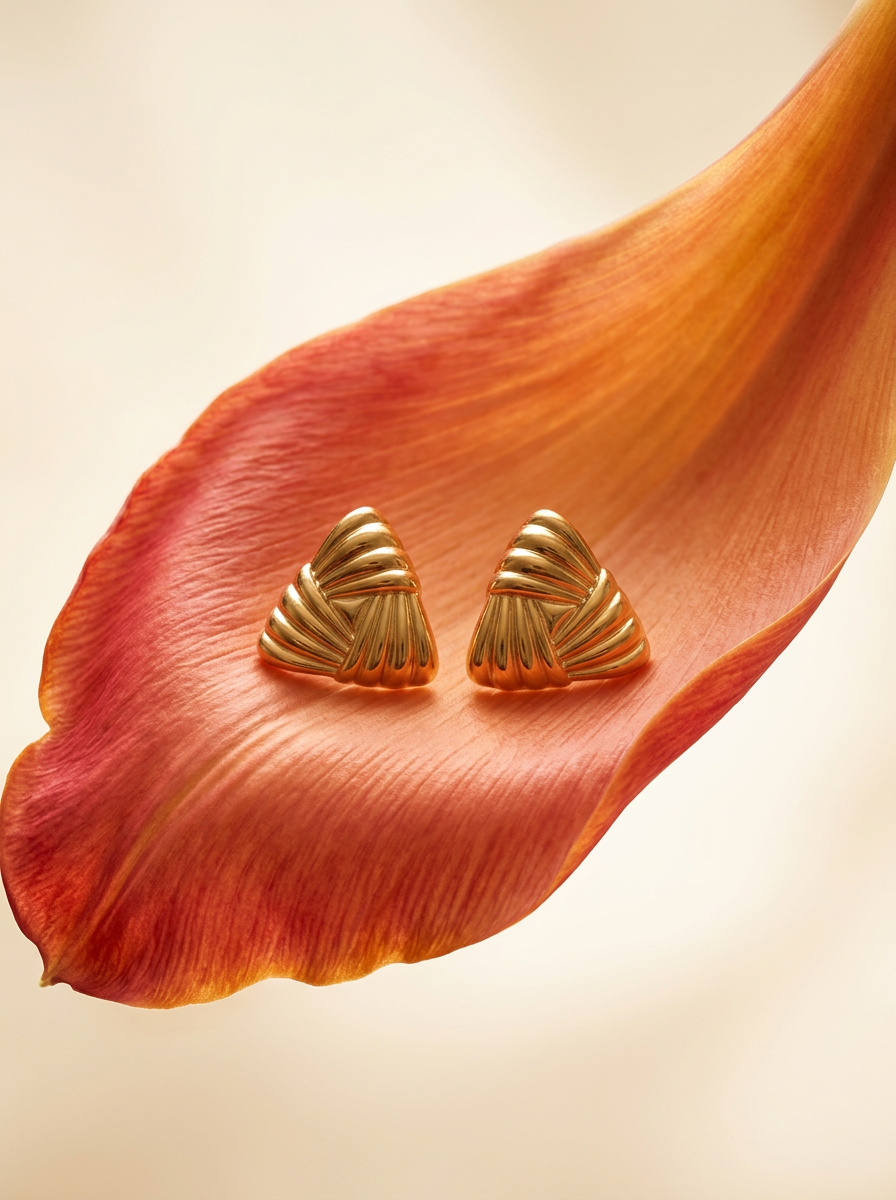
Place any product in an ultra-minimalist, warm studio space. It wraps your item in a seamless cream and beige backdrop with a super soft bokeh that melts away, making the details pop. It’s perfect for giving goods a clean, high-end look.
Regenerate using your own assets.
The final piece: Adding perfect, localized text to your images
For years, the biggest failure of AI image generation for marketing was text. Models would produce garbled, nonsensical characters, making it impossible to create a finished ad with a headline or call-to-action directly in the image. This meant every AI-generated visual still required a final, manual step in a design tool to add text overlays.
The release of new models like Polyglot-Image in July 2026 has finally solved this. These models can render crisp, legible text in multiple languages, from English to Japanese to Arabic. This is the last piece of the puzzle for true end-to-end localization.
Within your MyUP workflow, you can now add a final step that layers your localized headline onto your localized image. By adding a variable for `[headline_text]`, you can generate a complete, market-ready ad that is visually and textually perfect for each region, all from one automated process. This eliminates the final manual bottleneck, turning your workflow into a true creative production engine.
From 10 campaigns to one workflow
The old way of localizing ad creative involved ten project briefs, ten timelines, and ten separate approval chains, creating massive overhead and endless opportunities for brand dilution. The new way is radically different. It involves one brand manager overseeing a single, intelligent workflow in MyUP.
By building a master template with a locked-in Brandkit and smart variables, you empower your global teams to generate locally relevant creative on demand, without ever compromising brand integrity. This is how you move from being a reactive design service to a proactive growth engine. AI isn't just a tool for making single images; when structured in a platform like MyUP, it's a system for scaling your brand's voice across the globe, consistently and affordably.
