
On June 29, 2026, Adobe rolled out Product Studio, a new feature in its Firefly suite designed to generate e-commerce images. It’s a significant move that confirms what every online store owner already knows: the demand for high-quality, varied product photography is insatiable, and AI is the only scalable way to meet it.
The tool is a good start. You upload a photo, type a prompt, and get a new scene. But for any serious brand, this one-off approach creates a deeper problem: inconsistency. Your product photos aren't just isolated images; they are your digital storefront, and they need to feel cohesive. Generating images one by one in a creative playground leads to a catalog that looks disjointed, with shifting light, clashing styles, and an off-brand feel.
Your brand is a system, not a single task. The professional approach isn't a better photo tool; it's a better workflow. Here’s how to build a virtual photo studio in MyUP that turns one product photo into an endless, on-brand content engine.
The 4-step workflow for your virtual photo studio
Instead of treating each product shot as a new project, this workflow builds a repeatable system. You define your brand's visual identity once, then use automated templates to produce entire sets of images—from clean catalog shots to ambitious lifestyle campaigns. The goal is to move from generating single images to producing a consistent brand experience.
This process has four core steps, all executed within the MyUP platform:
- Create your foundation with a Brandkit: Define your brand's unique visual DNA—lighting, colors, textures, and mood.
- Generate clean, professional studio shots: Produce the essential, high-quality images for your product pages.
- Create on-brand lifestyle and campaign images: Place your product in compelling, context-rich scenes that tell a story.
- Solve for realism and tricky products: Dial in photorealism for difficult subjects like liquids, transparent materials, and reflective surfaces.
Step 1: Create your foundation with a Brandkit
The biggest failure of most AI product photo tools is that they start with the prompt. The professional workflow starts with the brand. Before you generate a single image, you need to define the rules of your visual world. In MyUP, this is done with a Brandkit.
Your Brandkit is a central hub for your visual identity. It stores your logos, color palettes, and fonts, but its real power for product photography comes from defining your brand's aesthetic. Here, you can specify keywords that control the fundamental elements of your images:
- Lighting Style: Is your brand known for "soft, natural morning light," or "dramatic, high-contrast studio lighting"?
- Environment & Texture: Do your products appear on a "polished concrete surface," against a "minimalist pastel background," or with "raw, organic elements like stone and wood"?
- Mood & Tone: Are your images "serene and calming," "energetic and vibrant," or "luxurious and sophisticated"?
By defining these elements once in your Brandkit, you ensure every subsequent image generated on MyUP inherits this DNA. MyUP applies these rules automatically, so you're not trying to remember and re-type complex prompts for every shot. This solves the consistency problem before it even starts.
Step 2: Generate clean, professional studio shots
Every e-commerce store, from Shopify to Amazon, needs clean, consistent studio shots. These are the workhorses of your catalog: your product, perfectly lit, against a simple background. They need to be sharp, accurate, and uniform across your entire product line.
Doing this manually with AI can be tedious. You have to ensure the lighting, shadows, and angles are identical for dozens of products. With a Brandkit-powered workflow in MyUP, this becomes an automated task. You upload your source image (a simple photo of your product, even one from a smartphone), and the platform isolates it and places it into a scene governed by your Brandkit's rules.
MyUP handles the production; you validate the results. You can quickly generate multiple options, approve the best ones, and move on. To get started immediately, the Studio Product Ad workflow is pre-configured for this exact task.
Workflow code: #myup-u4lt-o0ho
Studio Product Ad

Drop in a single product photo to instantly build a cohesive visual identity. It automatically samples your item's dominant colors to generate a beautifully matched mosaic moodboard, giving your brand an instant, polished aesthetic.
Regenerate using your own assets.
Workflow code: #myup-aon6-zvop
Studio Product Ad
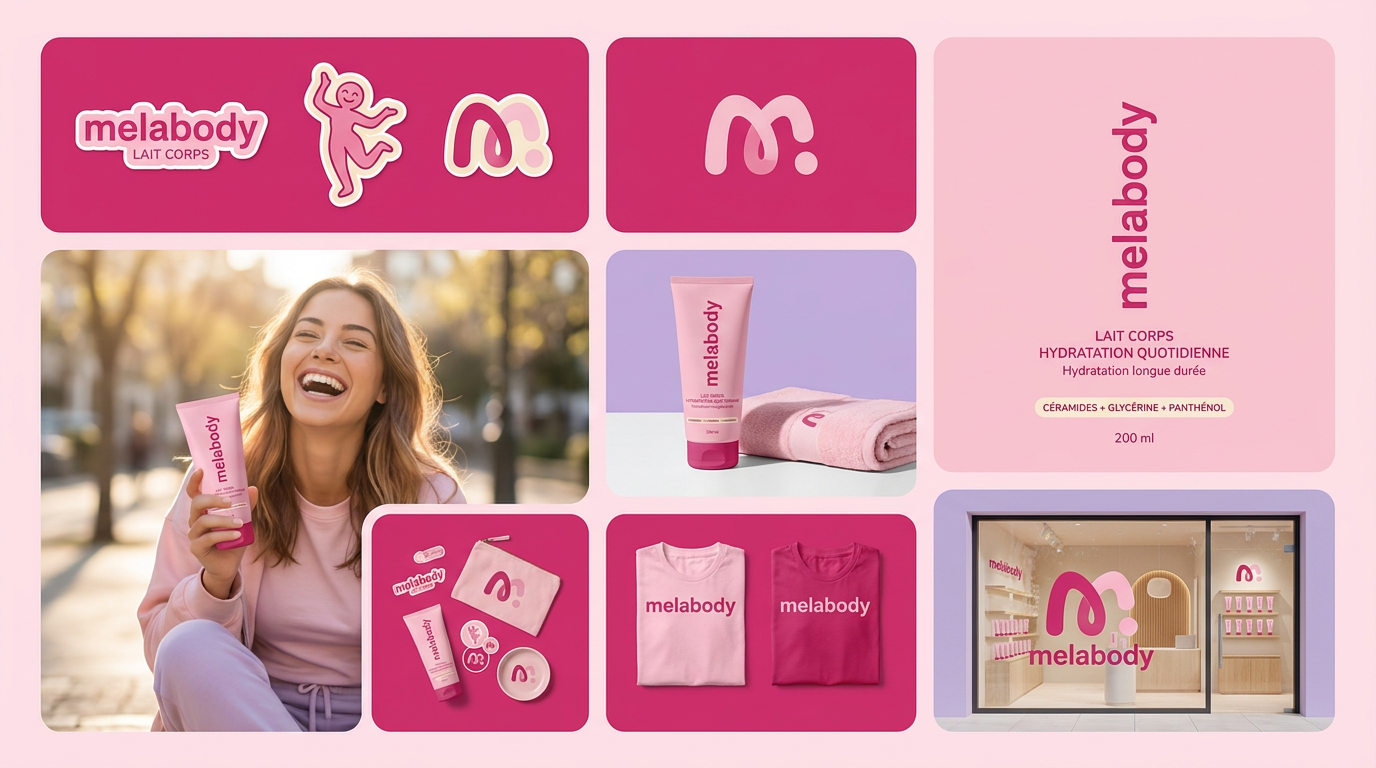
Turn any product photo into a cohesive brand moodboard. It automatically extracts the dominant color from your image to style the background, framing everything in a clean mosaic layout that perfectly matches your aesthetic.
Regenerate using your own assets.
Step 3: Create on-brand lifestyle and campaign images
Studio shots sell the product, but lifestyle images sell the story. This is where you show your product in use, creating an emotional connection with the customer. This is also where one-off AI tools introduce the most inconsistency. A product placed on a marble countertop in one shot and a rustic wooden table in the next can confuse your brand's identity.
Using your MyUP Brandkit, you can generate an entire campaign's worth of lifestyle images that feel like they were shot on the same day by the same photographer. Because your core aesthetic—lighting, textures, mood—is already defined, you can focus your prompts on the scene itself, knowing the output will be on-brand.
For example, you can take your skincare bottle and generate images of it:
- On a bathroom vanity next to a plush towel and a green plant.
- Resting on a stack of books on a sunlit bedside table.
- Arranged with other products from your line on a clean, minimalist shelf.
Each image will be different, but they will all share the same lighting quality, color theory, and overall mood defined in your Brandkit. The following workflow is perfect for creating elegant, minimalist scenes that put the focus on your product's story.
Workflow code: #myup-fy77-jljs
Minimalist Elegant Product Advertising Poster

Turn any product shot into a high-end editorial ad. It places your item against a soft cream background with airy spacing and adds elegant, small serif typography at the top. Great for wellness or luxury brands wanting a calm, minimal aesthetic.
Regenerate using your own assets.
Step 4: Solve for realism and tricky products
Achieving true photorealism is the final hurdle for professional AI product photography. This is especially true for products with challenging materials like glass, liquids, or reflective metals. Community workarounds on X and Reddit often involve complex multi-step processes with 3D models or advanced ControlNet setups—far too slow for a busy brand.
A workflow-based platform like MyUP simplifies this. By using specialized templates and advanced models like Flux, you can generate high-fidelity images without becoming a technical expert. These workflows are pre-tuned to handle the physics of light, reflection, and transparency.
Need to show the condensation on a cold beverage can? There’s a workflow for that. Need to capture the intricate facets of a diamond ring without it looking like a plastic toy? There's a workflow for that, too.
These templates provide the technical foundation, while your Brandkit ensures the final image matches your aesthetic. The user approves and adjusts; MyUP handles the complex production. For example, you can use these specific workflows to get high-quality results for drinks and jewelry.
Workflow code: #myup-cqnu-i50m
Drink Product Ad
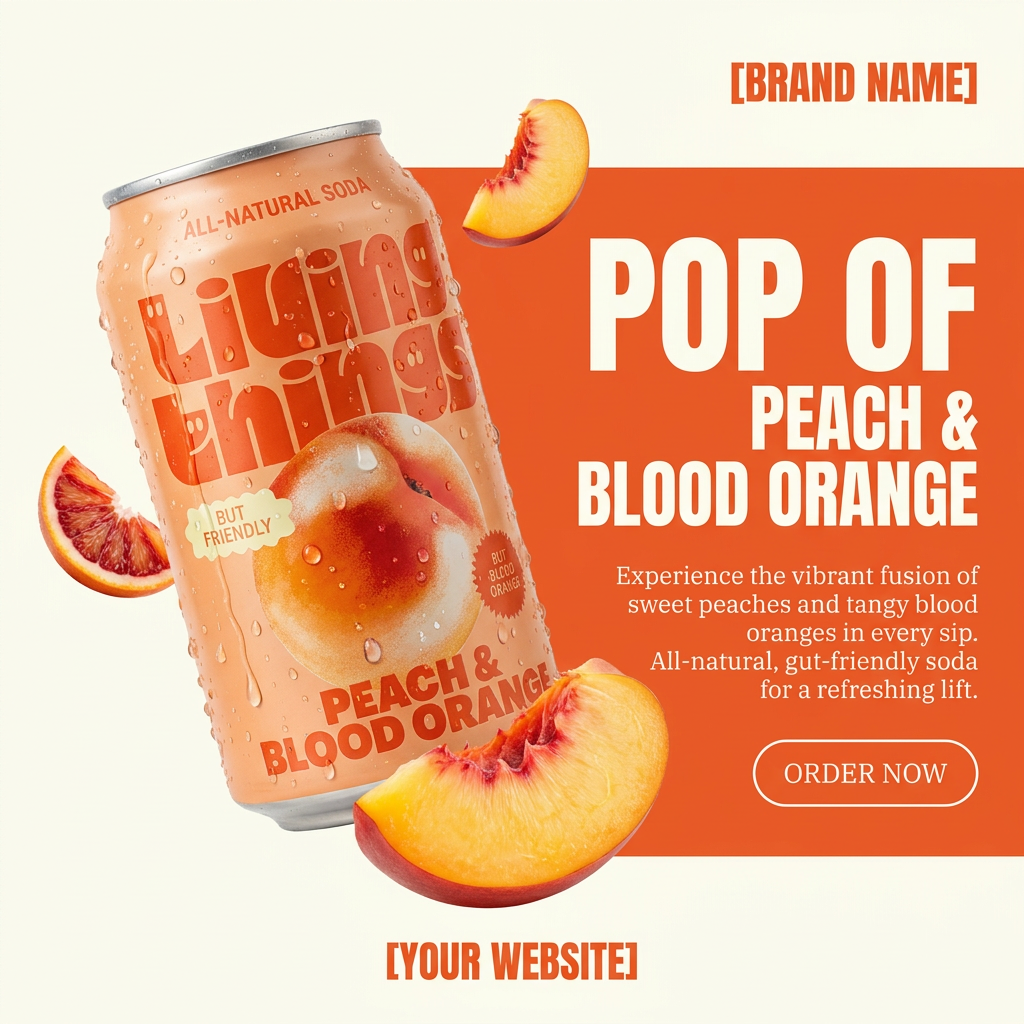
Turn any product photo into a bold, modern ad poster. It automatically frames your item against a split-color background, pairing a clean cream tone with a solid block of your product's dominant color. Super clean, minimal, and ready for social feeds.
Regenerate using your own assets.
Workflow code: #myup-qtty-nngw
Jewerly Product Ad
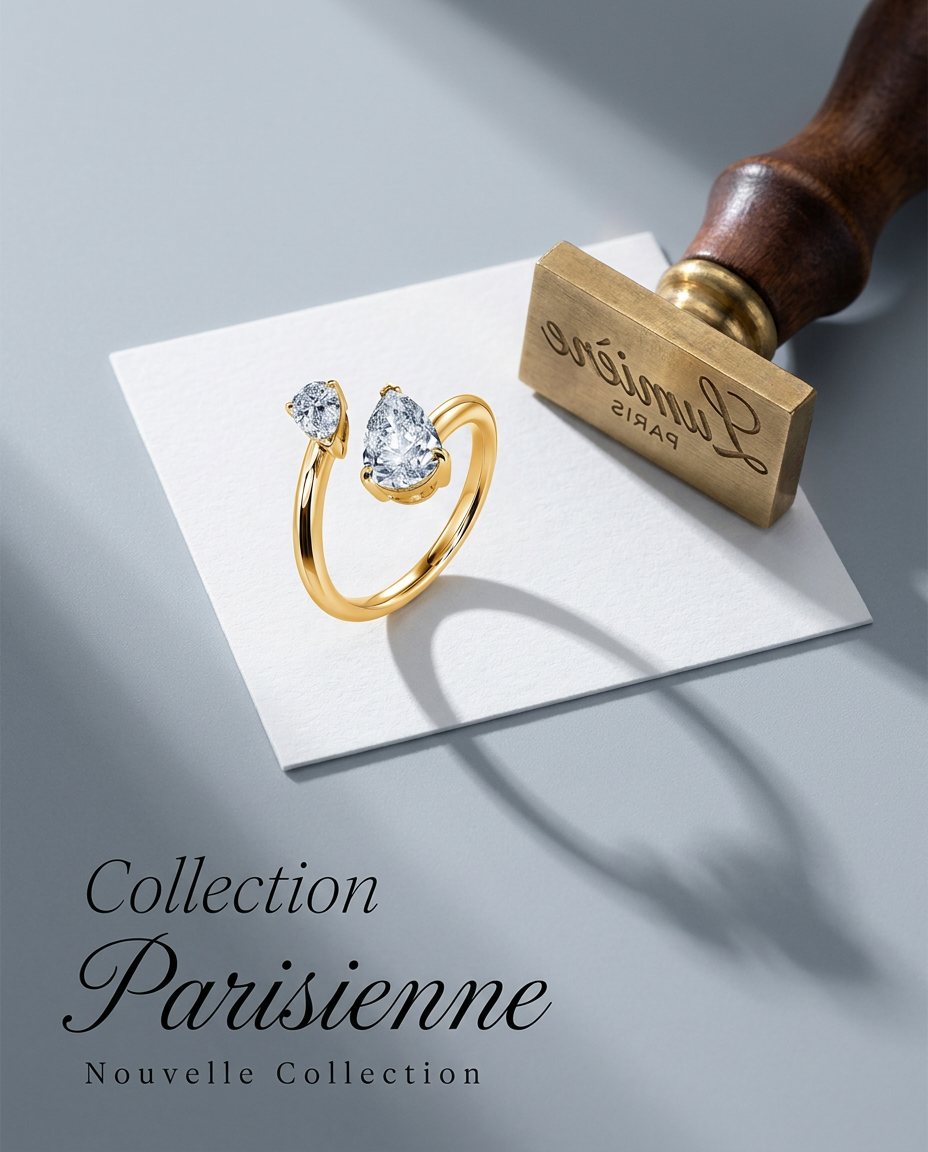
Turn any product into a high-end editorial shot. It drops your item into a clean, flat-lay setup with soft directional light and elegant long shadows against a cool matte gray background.
Regenerate using your own assets.
Why a brand workflow is better than a photo tool
Tools like Adobe's Product Studio are useful for a single task: placing a product in a new background. But running a brand isn't a single task. It's about building a consistent, recognizable, and scalable visual system.
A one-off generator forces you to be the brand guardian for every single creation. You have to remember the exact lighting prompt, the right hexadecimal color codes, and the negative keywords needed to avoid that weird AI gloss. It's exhausting and unsustainable.
A workflow platform like MyUP builds that guardianship into the system itself. Your Brandkit acts as the source of truth, and automated templates execute on it flawlessly every time. This frees you up to focus on creative direction, not repetitive technical prompting. It’s the difference between being a digital laborer and a creative director. You can explore your options on the MyUP pricing page and see how a workflow-based system can replace your content production bottlenecks.
