
If you're a creator or marketer, you've felt it. That sinking feeling when the AI thumbnail you spent time prompting looks... exactly like dozens of others. It has the tell-tale 'AI look': the slightly-too-smooth skin, the perfectly even lighting, the generic composition. It's a problem creators across platforms are discussing right now in September 2026—audiences are developing 'AI fatigue' and tuning out visuals that feel low-effort and inauthentic.
The good news is, you don't have to be at the mercy of the algorithm's default style. This guide provides a practical, step-by-step method to break free from the generic look and produce AI thumbnails that are unique, hand-finished, and unmistakably yours.
Why your AI thumbnails look like everyone else's
You’ve seen them. The AI-generated thumbnails with the same glossy sheen, the same overly perfect lighting, and the same vacant expressions. As of September 2026, creators everywhere are talking about 'AI fatigue'—the audience's growing ability to spot, and ignore, generic AI content. Your frustration is valid. When every image looks like it came from the same machine, your brand's unique voice gets lost in the noise.
The problem isn't the tool; it's the process. Relying on a single prompt to deliver a finished, unique thumbnail is a lottery. You're fighting against models trained on similar massive datasets, which naturally leads to a certain 'sameness.' But there is a reliable method to break free from this generic look, one that doesn't require you to become a prompt engineer or master ten different complex programs. It’s about moving from a one-shot generation to a deliberate creative production process.
A 3-step method for creating truly unique thumbnails
The key to escaping the generic trap is to stop thinking about a single magic prompt and start thinking in layers. We call this the Layered Creation Method. Instead of asking the AI to create a finished scene in one go, you guide it through distinct production steps, maintaining creative control at each stage. This is how professional studios work, and it's the secret to achieving a truly custom, hand-finished result.
This method breaks down the creation into three simple steps:
- Step 1: Generate a compelling core subject.
- Step 2: Craft a unique atmosphere and background.
- Step 3: Unify with organic textures and a 'human touch'.
On MyUP, you don't need to juggle different tools for this. You simply state your intention for each step, and the platform handles the technical execution from A to Z.
Step 1: Generate a compelling core subject
Your thumbnail's first job is to grab attention with a strong focal point. Trying to generate a character, a background, and perfect lighting all at once often leads to a cluttered, compromised image. Instead, focus your first step exclusively on the main subject—be it a person, a character, or a product.
Describe the specific pose, expression, and composition you want. Your intention should be singular: 'a close-up portrait of a thoughtful engineer looking at a blueprint,' not 'an engineer in a busy workshop with dramatic lighting.' By isolating the subject, you get a much stronger and more detailed result. For example, you can use a creative template designed specifically for creating a powerful subject with a distinct style.
Template: #myup-lkxt-mwbw
Hyperrealistic High Angle Fashion Editorial
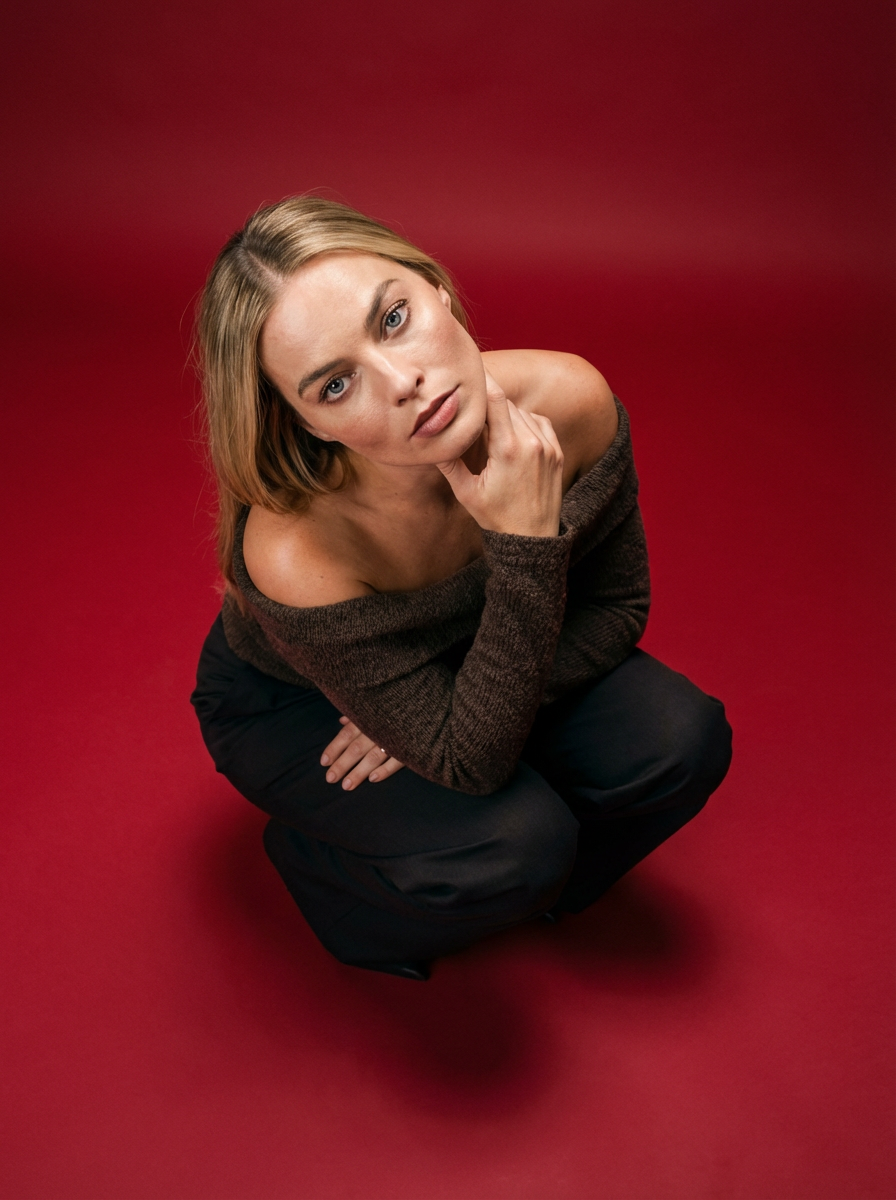
Frame your subject in a grounded, high-angle editorial style. This setup forces a compact, kneeling pose that brings out a raw and hyperrealistic fashion aesthetic, perfect for making any garment or accessory look sharp and intentional.
Regenerate using your own assets.
Step 2: Craft a unique atmosphere and background
With a powerful subject generated, the next step is to build the world around it. Generating the background separately gives you complete control over the mood and style. Do you want a soft, out-of-focus bokeh, a gritty urban alley, or a clean, minimalist studio? This is where you define that atmosphere.
This two-step process avoids the common AI pitfall of a subject looking 'pasted onto' a generic background. Instead, you're building a cohesive scene, layer by layer. For a sophisticated, non-generic look, you can lean on templates created by top designers that are built to produce a specific high-end aesthetic, instantly giving your thumbnail a professional, editorial feel.
Template: #myup-yk1h-uqy8
High-End Editorial Fashion Magazine Cover

Drop in any portrait and turn it into a high-end editorial magazine cover. It frames your subject beautifully with relaxed, high-fashion posing and soft styling for a polished print aesthetic.
Regenerate using your own assets.
Step 3: Unify with a 'human touch' and organic textures
This final production step is what truly separates your thumbnail from the generic AI pack. The 'AI look' is often defined by its digital perfection—flawless skin, unnaturally clean surfaces, and sterile lighting. The solution is to introduce organic imperfection. This is the 'human touch'.
Here, your intention is to unify the subject and background with a final stylistic pass that adds texture. Think subtle film grain, the texture of watercolor paper, the soft bleed of ink, or the feel of an old photograph. These elements break the digital perfection and give the image a tactile, authentic quality. MyUP makes this easy; you can simply describe the texture you want, or use a template that excels at narrative, textural details to deliver a finished, art-directed creation.
Template: #myup-ppxv-lst0
Visuel Publicitaire Macro Artisanat Luxe
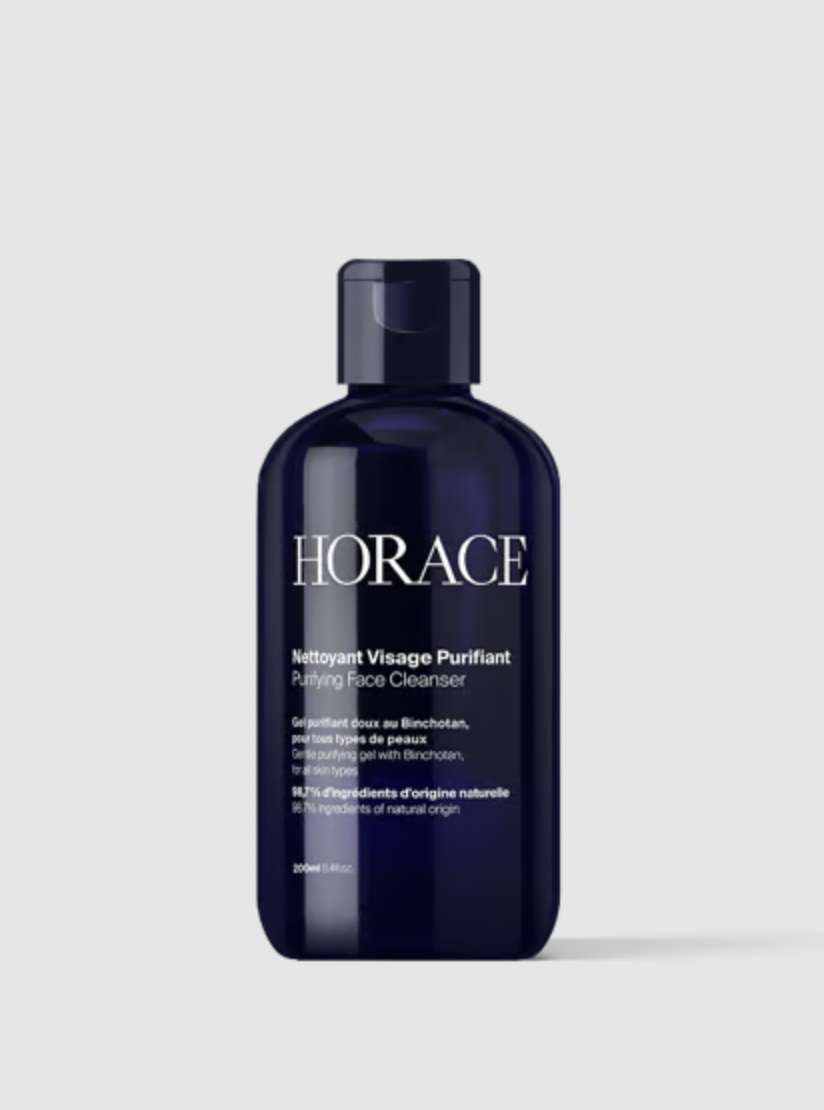
Transformez vos prises de vue en compositions narratives riches axées sur la texture et le savoir-faire. Ce système fusionne vos détails macro avec une mise en scène soignée pour sublimer l'identité visuelle de n'importe quel objet artisanal.
Regenerate using your own assets.
The ultimate defense: lock in your style with a brandkit
You've followed the layered method and created a unique, textured visual style. Now, how do you ensure every thumbnail you create shares this signature look? This is the final and most powerful step: locking in your style with a Brandkit.
A Brandkit on MyUP is your brand's visual identity—your logo, specific color palette, and custom fonts—saved once and applied automatically. After creating your unique thumbnail, you can instruct MyUP: 'Apply my Brandkit.' The platform then intelligently integrates your brand elements, ensuring every thumbnail is not just unique, but uniquely *yours*. This is the ultimate defense against generic content, providing consistency at scale without any extra effort.
From generic to signature: your new creation process
Creating thumbnails that stand out is no longer about finding the perfect prompt. It's about adopting a professional creation process. By thinking in layers—Subject, Atmosphere, and Texture—you take back creative control and guide the AI to a finished result that reflects your vision. The final touch of a Brandkit ensures that your unique style is also your signature brand identity.
MyUP is the Creative Production Platform built to execute this entire process. You focus on the intention for each step, and MyUP handles the complex production from A to Z. Stop generating random images and start producing finished, unique creations that make your brand unmistakable. Make your unimaginable possible.
