You've seen the ads. "Get a professional logo in 30 seconds!" for free. It's a tempting offer for any founder or marketer trying to move fast. But as the design community has started to confirm out loud this month, with publications like Creative Bloq highlighting the major pitfalls, the promise of a one-click brand is a dangerous illusion. An AI logo generator doesn't create a brand; it creates a liability.
This isn't an anti-AI article. It's a pro-strategy article. AI's real power isn't in guessing your company's most important strategic asset. It's in applying that asset with perfect consistency across every piece of content you'll ever create. Here’s why the distinction matters and how to set up the correct workflow.
The real risks: 3 ways AI-generated logos hurt your brand
The problem with using AI to generate a logo isn't just about aesthetics. It's about fundamental business risks that can cost you far more than the price of a professional design.
1. Lack of originality
AI image models are trained on vast datasets of existing visuals, including millions of logos. This means their output is inherently derivative. The result is a logo that feels familiar, generic, and blends in with countless other businesses that used the same tool. Your brand's first and most important job is to be distinct, and a generic logo fails that test immediately.
2. Legal and trademark nightmares
This is the most critical risk. In many jurisdictions, you cannot copyright or trademark work that is purely machine-generated. This means you can't own or legally defend your AI-generated logo. Worse, because the AI may have been trained on copyrighted material, your new "unique" logo could inadvertently infringe on an existing trademark, exposing your business to legal action. It's a risk no serious company should take.
3. No strategy, no story
A great logo is the result of a strategic process. It considers your mission, your target audience, your competitors, and the story you want to tell. An AI logo generator knows none of this. It's a sophisticated pattern-matching tool, not a strategic partner. It gives you a graphic, but it can't give you meaning. Without a story and a strategy, a logo is just an empty decoration.
The professional workflow: use AI for scale, not strategy
The smart way to use AI in branding is to separate the strategic work from the production work. Your logo is strategy. The hundreds of social media posts, ads, posters, and videos that feature that logo? That's production.
This is the MyUP point of view: Use human expertise for strategy. Use AI for scale.
The workflow is simple and sustainable:
- Invest in a professional logo. Work with a designer to create a meaningful, ownable, and legally defensible brand identity.
- Codify it in a MyUP Brandkit. Upload your logo, fonts, and color palette once to create a central source of truth for your brand's visual rules.
- Use AI to execute. Generate unlimited, on-brand marketing assets using AI workflows that automatically apply your Brandkit, ensuring perfect consistency every time.
In this model, the human creator validates and approves; MyUP handles the tireless production. You maintain full creative control without the manual labor.
Step 1: Get a real logo (we'll wait)
Before you touch any AI content tools, invest in your foundation. This is the single most important part of the process. You can hire a freelance designer from a platform like Behance or Dribbble, use a curated marketplace, or work with a small agency. The cost is an investment in a strategic asset that will serve your business for years. Get the core logo files (ideally as SVG and transparent PNG) and clear guidelines on how to use them.
Step 2: Build your Brandkit in MyUP
Once you have your professional logo, the real AI work can begin. In MyUP.ai, you’ll create your Brandkit. This isn't just a folder of files; it's a central, intelligent profile for your visual identity that AI can understand and apply.
- Upload Your Logo: Add your primary logo, secondary marks, and any variations.
- Define Your Colors: Input the exact hex codes for your brand's color palette.
- Set Your Fonts: Specify your primary and secondary brand typefaces.
You do this one time. From that moment on, MyUP knows your brand's rules and is ready to act as your infinitely scalable in-house designer. This simple setup is the key to solving the problem of AI design inconsistency once and for all.
Step 3: Turn your brand into unlimited content
With your Brandkit saved, you have an AI-powered content factory that never gets your brand wrong. Instead of manually adding your logo and colors to every new design, you simply tell MyUP what you need to create. MyUP’s workflows automatically pull from your Brandkit, ensuring every asset is 100% on-brand. Here are a few examples of what you can produce in seconds.
Example: Create on-brand hiring posters in seconds
Need to announce a new role? Instead of starting from a blank canvas and hoping you remember the right hex codes, you can launch a dedicated workflow in MyUP. The template provides a professional layout; your Brandkit instantly provides the identity. The result is a perfect, on-brand hiring poster generated in seconds, with your logo and colors applied correctly without any manual adjustments.
Workflow code: #myup-eiob-7tbc
Modern Hiring Poster

Turn your open roles into stylish social announcements. It sets your hiring details against a soft, textured paper background with clean, editorial typography. Perfect for giving your brand a polished, modern look when you're looking to hire.
Regenerate using your own assets.
Example: Generate product stickers and packaging mockups
For e-commerce brands, consistency on packaging and promotional materials is non-negotiable. Use a workflow to generate dozens of sticker ideas for your products. MyUP will apply your logo to different shapes and styles, all while respecting your Brandkit. This is perfect for testing new designs or creating social content that shows off your branded products without an expensive photoshoot.
Workflow code: #myup-swqt-4zo3
Product Stickers

Turn your logo into a nostalgic, vibrant Y2K-style vertical ad. It automatically pulls your brand colors to create matching sweet treats like custom donuts or cupcakes in the background, giving you a super playful retro-pop aesthetic.
Regenerate using your own assets.
Example: Design trendy social media collages that are still on-brand
Being on-brand doesn't mean being boring. You can create trendy, visually rich assets like a Y2K-style scrapbook collage for a social media campaign. Even within a creative and intentionally chaotic style, MyUP's Brandkit ensures your core brand colors and logo are present, creating a unique asset that still feels like it came from you. It’s creative freedom within a consistent framework.
Workflow code: #myup-sacz-tjdn
Y2K Scrapbook Collage Creator
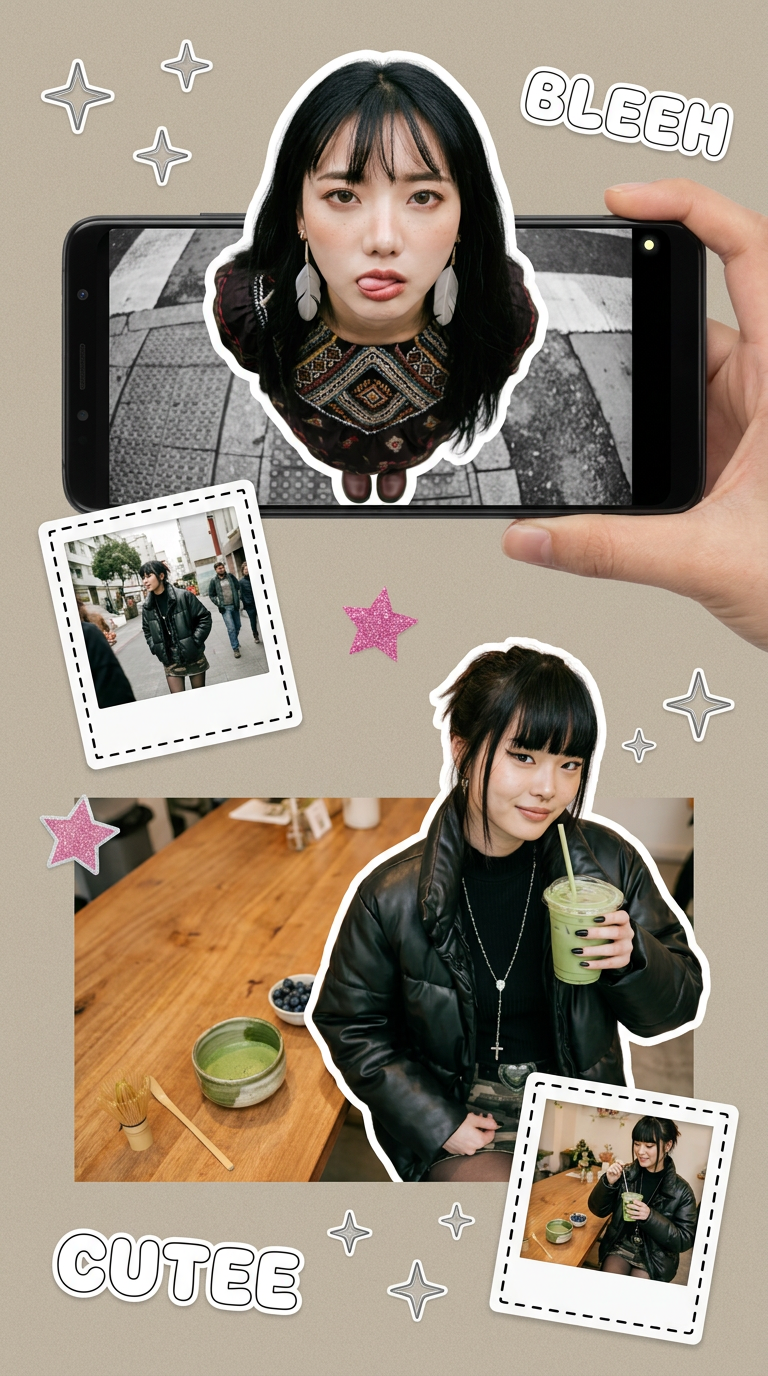
Put two different people into the same scene without losing their real-world features. Just upload two portraits and drop them together into any setting or style you need. It keeps both faces incredibly accurate.
Regenerate using your own assets.
Your logo is your foundation, not a disposable graphic
An AI logo generator gives you a cheap graphic. A professional logo combined with an AI execution platform like MyUP gives you a brand. The choice is between a disposable image and a strategic asset that can be scaled infinitely across all your marketing channels.
Stop chasing the false promise of a one-click solution. Invest in a real logo, build your Brandkit on MyUP, and let AI do what it does best: produce tireless, on-brand work at a scale you could never manage manually.
