
You’ve spent hours trying to get the texture right. You want the worn, cracked leather of a vintage armchair, but your AI art looks like a smooth plastic toy. You need the delicate weave of a silk scarf for an e-commerce photo, but the result is a flat, lifeless image. This is the most common complaint from professional creators and marketers today: AI-generated textures feel fake, and the tools meant to fix them are wildly unpredictable.
The texture problem: why 'more detail' isn't always better
You’ve generated a great base image, but the material looks wrong. The leather jacket looks like plastic, the cotton shirt is unnaturally smooth, and the metal surface lacks any real-world character. So, you turn to an enhancement tool like Magnific AI, hoping to add that missing layer of realism. You move the 'Creativity' slider, and the result is… not what you wanted. Instead of the worn leather you envisioned, you get strange, alien-like patterns. Instead of a soft fabric weave, you get a distorted mess.
This is a common frustration voiced by creators on platforms like Reddit and in e-commerce forums. As of September 2026, the novelty of one-click enhancement is wearing off for professionals who need control. The core problem is that tools like Magnific operate as a black box. The 'Creativity' slider doesn't understand your intention; it only knows how to add detail, whether that detail is correct or not. For a business, this unpredictability makes such tools a gamble, not a reliable part of a production process.
From guesswork to intention: a better way to create detail
The solution isn't to find the 'perfect' prompt for Magnific or to spend hours in Photoshop manually fixing AI-generated artifacts. The solution is to change the creation method entirely. Instead of relying on guesswork and abstract sliders, you need a system that understands your specific creative intention from the start.
This is the fundamental difference in the MyUP Creative Production Platform. You don't ask the tool to be 'more creative.' You tell it precisely what you want to achieve. Compare these two approaches:
- The Guesswork Method: Take a flat image of a soda can, upload it to an upscaler, and hope the tool adds realistic condensation.
- The Intention Method: Tell MyUP, "I want a studio-quality product photo of this soda can, covered in glistening, realistic condensation droplets, with a macro focus on the logo through the water beads."
With MyUP, you are not prompting a model; you are describing the finished creation you want. The platform then handles the entire production to deliver a result that matches your vision, predictably and consistently.
How MyUP produces textures from your creative intent
MyUP translates your specific goals into a finished asset without forcing you to become a technical expert in a dozen different tools. The process is straightforward: you state your intent, and the platform executes the complex steps needed to realize it.
For example, an e-commerce brand doesn't just need a picture of a handbag; it needs a visual that communicates luxury and craftsmanship. The intention might be, "a macro advertising visual focusing on the intricate stitching and pebbled leather texture of our new handbag, with soft, elegant lighting."
Executing this on MyUP is simple. You can use a pre-built creative template designed by a top creator for this exact purpose. The template already contains the instructions for achieving that specific tactile look, ensuring the final image highlights the material quality you want to convey. For a luxury product, you could use a template designed to bring out these exact qualities. Template: #myup-ppxv-lst0
Visuel Publicitaire Macro Artisanat Luxe
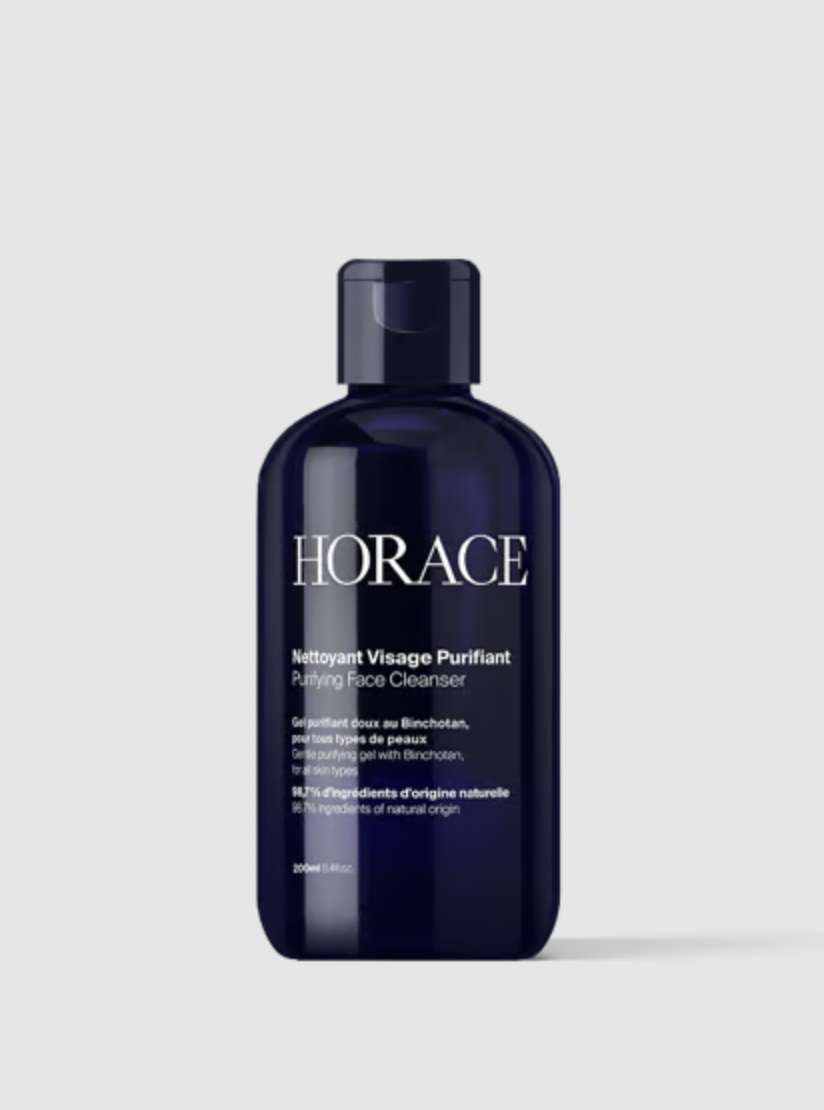
Transformez vos prises de vue en compositions narratives riches axées sur la texture et le savoir-faire. Ce système fusionne vos détails macro avec une mise en scène soignée pour sublimer l'identité visuelle de n'importe quel objet artisanal.
Regenerate using your own assets.
Furthermore, by using your saved Brandkit, MyUP ensures that the style, lighting, and material feel remain consistent across every visual in your campaign, from hero images to social media posts. This is how you achieve true brand consistency without manual effort.
Crafting specific material details for professional results
The need for precise texture control spans numerous industries, and the cost of getting it wrong is high. An apparel brand can't sell a t-shirt if its AI-generated lifestyle photos make the cotton look like cheap polyester. An architect can't present a render if the concrete texture looks like a repeating video game pattern. MyUP provides specialized solutions for these exact needs.
For E-commerce and Product Photography
Imagine launching a new cosmetic line where the key selling point is the natural ingredients. You need visuals that connect the product to its source. Instead of spending days on a complex photoshoot and post-production, you can state your intention: "Create a high-end editorial flat lay of my moisturizer, nestled in a bed of its core ingredients like fresh avocado and sliced almonds, with hyperrealistic textures." A template like Luxury Beauty Fruit gets you this finished result directly. Template: #myup-ubxy-ujvo
Luxury Beauty Fruit
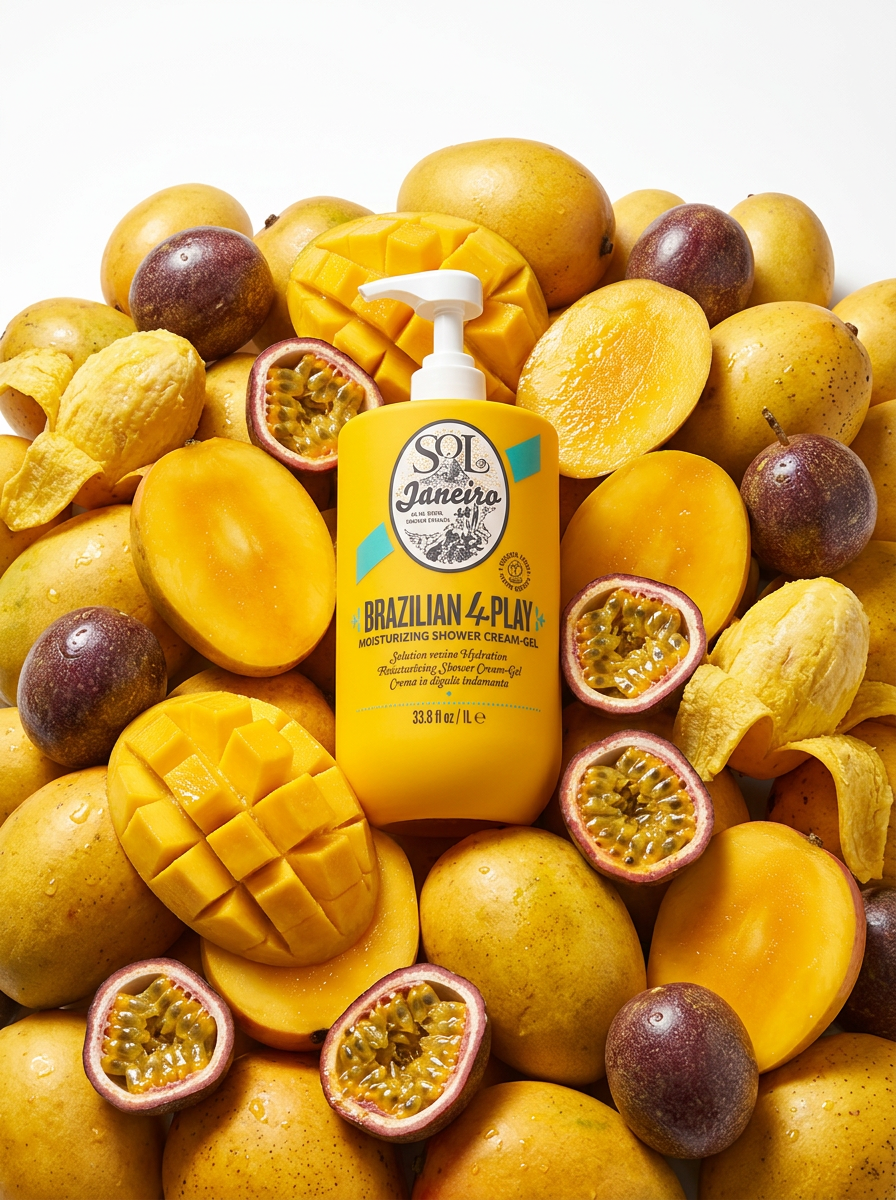
Drop your product right into a rich, overflowing bed of its raw ingredients. This creates a gorgeous, high-end editorial flat lay with hyperrealistic textures, making any cosmetic or food item look incredibly luxurious.
Regenerate using your own assets.
For Graphic Design and Social Media
Announcing a company event or a new launch requires visuals that grab attention. A flat, digital graphic can feel sterile. To create something more tactile and premium, your intention could be: "A minimalist social media graphic announcing our Q4 launch date, rendered on heavy, textured paper with a macro close-up on the embossed date." This is where a specialized template can instantly deliver a finished, publish-ready asset. Template: #myup-hcix-fsva
Textured Paper Calendar Close-Up
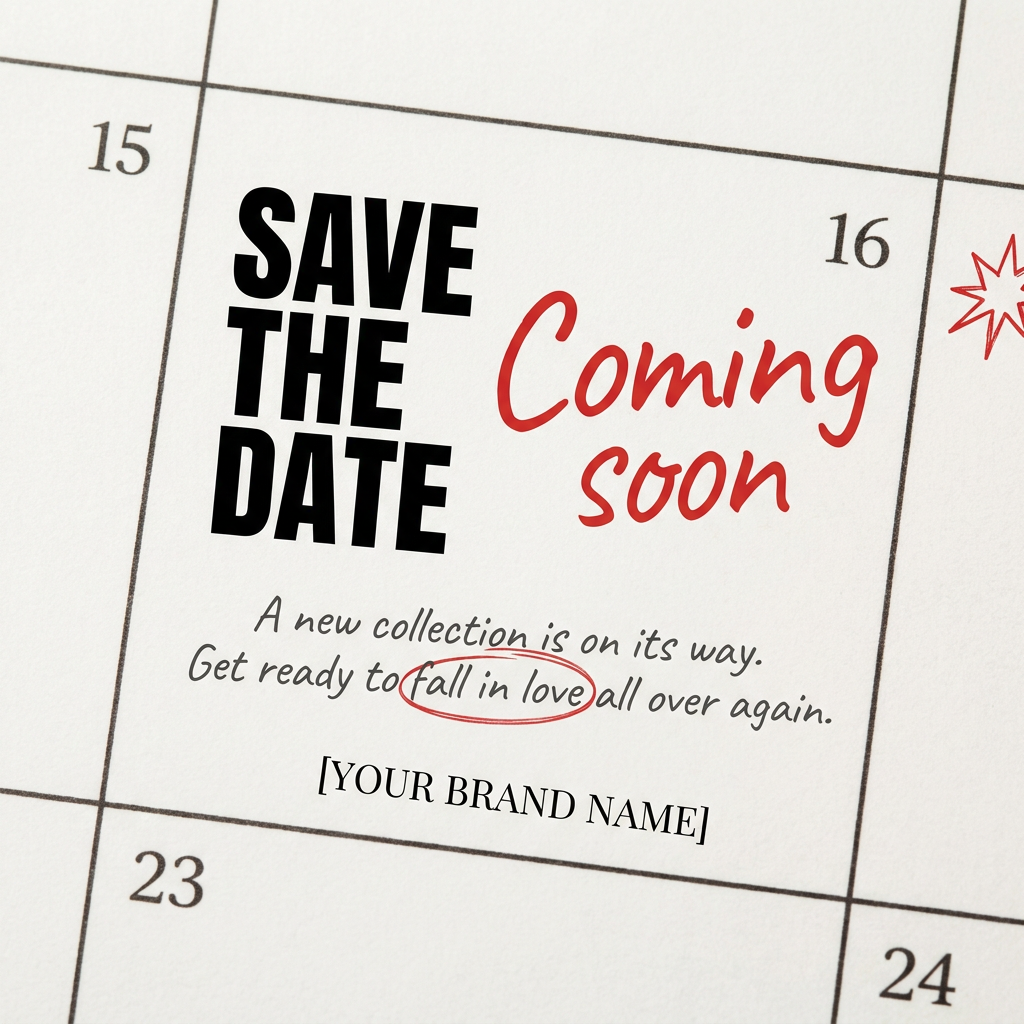
Turn your upcoming dates or launch schedule into a beautiful, tactile physical calendar. It renders crisp minimalist grids on heavy textured paper with realistic macro focus. Perfect for sharing events on social media without looking like a generic graphic.
Regenerate using your own assets.
Using texture for style and brand identity
Texture isn't just about photorealism; it's a powerful tool for establishing a brand's visual identity. Whether you're aiming for a vintage aesthetic, a futuristic glossy feel, or a rugged, handmade look, texture plays a key role. The challenge has been applying these stylistic textures consistently and without resorting to generic filters.
With MyUP, you can define these textures as part of your brand's core identity. Your intention might be, "Create a series of posters for our new coffee blend with a bold, 1950s-inspired graphic style, using a limited color palette and a subtle retro halftone texture."
This ensures that every visual, from a poster to a social media ad, carries the same stylistic DNA. A ready-to-use template can execute this instantly, applying the right combination of graphic elements and tactile finishes to your subject. Template: #myup-sauf-5jod
Vintage Advertising Poster

This creates high-impact graphic posters with a striking cobalt blue backdrop and subtle retro halftone textures. Just drop in your subject to get that bold, tactile look complete with realistic metallic accents and clean, modern framing.
Regenerate using your own assets.
Predictable realism over unpredictable enhancement
You shouldn't have to fight your tools or rely on luck to get the professional results you need. The era of wrestling with prompts and sliders to achieve basic realism is over. For serious creators, marketers, and brands, the goal is a predictable production process that delivers studio-quality creations every time.
MyUP provides that process. By focusing on your creative intention—not the technical steps—you maintain full control of the vision while the platform handles the complex execution. This means no more 'flat and plastic' materials, no more 'weird artifacts,' and no more time wasted on manual fixes. It's the direct path from your idea to a finished, publish-ready creation.
Ready to stop guessing and start creating? Create your first project on MyUP today.
