
You’ve seen them scrolling by: lurid Jell-O salads, questionable meatloaves, and unnerving casseroles, all presented on fake, yellowed 1970s recipe cards. This viral AI trend has been a fun ride, but it highlights a problem that plagues most AI-generated food imagery: it just doesn't look delicious. It often has a strange, plastic sheen, an unappetizing texture, and a general fakeness that makes you recoil, not crave.
The problem isn't the AI model. It's the prompt. Most people prompt for food like they're writing a shopping list: 'cheeseburger with lettuce, tomato, and fries.' The AI delivers exactly that, but it misses the essential ingredients that make a food photograph appetizing. Realism in food photography doesn't come from the ingredients; it comes from the physics of light, texture, and atmosphere. To get delicious results, you need to prompt like a photographer, not a chef.
Prompt like a photographer, not a chef
A professional food photographer doesn't just point a camera at a plate. They control the environment. They shape the light, choose a lens to create focus and depth, and style the scene to highlight every glistening, crispy, or juicy detail. Your AI prompt is your virtual camera, lighting rig, and styling kit all in one. If you only describe the food, you're leaving the most important parts up to chance.
The difference is stark:
- Chef's Prompt:A slice of chocolate cake on a plate. (This gets you a generic, often flat and lifeless image.)
- Photographer's Prompt:Macro food photography of a slice of rich chocolate fudge cake. Soft, dramatic side-lighting from a window highlights the moist, crumbly texture. Shallow depth of field, glistening ganache frosting, a dusting of cocoa powder on a rustic ceramic plate. (This gets you an image you can almost taste.)
This is the core principle we'll use. And on MyUP.ai, you don't have to be a professional photographer to get these results repeatedly. You can build these detailed prompts into reusable workflows, ensuring every food image you create for your brand has the same professional, appetizing quality.
The prompt cookbook: 4 ingredients for delicious AI food
Let's break down the key photographic elements into prompt components you can copy, paste, and combine. Think of these as the salt, fat, acid, and heat of your AI food prompts.
1. Light & shadow
Light is everything. It defines shape, creates mood, and reveals texture. Stop letting the AI default to flat, boring light. Be specific.
- For a bright, clean, healthy feel: `soft natural window light`, `bright and airy`, `morning light`, `backlit`.
- For a dramatic, moody, gourmet feel: `dramatic side lighting`, `chiaroscuro lighting`, `hard shadows`, `low-key lighting`.
- For a commercial, vibrant look: `studio lighting`, `softbox lighting`, `clean commercial lighting`.
2. Texture & detail
This is what separates an appetizing image from a plastic-looking one. You need to prompt for the micro-details that signal freshness and flavor. Use evocative, sensory language.
- For moisture and gloss: `glistening sauce`, `dewy condensation on glass`, `shiny glaze`, `specular highlights`, `oily sheen`.
- For texture: `crispy fried edges`, `fluffy crumb texture`, `charred grill marks`, `coarse sea salt crystals`, `flaky pastry`.
- For action and freshness: `wisps of steam rising`, `melting butter`, `a dusting of flour`, `a sprinkle of fresh herbs`.
3. Camera & lens
Describing the camera setup tells the AI how to frame the shot and where to focus the viewer's eye. This is crucial for creating a professional look.
- For close-ups: `macro shot`, `detailed close-up`, `extreme close-up`.
- For focus: `shallow depth of field`, `soft blurry background`, `bokeh`, `f/1.8 aperture`. This is key for making the subject pop.
- For perspective: `overhead flat-lay`, `dynamic low-angle shot`, `45-degree angle shot`.
4. Style & atmosphere
Finally, set the scene. Is this a rustic farmhouse meal or a minimalist fine-dining experience? The context matters.
- For film and vintage looks: `shot on Kodachrome film`, `1970s cookbook photography`, `vintage polaroid`, `grainy film texture`.
- For modern looks: `minimalist composition`, `clean white background`, `dark and moody`, `vibrant and colorful`.
- For setting: `on a rustic wooden table`, `in a cozy cafe`, `on a marble countertop`.
Putting it together: the retro recipe prompt that actually works
Now, let's go back to that viral trend and fix it. Instead of just asking for a 1970s recipe, we'll use our new cookbook to build a prompt that captures the entire aesthetic, from the camera film to the lighting.
Base prompt formula:
[Photography Style] of [Dish], [Lighting Detail], [Texture Detail], [Camera & Lens Detail], [Atmosphere & Setting], 1970s recipe card aesthetic
Example in action:
Food photography of a slice of pineapple upside-down cake. Harsh, direct flash photography typical of 1970s cookbooks. The cake has a glistening, syrupy glaze with slightly over-saturated maraschino cherries. Shot on grainy Kodachrome film, slight color fading. Presented on a vintage avocado green plate, on a wood-paneled background.
This level of detail gives the AI specific instructions, moving you from a fake-looking guess to an authentic-feeling creation. The user—you—is in control, directing the AI to produce the exact nostalgic vibe you want.
Want to skip the typing and get right to creating? The team at MyUP has already built this entire complex prompt into a simple, one-click workflow. Just tell it what food to feature, and it handles the rest.
Workflow code: #myup-1hgd-9oz5
Retro Style Food Advertising Poster

Turn any food product shot into a bold, nostalgic retro advertisement. It drops your item onto a warm cream background and automatically frames it with a color-matched header badge for that classic mid-century print ad look.
Regenerate using your own assets.
Beyond retro: prompts for modern food brands
These principles aren't just for novelty trends. They're essential for any brand—a restaurant, a CPG product, or a food blogger—that needs to create mouth-watering visuals for social media, ads, or menus. You can create a whole library of visual styles just by mixing and matching the components.
Minimalist overhead shot
Perfect for clean, modern brands or recipe blogs. The focus is on the food and simple composition.
Overhead flat-lay food photography of a vibrant grain bowl. Bright, even, natural lighting. Toppings are meticulously arranged: sliced avocado, cherry tomatoes, and microgreens. Minimalist composition on a clean white background, shallow depth of field.
To produce this style consistently for your brand's social feed, a template is the best approach. This MyUP workflow creates elegant, hand-lettered posters that put your food front and center.
Workflow code: #myup-6hp6-zwh2
Minimalist Hand-Lettered Food Brand Poster
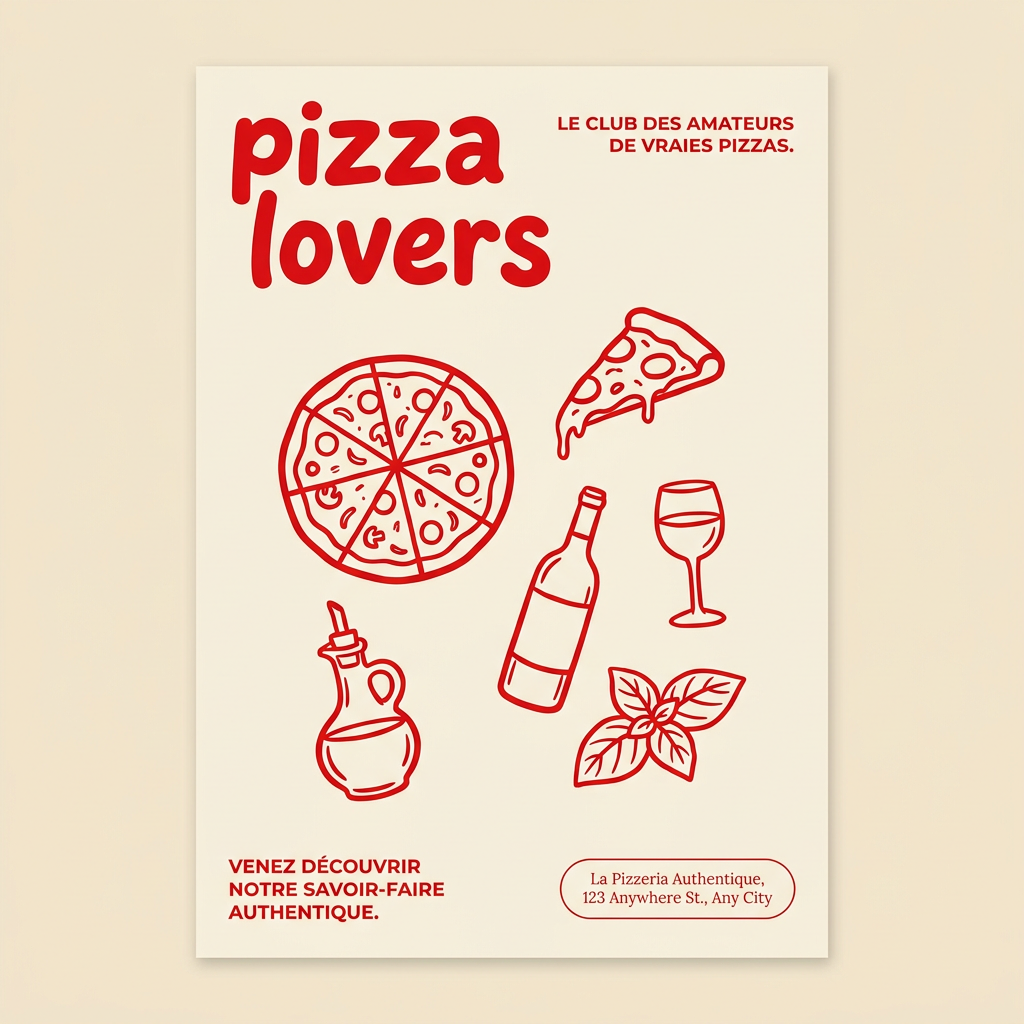
Generate clean, minimal posters for your food brand or cafe. It sets up a soft cream background with tons of breathing room, contrasted by a bold, chunky handwritten title in vivid red. It's a gorgeous editorial layout that makes your brand look instantly high-end.
Regenerate using your own assets.
Dynamic commercial ad
Great for grabbing attention on social media. This style is bold, energetic, and often features action.
Dynamic, commercial studio photography of a gourmet burger. Dramatic, high-contrast side lighting. A slice of cheese is melting perfectly over the patty, sesame seeds are visible on the brioche bun. Shot against a bold, solid color background. Splash of sauce in the background for motion.
Creating a high-impact ad like this is about more than just the image; it's about the entire composition. MyUP's ad workflows are designed to generate visuals that are ready for campaigns, with space for branding and copy. This workflow helps you create a complete food product ad in seconds.
Workflow code: #myup-w0vh-abft
Food Product Ad
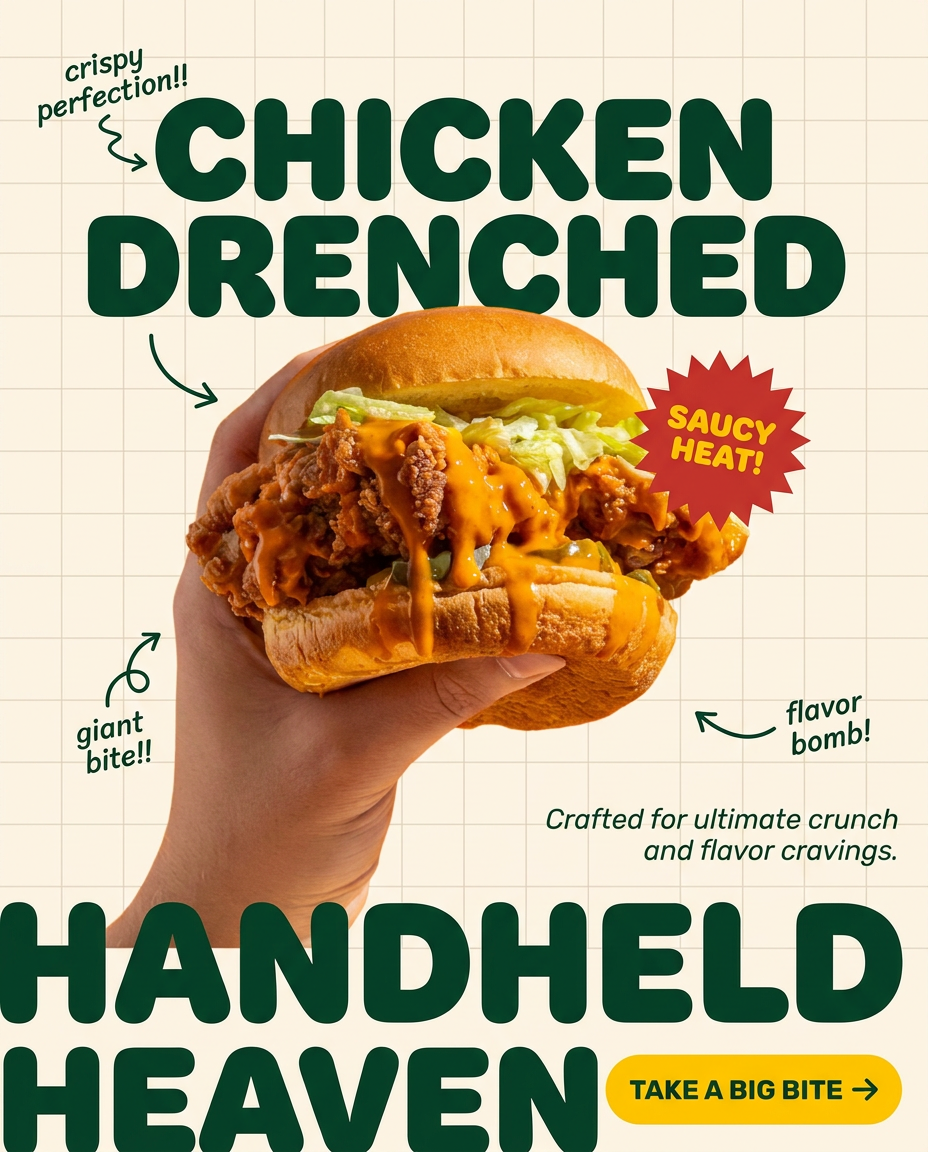
Turn any dish or snack into a bold, playful social ad. It places your food against a soft warm beige background with a subtle grid pattern, topped with chunky rounded headlines. It's clean, friendly, and instantly grabs attention in the feed.
Regenerate using your own assets.
From a single shot to a full campaign with MyUP
Learning to write a great prompt is a superpower. But for a business, the real challenge is producing dozens of on-brand images consistently. A single hero shot is good; a full campaign of them is what drives growth. This is where prompting alone falls short, and a workflow platform like MyUP becomes essential.
Instead of just creating one image, you can turn your perfect prompt into a repeatable system on MyUP. Save your unique 'photographer's prompt' as a custom workflow. Now, you or anyone on your team can generate new dishes in the exact same style with one click.
Better yet, connect your MyUP Brandkit. A Brandkit stores your brand's unique visual identity—colors, fonts, logo, and even your specific photo style. When you run your food photography workflow, MyUP can automatically apply your brand's color grading, ensuring every image of every dish has the same consistent mood and feel. This is how you move from making images to building a brand identity. The AI handles the production; you validate the results.
