If you're a social media manager, you've likely seen the spike in search interest for 'AI meme generators' in late June 2026, sparked by new tools like MemeCraft AI. The promise is tempting: instant, trending content. The reality, however, is a stream of generic, off-brand visuals that look exactly like everyone else's. Using a default font on a trending template doesn't build a brand; it dilutes it.
This isn't just about aesthetics. It's about control. Professional brands don't leave their visual identity up to a generic algorithm. They need a repeatable system for turning any cultural moment into a sharp, recognizable brand asset. This guide provides that system: a simple workflow in MyUP.ai to create on-brand memes that look custom, not automated.
Why 'good enough' memes can hurt your brand
The core problem with one-click meme generators is that they strip away your most valuable asset: your brand's visual identity. When you post a meme using a generic sans-serif font and no brand markings, you're doing two things:
- You're building awareness for the meme format, not your brand. People recognize the Distracted Boyfriend, not the company that posted it.
- You look unprofessional. In a sea of content, custom typography and consistent branding signal quality and attention to detail. A generic meme screams 'we did this in 30 seconds and didn't really care.'
Consider the difference. On one side, a generic meme with Arial or Impact font. On the other, the same meme, but the caption is set in your brand's specific typeface, maybe with a subtle logo in the corner. The first is forgettable. The second is yours. It reinforces your identity, making your content recognizable even when the format is borrowed. Every post is a chance to strengthen your brand, and using a consistent visual language is fundamental to that goal. To learn more about this principle, see how you can maintain a unified visual identity across all marketing assets.
The 3-step workflow for on-brand memes in MyUP
Instead of relying on a limited generator, MyUP.ai gives you a flexible workflow that starts with your brand identity. The key is MyUP's Brandkit, which stores your colors, fonts, and logos for instant application to any asset.
Here’s how you can take any trending meme image and make it your own in under a minute:
- Set up your Brandkit once. This is the foundation. Go to MyUP.ai and create your Brandkit by providing your website URL or manually uploading your fonts (like TTF or OTF files), color hex codes, and logos. This takes a few minutes but saves you hours down the line.
- Upload any meme template. Find a high-quality version of the meme format you want to use—the Drakeposting, the Woman Yelling at a Cat, whatever is trending—and upload it directly into a new MyUP project. You are not limited to a pre-selected library of stale templates.
- Add your text and logo. Use MyUP's text tool to add your caption. Because your Brandkit is active, the text will automatically appear in your brand font and colors. Drag your logo from the Brandkit and place it subtly in a corner. Export and post.
This process transforms a generic template into a piece of branded content. The user—you—provides the cultural insight and the joke. MyUP handles the production and ensures it's perfectly on-brand. You can start with a simple template to see how easily your brand elements apply.
Workflow code: #myup-kbgo-tlle
Product Brand Post

Drop in your product to generate a cohesive nine-post Instagram grid. It blends warm lifestyle photography and flat-lay packaging with bold hand-drawn doodles, collages, and urban billboard mockups. Everything automatically styles itself to your brand's colors.
Regenerate using your own assets.
Beyond the template: creating unique visual formats
True meme marketing isn't just about captioning existing images. It's about creating ownable formats that your audience associates directly with you. A workflow-based platform like MyUP allows you to move beyond basic templates and develop unique visual humor.
For example, instead of just adding text, you could create a set of branded stickers featuring your products, mascots, or inside jokes. These can be dropped onto reaction images or used to build more complex visual gags. This approach elevates your content from simple participation to creative leadership within a trend. The goal is to make content so distinct that if the logo were removed, your audience would still know it came from you.
This sticker pack workflow is a great way to build a library of reusable brand assets for quick, creative posts.
Workflow code: #myup-swqt-4zo3
Product Stickers

Turn your logo into a nostalgic, vibrant Y2K-style vertical ad. It automatically pulls your brand colors to create matching sweet treats like custom donuts or cupcakes in the background, giving you a super playful retro-pop aesthetic.
Regenerate using your own assets.
Turn any visual trend into a branded asset
Your brand's take on meme culture doesn't have to be limited to the classic 'text-over-image' format. When a specific aesthetic or visual style trends—like retro-futurism, Y2K scrapbooking, or minimalist line art—you can use MyUP workflows to create on-brand versions instantly. This is something generic generators, focused on a handful of popular formats, can't do.
This is the same issue marketers face with other generic tools, whether it's for memes or for fixing uninspired AI-generated slides. The solution is always a workflow that puts your brand identity at the center.
For example, the Y2K collage aesthetic is a popular trend. With a dedicated workflow, you can drop your product shots or team photos into a pre-styled, on-brand collage template, capturing the trend's energy without sacrificing your brand's look and feel.
Workflow code: #myup-sacz-tjdn
Y2K Scrapbook Collage Creator
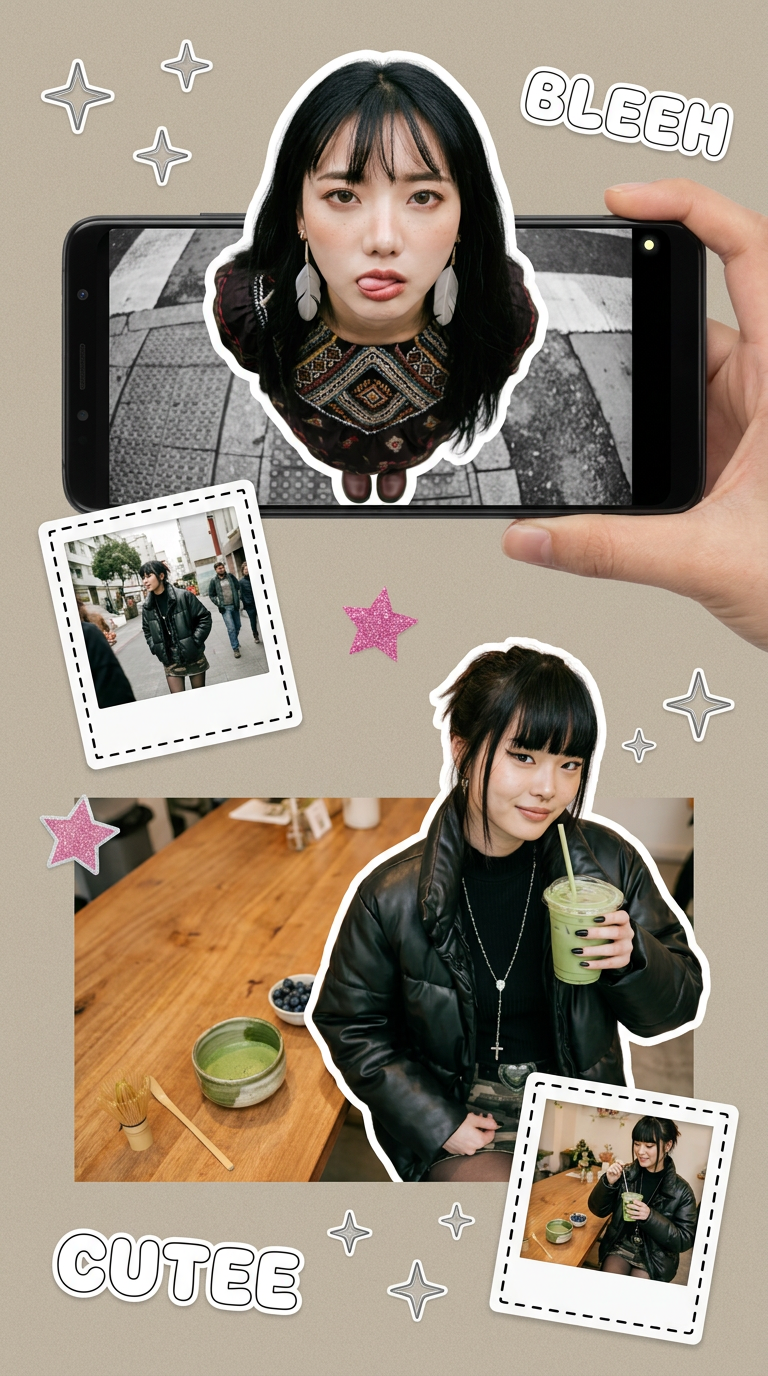
Put two different people into the same scene without losing their real-world features. Just upload two portraits and drop them together into any setting or style you need. It keeps both faces incredibly accurate.
Regenerate using your own assets.
You bring the idea, MyUP provides the brand control
The new wave of AI meme generators gets one thing right: speed is critical in social media. But they sacrifice brand integrity for it. The professional approach isn't to find a better one-click generator; it's to adopt a better workflow.
MyUP operates on a simple principle: you are the creative director. You understand the culture, you have the idea, you know the joke that will land with your audience. MyUP is your production studio, ensuring that every asset you create—from a quick reaction meme to a complex video—is executed perfectly within your brand's visual system. This combination of human insight and AI execution is how you stop making generic content and start building a memorable brand. Create an account and build your Brandkit to see the difference.
