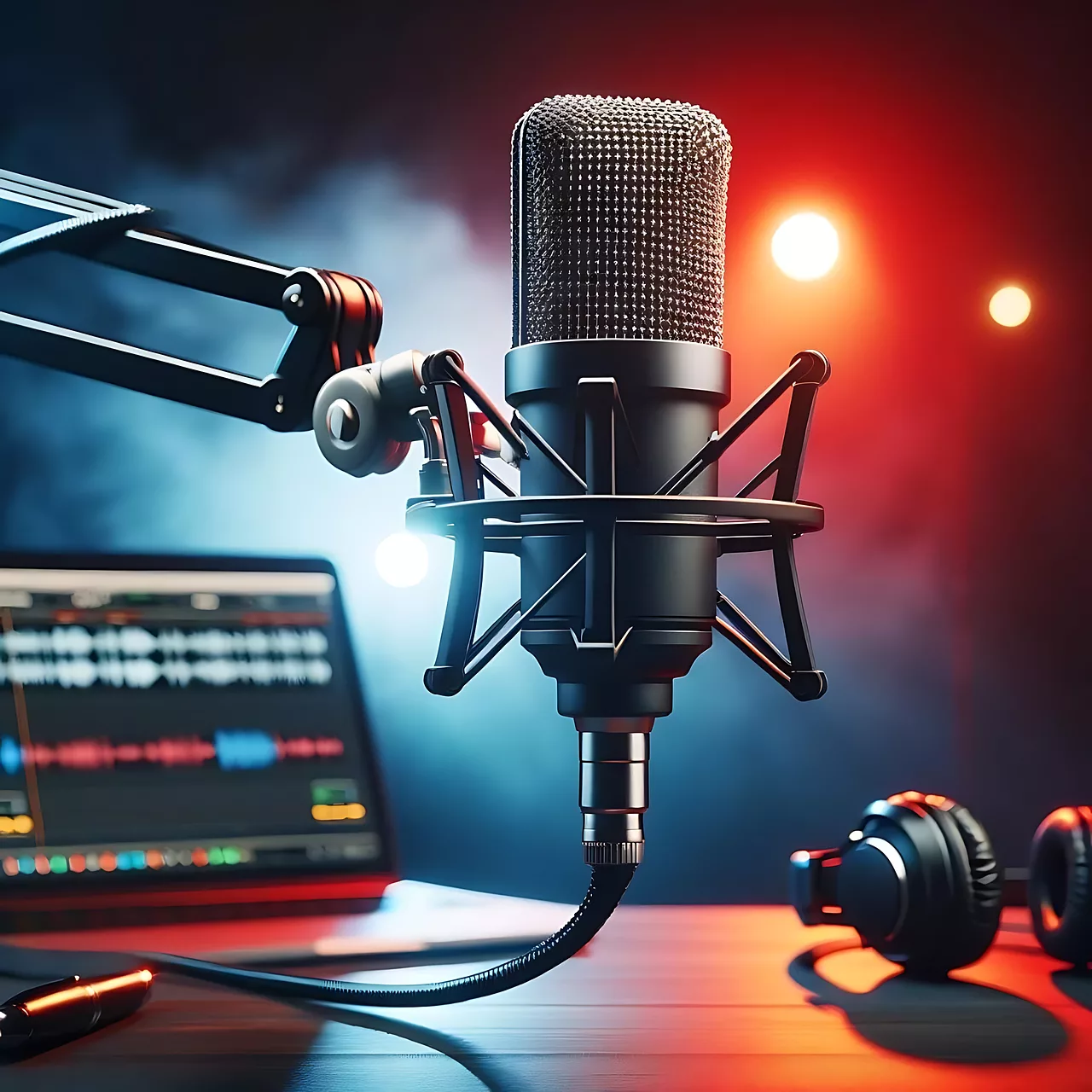
The promise of AI for product photography is immense: endless variations, no studio costs, instant results. Yet, many creators hit a wall when their AI-generated product shots look flat, artificial, or inconsistent. Achieving that professional, photorealistic studio lighting, complete with nuanced shadows and realistic reflections, remains a significant challenge. Just yesterday, discussions on platforms like X.com and Reddit highlighted widespread frustration with AI's inability to consistently deliver dramatic or even subtly elegant lighting. Now, with advancements like Flux Pro v2.1 pushing the boundaries of AI lighting models, the control you need is within reach. MyUP.ai is built to bridge this gap, giving you the precision to direct AI as if it were your own studio, ensuring your products always shine with professional-grade illumination and on-brand consistency.
Why AI product photos often miss the mark on lighting
Many visual content creators, e-commerce brands, and marketers turn to AI for product photography, only to find the results falling short. Instead of crisp, studio-quality images, they often get visuals that appear flat, lack depth, or feature unnatural shadows and highlights. This common frustration stems from the inherent challenge AI models face in replicating the complex interplay of light and shadow that a professional photographer meticulously crafts. When AI struggles with lighting, your product photos risk looking artificial, failing to convey quality, and ultimately, diminishing your brand's perceived value. This inconsistency across visuals can erode trust and reduce engagement, costing you valuable time and missed opportunities. MyUP.ai addresses this directly by giving you the precise controls needed to overcome these limitations, transforming generic AI output into polished, professional assets.The fundamentals of studio lighting for AI product photography
To truly master AI product photography, it helps to understand the foundational concepts of studio lighting. Think of yourself as the director, guiding the AI with precise terminology. Here are the core elements and how to translate them into effective AI prompts:- Key Light: This is your primary light source, defining the product's main shape and form. In a prompt, describe its direction and intensity: 'strong key light from the front-right' or 'soft key light from above'.
- Fill Light: Used to soften the harsh shadows created by the key light, reducing contrast and revealing detail. Prompt with: 'subtle fill light', 'soft fill light from left'.
- Rim Light / Hair Light: Positioned behind the product, this light creates a glowing outline, separating the product from its background and adding dimension. Use: 'dramatic rim light', 'backlit with a subtle rim glow'.
- Backlight: When used more broadly, backlight can create silhouettes or a luminous aura around the product. Prompt with: 'strong backlight for silhouette' or 'backlit with soft glow'.
- Softbox / Diffuser: These modifiers spread light evenly, producing soft, flattering light with gentle shadows. Crucial for premium aesthetics: 'softbox lighting', 'diffused studio lighting'.
- Hard Light: Direct, undiffused light that creates sharp, defined shadows. Excellent for dramatic or edgy effects: 'hard directional light', 'crisp shadows from hard light'.
Building your core prompt for photorealistic product lighting
Before diving into specific lighting styles, establish a solid foundation for realism in your prompts. This core structure will ensure your AI-generated product photos start with a professional, photorealistic base. Begin with a clear description of your product, then layer in camera and lens details, and finally, general lighting descriptors. For instance, instead of just 'a bottle', try 'a sleek black minimalist water bottle, studio shot'. Enhance realism by specifying camera settings:'shot on a Sony A7 III, 85mm prime lens, f/2.8 aperture, ISO 100'. These details guide the AI to render images with photographic authenticity. Next, establish your general lighting and background:'professional product photography lighting, seamless white background, highly detailed, ultra realistic, commercial quality'. Combining these elements provides a robust prompt: 'A sleek black minimalist water bottle, studio shot, shot on a Sony A7 III, 85mm prime lens, f/2.8 aperture, ISO 100, professional product photography lighting, seamless white background, highly detailed, ultra realistic, commercial quality.' MyUP streamlines this process. Once you define your preferred camera settings and base lighting for your brand, you can save these elements within your MyUP Brandkit. This means you don't have to manually re-type these details for every new product shot, ensuring consistency and saving significant production time.Achieving soft, elegant lighting for premium products with AI
For luxury goods, cosmetics, or any product requiring a delicate, sophisticated presentation, soft and elegant lighting is key. This style emphasizes gentle contours, subtle textures, and an overall sense of calm and premium quality. To achieve this, your prompts should focus on diffused light sources, minimal shadows, and a bright, airy feel. Incorporate terms like 'softbox lighting', 'diffused ambient light', 'gentle fill light', 'high-key lighting', 'warm glow', and 'clean, luminous background'. An effective prompt might look like: 'A luxury perfume bottle with a golden cap, standing upright, studio shot, elegant softbox lighting from above, subtle fill light, warm diffused glow, shallow depth of field, seamless cream background, photorealistic, ultra HD, commercial product photography.' This level of detail ensures the AI understands the desired aesthetic. To make this process effortless and repeatable, MyUP offers dedicated templates. For a soft, elegant look, the Minimalist Elegant Product Advertising Poster template is ideal. This template automatically applies a sophisticated, high-key lighting setup with an airy cream background and refined typography, ensuring your premium products are consistently presented with grace and professionalism.Workflow code: #myup-fy77-jljsGenerating dramatic, high-impact product visuals with AI lighting
Sometimes, your product demands attention with a bold, striking presentation. Dramatic lighting is perfect for tech gadgets, automotive accessories, or any item where you want to emphasize form, texture, and a sense of power or innovation. This style relies on strong contrasts, sharp shadows, and defined highlights, often employing a low-key aesthetic. Key prompt elements include 'dramatic studio lighting', 'hard directional light', 'strong rim lighting', 'spotlight effect', 'chiaroscuro', 'deep shadows', 'dark reflective surface', and 'moody atmosphere'. Consider a prompt such as: 'A sleek black smartwatch, close-up shot, dramatic rim lighting from the left, casting deep, sharp shadows, spotlight on the product's face, dark reflective surface, cinematic, professional product photography.' This guides the AI to create visuals with intense visual interest. MyUP makes it easy to apply such powerful aesthetics consistently. The Minimalist Vertical Product Advertising Poster template is designed for high-impact visuals. This template places your product against a stark, often white background, utilizing precise, high-contrast lighting to create a commanding visual presence that makes your product truly pop with minimal distraction.Workflow code: #myup-sygb-rhntControlling light for challenging surfaces: glass, metal, and reflections
One of the most persistent challenges in AI product photography is rendering reflective surfaces like glass and metal accurately. AI models often struggle with realistic reflections, leading to distorted highlights, dull finishes, or unnatural refractions. Overcoming this requires very specific prompt engineering. For glass, focus on terms like 'precise specular highlights', 'clean refractions', 'transparent glass texture', and 'edge lighting' to define contours. For metal, use 'metallic sheen', 'anisotropic reflections' (for brushed metal), 'polished surface', and 'subtle environmental reflections' to ensure a realistic finish. It's also critical to use negative prompts to avoid undesirable outcomes, such as '--no blurry reflections --no distorted reflections --no unnatural glare'. An example for a glass product: 'A clear glass beverage bottle, condensation droplets, soft studio lighting, subtle rim light, precise specular highlights, perfect refractions, on a polished dark surface, photorealistic, ultra detailed.' While achieving perfection can be iterative, MyUP provides a robust environment for refinement. The Vertical Gourmet French Fry Ad template, though initially for food, serves as an excellent starting point for complex textures and lighting. Its high-fashion editorial approach helps in rendering intricate details and managing controlled reflections on challenging materials like packaging or utensils, ensuring your product's material properties are accurately depicted.Workflow code: #myup-fts6-4ihpMaintaining consistent studio lighting across all your product visuals with MyUP Brandkits
The real power of mastering AI lighting comes when you can apply it consistently across all your product visuals. Manually re-entering complex prompts for every single image is not only time-consuming but also prone to inconsistencies, leading to a fragmented brand identity. This is where MyUP's Brandkit feature becomes indispensable. Your Brandkit isn't just about colors and fonts; it's a comprehensive visual identity that includes your preferred lighting styles, camera angles, and overall aesthetic. Once you've perfected a specific lighting setup for a product line—be it the soft elegance for cosmetics or the dramatic impact for electronics—you can save these precise lighting parameters within your MyUP Brandkit. MyUP then automatically applies these saved visual rules every time you generate new product images, ensuring every asset, from e-commerce listings to social media ads, maintains a cohesive and professional look. This automation eliminates manual adjustments, guaranteeing unparalleled visual consistency across your entire brand presence. It’s the closest you can get to having a dedicated studio photographer who understands and perfectly executes your brand's lighting guidelines every single time. To learn more about setting up your brand's visual identity, read our guide on building your AI brand identity, and for broader product photo consistency, explore generating consistent AI product photos for e-commerce.Your AI studio setup: a step-by-step MyUP workflow for product photography
Transforming your product photography with AI and achieving studio-quality lighting is a straightforward process with MyUP. Here’s how to set up your AI studio:- Define Your Lighting Vision: Start by deciding on the exact mood and aesthetic you want for your product. Is it bright and airy, dark and moody, or something in between? Visualize the key light, fill light, and any special effects like rim lighting.
- Establish or Update Your MyUP Brandkit: If you haven't already, create a Brandkit on MyUP.ai. This is where you'll define your brand's visual identity, including specific lighting parameters, camera angles, and background preferences. If you have an existing Brandkit, update it to include these new lighting descriptors. This step is crucial for consistency.
- Select a MyUP Template or Craft a Custom Prompt: Browse MyUP’s templates for a head start, such as the Minimalist Elegant Product Advertising Poster for soft light or the Minimalist Vertical Product Advertising Poster for drama. Alternatively, start with a custom prompt, incorporating your product description, desired camera settings, and detailed lighting terms as outlined in this guide.
- Generate and Iterate: Submit your prompt or template. MyUP’s AI will generate images based on your instructions and Brandkit settings. Review the initial outputs carefully.
- Validate and Refine: This is where your human expertise comes in. Does the lighting look natural and professional? Are reflections accurate? Use MyUP's intuitive editing tools to make any fine-tune adjustments. If the results aren't quite right, refine your prompt or adjust your Brandkit settings for another generation. MyUP handles the heavy lifting of production; you provide the creative validation.
- Automate for Consistency: Once you achieve the perfect lighting, leverage your Brandkit to apply this perfected style across all future product visuals. This ensures every image you create is on-brand and studio-quality, effortlessly maintaining visual cohesion across all your marketing channels.
Template workflow codes:
- Minimalist Vertical Product Advertising Poster: #myup-sygb-rhnt
- Minimalist Elegant Product Advertising Poster: #myup-fy77-jljs
Elevate your brand with perfectly lit AI product visuals
Mastering photorealistic studio lighting in AI product photography is no longer a distant goal. With MyUP.ai, you gain the granular control needed to achieve stunning, consistent visuals that truly showcase your products. From delicate soft light to impactful drama, MyUP's intuitive platform, combined with powerful templates and the consistency of Brandkits, transforms complex prompt engineering into an efficient, repeatable process. Stop settling for flat, artificial AI images. Start creating professional-grade product photography that captivates your audience and reinforces your brand identity. Ready to light up your product visuals? Create an account on MyUP.ai today and experience the difference true lighting control makes.Tags:
