The demo videos from Kuaishou's Kling AI model are impressive, showcasing long-duration, high-fidelity video generation that has every creator and marketer talking. There’s just one problem: it’s stuck on a waitlist. While you wait for access, your projects and campaigns can't afford to stand still.
The good news is you don't need to wait to create videos with that same cinematic, product-focused quality. A better approach is available right now. This guide provides a practical, two-step workflow using MyUP to go from a simple idea to a finished, eye-catching video ad in about five minutes.
The 2-step workflow for better, faster AI video ads
Direct text-to-video models can feel like a lottery. You write a prompt and hope for the best, often wasting time on generations that miss the mark. For commercial content, where details matter, a more deliberate workflow delivers superior results with far more creative control. The secret is to separate the process into two distinct stages: composition and motion.
1. Generate the Perfect Still Image: First, create a flawless, photorealistic hero shot of your product. This allows you to lock in the branding, lighting, and composition without worrying about unpredictable animation physics.
2. Animate the Image with Controlled Motion: Once you have the perfect static image, you bring it to life. By starting with a high-quality visual, the AI can focus entirely on creating smooth, intentional camera movements, resulting in a cleaner and more professional final video.
This method swaps unpredictability for precision, a crucial trade-off for any brand or marketer who needs to ship assets on a deadline.
Step 1: Generate a stunning product image with a template
Your video ad is only as good as its starting frame. Instead of wrestling with a complex prompt from scratch, we’ll use a MyUP template to guarantee a high-end aesthetic. Templates pre-load a proven prompt structure, letting you focus on your product, not on prompt engineering.
For this workflow, the Luxury Beauty Product template is a perfect starting point. It’s tuned for dramatic lighting, sharp focus, and elegant backgrounds that make products look premium. Workflow code: #myup-mgqi-hmi6. Simply open the template and describe your product—for example, “a frosted glass serum bottle with a gold dropper, surrounded by fresh gardenia petals.”
Luxury Beauty Product
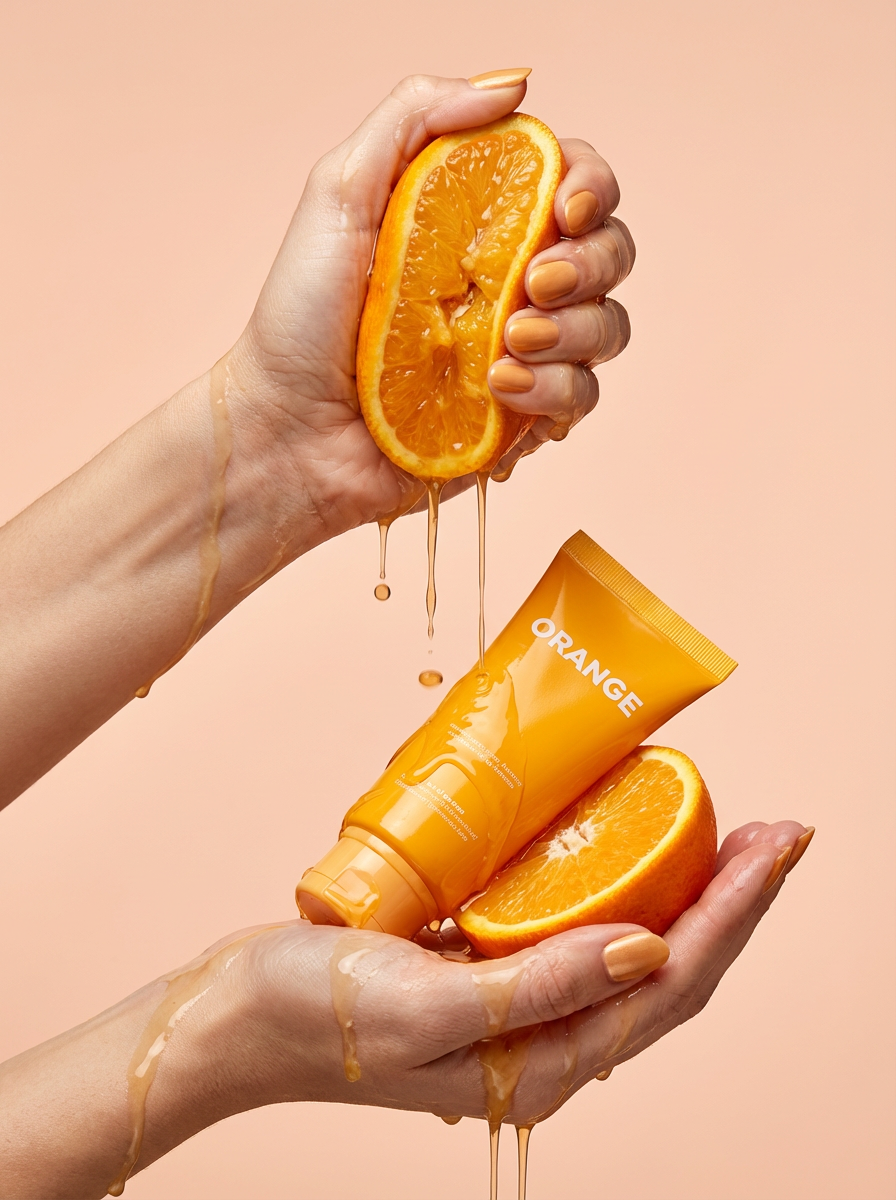
Get clean, hands-only luxury beauty editorials for your cosmetics or jewelry. It captures hyperrealistic skin textures and elegant hand posing, letting you customize the nail polish color to match your brand's exact palette.
Regenerate using your own assets.
Within seconds, you’ll have a set of studio-quality product shots. Choose the one with the strongest composition and download it. You’ve just completed the hardest part of the process in under a minute.
Workflow code: #myup-u5mu-9aek
Luxury Beauty Product
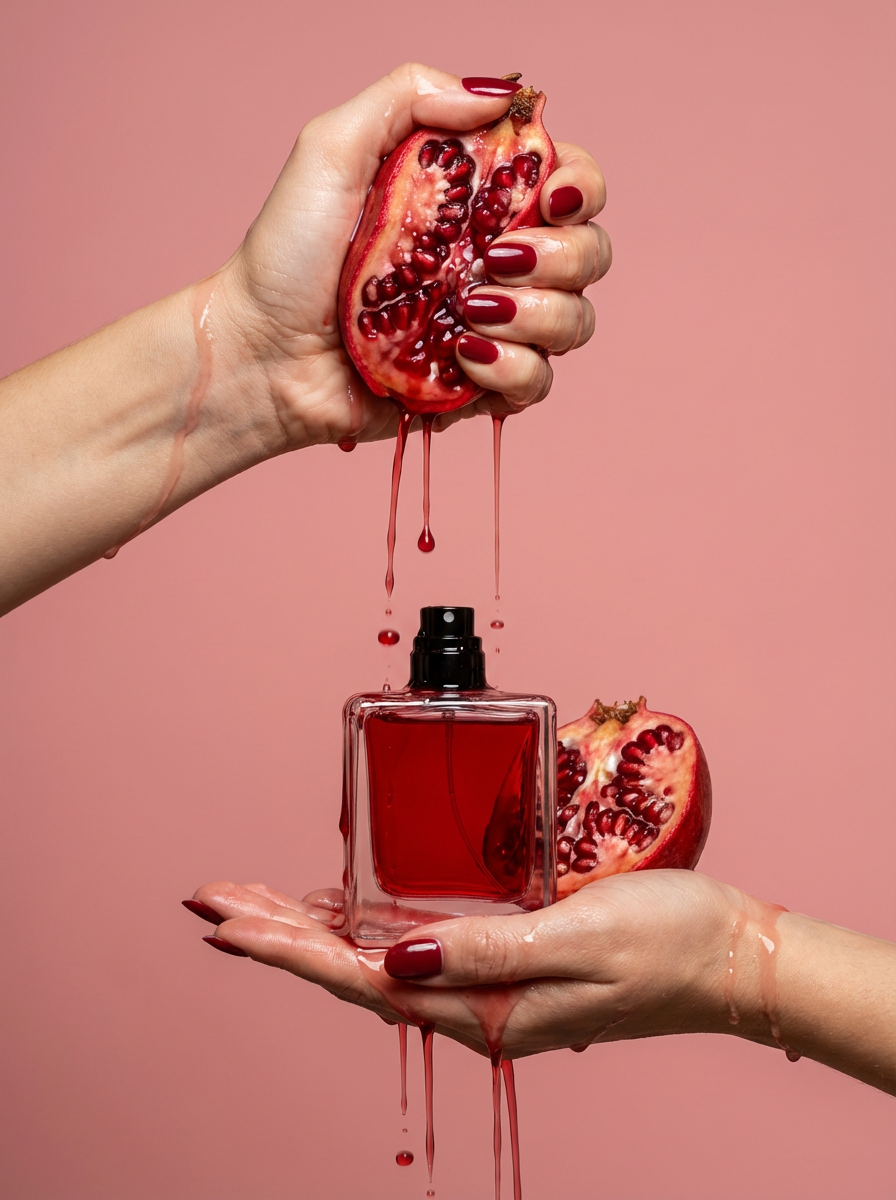
Get clean, editorial-grade beauty shots focusing entirely on your product held by hands with customizable nail polish. It skips the face to keep all the attention on your packaging and textures, giving you that high-end luxury aesthetic instantly.
Regenerate using your own assets.
Step 2: Animate your image with AI video
Now, let's make it move. Navigate to the AI Video generator in MyUP AI. This tool specializes in image-to-video animation, giving you direct control over how the virtual camera behaves.
Upload the product image you just generated. You’ll see a simple set of controls. The goal here is to add subtle, cinematic motion—not chaotic movement. Set the “Motion Strength” to a low or medium value to ensure the product remains the clear hero of the shot. Then, select a camera motion like “Orbit” or “Pan Left.” These options create the smooth, sweeping shots that define high-end commercials.
Generate the video. The AI will render a short clip where the camera elegantly moves around your static product, creating a dynamic, three-dimensional feel. For a deeper look at this specific technique, our tutorial on how to create the viral 'Product Orbit' AI video ad breaks down every setting. In a few moments, your video is ready to download and use in your social ads, website banners, or email campaigns.
Why an integrated workflow beats a waitlist
The appeal of a single, all-powerful model like Kling is understandable, but the reality for creators is that speed and control deliver more value than hype. Getting stuck on a waitlist means your ideas remain just ideas. The best AI tool is the one you can actually use to finish your project today.
An integrated platform like MyUP provides an immediate advantage. By combining a best-in-class image generator with a dedicated video animation tool, you gain control over each critical step of the creative process. You're not just rolling the dice on a single prompt; you are directing a production. This same principle applies to other hyped models, as we explored when showing users a practical Luma Dream Machine alternative workflow. The goal is always to ship finished, high-quality work, and a multi-tool workflow is often the most reliable way to get there.
Is this workflow the right Kling AI alternative for you?
This two-step workflow is a powerful solution, but it's important to know when it's the right fit. This method is ideal for:
- Marketers and E-commerce Brands: Perfect for creating short, impactful video ads (3-7 seconds) for platforms like Instagram, TikTok, and Facebook.
- Social Media Managers: A fast way to turn static product announcements into engaging video content.
- Founders and Small Teams: Lets you produce high-end commercial assets without the cost of a video shoot or the delay of a waitlist.
However, this workflow is not designed to replace complex video production. If your project requires generating long-form narrative scenes with multiple actors, specific actions, and dialogue, you'll need a different set of tools and techniques. For work that involves people, for instance, your first challenge is learning how to create consistent AI characters before you even get to animation. For product-centric, commercially-focused video clips, this image-first approach is the fastest path from concept to campaign.
